'%20d='M0%208a8%208%200%200%201%208-8h24a8%208%200%200%201%208%208v24a8%208%200%200%201-8%208H8a8%208%200%200%201-8-8V8Z'/%3e%3cpath%20fill='%23fff'%20d='M32.576%206C12.293%206%208.776%2025.887%207.424%2034H9.1c.45-2.977%203.493-14.748%2010.899-20.287%200%200-5.633%206.976-6.572%2015.051%203.426-.652%2013.845-3.372%2016.056-12.927l-3.84-.61c1.352-1.351%204.909-5.17%206.931-9.226V6Z'/%3e%3cdefs%3e%3clinearGradient%20id='reapit-lettings__a'%20x1='20.702'%20x2='20.702'%20y1='.351'%20y2='31.228'%20gradientUnits='userSpaceOnUse'%3e%3cstop%20stop-color='%235573FD'/%3e%3cstop%20offset='.575'%20stop-color='%234E56EA'/%3e%3c/linearGradient%3e%3c/defs%3e%3c/svg%3e)
Saving the Privacy Terms & Conditions
This article will run through how to save manual Privacy Terms and Conditions on an application in Reapit Lettings. The Privacy Terms & Conditions Approval section gives you the option to record that the applicant's agreed to your Online Privacy Terms and Conditions or allows you to upload the signed Privacy Terms and Conditions to the application.
Overview
Saving the Privacy Terms & Conditions
This article will run through how to save manual Privacy Terms and Conditions on an application in Reapit Lettings.
The Privacy Terms & Conditions Approval section gives you the option to record that the applicant's agreed to your Online Privacy Terms and Conditions or allows you to upload the signed Privacy Terms and Conditions to the application.
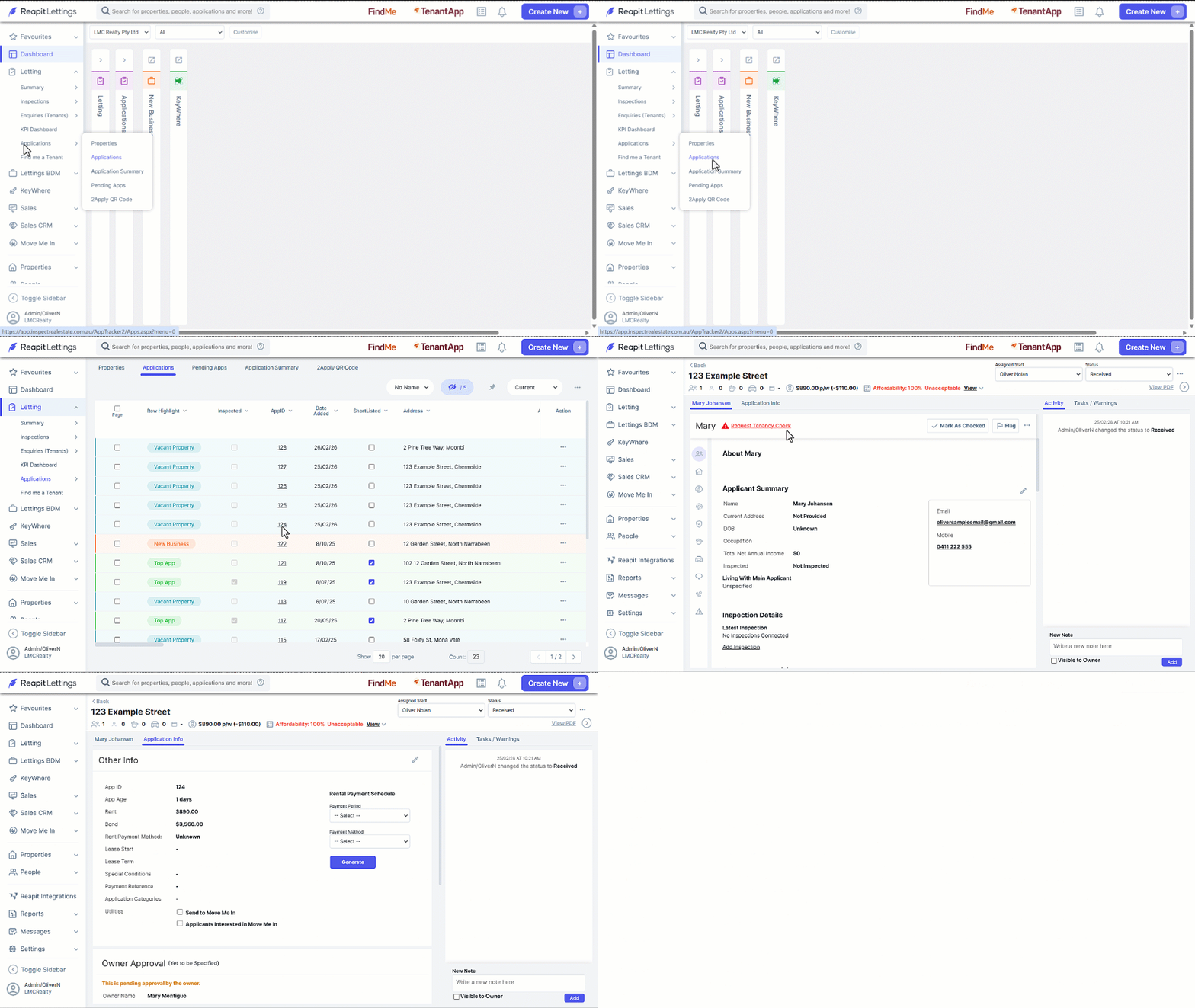
- Click on Letting.
- Click on Applications.
- Click on Applications.
- Click on the required AppID.
- Select the Application Info tab.
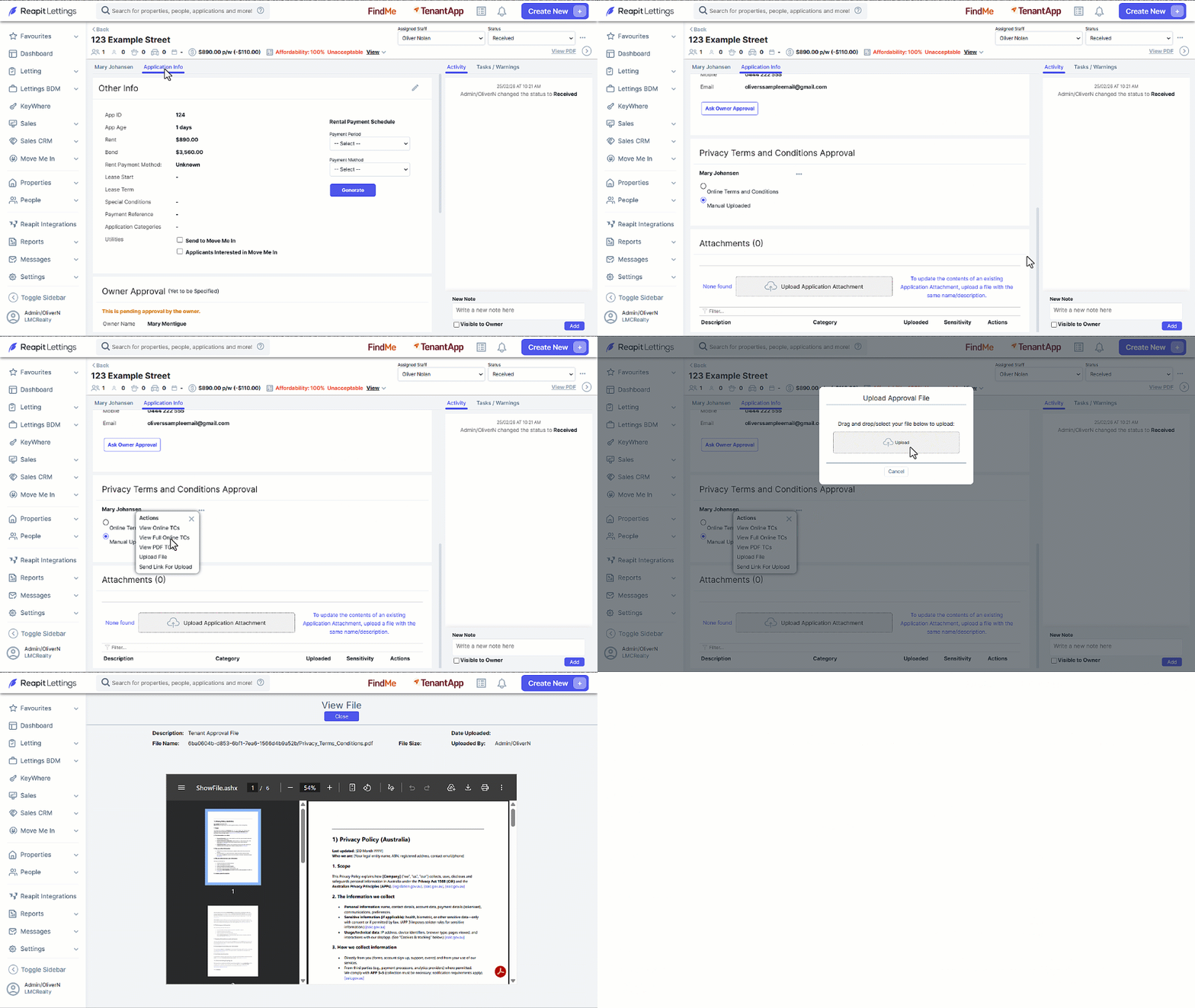
- Navigate to the Privacy Terms & Conditions Approval section.
- To upload the signed terms and condition, click on the 3-dots and select U****pload File from the Actions menu.
- Drag & Drop the file you would like to upload into the Upload section or click on Upload and attach from your drive.
- Once uploaded, the file can be accessed by clicking the File Name text.
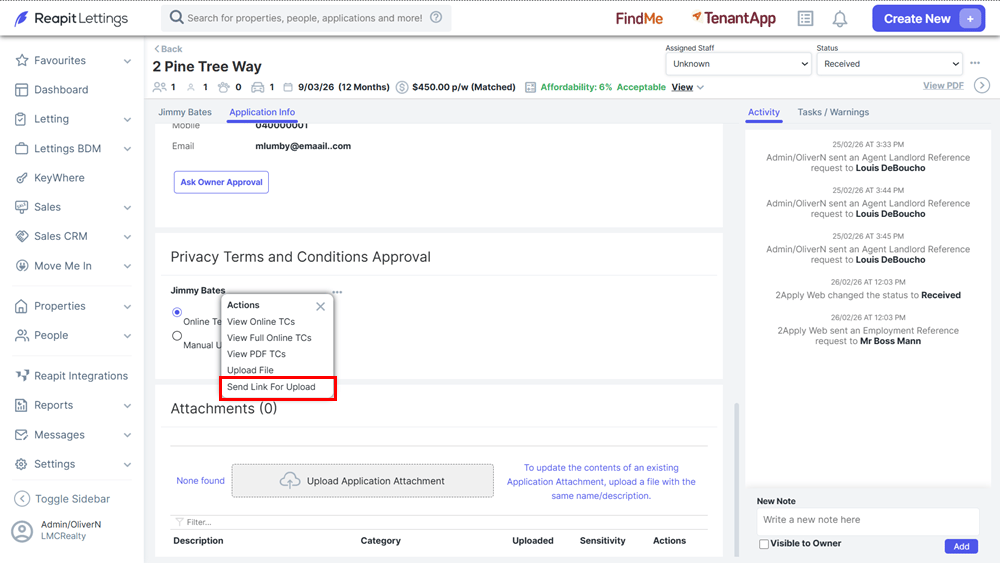
Tip: Selecting the Send Link for Upload ****from the Actions menu will send a link to the property manager’s mobile allowing them to take a photo of the privacy statement and uploading it to the application.