'%20d='M0%208a8%208%200%200%201%208-8h24a8%208%200%200%201%208%208v24a8%208%200%200%201-8%208H8a8%208%200%200%201-8-8V8Z'/%3e%3cpath%20fill='%23fff'%20d='M32.576%206C12.293%206%208.776%2025.887%207.424%2034H9.1c.45-2.977%203.493-14.748%2010.899-20.287%200%200-5.633%206.976-6.572%2015.051%203.426-.652%2013.845-3.372%2016.056-12.927l-3.84-.61c1.352-1.351%204.909-5.17%206.931-9.226V6Z'/%3e%3cdefs%3e%3clinearGradient%20id='reapit-lettings__a'%20x1='20.702'%20x2='20.702'%20y1='.351'%20y2='31.228'%20gradientUnits='userSpaceOnUse'%3e%3cstop%20stop-color='%235573FD'/%3e%3cstop%20offset='.575'%20stop-color='%234E56EA'/%3e%3c/linearGradient%3e%3c/defs%3e%3c/svg%3e)
Setting Up and Using the PortalLink Merge Fields
The PortalLink merge field can be inserted into messages and will link prospective tenants back to the listing advert on whichever portal you choose. This article will run through how to set up and use the PortalLink merge fields.
Overview
Setting Up and Using the PortalLink Merge Fields
The PortalLink merge field can be inserted into messages and will link prospective tenants back to the listing advert on whichever portal you choose.
This article will run through how to set up and use the PortalLink merge fields.
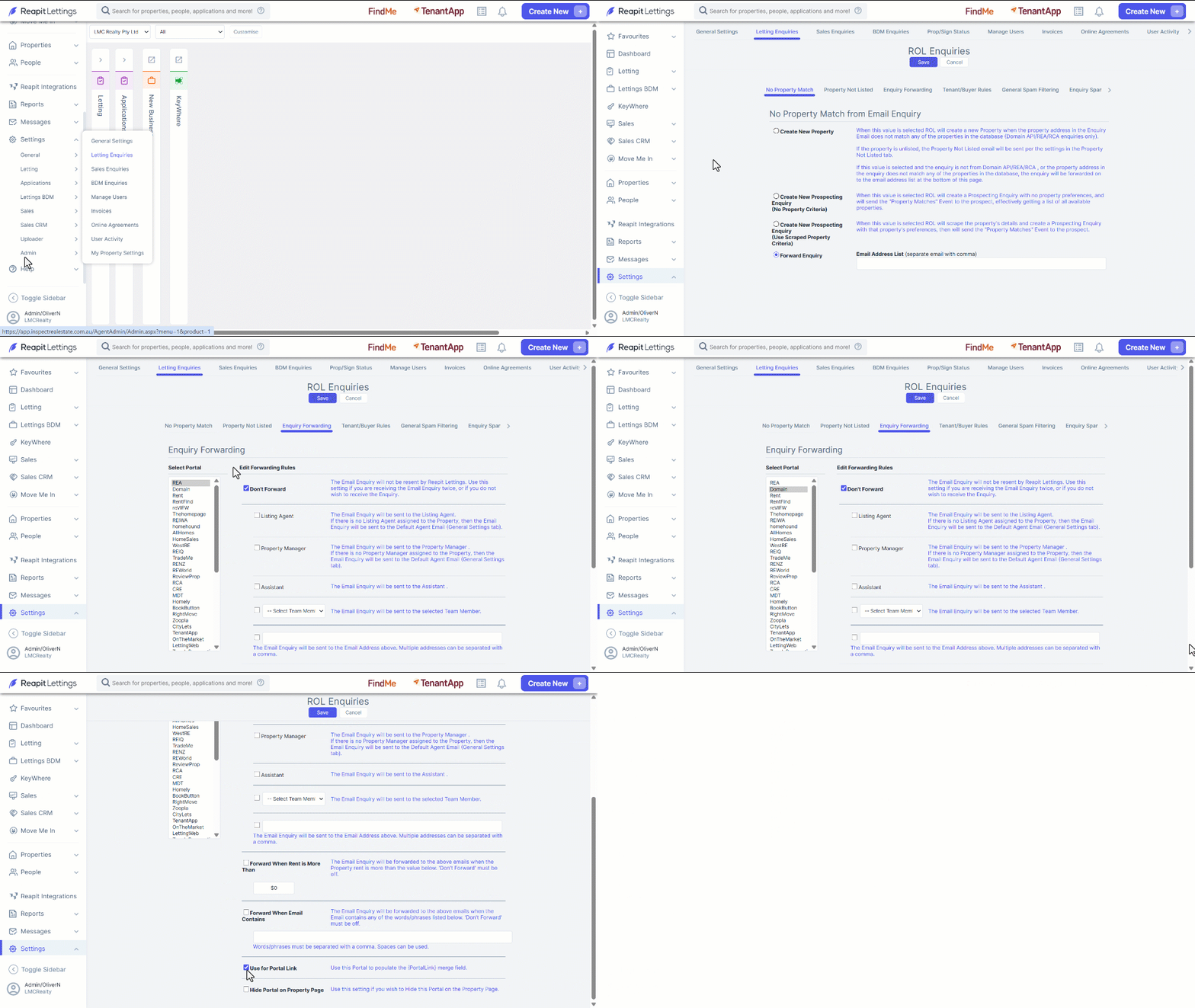
- Click on Settings.
- Click on Admin.
- Click on Lettings Enquiry
- Navigate to the Enquiry Forwarding tab.
- From the list of portals choose which one you would like the PortalLink merge field to link back to.
- Tick to activate Use for Portal Link.
- Click Save.
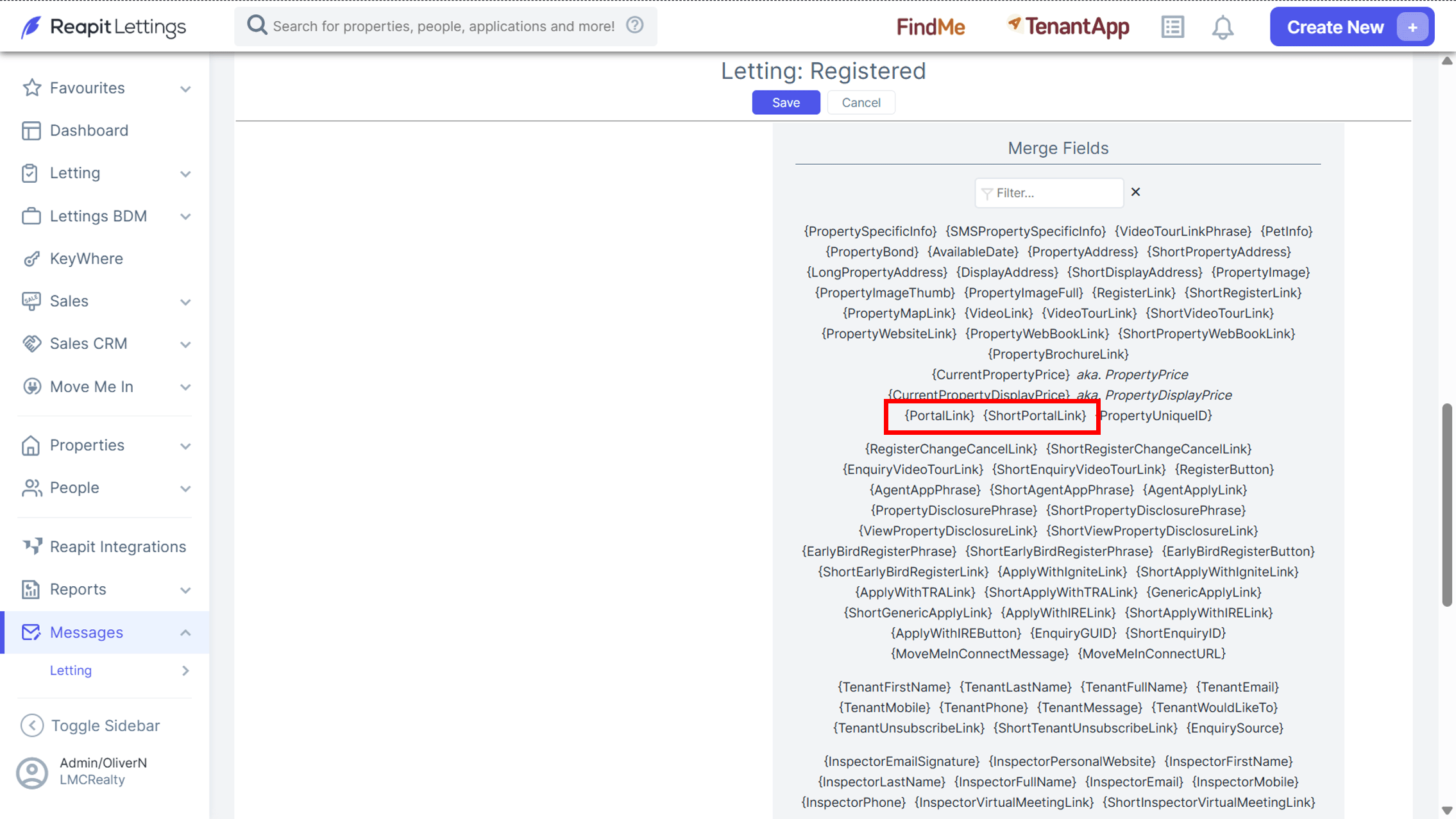
- To use this merge field you must add it to your messages. The merge field can be selected from the list and added to the message.