'%20d='M0%208a8%208%200%200%201%208-8h24a8%208%200%200%201%208%208v24a8%208%200%200%201-8%208H8a8%208%200%200%201-8-8V8Z'/%3e%3cpath%20fill='%23fff'%20d='M32.576%206C12.293%206%208.776%2025.887%207.424%2034H9.1c.45-2.977%203.493-14.748%2010.899-20.287%200%200-5.633%206.976-6.572%2015.051%203.426-.652%2013.845-3.372%2016.056-12.927l-3.84-.61c1.352-1.351%204.909-5.17%206.931-9.226V6Z'/%3e%3cdefs%3e%3clinearGradient%20id='reapit-lettings__a'%20x1='20.702'%20x2='20.702'%20y1='.351'%20y2='31.228'%20gradientUnits='userSpaceOnUse'%3e%3cstop%20stop-color='%235573FD'/%3e%3cstop%20offset='.575'%20stop-color='%234E56EA'/%3e%3c/linearGradient%3e%3c/defs%3e%3c/svg%3e)
How to Mark a Key as Lost or Broken
This article will run through how to mark a key as lost or broken within KeyWhere. The processes in this article include: Marking a Key as Lost or Broken Through the Web App Marking a Key as Lost or Broken Through the Mobile App
How to Mark a Key as Lost or Broken
This article will run through how to mark a key as lost or broken within KeyWhere.
The processes in this article include:
- Marking a Key as Lost or Broken Through the Web App
- Marking a Key as Lost or Broken Through the Mobile App
Marking a Key as Lost or Broken Through the Web App
Marking a key as 'lost' or 'broken' can be done from the KeyWhere web application. Once marked as Lost or Broken, you are unable to loan or reserve this key until it is replaced.
- Click on Keys.
- Click on Keys.
- Select with the Keys# or Address heading and use the search field to locate the required key.
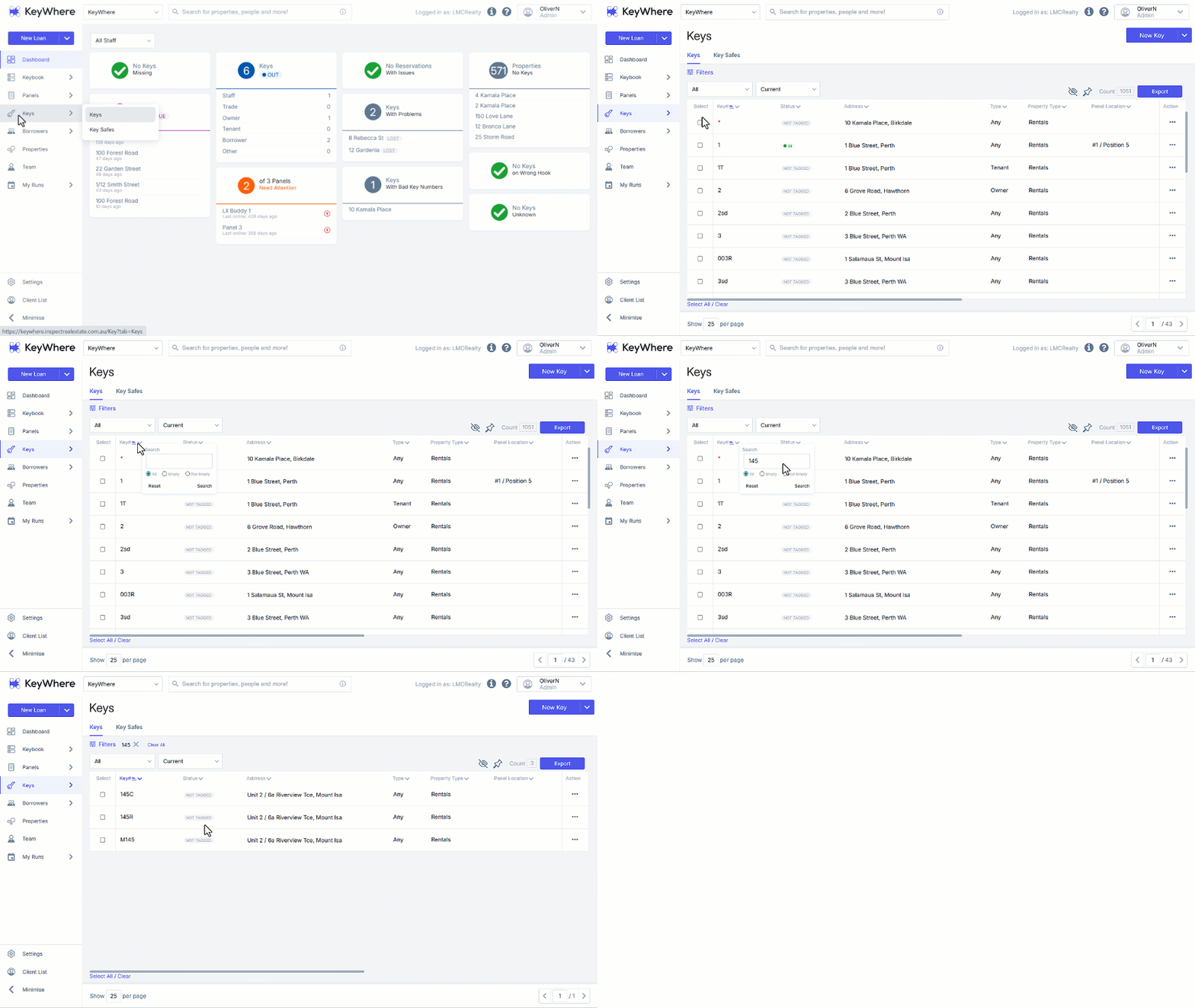
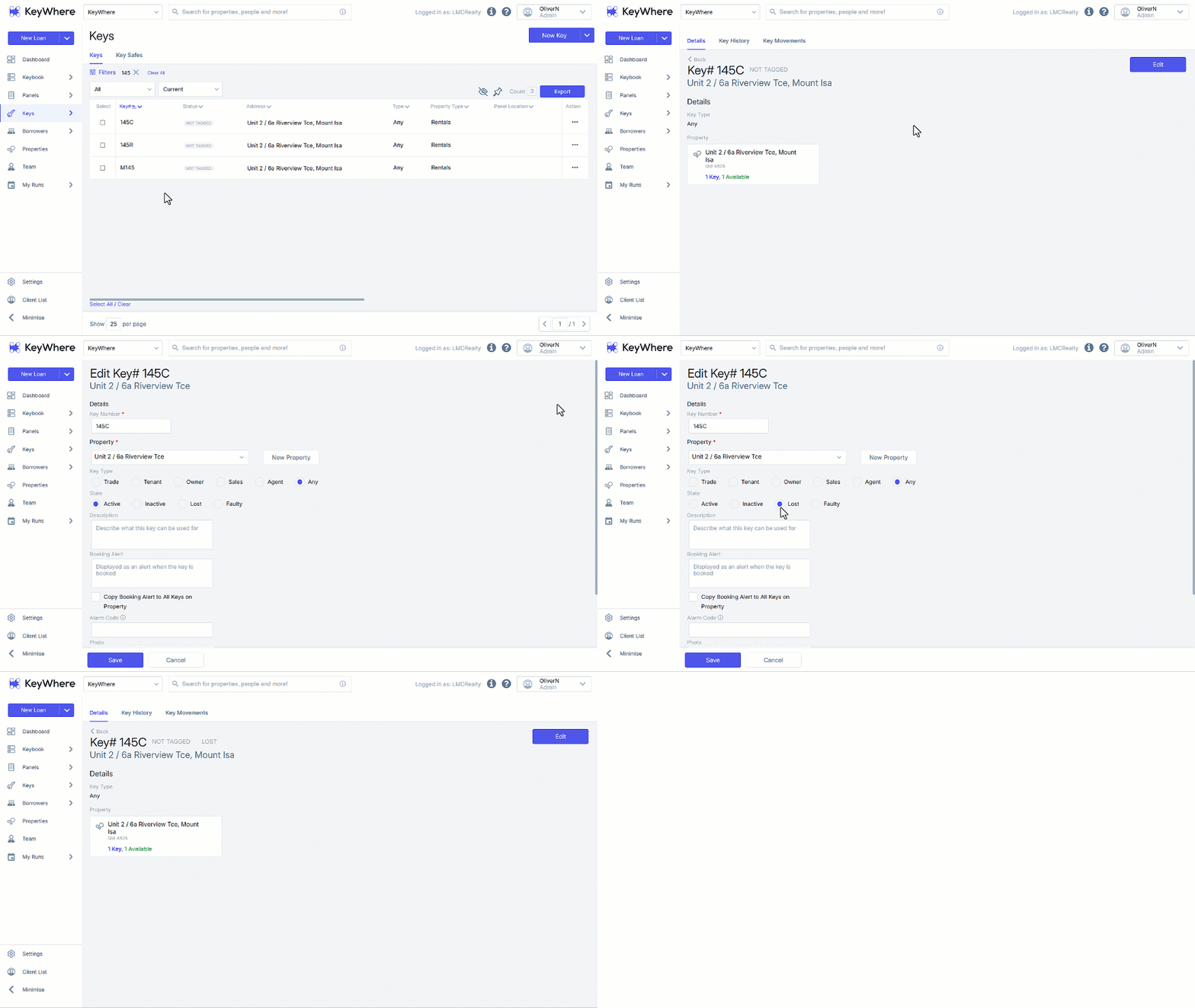
- Click on the result to select the required key.
- Click on Edit.
- Navigate to State and select either Lost or Broken.
- Click on Save.
Marking a Key as Lost or Broken Through the Mobile App
Marking a key as 'broken' can be done via the KeyWhere mobile app.
- From the KeyWhere dashboard, select the Search Icon to open the search page.
- Search for the broken key by number or address, then select the relevant key from the results.
- From the key viewing screen, select the more options button in the top right-hand corner of the screen and click Edit.
- Here, you can select the state of the key.