'%20d='M0%208a8%208%200%200%201%208-8h24a8%208%200%200%201%208%208v24a8%208%200%200%201-8%208H8a8%208%200%200%201-8-8V8Z'/%3e%3cpath%20fill='%23fff'%20d='M32.576%206C12.293%206%208.776%2025.887%207.424%2034H9.1c.45-2.977%203.493-14.748%2010.899-20.287%200%200-5.633%206.976-6.572%2015.051%203.426-.652%2013.845-3.372%2016.056-12.927l-3.84-.61c1.352-1.351%204.909-5.17%206.931-9.226V6Z'/%3e%3cdefs%3e%3clinearGradient%20id='reapit-lettings__a'%20x1='20.702'%20x2='20.702'%20y1='.351'%20y2='31.228'%20gradientUnits='userSpaceOnUse'%3e%3cstop%20stop-color='%235573FD'/%3e%3cstop%20offset='.575'%20stop-color='%234E56EA'/%3e%3c/linearGradient%3e%3c/defs%3e%3c/svg%3e)
Logging in to Reapit Lettings
This guide outlines the processes for logging in, resetting passwords, and managing users in the Reapit Lettings system
The processes in this article include:
- Accessing the Login Page
- Resetting Your Password
- Managing Users
Accessing the Login Page
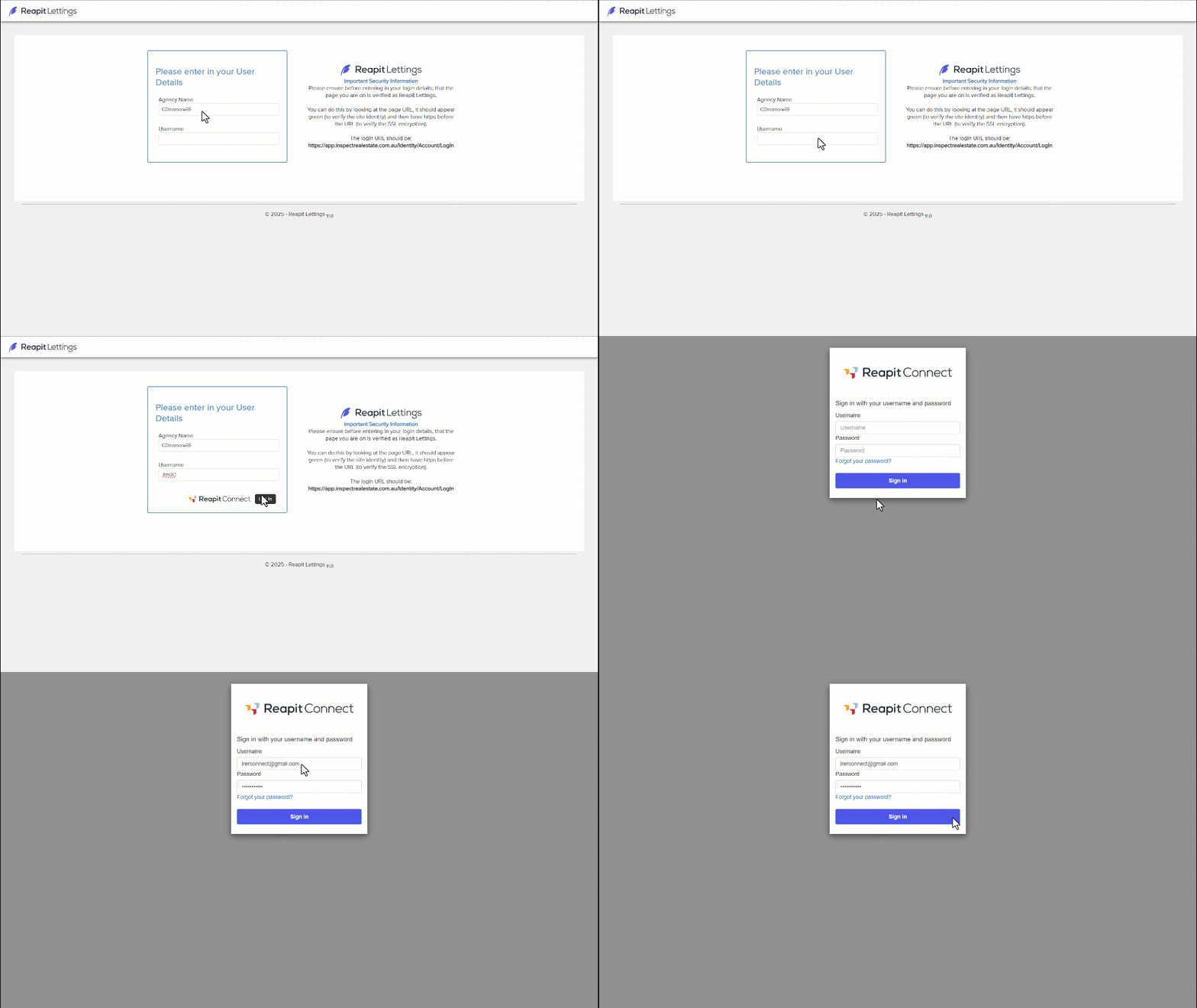
Navigate to https://inspectrealestate.com.au/Identity/Account/LogIn
- Enter your Agency name and username or email.
- Click Log In to access your account.
- Enter your Reapit Connect email and password.
- Click Sign in.
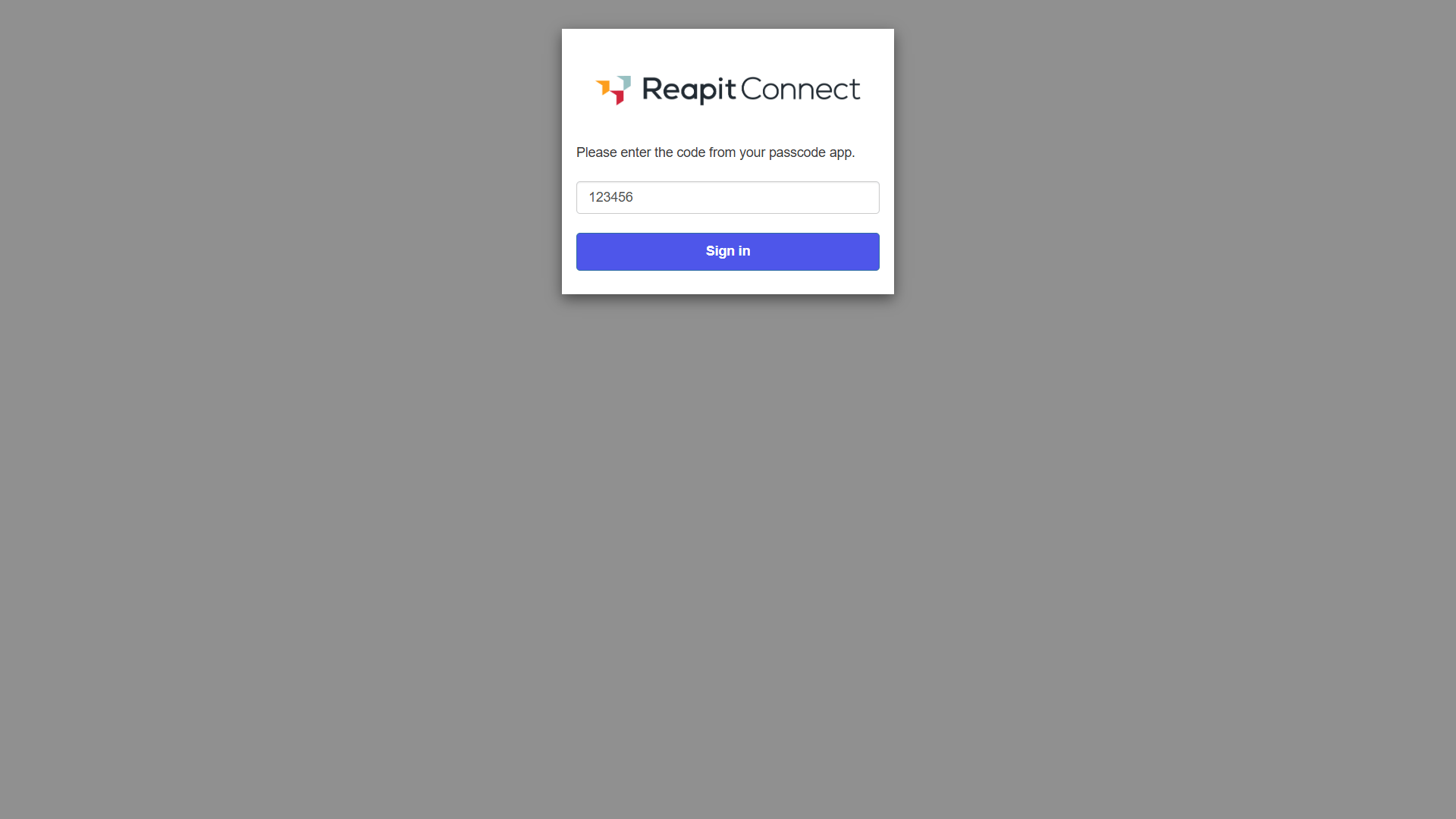
Note: If you have Multi Factor Authentication (MFA) enabled, you will need to enter the code from your passcode app to sign in.
Resetting Your Password
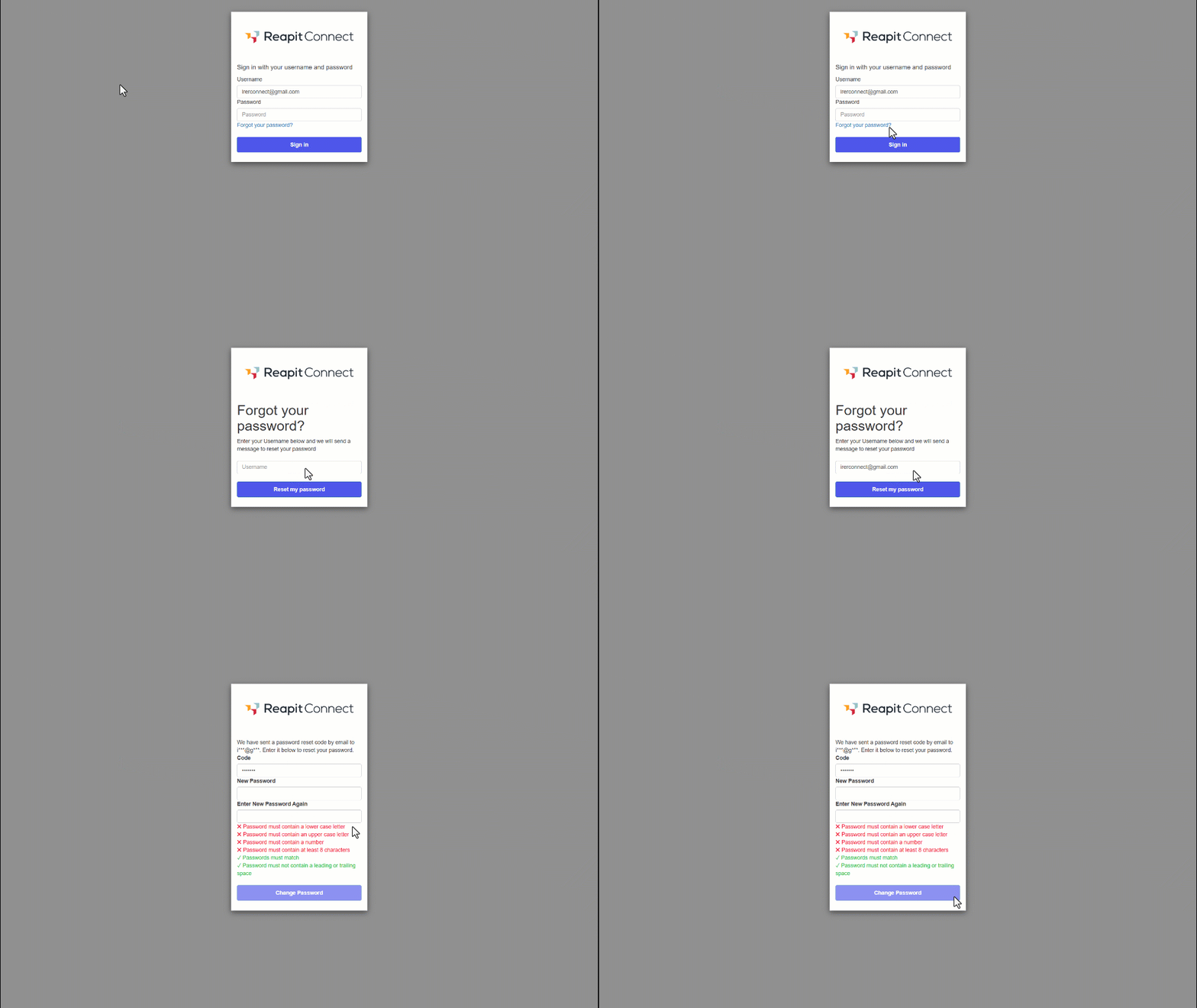
- The password reset process is designed for simplicity and security. On the login page, click Forgot your Password?
- Enter your email address.
- A password reset code will be emailed to your email. Enter the code on the page along with the new password twice, following the password requirements until they are all ticked.
- Click Change Password.
Managing Users
- Navigate to Settings.
- Click Admin.
- Click on the User.
- Click Manage Users.
- Click the three dots to the right of the user
- Click Reset Password.
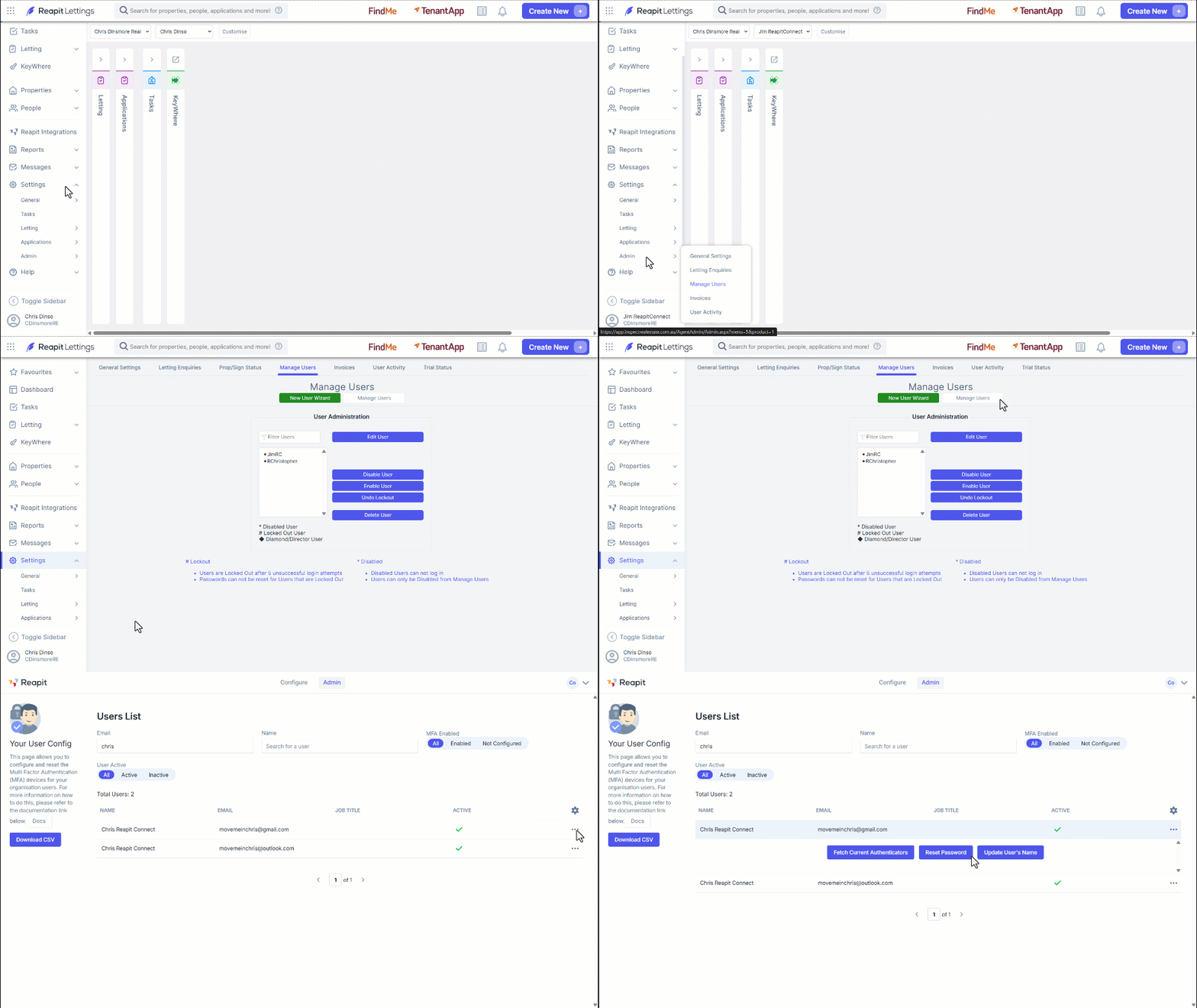
Note: You can also update the user's name or fetch autenticators from the same page.
- The system will email a temporary password to the user's email, it will have the user change the password when signing in.