'%20d='M0%208a8%208%200%200%201%208-8h24a8%208%200%200%201%208%208v24a8%208%200%200%201-8%208H8a8%208%200%200%201-8-8V8Z'/%3e%3cpath%20fill='%23fff'%20d='M32.576%206C12.293%206%208.776%2025.887%207.424%2034H9.1c.45-2.977%203.493-14.748%2010.899-20.287%200%200-5.633%206.976-6.572%2015.051%203.426-.652%2013.845-3.372%2016.056-12.927l-3.84-.61c1.352-1.351%204.909-5.17%206.931-9.226V6Z'/%3e%3cdefs%3e%3clinearGradient%20id='reapit-lettings__a'%20x1='20.702'%20x2='20.702'%20y1='.351'%20y2='31.228'%20gradientUnits='userSpaceOnUse'%3e%3cstop%20stop-color='%235573FD'/%3e%3cstop%20offset='.575'%20stop-color='%234E56EA'/%3e%3c/linearGradient%3e%3c/defs%3e%3c/svg%3e)
Applications References Report
This article will run through what the applications reference report is in Reapit Lettings.
Applications References Report
This article will run through what the applications reference report is in Reapit Lettings.
The AppChecker report is a snapshot of References requested and supplied and data on your Applicants and their application.
You can be emailed a static version of this report and can access the interactive version online.
In the interactive version, when you press a number, it will expand and tell you more information.
- Navigate to Reports.
- Click Applications.
- Click References.
- Select the View Report button.
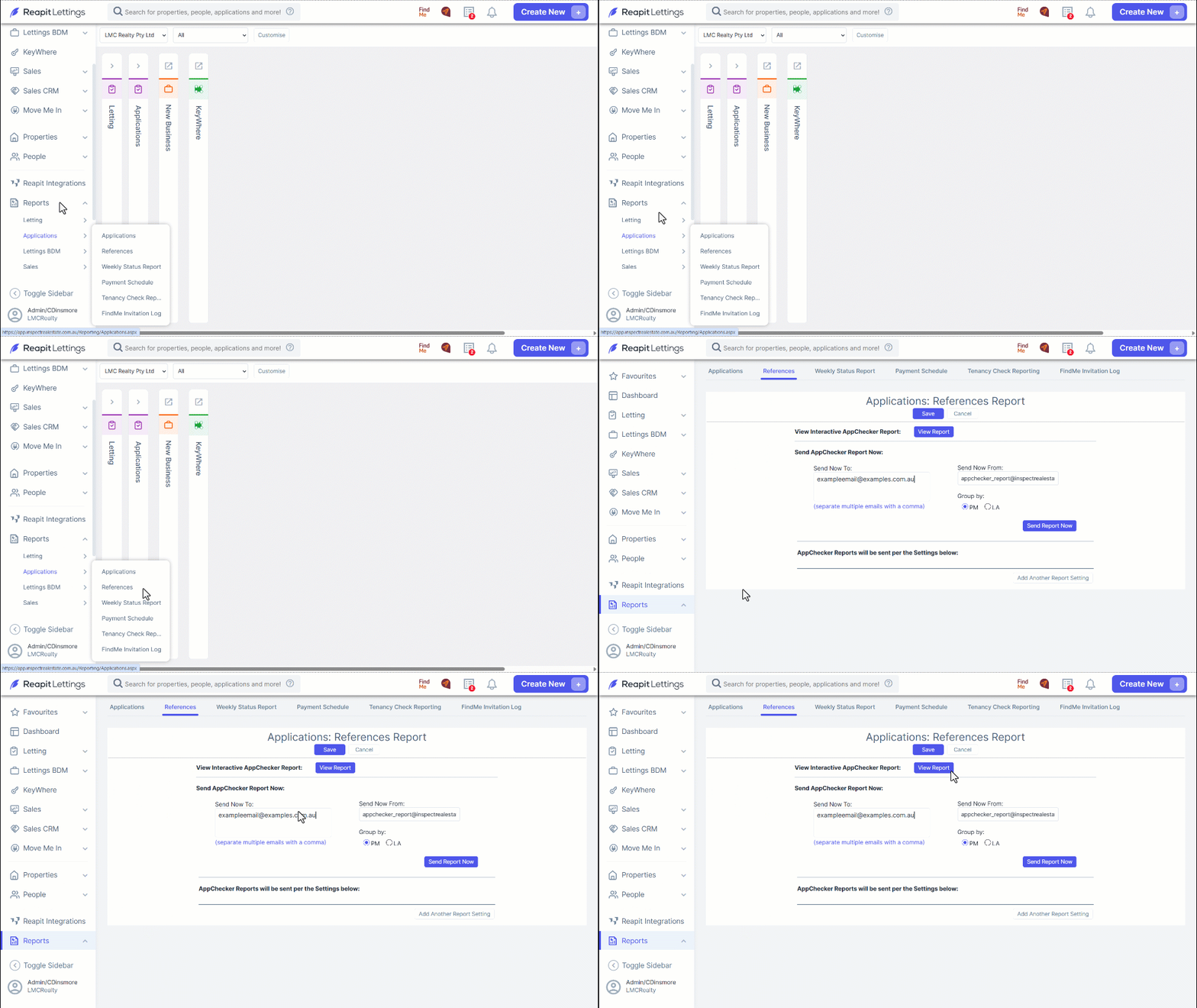
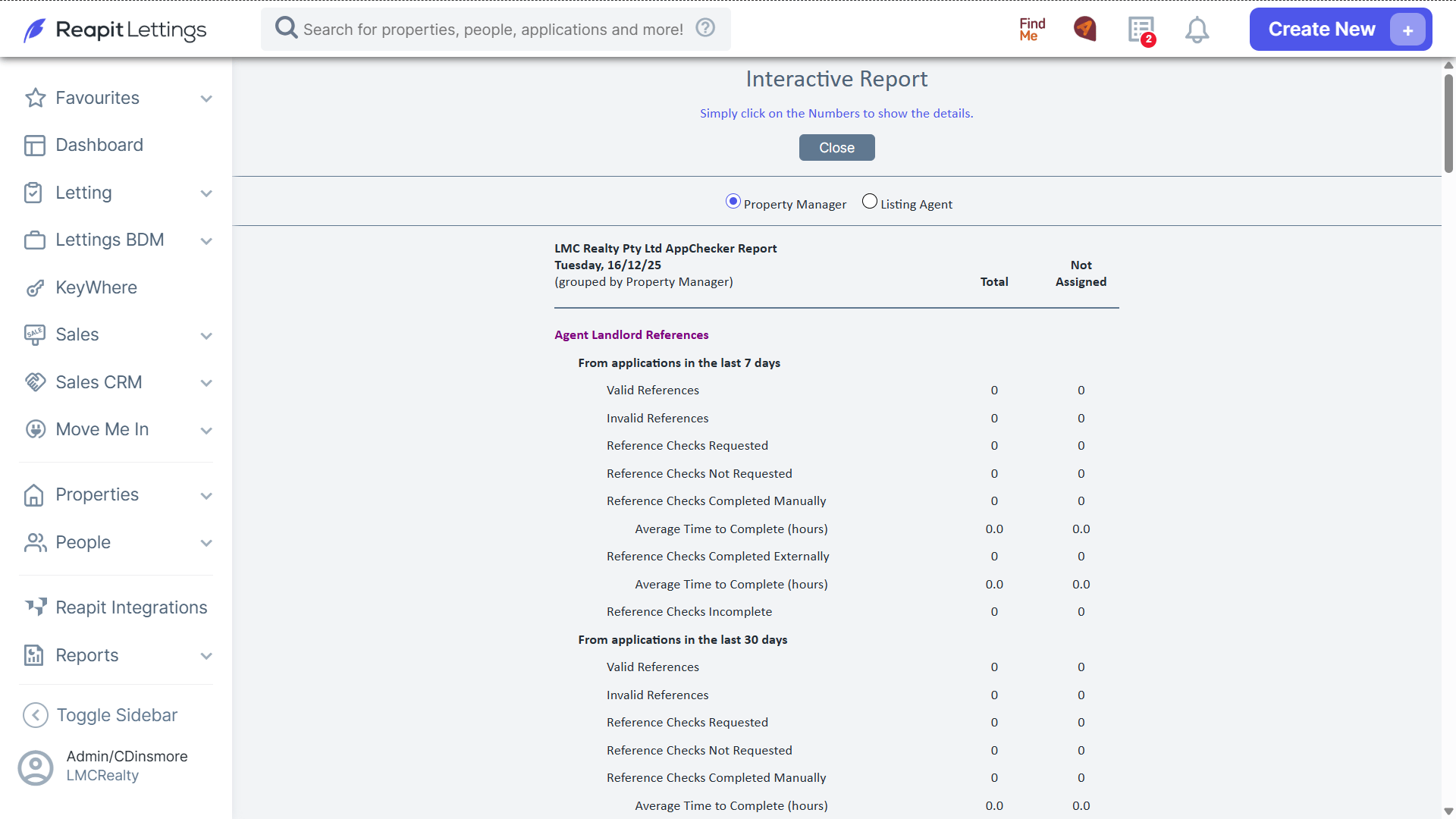
- The AppTracker Report has three sections:
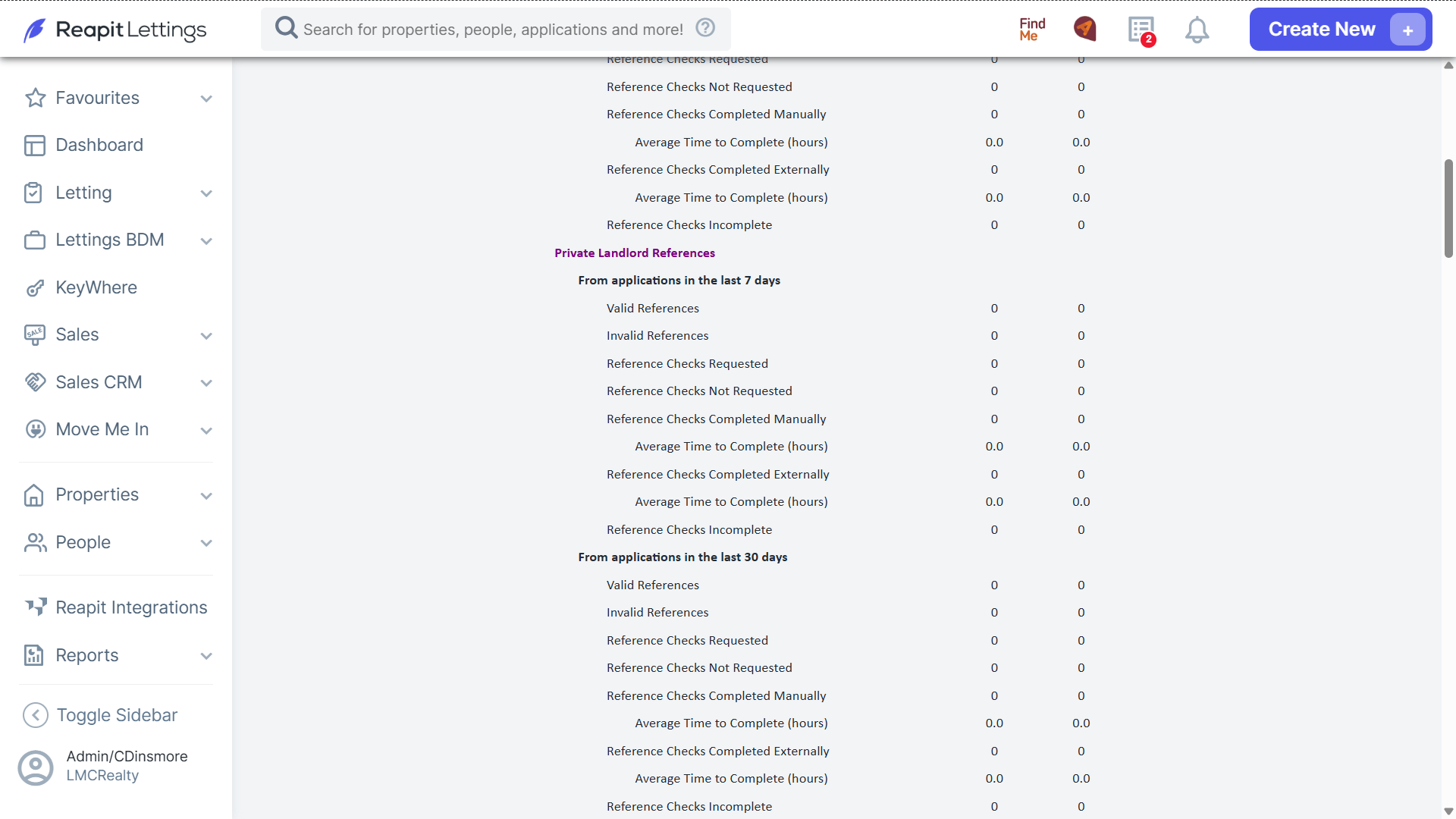
References (Property, employment, personal and emergency contact)
Applications
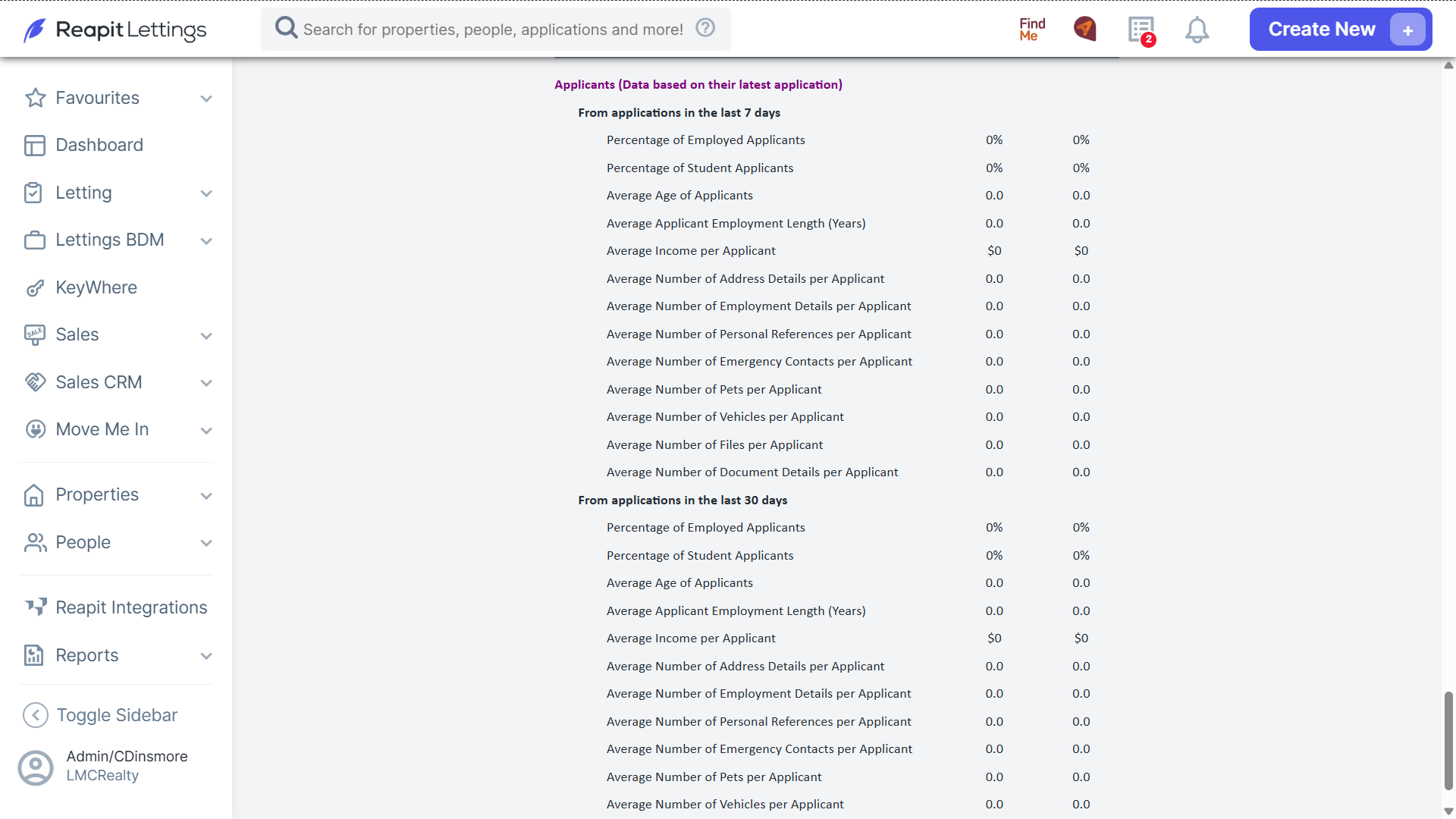
Applicants (Data based on their latest Application)
- First it will show all data in terms of references sent, those completed manually and those that were sent out and completed externally.
It also breaks it up per time frame of 7 and 30 days, and all references and distinct references.
- Next shows an overview of the processed data within those applications.
- The last shows a breakdown of the type of applicants you have received based off the information entered.
- Each line that has a number is interactive and can be selected to reveal the relevant data.
Each section will also give a Total while also being broken up per team member, this can be sorted by either Listing Agent or Property Manager.