'%20d='M0%208a8%208%200%200%201%208-8h24a8%208%200%200%201%208%208v24a8%208%200%200%201-8%208H8a8%208%200%200%201-8-8V8Z'/%3e%3cpath%20fill='%23fff'%20d='M32.576%206C12.293%206%208.776%2025.887%207.424%2034H9.1c.45-2.977%203.493-14.748%2010.899-20.287%200%200-5.633%206.976-6.572%2015.051%203.426-.652%2013.845-3.372%2016.056-12.927l-3.84-.61c1.352-1.351%204.909-5.17%206.931-9.226V6Z'/%3e%3cdefs%3e%3clinearGradient%20id='reapit-lettings__a'%20x1='20.702'%20x2='20.702'%20y1='.351'%20y2='31.228'%20gradientUnits='userSpaceOnUse'%3e%3cstop%20stop-color='%235573FD'/%3e%3cstop%20offset='.575'%20stop-color='%234E56EA'/%3e%3c/linearGradient%3e%3c/defs%3e%3c/svg%3e)
How To Remove A Leased Property
This article will run through how to remove a leased property in Reapit Lettings.
How to Remove a Leased Property
This article will run through how to remove a leased property in Reapit Lettings.
- Navigate to Letting.
- Click Summary.
- Click Inspection Summary.
- Find the property and then click on the address.
- Click the Main Data tab and scroll down to the Details section.
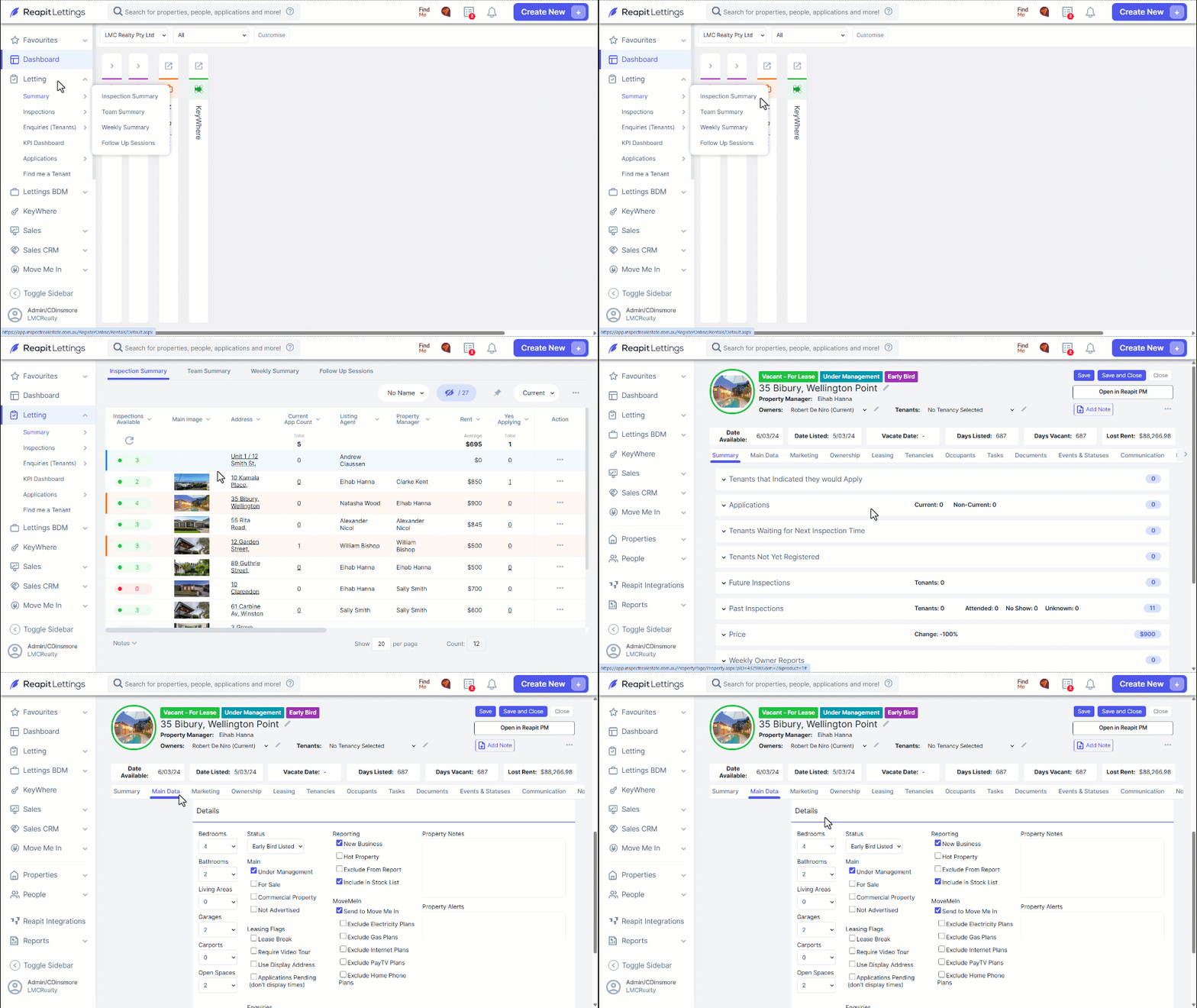
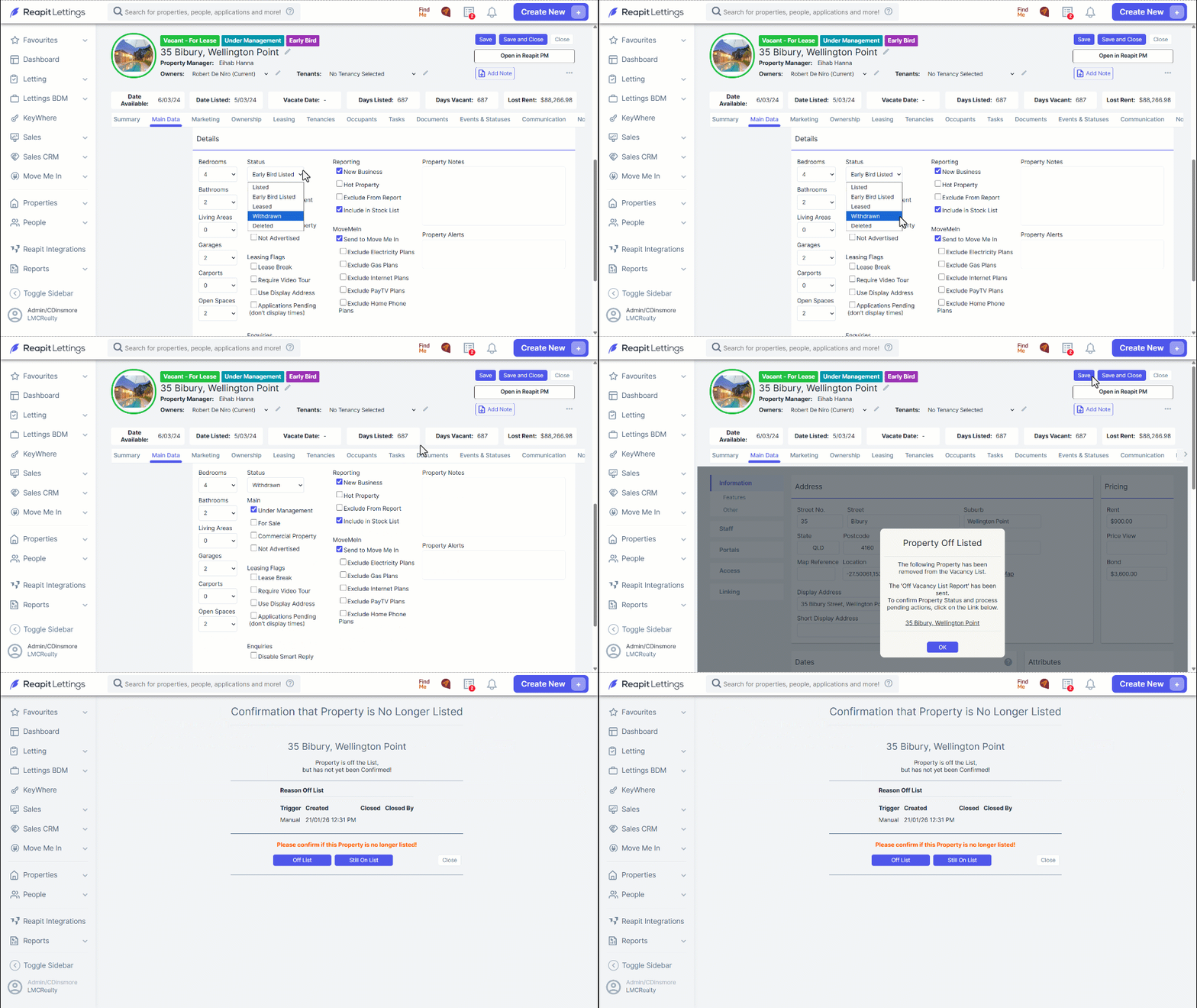
- If the property is currently being advertised for lease, then the Status will be shown as "Listed". To let the system know the property is no longer being advertised change the Status from "Listed" to "Leased" or "Withdrawn".
Note: The Above will happen automatically when you remove the property from advertising on REA/ Domain using your XML feed.
- You will then receive the Off Vacancy List screen once you have selected Save.
- Click on the address in the notification to action the Off-List for the property.
- Follow the prompts of the Off-List, and once completed, the property will now be taken offline within your account.
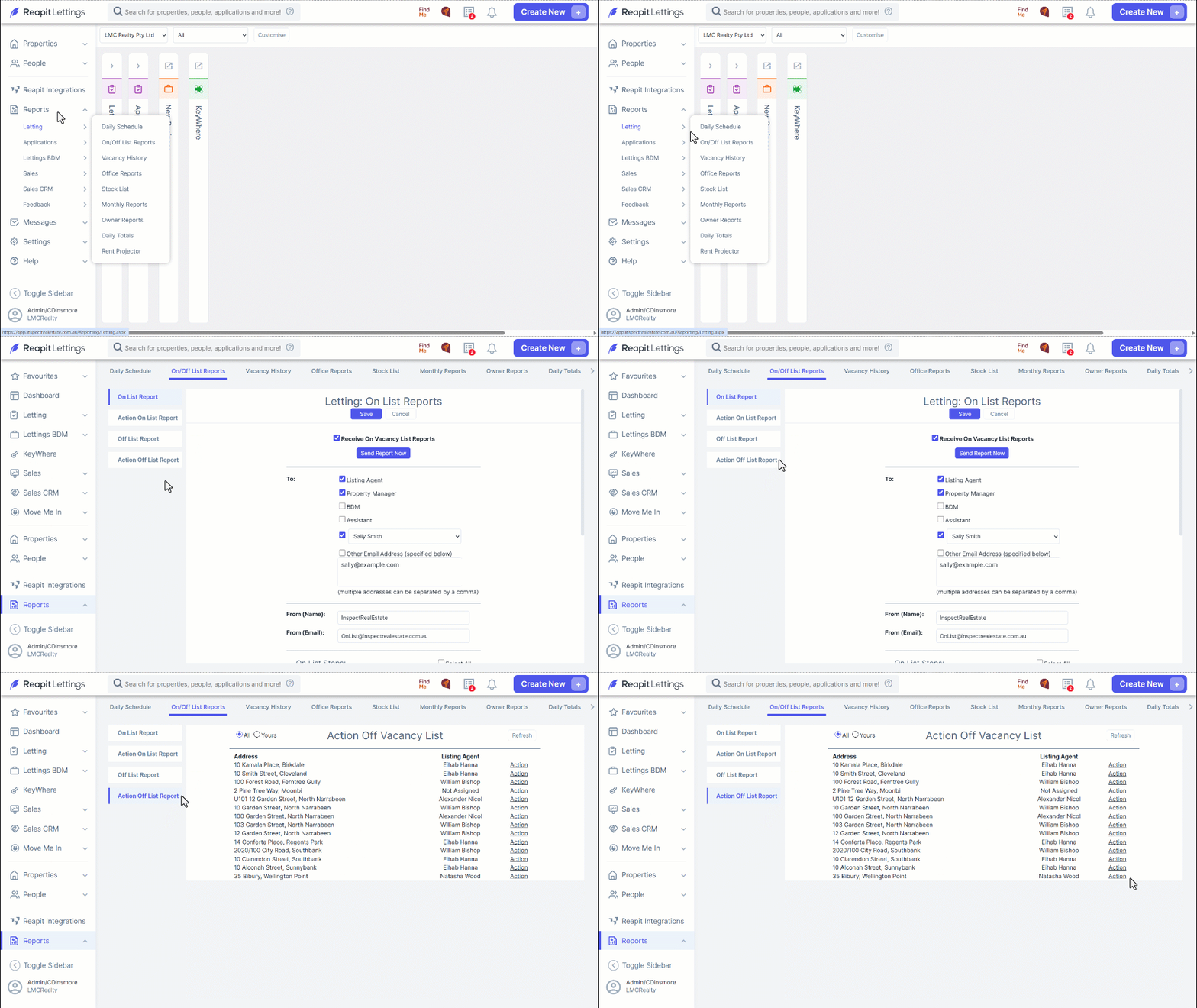
- If you accidentally select the okay button, you can still complete the Off-List by navigating to Reports > Letting > On / Off List Reports > Action Off List Reports.
- Select the action icon for the property and follow the Off-List prompts to make the property offline in your account.