'%20d='M0%208a8%208%200%200%201%208-8h24a8%208%200%200%201%208%208v24a8%208%200%200%201-8%208H8a8%208%200%200%201-8-8V8Z'/%3e%3cpath%20fill='%23fff'%20d='M32.576%206C12.293%206%208.776%2025.887%207.424%2034H9.1c.45-2.977%203.493-14.748%2010.899-20.287%200%200-5.633%206.976-6.572%2015.051%203.426-.652%2013.845-3.372%2016.056-12.927l-3.84-.61c1.352-1.351%204.909-5.17%206.931-9.226V6Z'/%3e%3cdefs%3e%3clinearGradient%20id='reapit-lettings__a'%20x1='20.702'%20x2='20.702'%20y1='.351'%20y2='31.228'%20gradientUnits='userSpaceOnUse'%3e%3cstop%20stop-color='%235573FD'/%3e%3cstop%20offset='.575'%20stop-color='%234E56EA'/%3e%3c/linearGradient%3e%3c/defs%3e%3c/svg%3e)
Setting Up an Office Email Signature Template
This article will run through how to create an email office signature template in Reapit Lettings for staff members within your account.
Email Signature Template for Rentals
This article will run through how to create and apply and email signature template in Reapit Lettings for staff members within your account.
The processes in this article include:
- How to Create / Edit an Email Signature Template
- How to Apply an Email Signature Template
How to Create / Edit an Email Signature Template
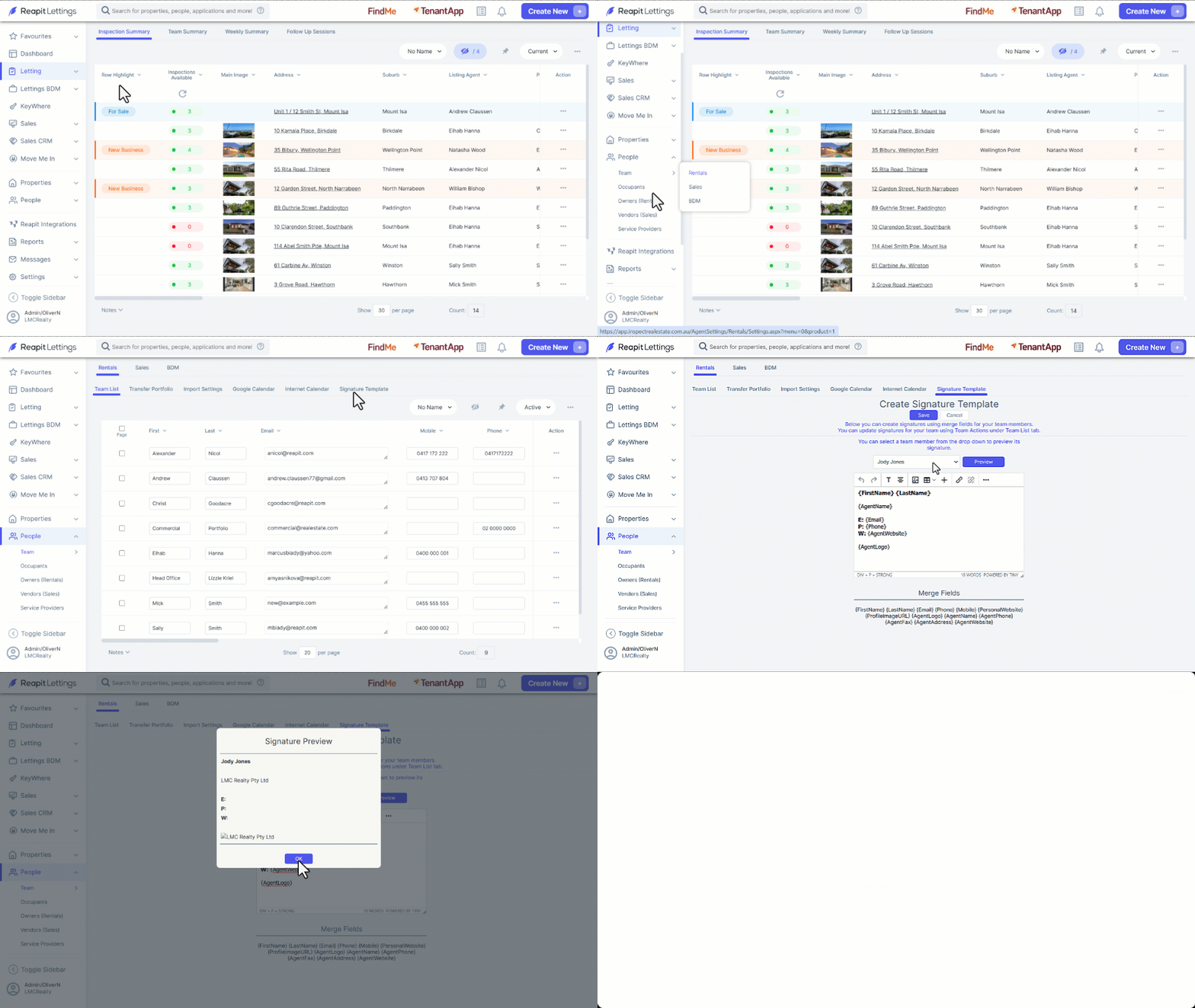
- Click on People.
- Click on Team.
- Click on Rentals.
- Select the ****Signature Template tab.
- Edit the Signature template as required including the the required Merge Fields.
- To preview the template select a team member from the dropdown and click on Preview to access and view the selected staff member’s email signature, click OK to close.
- Click on Save.
How to Apply an Email Signature Template
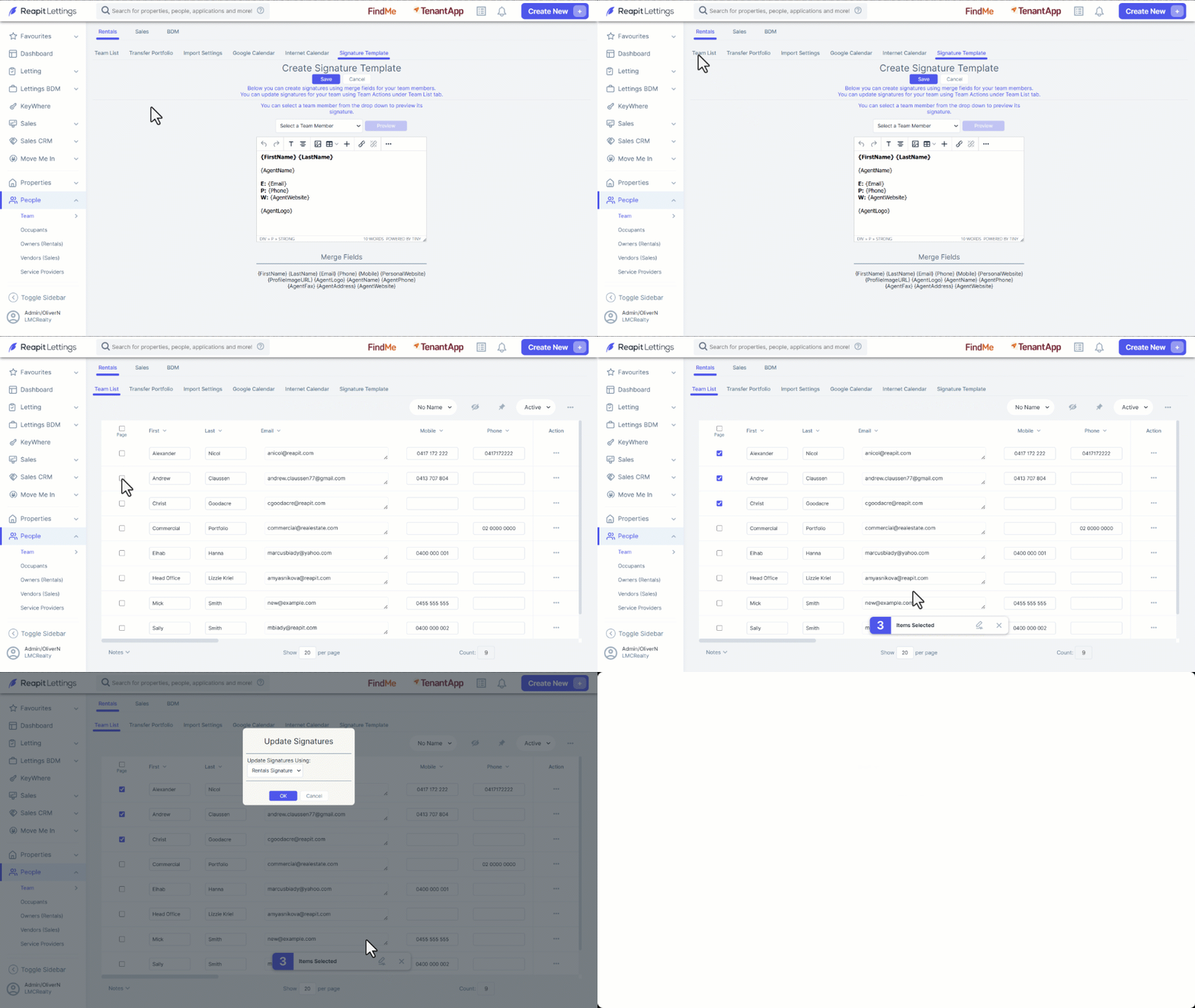
- Click on the Team List tab.
- Select all users or specific users, then click the Update Signatures.
- Select the Rentals Signature Template from the dropdown.
- Click on OK.