'%20d='M0%208a8%208%200%200%201%208-8h24a8%208%200%200%201%208%208v24a8%208%200%200%201-8%208H8a8%208%200%200%201-8-8V8Z'/%3e%3cpath%20fill='%23fff'%20d='M32.576%206C12.293%206%208.776%2025.887%207.424%2034H9.1c.45-2.977%203.493-14.748%2010.899-20.287%200%200-5.633%206.976-6.572%2015.051%203.426-.652%2013.845-3.372%2016.056-12.927l-3.84-.61c1.352-1.351%204.909-5.17%206.931-9.226V6Z'/%3e%3cdefs%3e%3clinearGradient%20id='reapit-lettings__a'%20x1='20.702'%20x2='20.702'%20y1='.351'%20y2='31.228'%20gradientUnits='userSpaceOnUse'%3e%3cstop%20stop-color='%235573FD'/%3e%3cstop%20offset='.575'%20stop-color='%234E56EA'/%3e%3c/linearGradient%3e%3c/defs%3e%3c/svg%3e)
How to Follow Up Buyers Not Registered
This article will guide you on how to update and manage property-specific messages within your account in Reapit Lettings, focusing on the process for following up with buyers who have not yet registered for an inspection.
Buyers Not Registered are prospective buyers who have inquired about a property and have been informed of available inspection times but have not yet registered to attend. You need to follow up with these buyers to encourage them to register for an inspection.
A typical follow-up process includes:
- Marking old enquiries as inactive.
- Setting up new inspections for those who indicated the initial times were not suitable.
- Re-advising buyers of available times.
- Calling buyers to manually book them or marking them inactive if they are no longer interested.
- Ensuring comments and questions asked by buyers are answered.
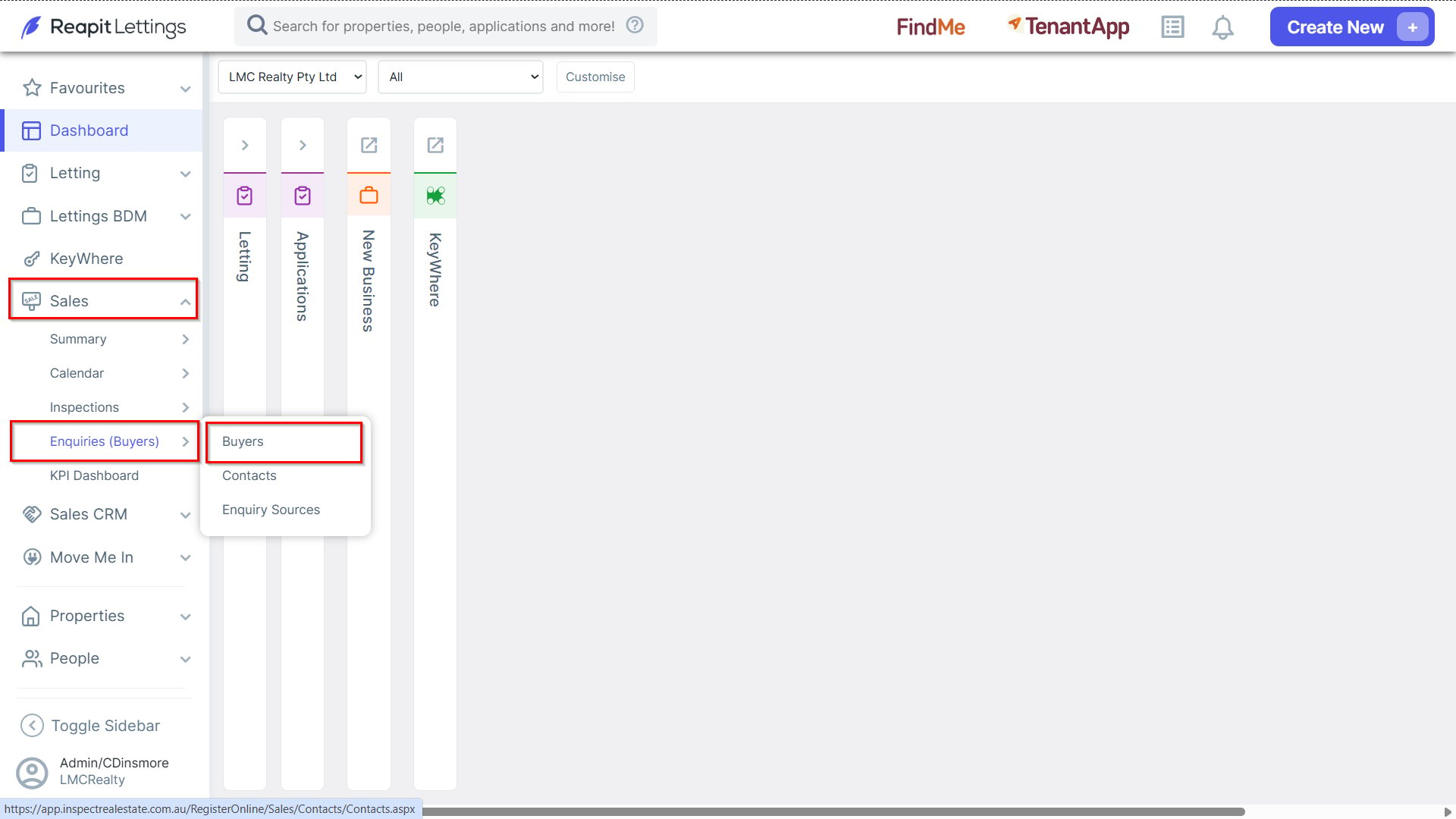
1. To view Not Registered Buyers for a Particular Property, navigate to Sales > Enquiries (Buyers), and select Buyers.
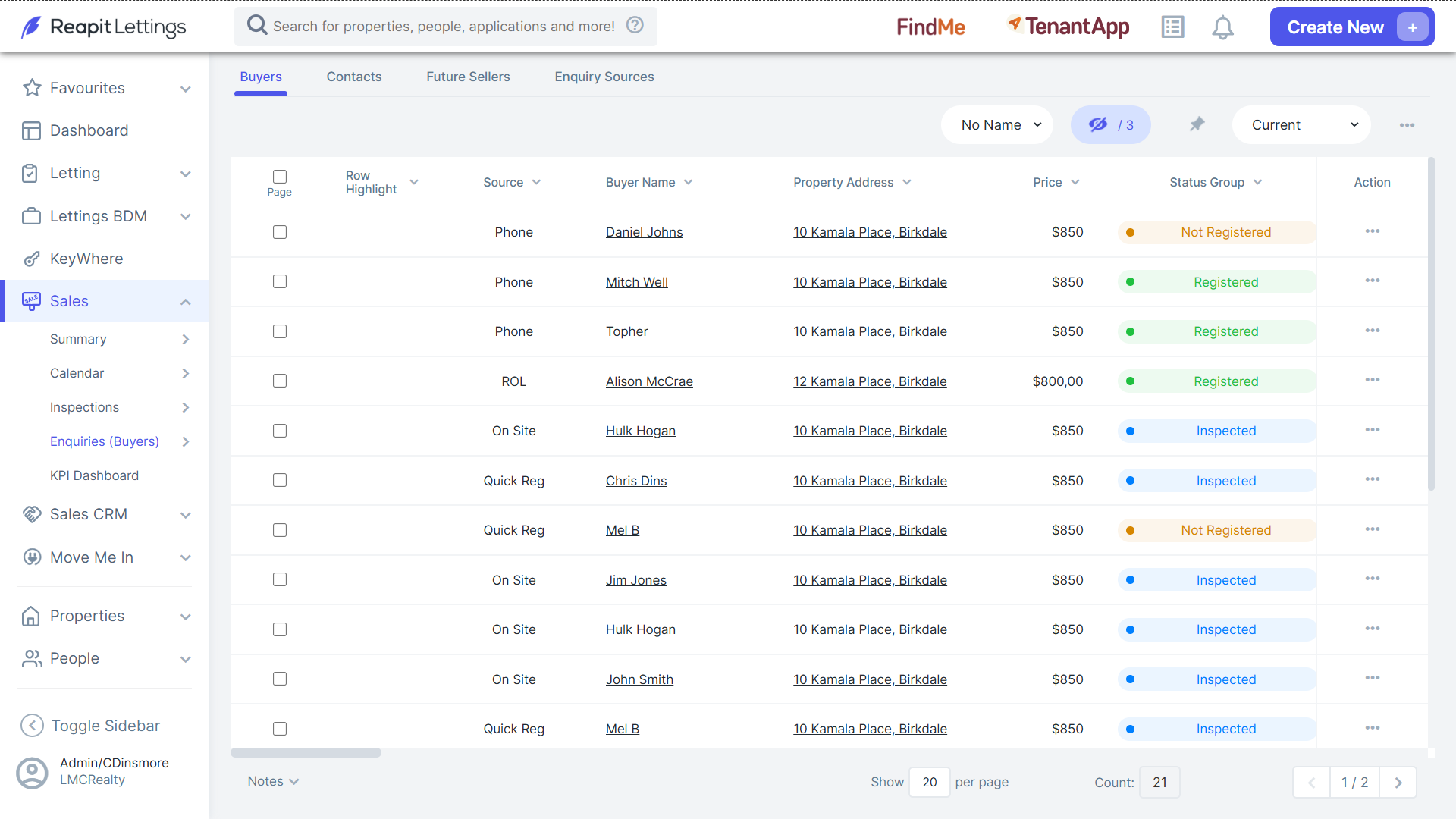
Note: Adjacent to the desired property, underneath the Status Group column it will display Not Registered.
When an enquiry is received on a property, it remains an ‘active’ enquiry until the property is sold, manually marked inactive by the agent, or the buyer unsubscribes.
If you are regularly following up on enquiries, after a certain period (typically 2-3 weeks), it is reasonable to assume that if an enquiry has not been registered or responded, the buyer is no longer interested in the property. In this case, you can make the enquiry inactive, so it no longer appears in your list of buyers to follow up.
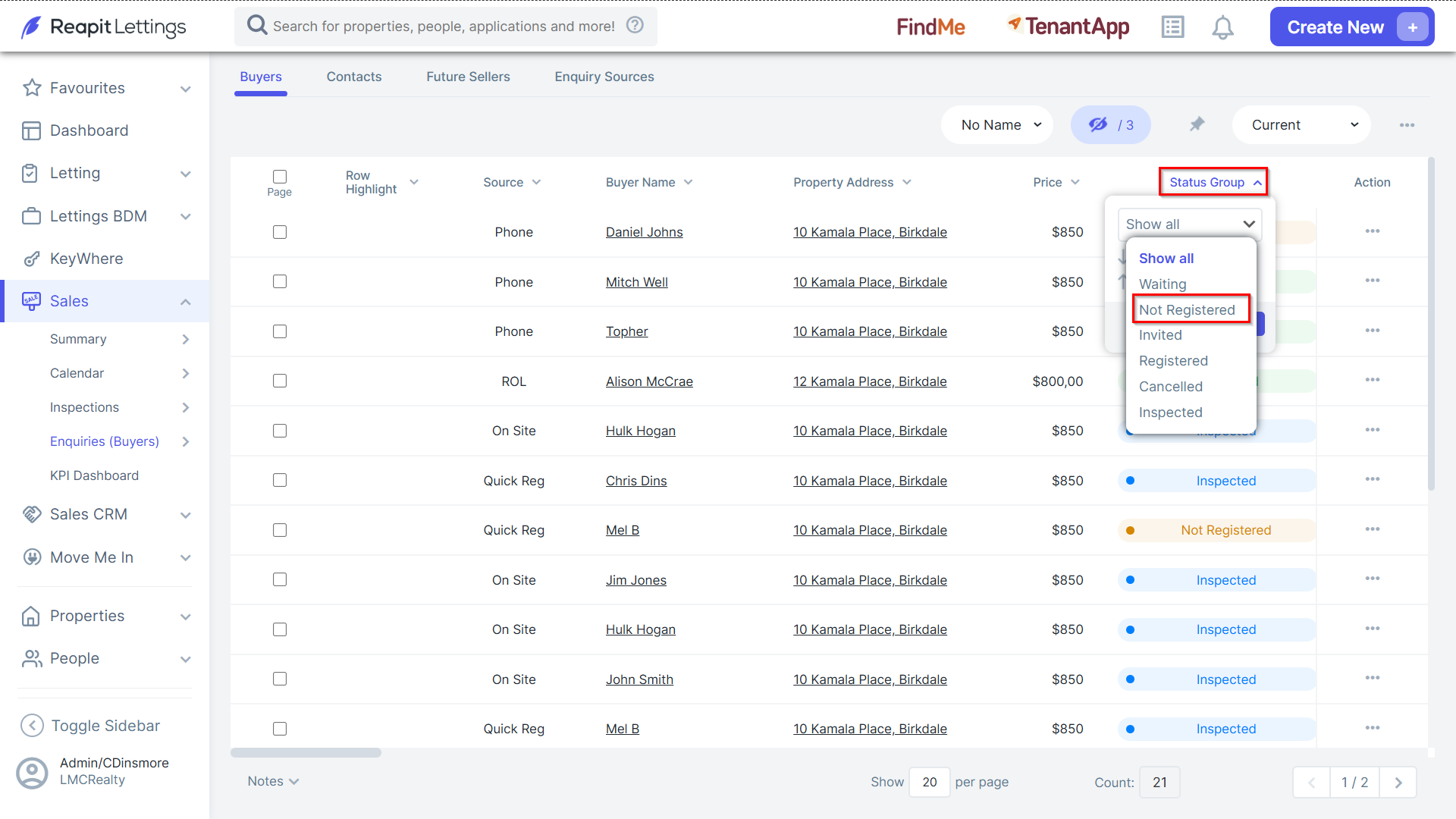
2. To do this, change the Status Group Filter to Not Registered to show only enquiries in this group.
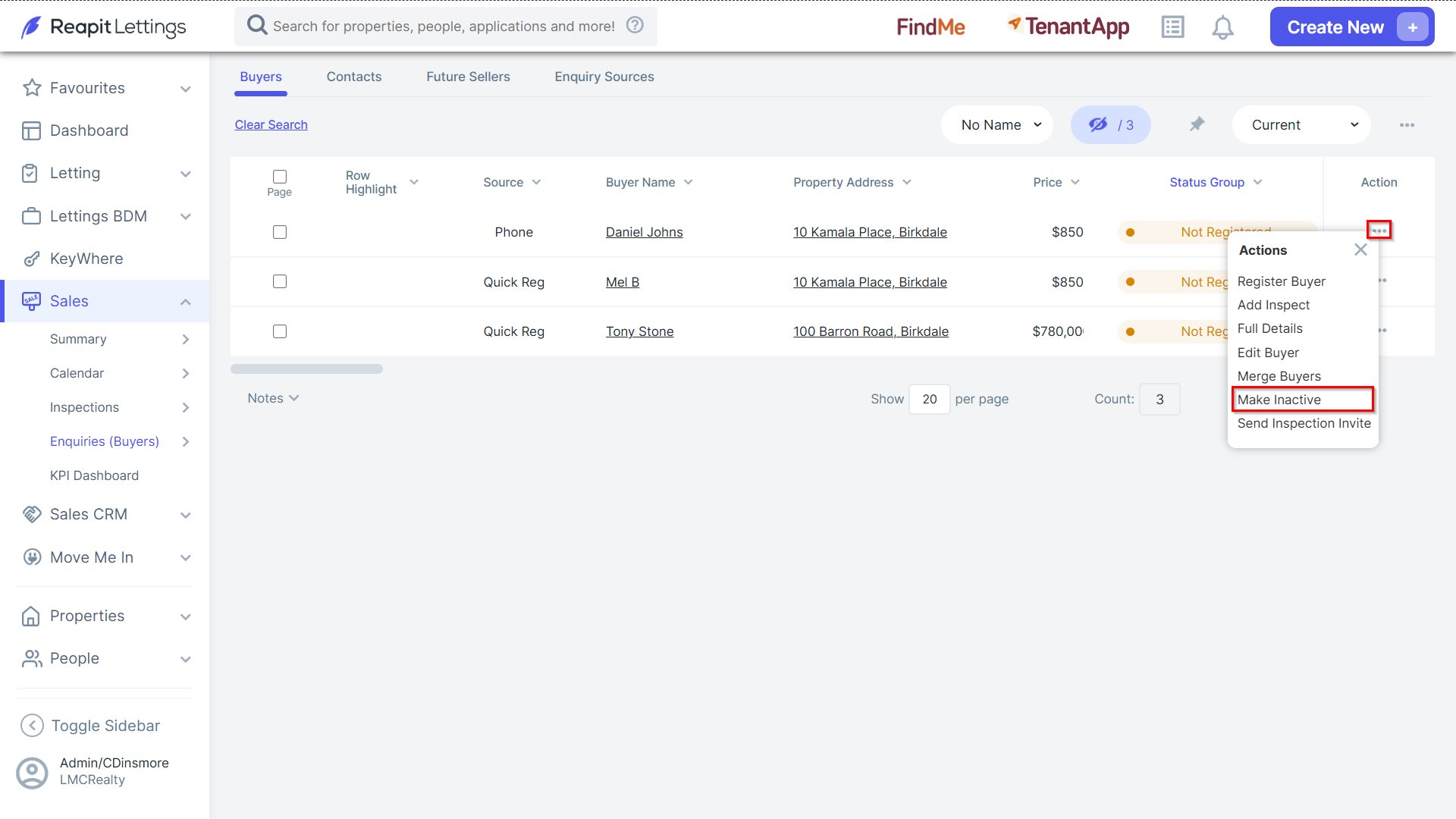
3. Click the 3 Action Dots and select Make Inactive.
4. Select either This Enquiry only or All Related Enquries checkboxes and then click OK.
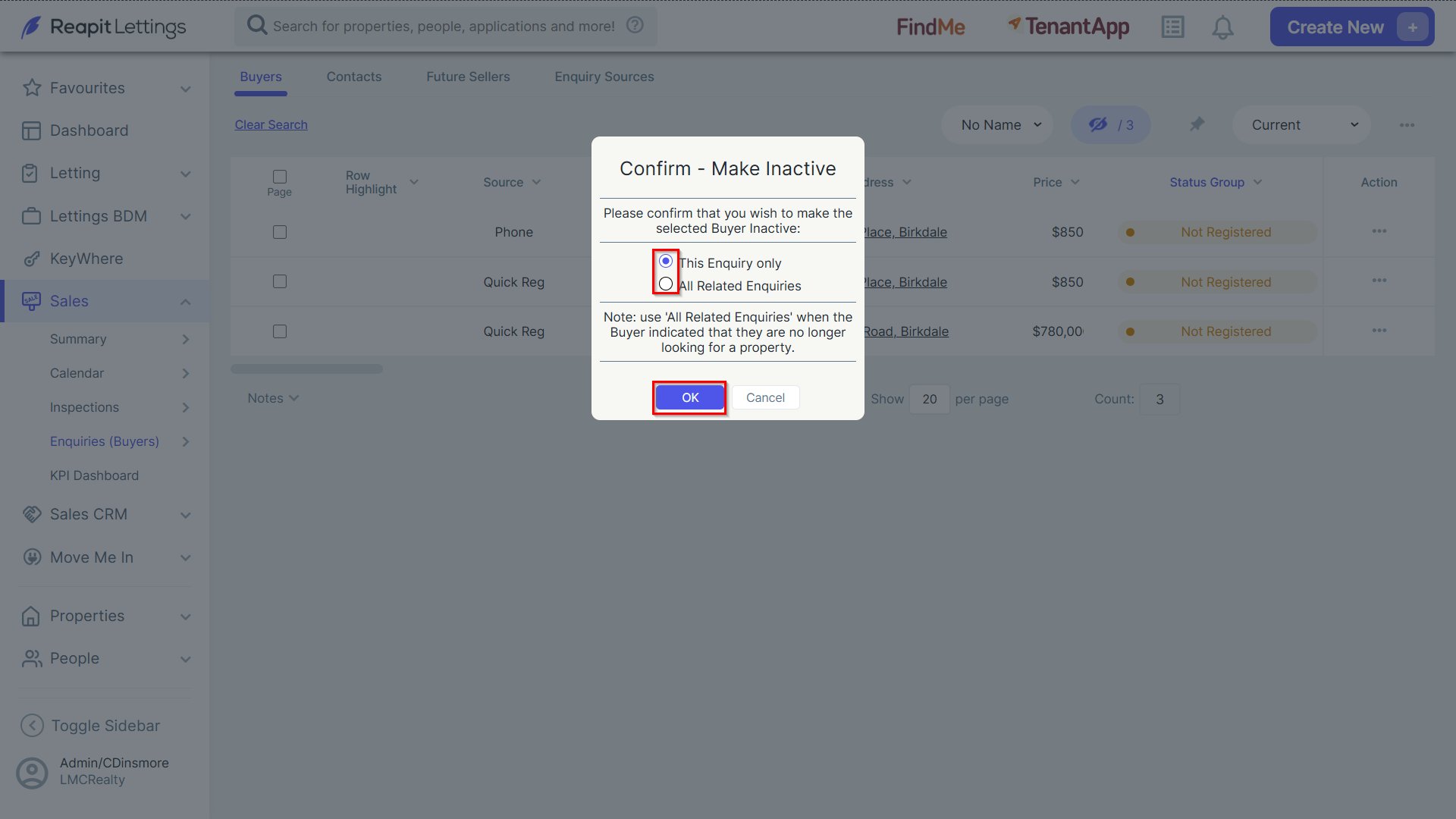
Note: Select the designated option in the instance you need to register the buyer.