'%20d='M0%208a8%208%200%200%201%208-8h24a8%208%200%200%201%208%208v24a8%208%200%200%201-8%208H8a8%208%200%200%201-8-8V8Z'/%3e%3cpath%20fill='%23fff'%20d='M32.576%206C12.293%206%208.776%2025.887%207.424%2034H9.1c.45-2.977%203.493-14.748%2010.899-20.287%200%200-5.633%206.976-6.572%2015.051%203.426-.652%2013.845-3.372%2016.056-12.927l-3.84-.61c1.352-1.351%204.909-5.17%206.931-9.226V6Z'/%3e%3cdefs%3e%3clinearGradient%20id='reapit-lettings__a'%20x1='20.702'%20x2='20.702'%20y1='.351'%20y2='31.228'%20gradientUnits='userSpaceOnUse'%3e%3cstop%20stop-color='%235573FD'/%3e%3cstop%20offset='.575'%20stop-color='%234E56EA'/%3e%3c/linearGradient%3e%3c/defs%3e%3c/svg%3e)
How to Use Display Addresses
This article will run through how to use display addresses in Reapit Lettings.
How to Use Display Addresses
This article will run through how to use display addresses in Reapit Lettings.
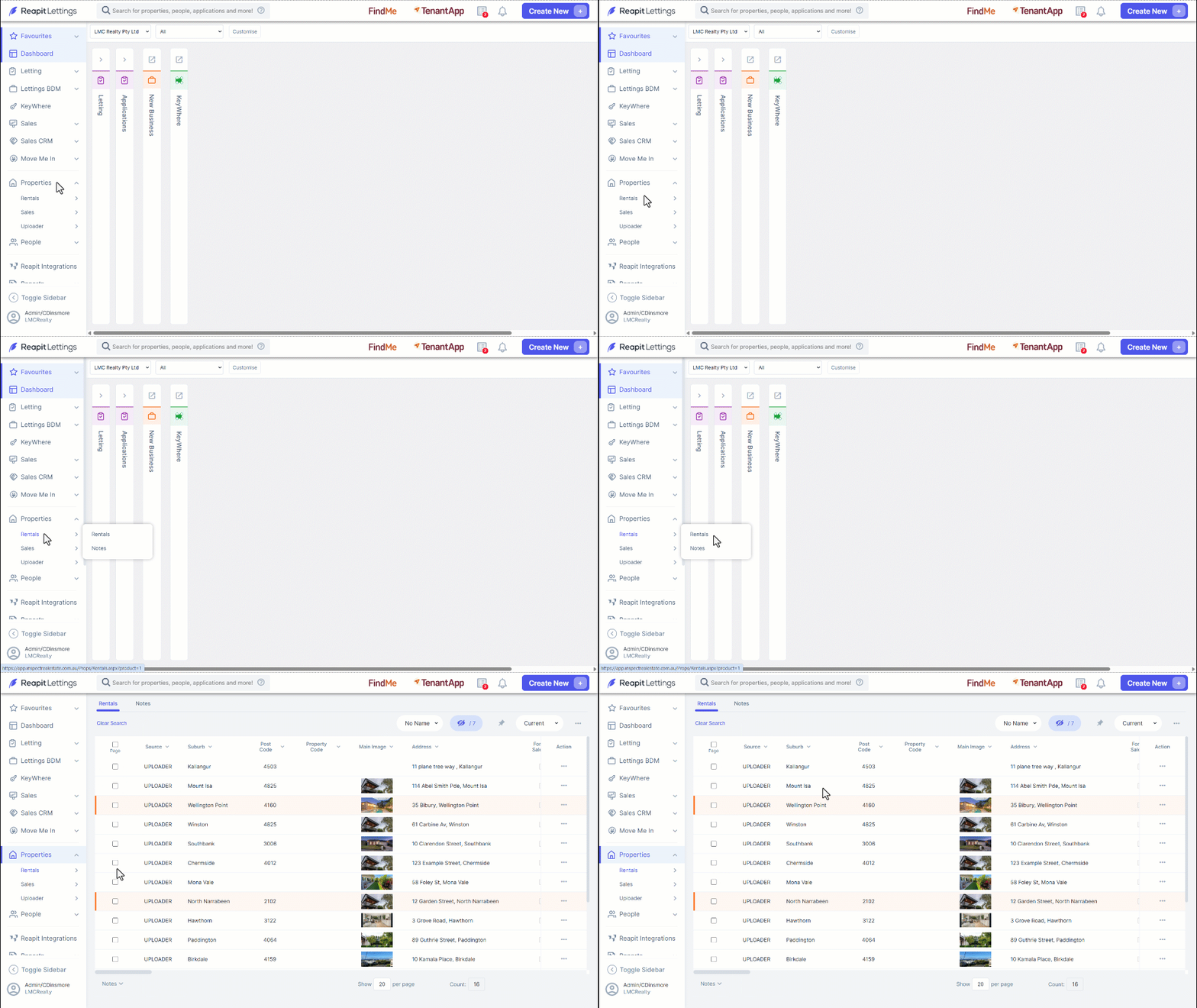
- Navigate to Properties.
- Click Rentals.
- Click on the Property.
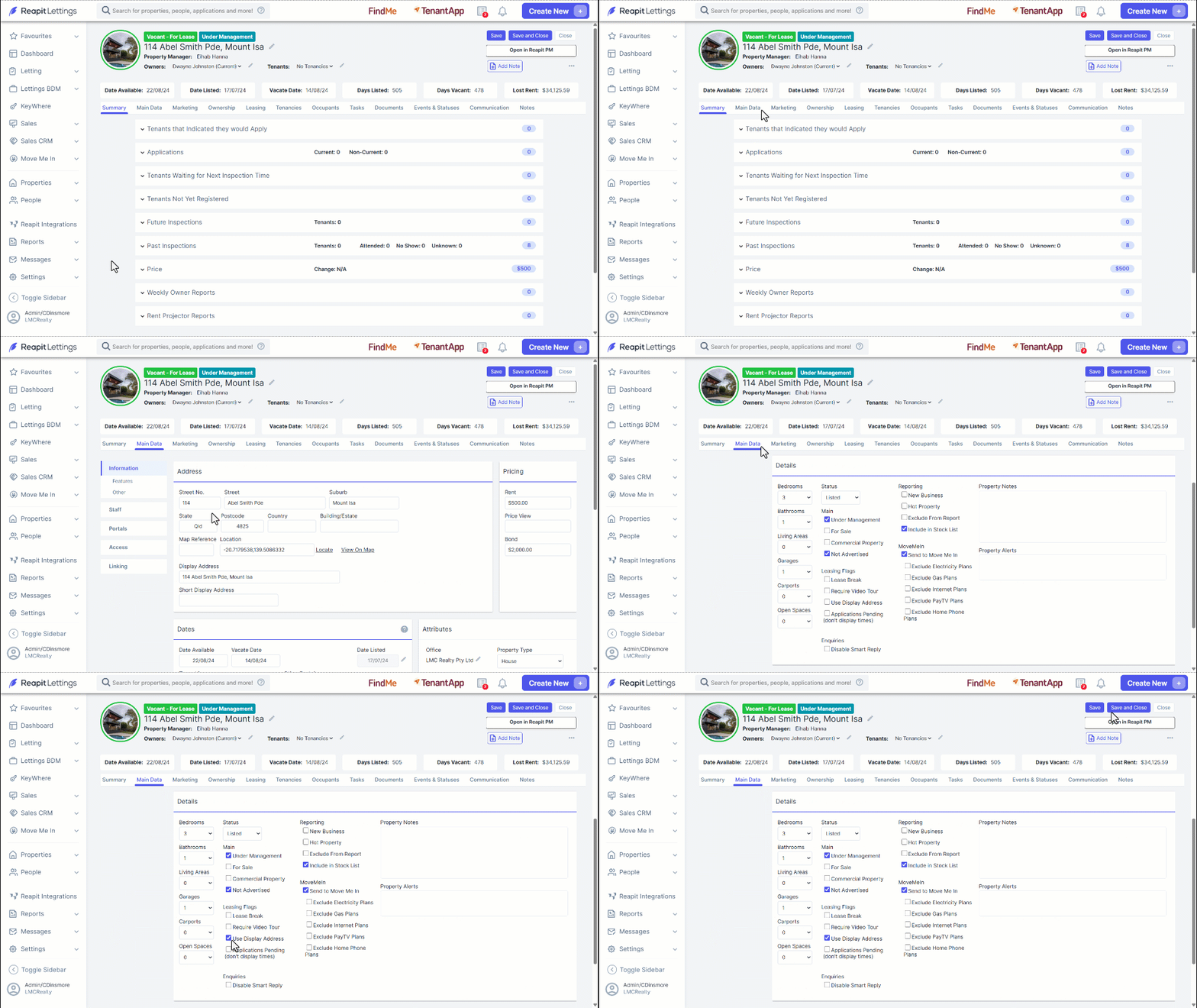
- Navigate to the Main Data tab within a selected property. From here, users can enter their desired property display address and property short display address. For example, “Aria Apartments – Skyscraper” and “AA Skyscraper”.
- Navigate to Main Data where they can tick the checkbox to the left of Use Display Address. This will allow the Display Address you previously entered to be used.
Users must then open General Settings, which can be found by navigating to Settings > Letting and changing the section to Display. You can then choose to determine the use of the Display Address on the property register pages. Users can select between Always Hide, Always Show and From Property.