'%20d='M0%208a8%208%200%200%201%208-8h24a8%208%200%200%201%208%208v24a8%208%200%200%201-8%208H8a8%208%200%200%201-8-8V8Z'/%3e%3cpath%20fill='%23fff'%20d='M32.576%206C12.293%206%208.776%2025.887%207.424%2034H9.1c.45-2.977%203.493-14.748%2010.899-20.287%200%200-5.633%206.976-6.572%2015.051%203.426-.652%2013.845-3.372%2016.056-12.927l-3.84-.61c1.352-1.351%204.909-5.17%206.931-9.226V6Z'/%3e%3cdefs%3e%3clinearGradient%20id='reapit-lettings__a'%20x1='20.702'%20x2='20.702'%20y1='.351'%20y2='31.228'%20gradientUnits='userSpaceOnUse'%3e%3cstop%20stop-color='%235573FD'/%3e%3cstop%20offset='.575'%20stop-color='%234E56EA'/%3e%3c/linearGradient%3e%3c/defs%3e%3c/svg%3e)
Link Builder
This article will run through what a link builder is in Reapit Lettings
Link Builder
This article will run through what a link builder is in Reapit Lettings.
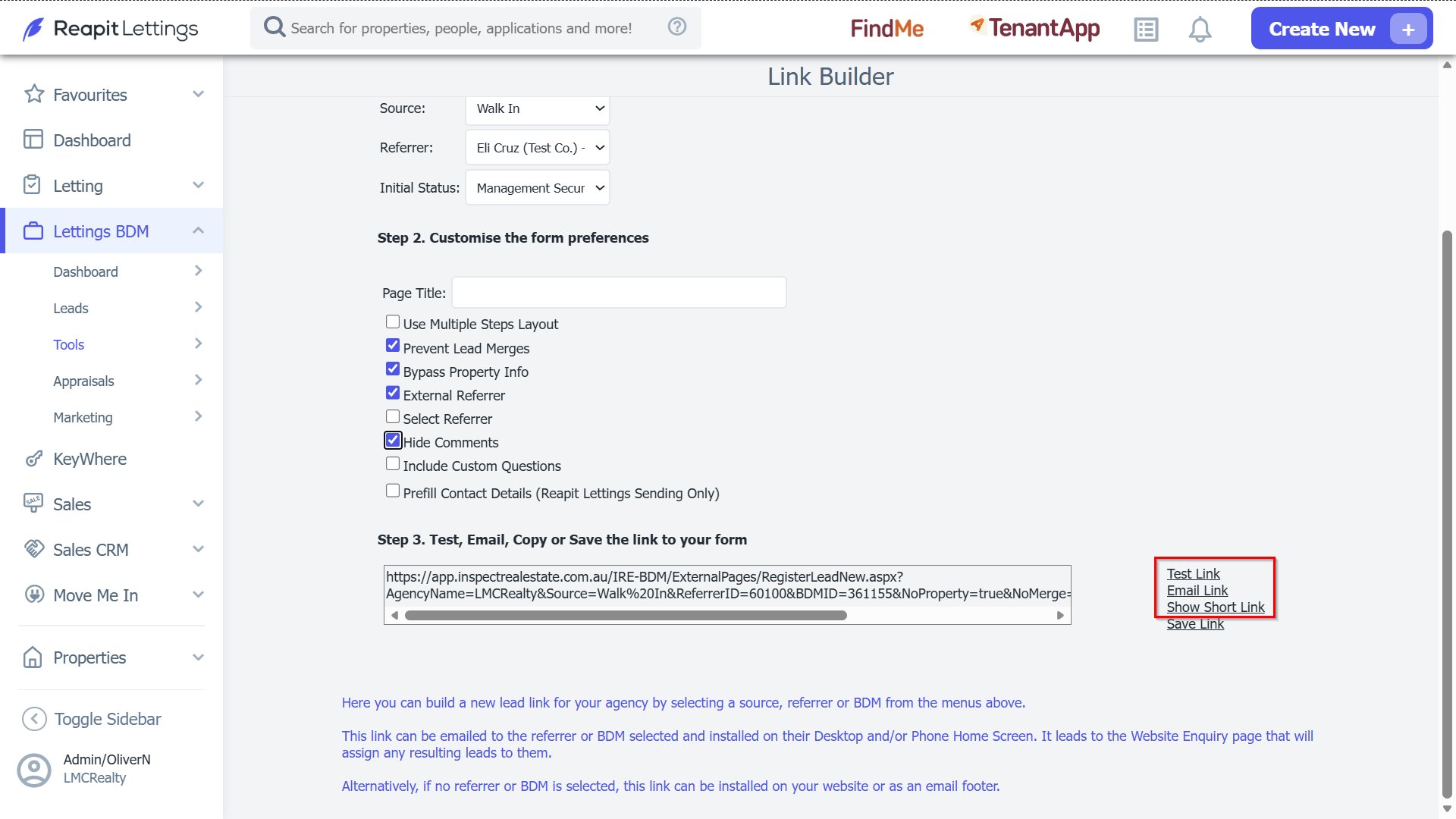
Webforms are used by BDMs as an easy way to register new leads into Lettings BDM. These webforms are developed with Link Builder, and can then be sent directly to a lead, or used by the BDM to enter data. 1. Click on Lettings BDM. 2. Click on Tools. 3. Select Link Builder. 4. Select a BDM to be assigned to leads created with the link. 5. Select the Source that the lead will be generated from. 6. Select a Referrer if required. 7. Select Initial Status that the lead will initially load into the system as. 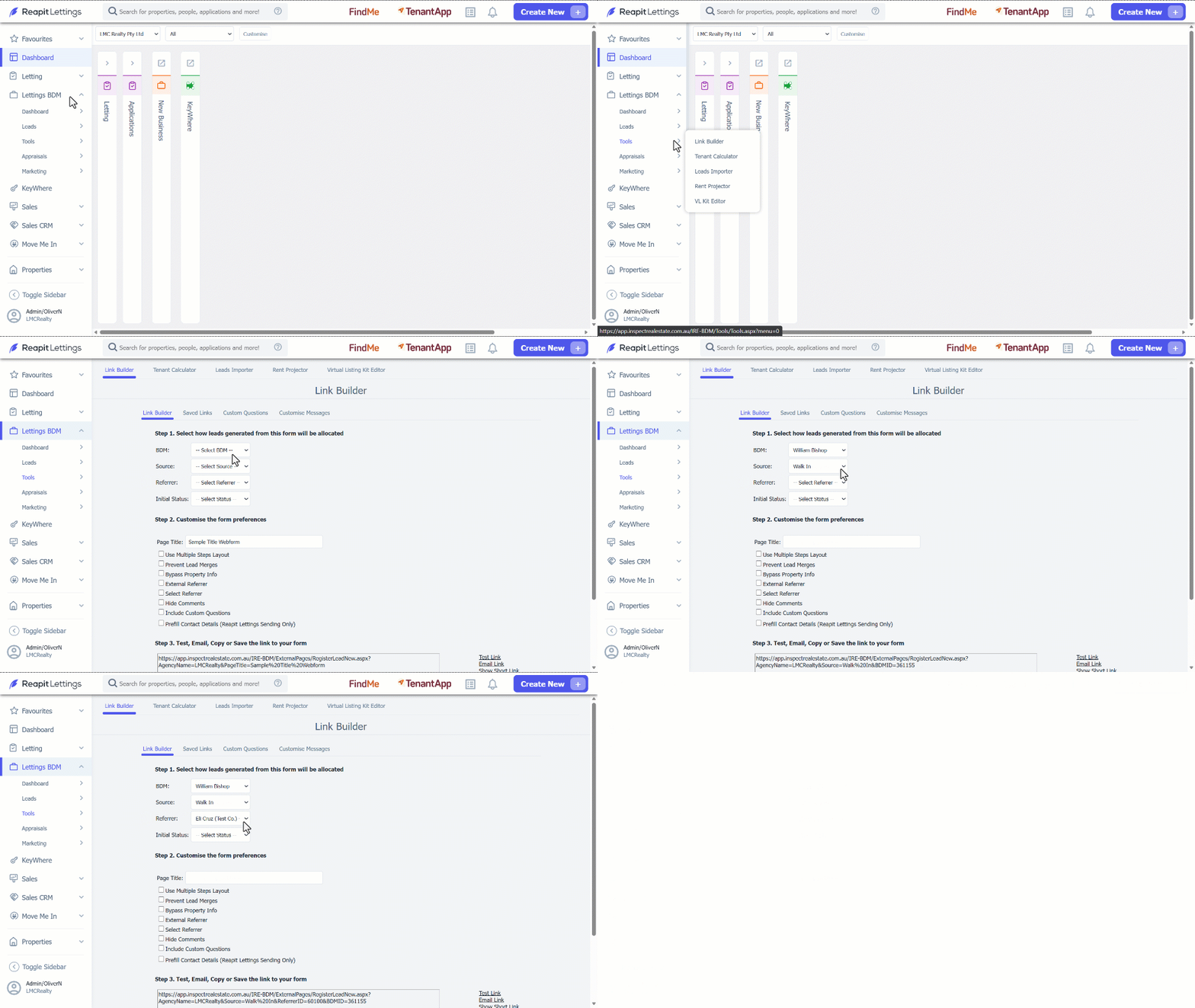
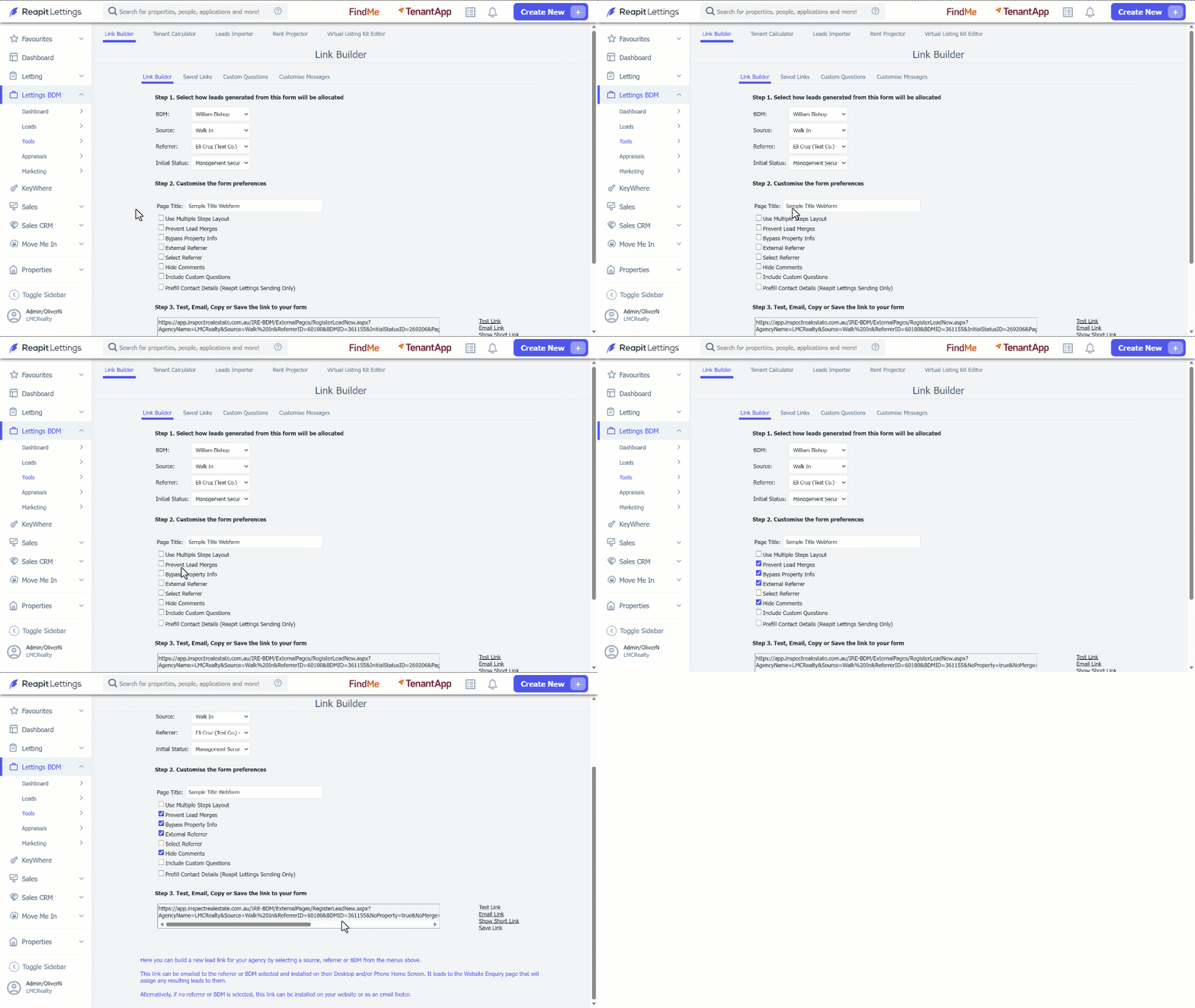
| Test Link | This can be used to test if the link is working properly. |
| Email Link | For this function to work, a mail client such as Outlook, Microsoft Mail or Mozilla Thunderbird needs to be used. If accessing emails through a web browser (most common with Gmail) then the email link won't be available. If this is the case, copy and paste the message + link into a new email in browser. |
| Show Short Link | This can be used on social media such as Facebook or Instagram. |