'%20d='M0%208a8%208%200%200%201%208-8h24a8%208%200%200%201%208%208v24a8%208%200%200%201-8%208H8a8%208%200%200%201-8-8V8Z'/%3e%3cpath%20fill='%23fff'%20d='M32.576%206C12.293%206%208.776%2025.887%207.424%2034H9.1c.45-2.977%203.493-14.748%2010.899-20.287%200%200-5.633%206.976-6.572%2015.051%203.426-.652%2013.845-3.372%2016.056-12.927l-3.84-.61c1.352-1.351%204.909-5.17%206.931-9.226V6Z'/%3e%3cdefs%3e%3clinearGradient%20id='reapit-lettings__a'%20x1='20.702'%20x2='20.702'%20y1='.351'%20y2='31.228'%20gradientUnits='userSpaceOnUse'%3e%3cstop%20stop-color='%235573FD'/%3e%3cstop%20offset='.575'%20stop-color='%234E56EA'/%3e%3c/linearGradient%3e%3c/defs%3e%3c/svg%3e)
Team Member Details Missing
This Reapit Lettings article outlines the process of how to rectify the issue of no team member details are attached to a listing and they receive an email to notify them.
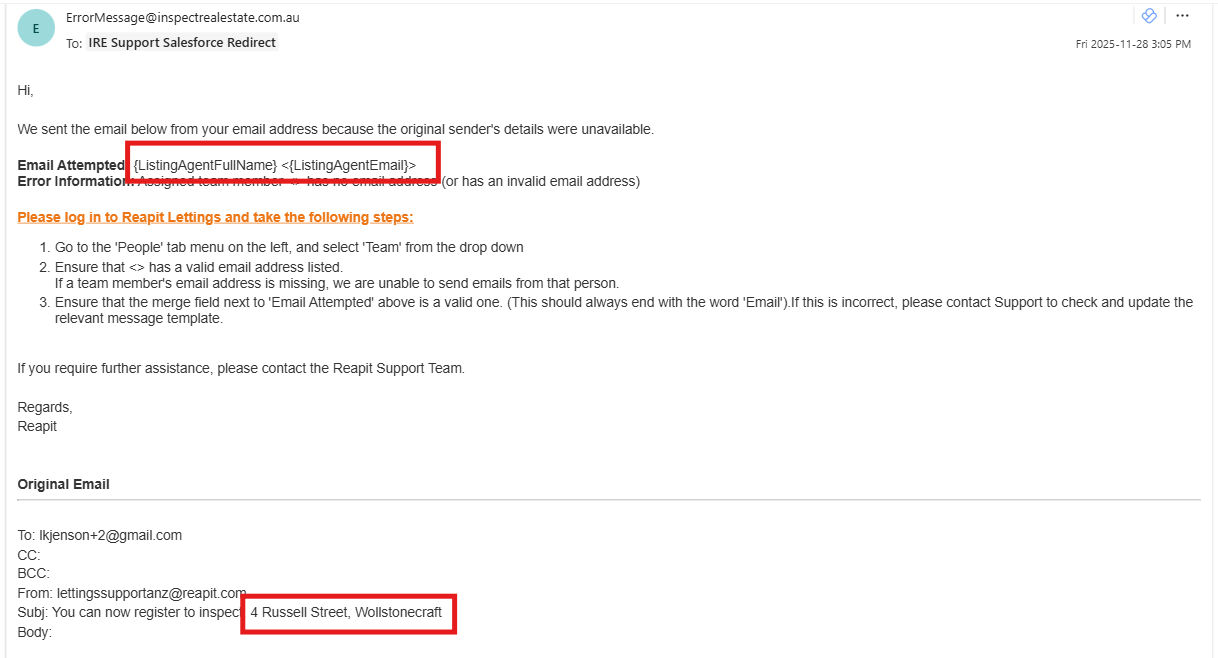
When the below error email is received, it should be reviewed to identify if there is an issue with the team member, or the listing.
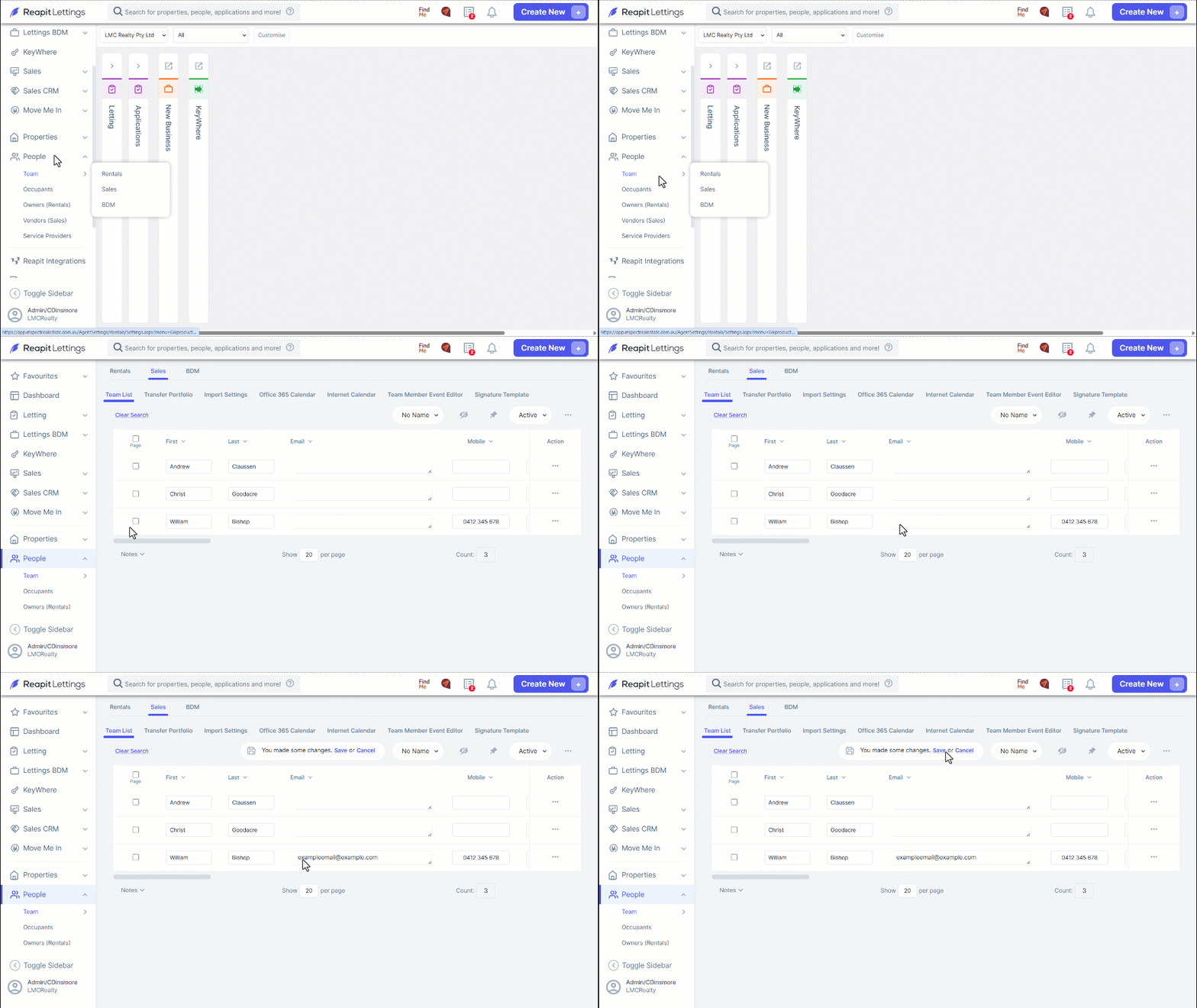
Part 1: Ensure the team member has an email address.
Click on People.
Click on Team.
Select from Rentals or Sales.
Locate the team member is the results list.
Navigate to the Email column and add if missing.
Click on Save.
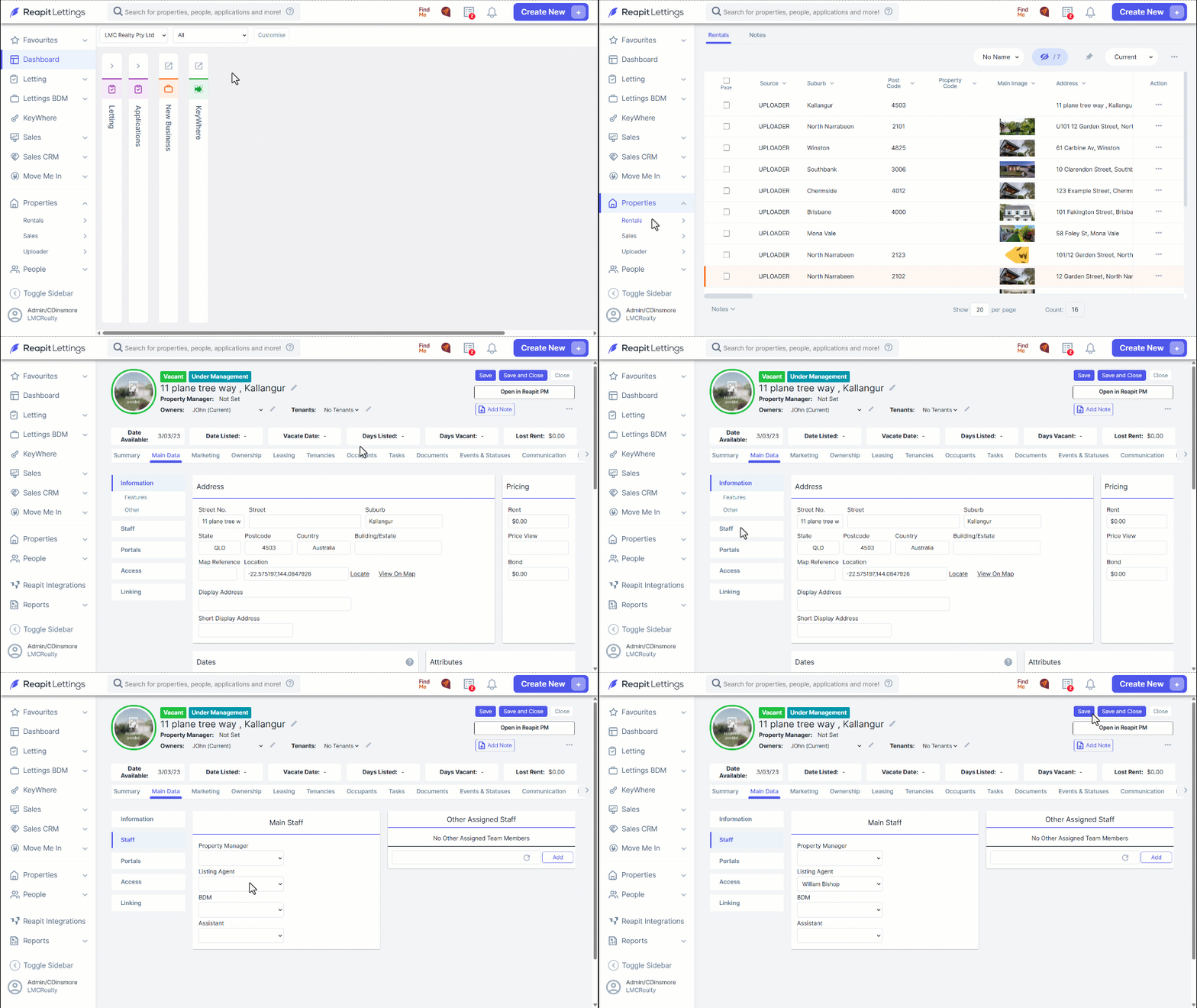
Part 2: Verify a Team Member Is Assigned to the Listing
Search for and select the property from the Search field.
Select the Main Data tab.
Select the Staff tab,
Ensure a Listing Agent is assigned.
Click on Save.