'%20d='M0%208a8%208%200%200%201%208-8h24a8%208%200%200%201%208%208v24a8%208%200%200%201-8%208H8a8%208%200%200%201-8-8V8Z'/%3e%3cpath%20fill='%23fff'%20d='M32.576%206C12.293%206%208.776%2025.887%207.424%2034H9.1c.45-2.977%203.493-14.748%2010.899-20.287%200%200-5.633%206.976-6.572%2015.051%203.426-.652%2013.845-3.372%2016.056-12.927l-3.84-.61c1.352-1.351%204.909-5.17%206.931-9.226V6Z'/%3e%3cdefs%3e%3clinearGradient%20id='reapit-lettings__a'%20x1='20.702'%20x2='20.702'%20y1='.351'%20y2='31.228'%20gradientUnits='userSpaceOnUse'%3e%3cstop%20stop-color='%235573FD'/%3e%3cstop%20offset='.575'%20stop-color='%234E56EA'/%3e%3c/linearGradient%3e%3c/defs%3e%3c/svg%3e)
How To Automatically Inactivate Enquiries On Status Change
This article outlines the process for automatically deactivating applicant inquiries for properties under your management once their applications have been processed in Reapit Lettings.
How To Automatically Inactivate Enquiries On Status Change
This article outlines the process for automatically deactivating applicant inquiries for properties under your management once their applications have been processed in Reapit Lettings.
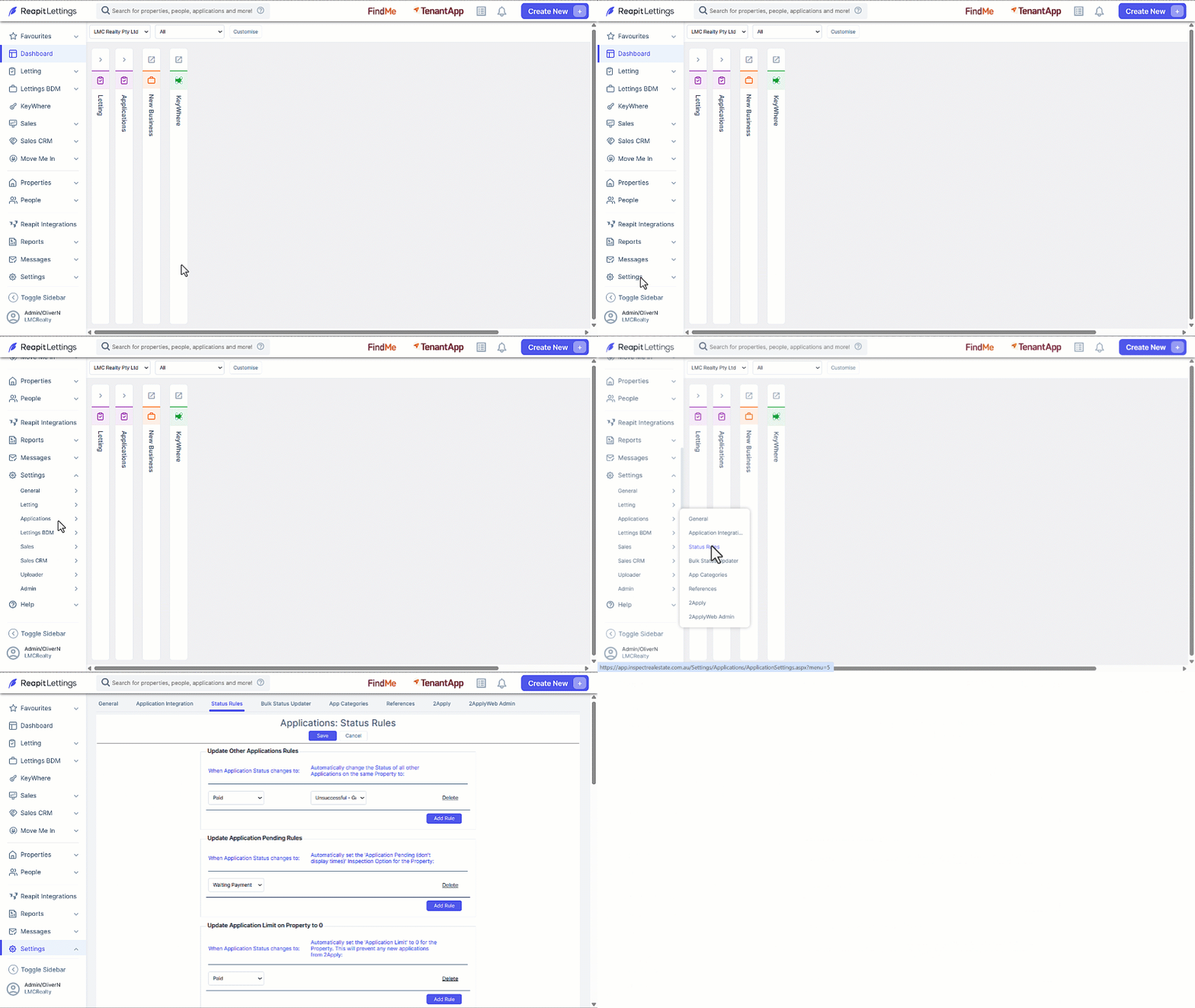
- Click on Settings.
- Click on Applications.
- Click on Status Rules.
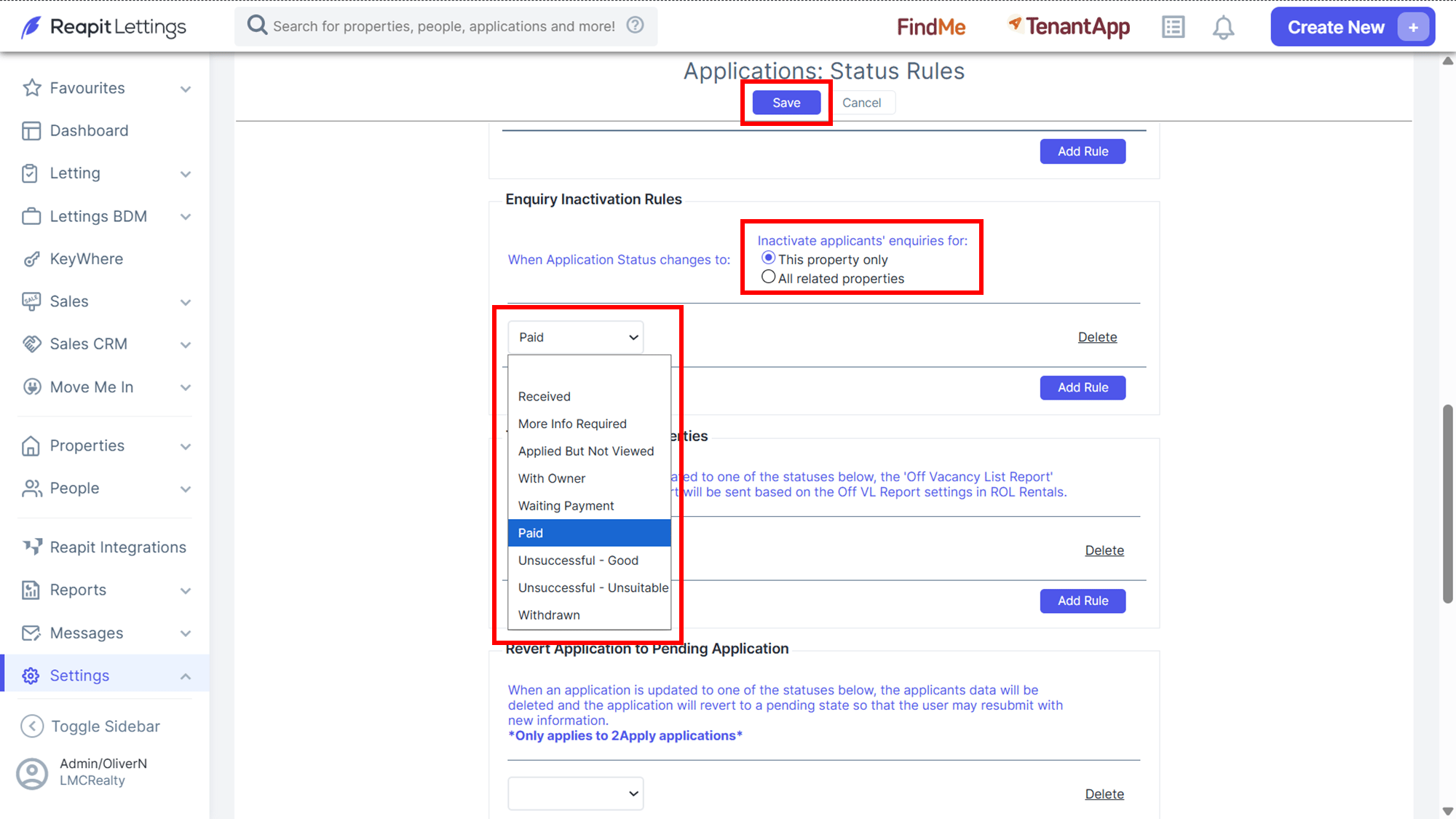
- Scroll down to Enquiry Inactivation Rules, select one option of When Application Status changes.
- Select a status from the dropdown selector, click Add Rule.
- Click Save once completed.