'%20d='M0%208a8%208%200%200%201%208-8h24a8%208%200%200%201%208%208v24a8%208%200%200%201-8%208H8a8%208%200%200%201-8-8V8Z'/%3e%3cpath%20fill='%23fff'%20d='M32.576%206C12.293%206%208.776%2025.887%207.424%2034H9.1c.45-2.977%203.493-14.748%2010.899-20.287%200%200-5.633%206.976-6.572%2015.051%203.426-.652%2013.845-3.372%2016.056-12.927l-3.84-.61c1.352-1.351%204.909-5.17%206.931-9.226V6Z'/%3e%3cdefs%3e%3clinearGradient%20id='reapit-lettings__a'%20x1='20.702'%20x2='20.702'%20y1='.351'%20y2='31.228'%20gradientUnits='userSpaceOnUse'%3e%3cstop%20stop-color='%235573FD'/%3e%3cstop%20offset='.575'%20stop-color='%234E56EA'/%3e%3c/linearGradient%3e%3c/defs%3e%3c/svg%3e)
Calendar Regions - Letting
This article will run through what a Calendar Region is and how to create within Reapit Lettings - Letting.
What Are Calendar Regions?
When you create an available time for people to book inspections, you can filter this time so it only applies to properties in a particular area.
If the Region is set to ANY, the calendar time will apply to any property current on your vacancy list.
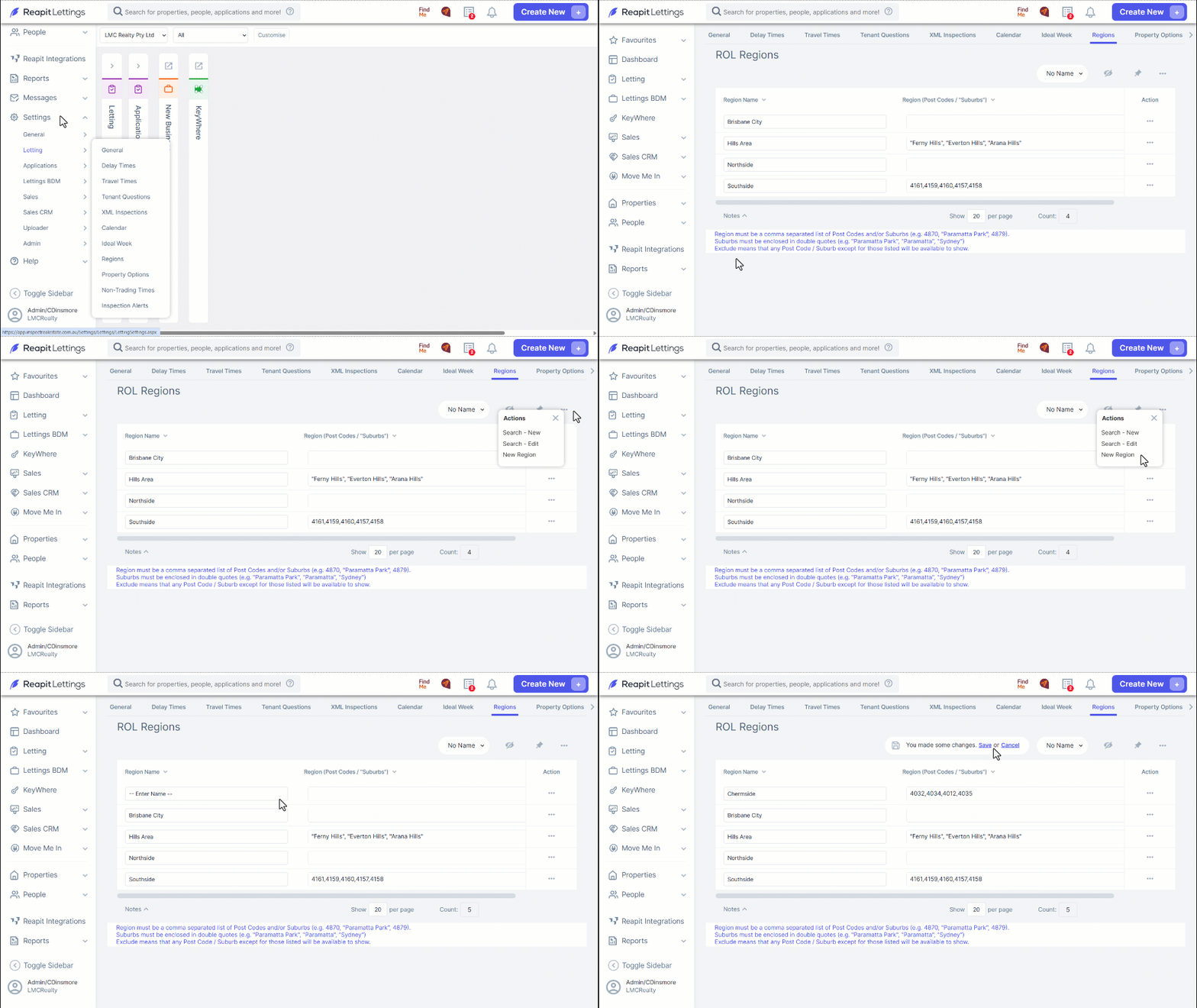
- Click on Settings.
- Click on Letting.
- Click on Regions.
- Click on the 3-dots and select New Region.
- Enter a name for the region.
- Enter Region details.
Enter a postcode (or postcodes); and / or,
Suburb name/s that the region applies to. Each suburb must be in quotations (“Suburb Name”).
Each suburb or postcode must be separated by a comma.
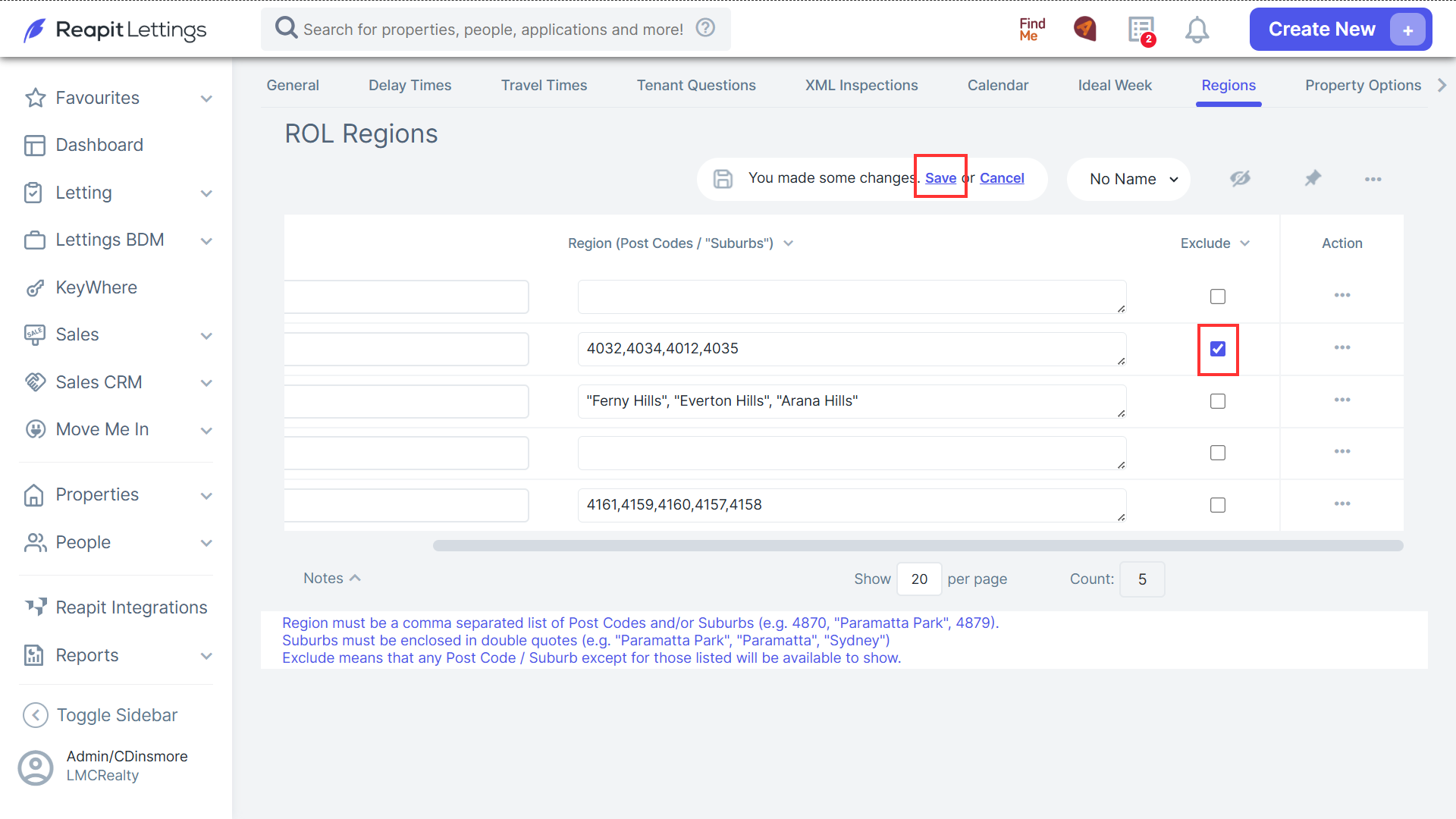
You can also set up regions that exclude certain areas.
After entering postcodes or suburbs that will be excluded, tick the checkbox in the Exclude column.
Once you have set up your region, click Save to create that region.