'%20d='M0%208a8%208%200%200%201%208-8h24a8%208%200%200%201%208%208v24a8%208%200%200%201-8%208H8a8%208%200%200%201-8-8V8Z'/%3e%3cpath%20fill='%23fff'%20d='M32.576%206C12.293%206%208.776%2025.887%207.424%2034H9.1c.45-2.977%203.493-14.748%2010.899-20.287%200%200-5.633%206.976-6.572%2015.051%203.426-.652%2013.845-3.372%2016.056-12.927l-3.84-.61c1.352-1.351%204.909-5.17%206.931-9.226V6Z'/%3e%3cdefs%3e%3clinearGradient%20id='reapit-lettings__a'%20x1='20.702'%20x2='20.702'%20y1='.351'%20y2='31.228'%20gradientUnits='userSpaceOnUse'%3e%3cstop%20stop-color='%235573FD'/%3e%3cstop%20offset='.575'%20stop-color='%234E56EA'/%3e%3c/linearGradient%3e%3c/defs%3e%3c/svg%3e)
Using the Reapit Lettings / Reapit PM Integration
This article outlines the Matching Contact and Property Records, and Lead Data Send to Reapit PM process related to the Inspect Real Estate / Reapit PM Integration.
Using the Reapit Lettings / Reapit PM Integration
This article outlines the following user processes that relate to the Reapit Lettings and Reapit PM Integration.
- Matching Contact and Property Records
- Lead Data Send to Reapit PM
Matching Contact and Property Records
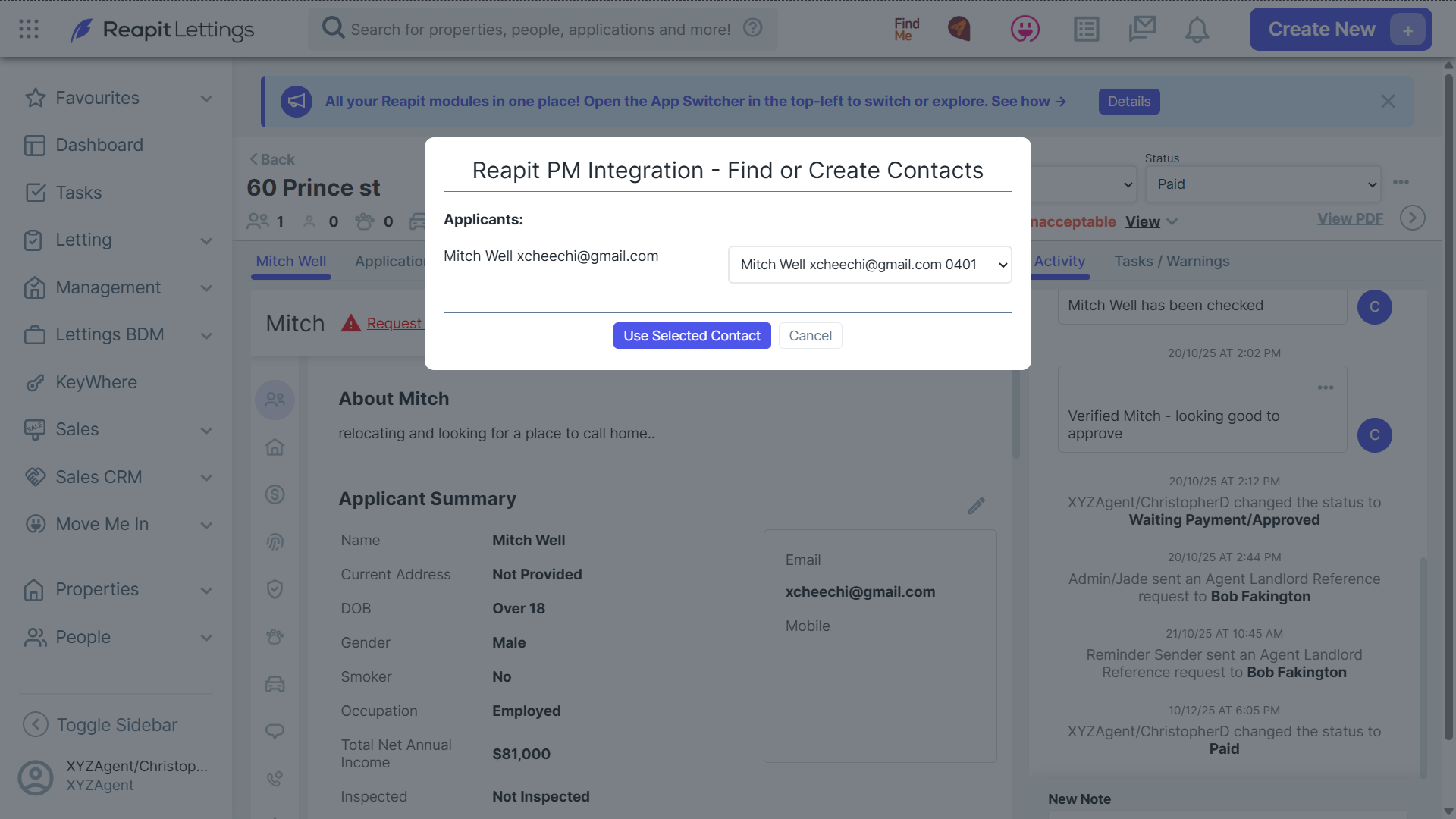
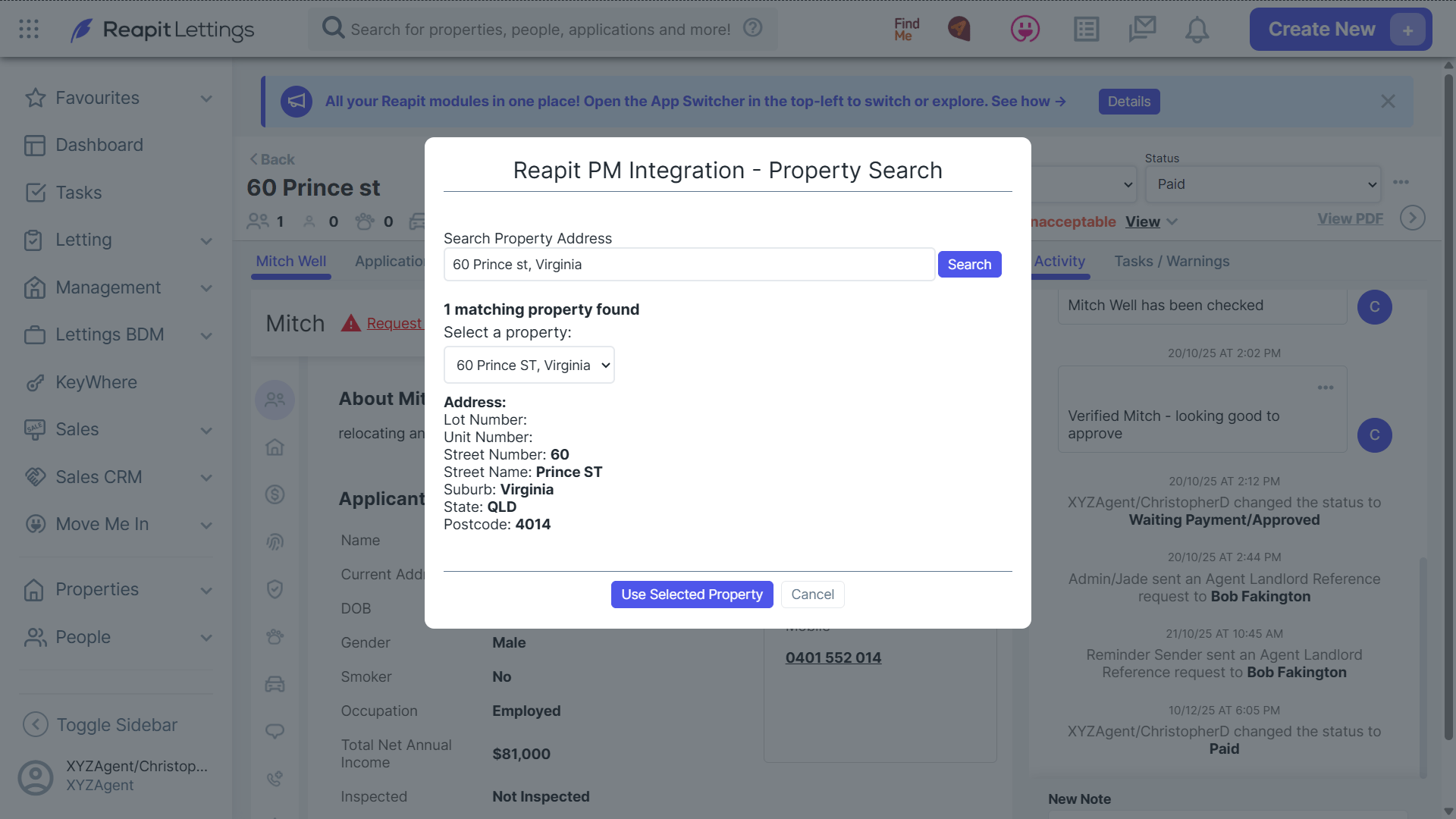
When an applicant's status is changed to the relevant status in Reapit Lettings, their associated application details will automatically be transferred to Reapit PM. If there is a matching contact or property record found in Reapit PM, you will have the option to use the matching record.
Lead Data Send to Reapit PM
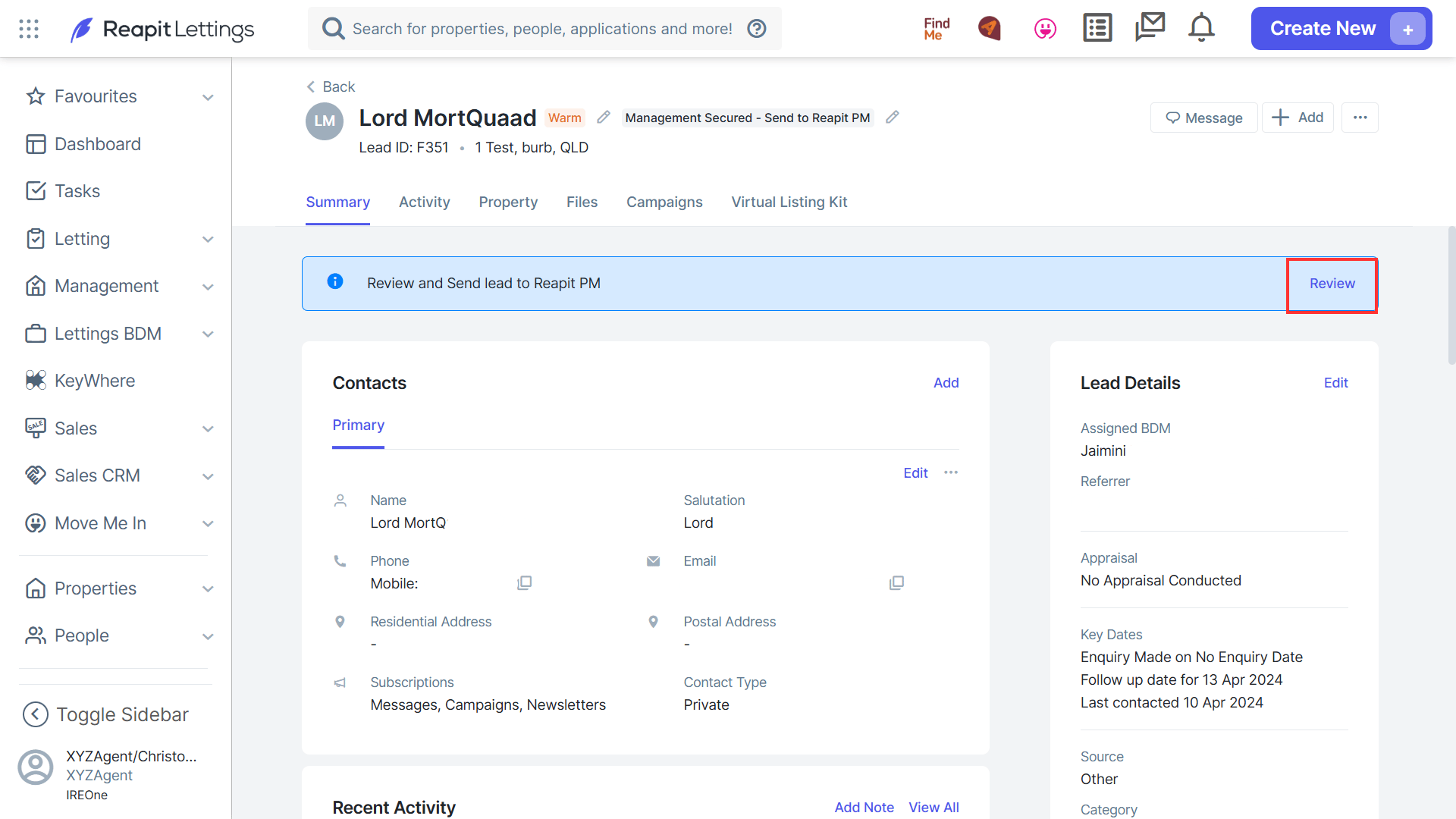
- Once the lead has been converted to the Management Secured status, a blue banner will display at the top. To send the Lead Data to Reapit PM, click on Review.
- If there is insufficient data within the Lead, you will be unable to proceed until rectified. Click on the three dots, then Edit.
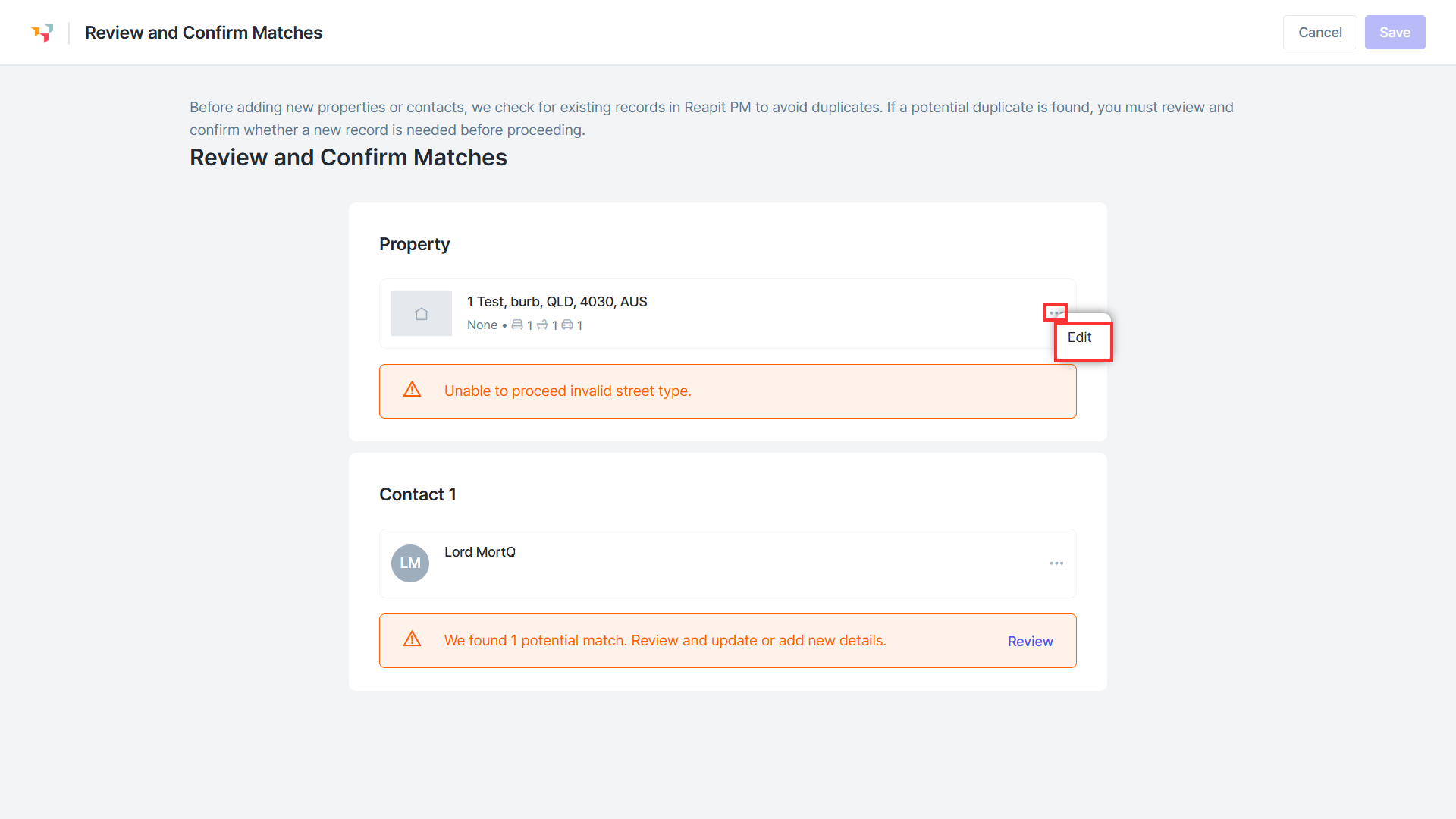
- Complete any further information required in the side menu, such as number of bedrooms, bathrooms, garages or carports and the property type and category. Click on Save.
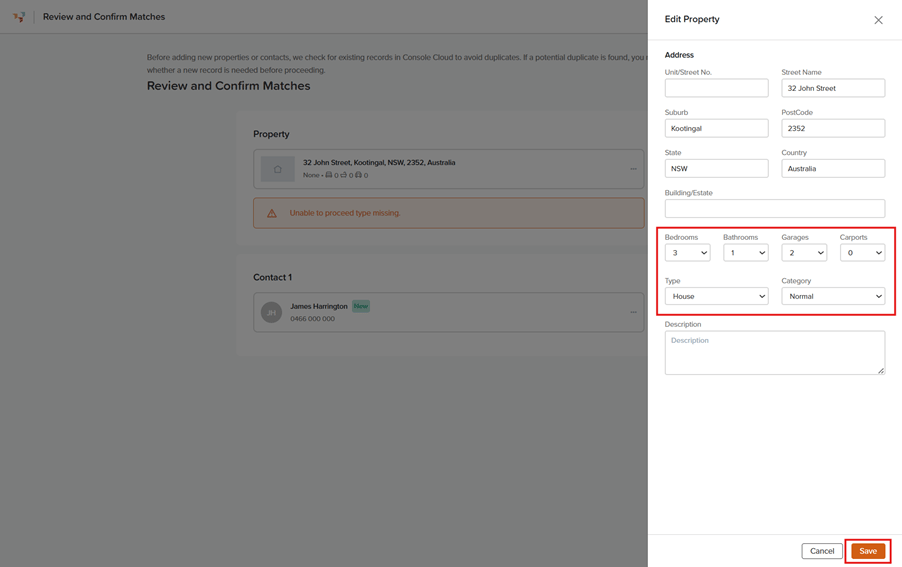
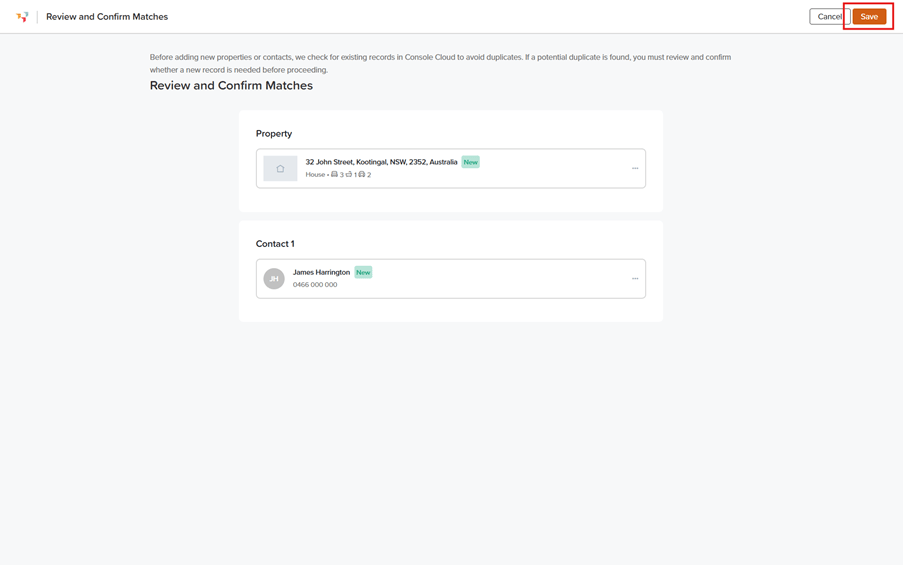
- In the example below, note the New highlights on both the Property and Contact. This shows that both sets of data do not currently exist in Reapit PM. If a duplicate is found, please review and confirm if a new record is needed before proceeding.
To create the lead and contact in Reapit PM click on Save.