'%20d='M0%208a8%208%200%200%201%208-8h24a8%208%200%200%201%208%208v24a8%208%200%200%201-8%208H8a8%208%200%200%201-8-8V8Z'/%3e%3cpath%20fill='%23fff'%20d='M32.576%206C12.293%206%208.776%2025.887%207.424%2034H9.1c.45-2.977%203.493-14.748%2010.899-20.287%200%200-5.633%206.976-6.572%2015.051%203.426-.652%2013.845-3.372%2016.056-12.927l-3.84-.61c1.352-1.351%204.909-5.17%206.931-9.226V6Z'/%3e%3cdefs%3e%3clinearGradient%20id='reapit-lettings__a'%20x1='20.702'%20x2='20.702'%20y1='.351'%20y2='31.228'%20gradientUnits='userSpaceOnUse'%3e%3cstop%20stop-color='%235573FD'/%3e%3cstop%20offset='.575'%20stop-color='%234E56EA'/%3e%3c/linearGradient%3e%3c/defs%3e%3c/svg%3e)
Video Tour Required Setting
This article covers the Video Tour Required setting in Reapit lettings. The processes in this article include: Video Tour Required Setting Applying the Video Tour Required setting to a Property.
Video Tour Required Setting
This article covers the Video Tour Required setting in Reapit lettings.
The processes in this article include:
- Video Tour Required Setting
- Applying the Video Tour Required setting to a Property.
Video Tour Required Setting
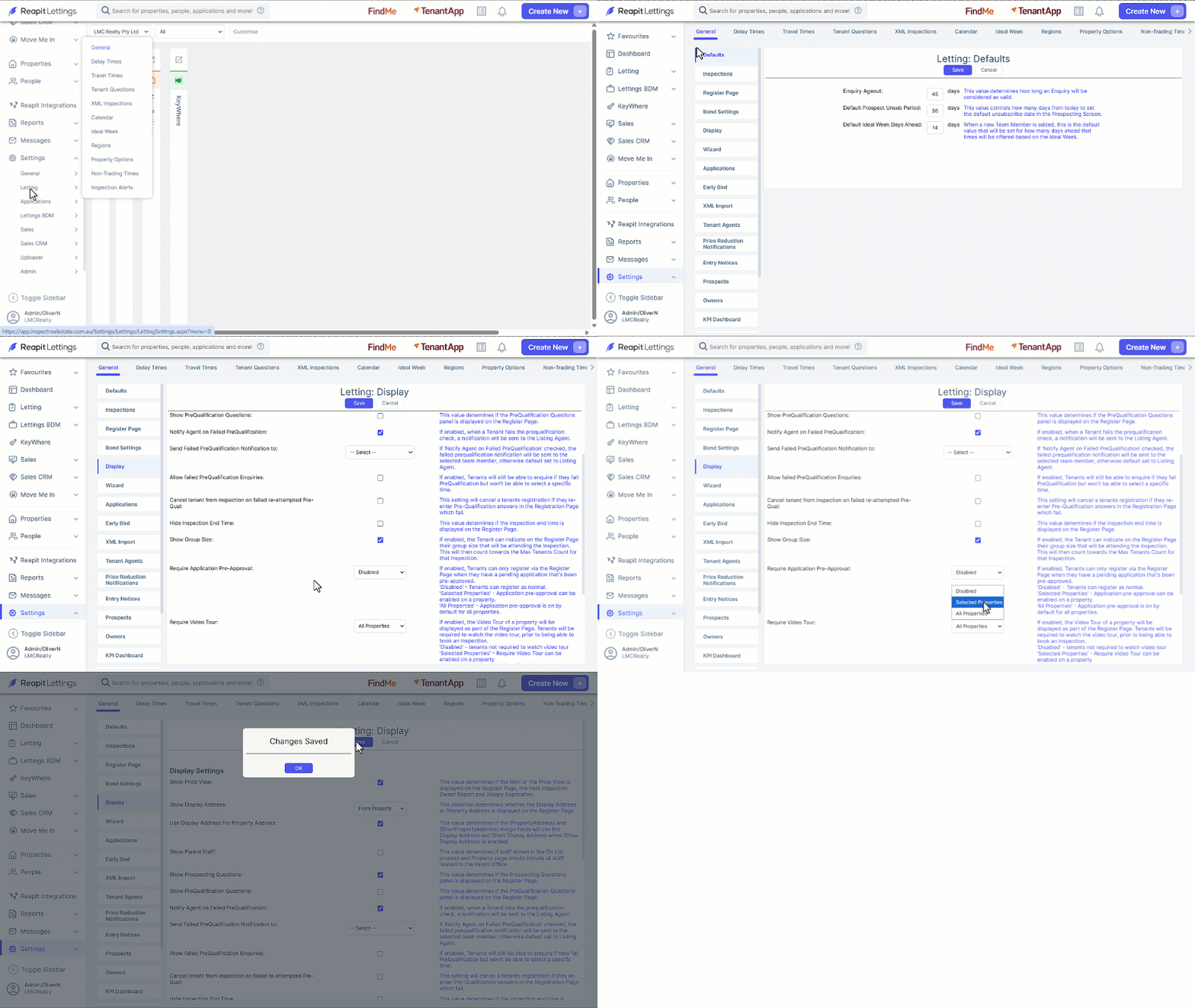
- Click on Settings.
- Click on Letting.
- Click on General.
- Click the Display tab.
- Navigate to the Require Video Tour dropdown selector and choose between:
- Selected Properties
- Disabled or
- All Properties.
- Click Save then OK once completed.
Applying the Video Tour Required Setting to a Property
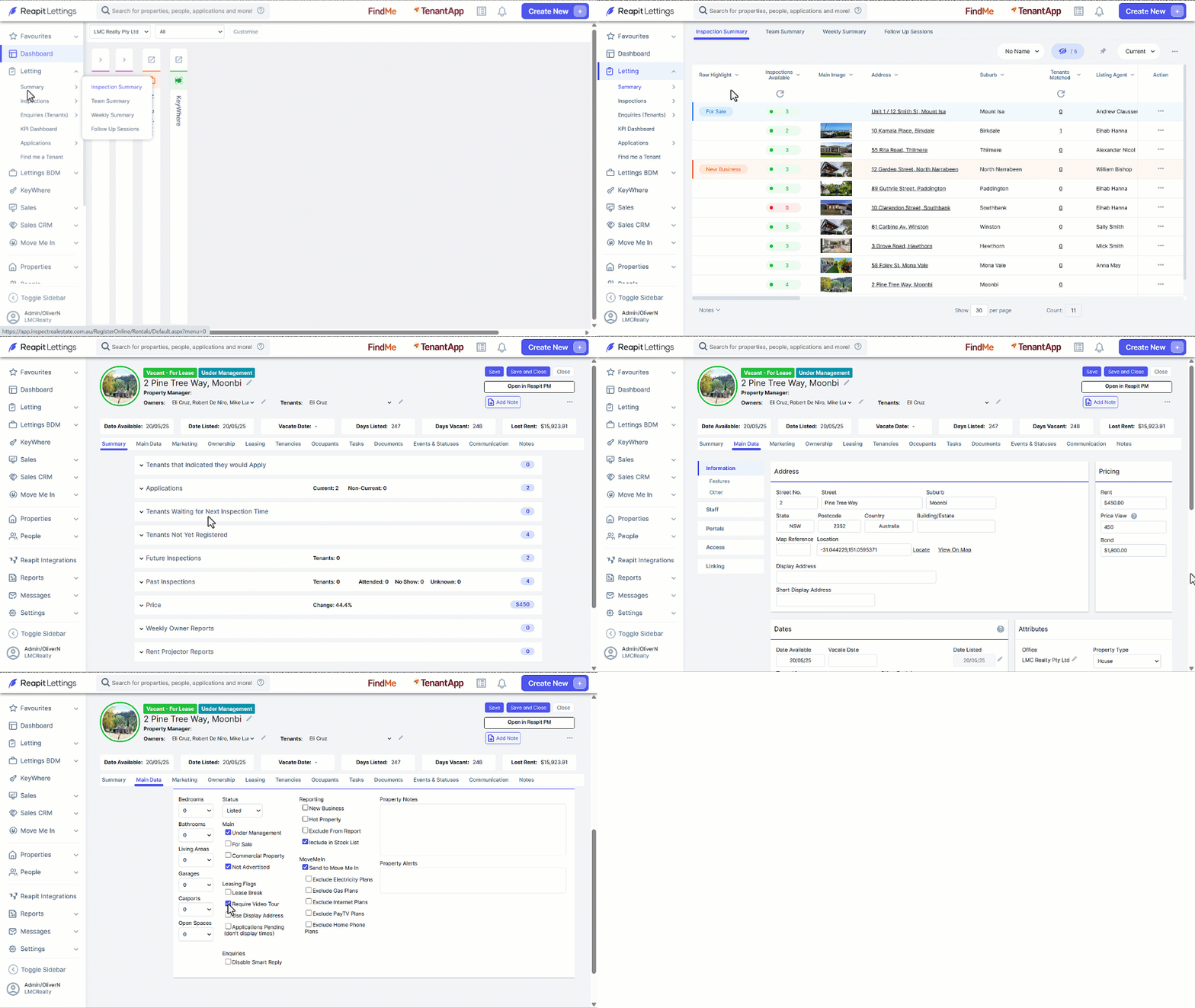
- Click on Letting.
- Click on Summary.
- Click on Inspection Summary.
- Click into the relevant property.
- Select the Main Data tab.
- Select the Require Video Tour checkbox.
- Click Save then OK once completed.