'%20d='M0%208a8%208%200%200%201%208-8h24a8%208%200%200%201%208%208v24a8%208%200%200%201-8%208H8a8%208%200%200%201-8-8V8Z'/%3e%3cpath%20fill='%23fff'%20d='M32.576%206C12.293%206%208.776%2025.887%207.424%2034H9.1c.45-2.977%203.493-14.748%2010.899-20.287%200%200-5.633%206.976-6.572%2015.051%203.426-.652%2013.845-3.372%2016.056-12.927l-3.84-.61c1.352-1.351%204.909-5.17%206.931-9.226V6Z'/%3e%3cdefs%3e%3clinearGradient%20id='reapit-lettings__a'%20x1='20.702'%20x2='20.702'%20y1='.351'%20y2='31.228'%20gradientUnits='userSpaceOnUse'%3e%3cstop%20stop-color='%235573FD'/%3e%3cstop%20offset='.575'%20stop-color='%234E56EA'/%3e%3c/linearGradient%3e%3c/defs%3e%3c/svg%3e)
How to add Portal ID's to Properties when listing properties without an address
This article will run through how to add portal IDs to properties when listing properties without an address
How to add Portal ID's to Properties when listing properties without an address
This article will run through how to add portal IDs to properties when listing properties without an address.
The most common issue we find is enquiries not loading against the property. This happens because sometimes we cannot match the enquiry to the property in Reapit Lettings because we have not been provided with the full address from your uploader.
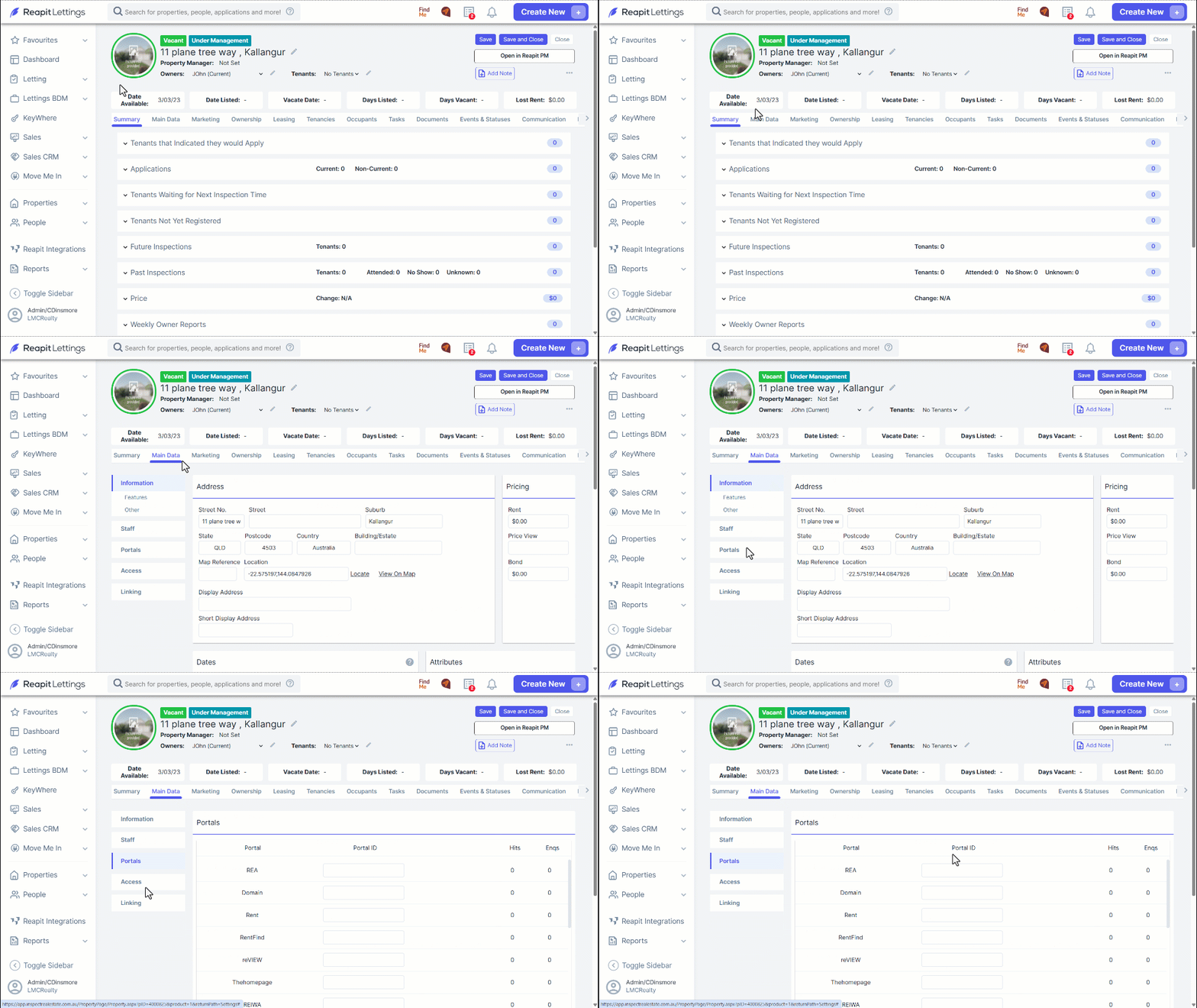
To fix this, you will need to add each individual portal ID against the property in Reapit Lettings. The portal ID can be found in the URL of the portal's website. It can be copied and pasted into the portals section in Main Data against the property.
- Obtain each portal ID.
You will need to go to each portal that you list your property on. REA, Domain, AllHomes, etc.
- Add the Portal IDs against the property in Reapit Lettings.
Within the property edit page, each portal ID needs to be pasted against the applicable portal name in Main Data > Portals.