'%20d='M0%208a8%208%200%200%201%208-8h24a8%208%200%200%201%208%208v24a8%208%200%200%201-8%208H8a8%208%200%200%201-8-8V8Z'/%3e%3cpath%20fill='%23fff'%20d='M32.576%206C12.293%206%208.776%2025.887%207.424%2034H9.1c.45-2.977%203.493-14.748%2010.899-20.287%200%200-5.633%206.976-6.572%2015.051%203.426-.652%2013.845-3.372%2016.056-12.927l-3.84-.61c1.352-1.351%204.909-5.17%206.931-9.226V6Z'/%3e%3cdefs%3e%3clinearGradient%20id='reapit-lettings__a'%20x1='20.702'%20x2='20.702'%20y1='.351'%20y2='31.228'%20gradientUnits='userSpaceOnUse'%3e%3cstop%20stop-color='%235573FD'/%3e%3cstop%20offset='.575'%20stop-color='%234E56EA'/%3e%3c/linearGradient%3e%3c/defs%3e%3c/svg%3e)
How to Set up Inspection Reminders
This article will guide you through the process of updating inspection reminders in your account in Reapit Lettings.
Inspection reminders are set to notify a buyer of an upcoming inspection at a specified time, either a number of days or hours before the inspection.
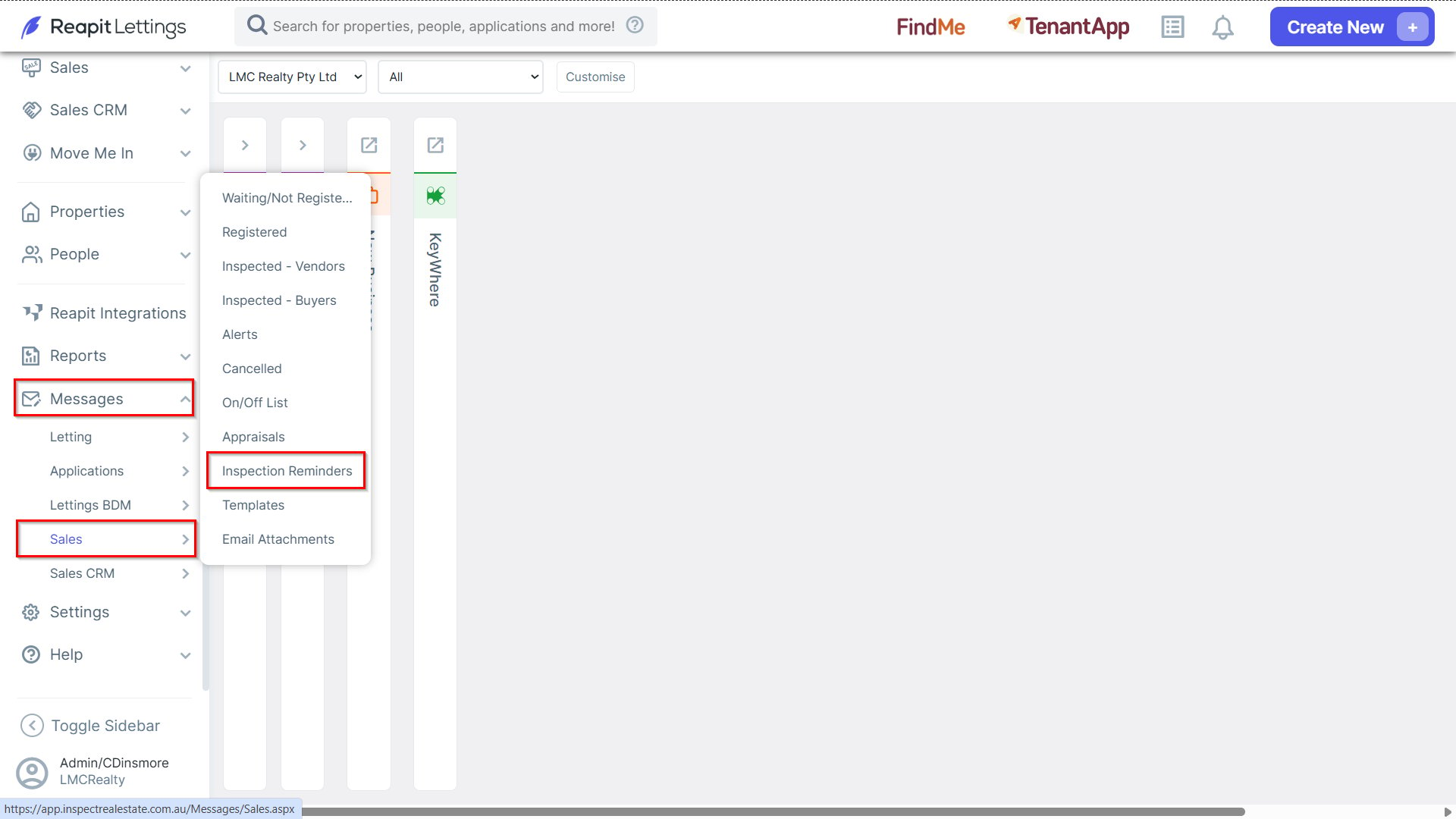
1. To update inspection reminders, navigate to Messages > Sales, and select Inspection Reminders.
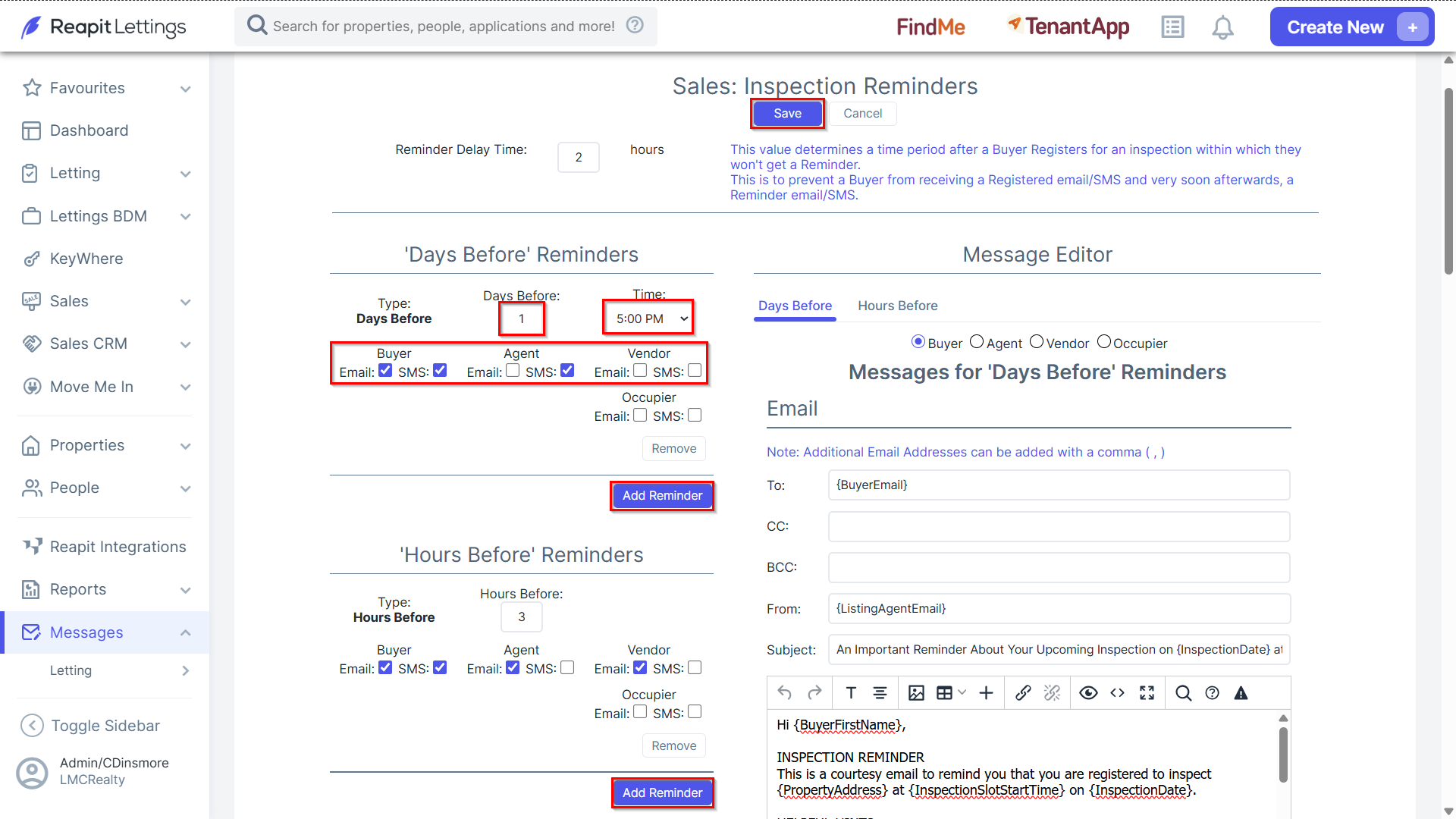
2. Click Add Reminder under the "Days/Hours Before" section(s).
- Specify the recipients and the method of delivery by ticking the applicable checkboxes. For example, you can choose to send the reminder to the buyer via email and SMS, and to the agent via email.
- For Days Before Reminders, adjust the "Days Before" and "Time" sections to specify when the reminder will be sent. If you want to send a reminder on the day of the inspection, set "Days Before" to zero. For example, setting the reminder to be sent the day before the inspection at 5:00 PM.
- Click on Save once completed.