'%20d='M0%208a8%208%200%200%201%208-8h24a8%208%200%200%201%208%208v24a8%208%200%200%201-8%208H8a8%208%200%200%201-8-8V8Z'/%3e%3cpath%20fill='%23fff'%20d='M32.576%206C12.293%206%208.776%2025.887%207.424%2034H9.1c.45-2.977%203.493-14.748%2010.899-20.287%200%200-5.633%206.976-6.572%2015.051%203.426-.652%2013.845-3.372%2016.056-12.927l-3.84-.61c1.352-1.351%204.909-5.17%206.931-9.226V6Z'/%3e%3cdefs%3e%3clinearGradient%20id='reapit-lettings__a'%20x1='20.702'%20x2='20.702'%20y1='.351'%20y2='31.228'%20gradientUnits='userSpaceOnUse'%3e%3cstop%20stop-color='%235573FD'/%3e%3cstop%20offset='.575'%20stop-color='%234E56EA'/%3e%3c/linearGradient%3e%3c/defs%3e%3c/svg%3e)
How To Create a Calendar Region
This article will run through how to create a calendar region in Reapit Lettings - Sales.
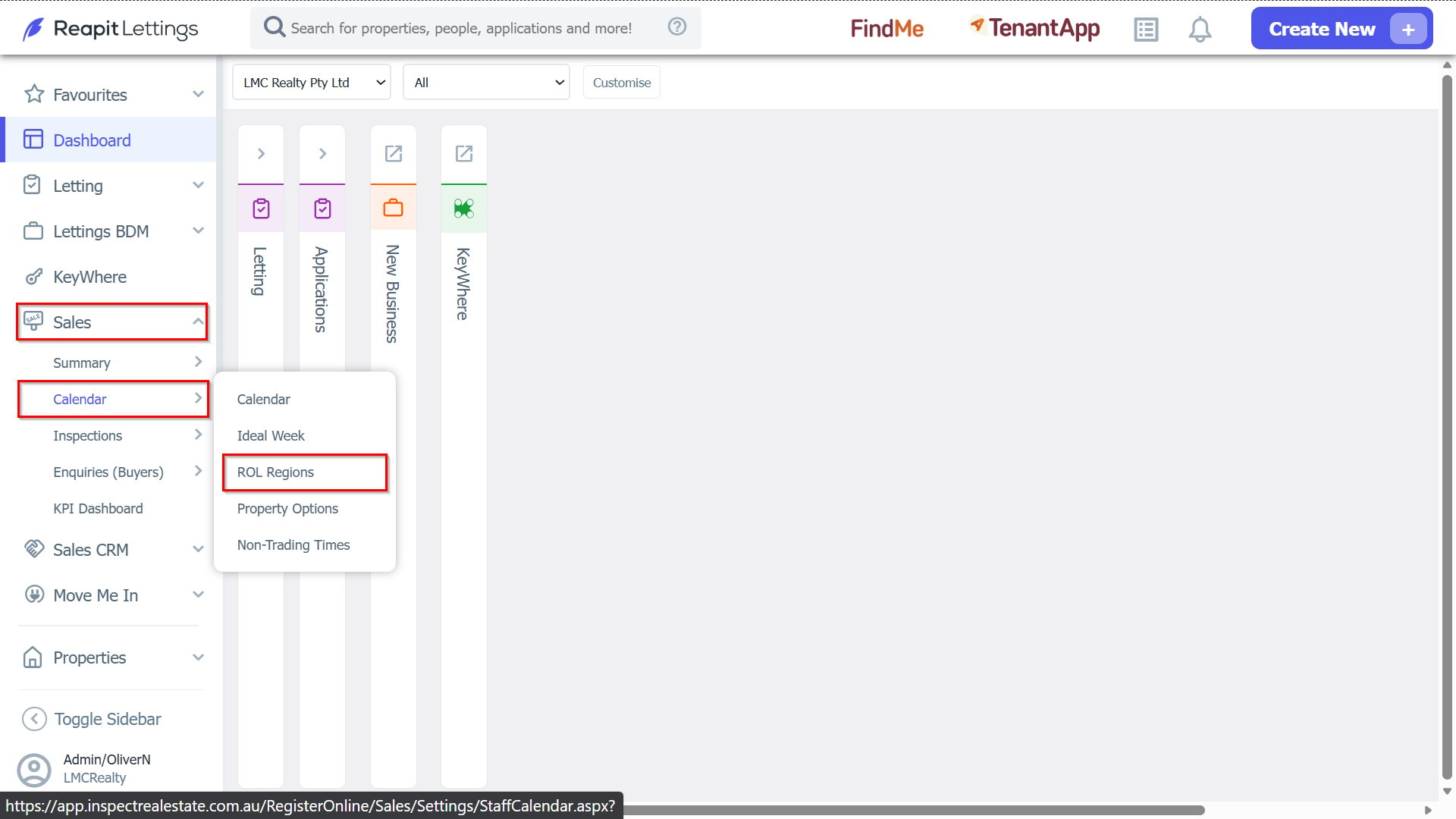
1. Navigate to Sales > Calendar > ROL Regions.
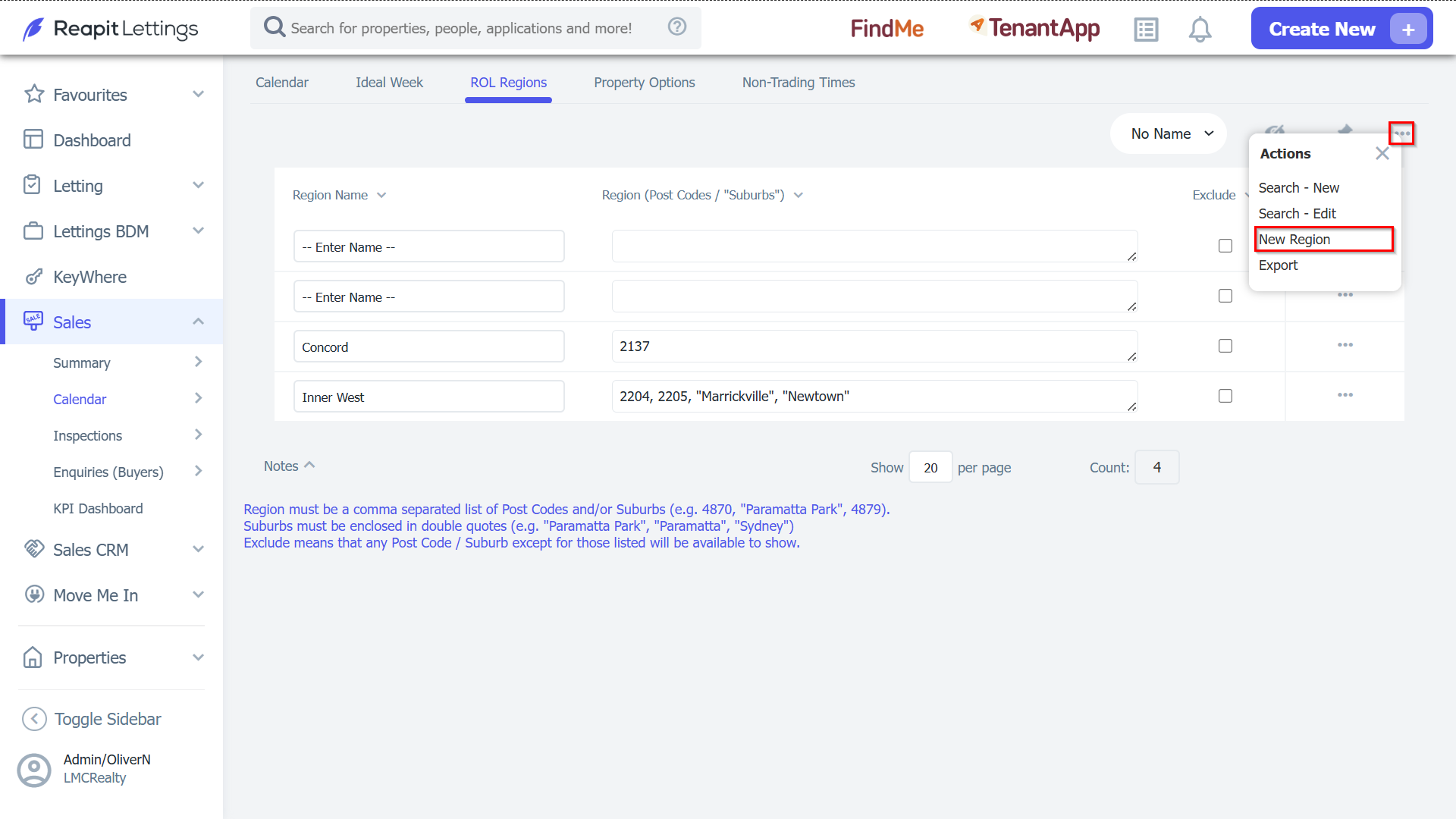
2. Press the Actions > New Region button.
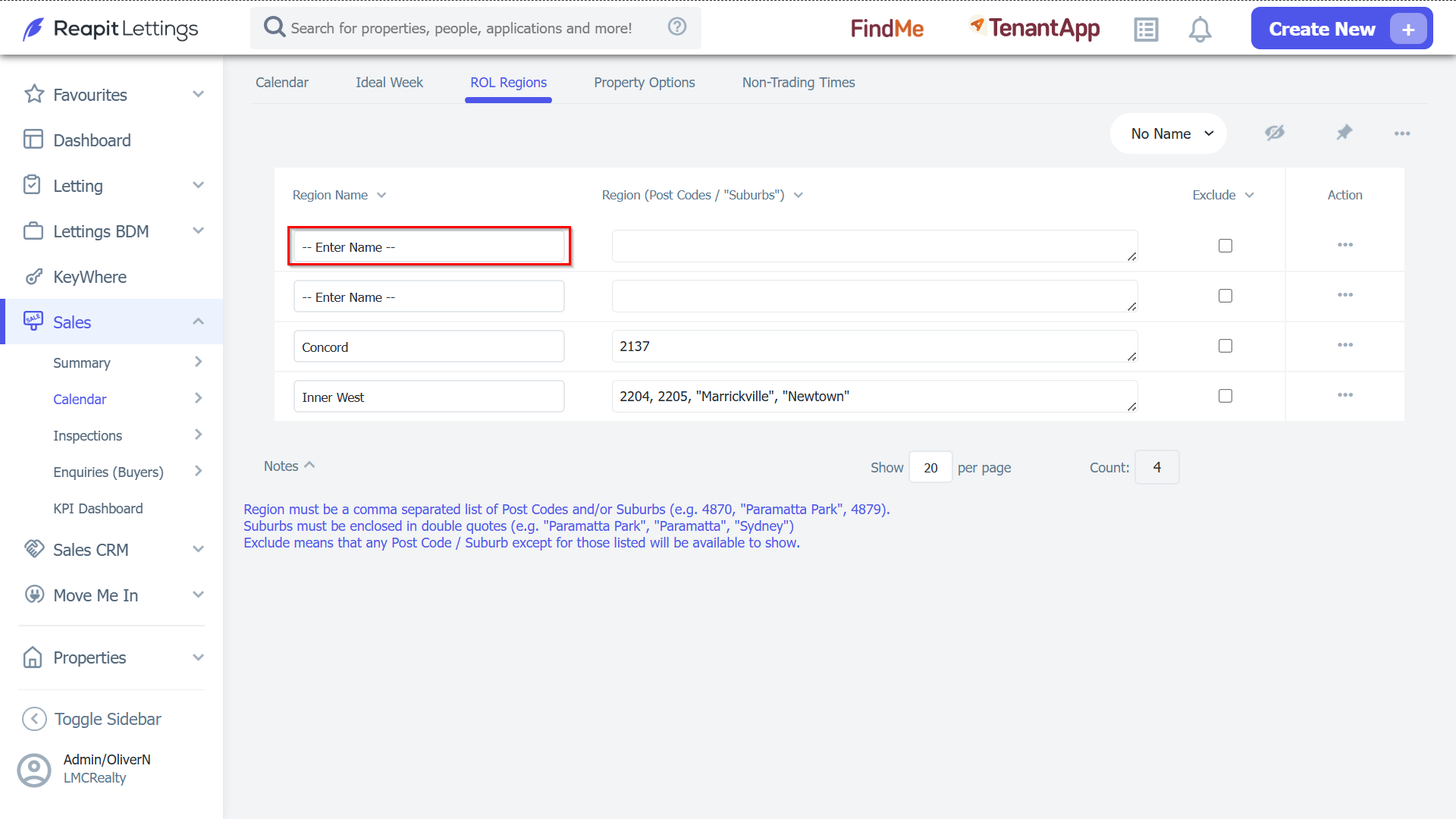
3. This will create a new entry in the ROL Regions table. Type in a name for that region.
4. You can then type in the postcode (or postcodes) and the suburb name that the region applies to.
Note: When entering multiple postcodes, separate the postcode with commas:
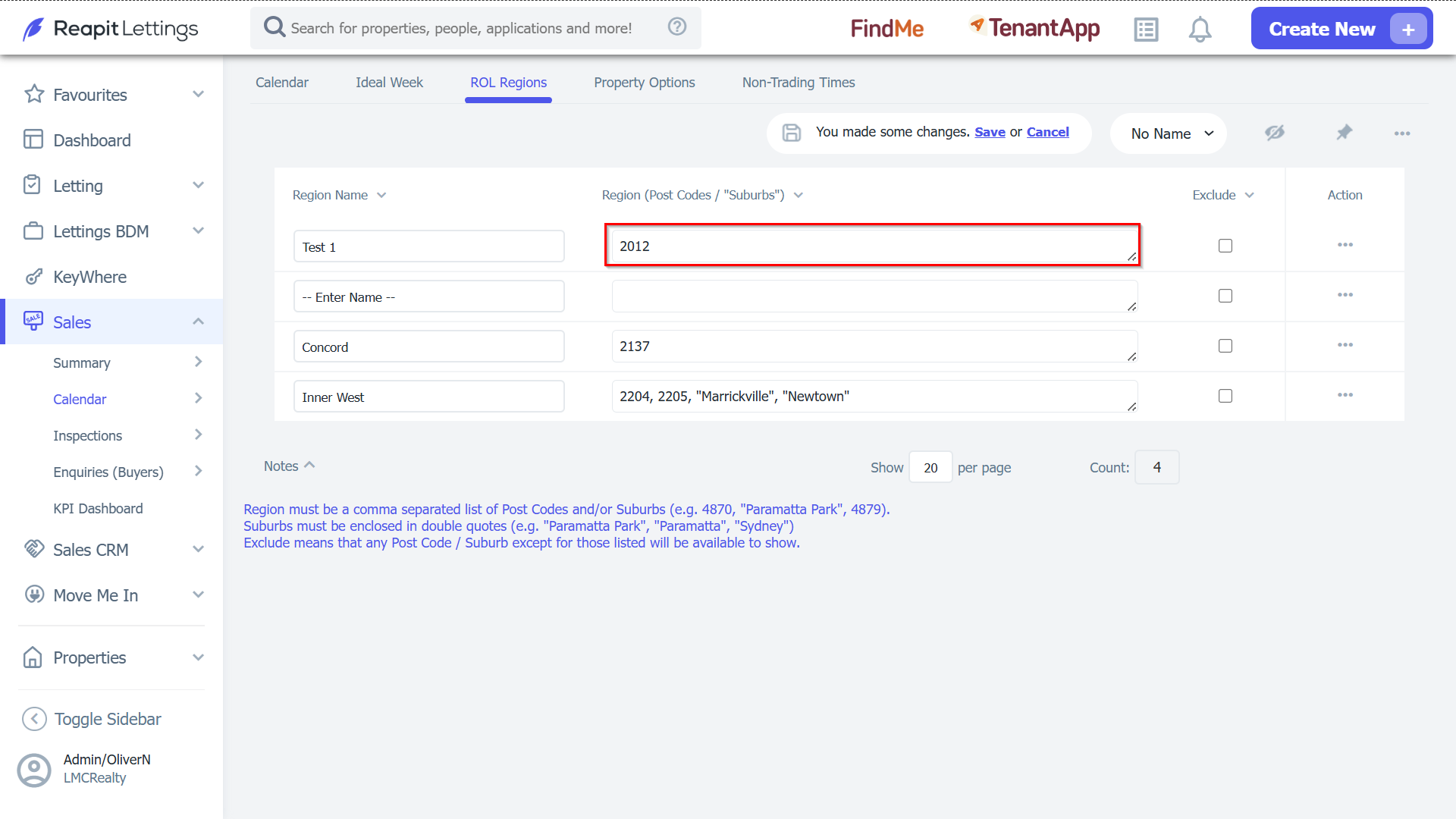
5. We also want the region “City” to contain the suburb. When entering the suburb, the suburb name must be in quotations (“Suburb Name”).
Note: Place a comma after the last postcode you entered and enter the suburb name in quotation marks.
6. You can set up a region with multiple suburb names, using commas to separate the suburb names.
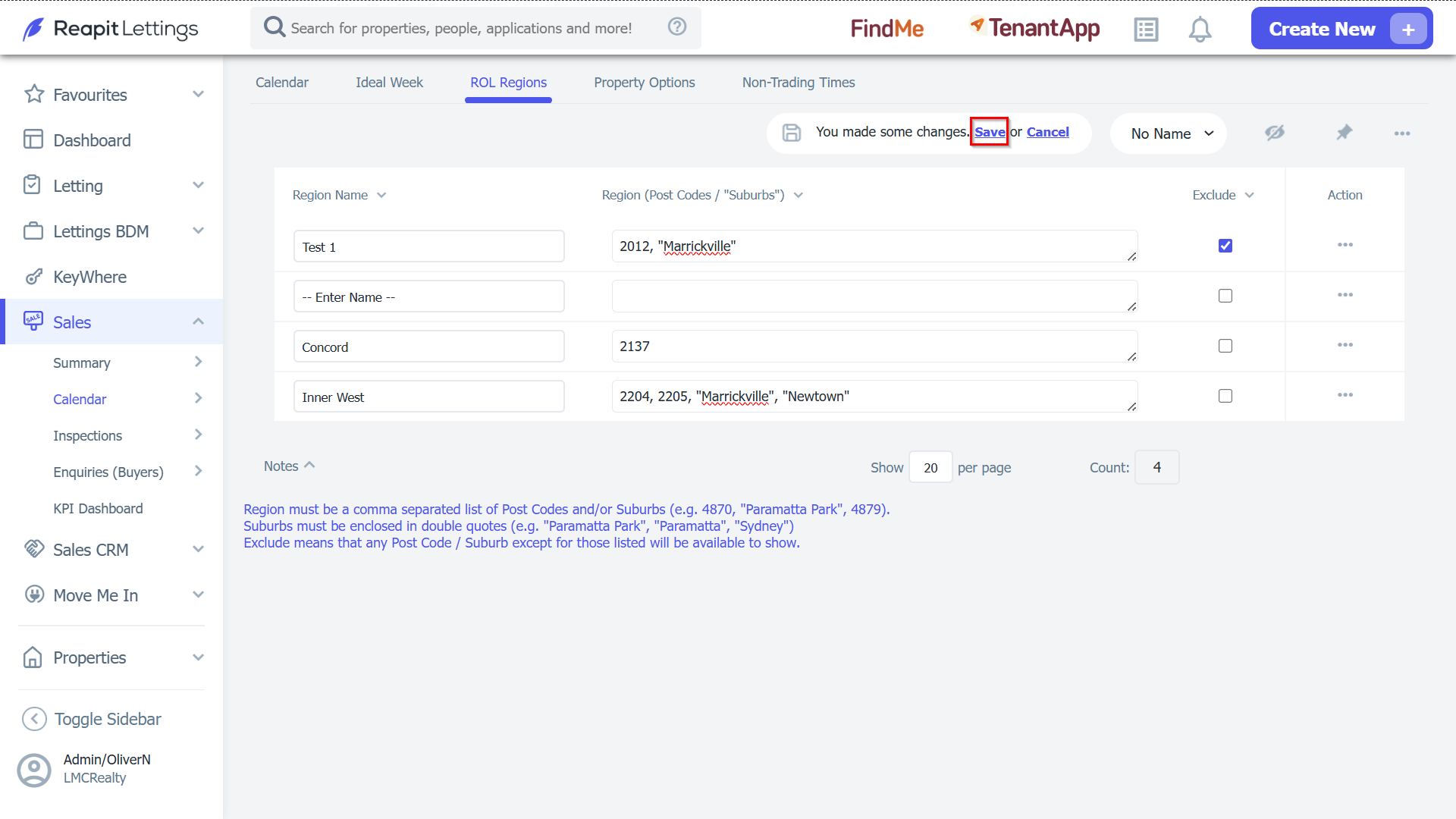
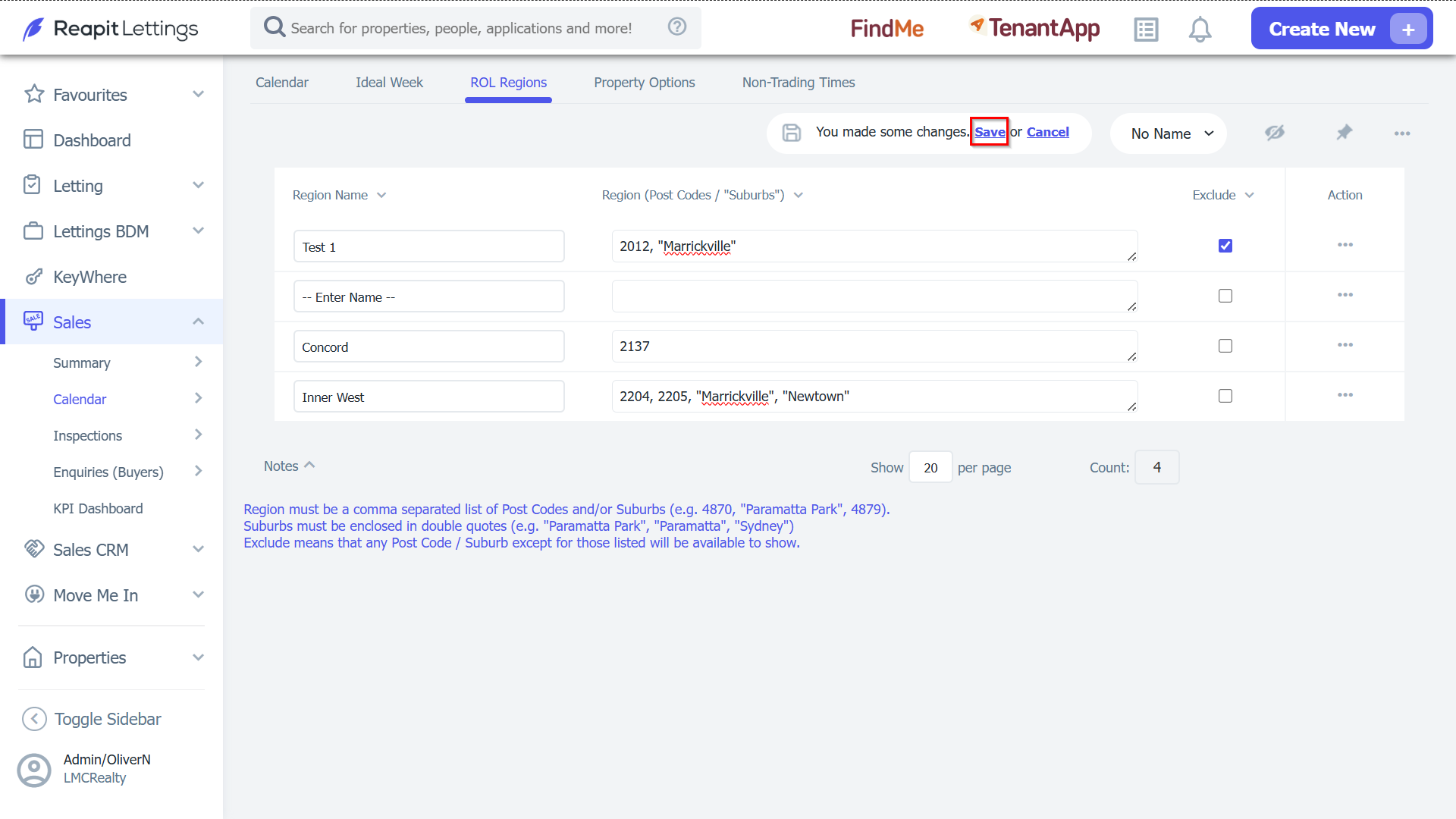
7. You can also set up regions that exclude certain areas.
8. You type in the postcodes that will be excluded, and then tick the checkbox under ‘Exclude’.
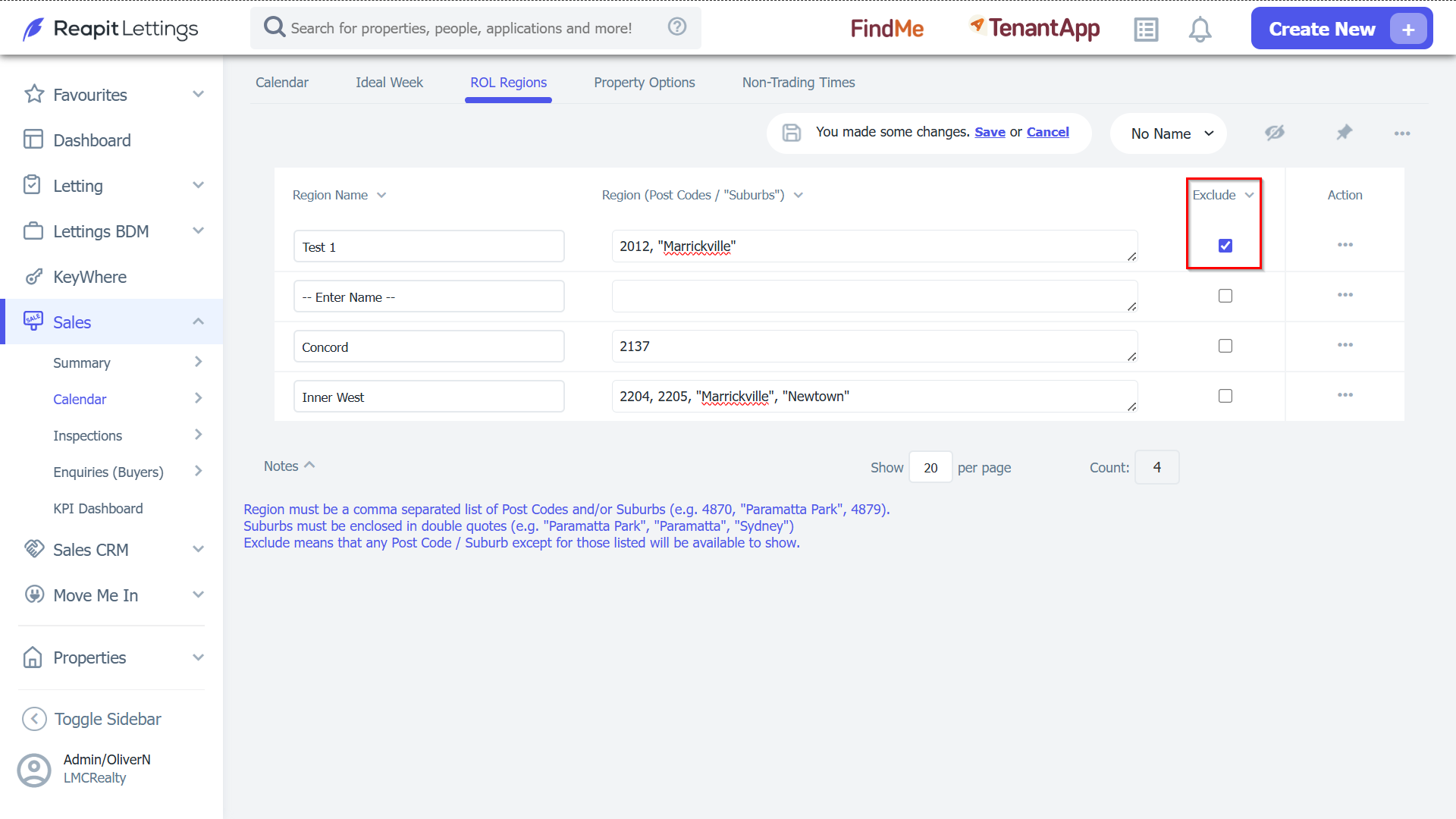
9. Once you have set up your region, click Save to create that region.