'%20d='M0%208a8%208%200%200%201%208-8h24a8%208%200%200%201%208%208v24a8%208%200%200%201-8%208H8a8%208%200%200%201-8-8V8Z'/%3e%3cpath%20fill='%23fff'%20d='M32.576%206C12.293%206%208.776%2025.887%207.424%2034H9.1c.45-2.977%203.493-14.748%2010.899-20.287%200%200-5.633%206.976-6.572%2015.051%203.426-.652%2013.845-3.372%2016.056-12.927l-3.84-.61c1.352-1.351%204.909-5.17%206.931-9.226V6Z'/%3e%3cdefs%3e%3clinearGradient%20id='reapit-lettings__a'%20x1='20.702'%20x2='20.702'%20y1='.351'%20y2='31.228'%20gradientUnits='userSpaceOnUse'%3e%3cstop%20stop-color='%235573FD'/%3e%3cstop%20offset='.575'%20stop-color='%234E56EA'/%3e%3c/linearGradient%3e%3c/defs%3e%3c/svg%3e)
Capturing Enquiries from the Domain
This article will run through how to capture enquiries from Domain within your account in Reapit Lettings.
Capturing Enquiries from Domain
Ensure you contact your Reapit Lettings account manager prior to undertaking the steps outlined below. Failure to do so may result in an inability to capture enquiries from Domain, as detailed below.
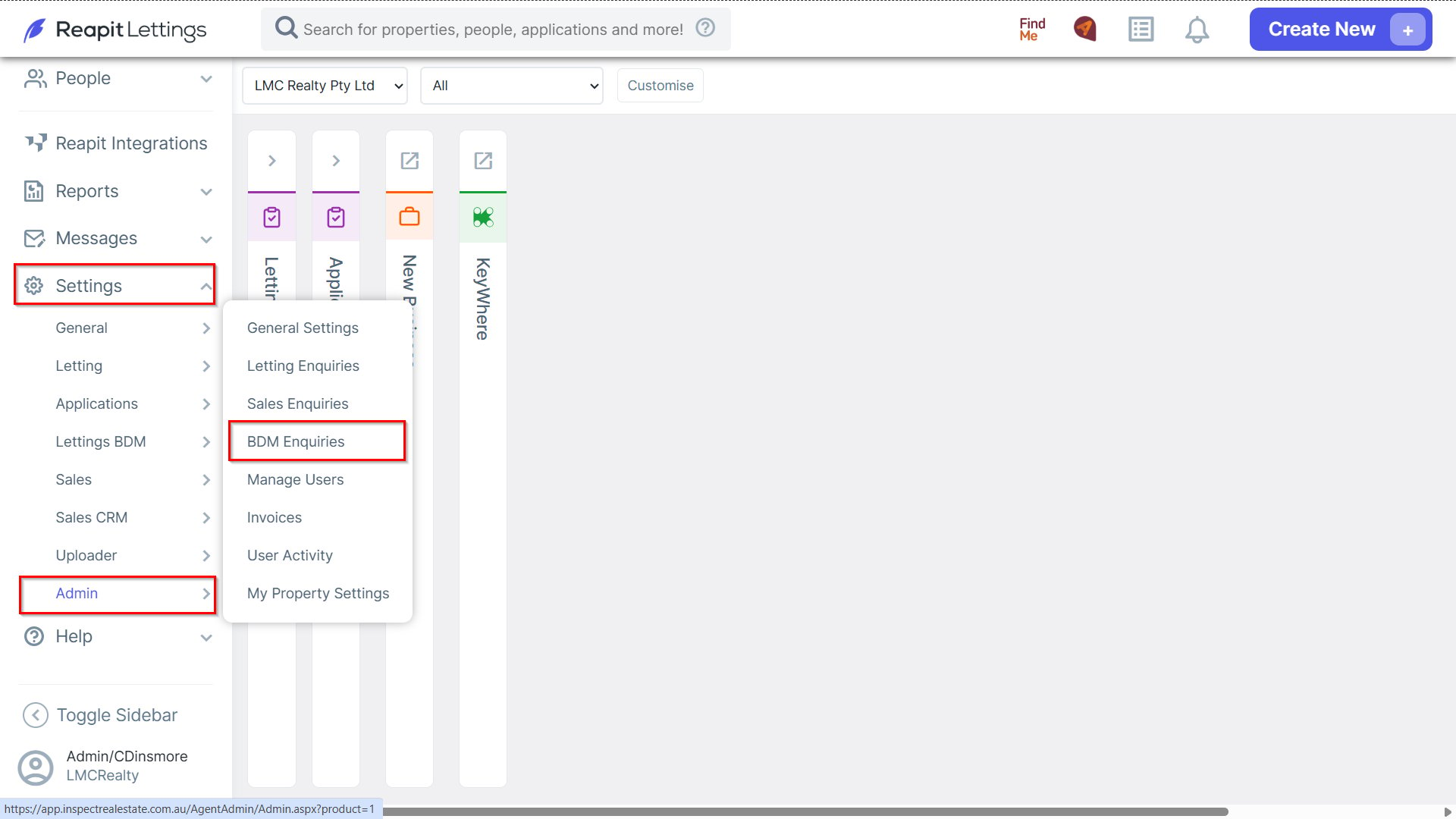
1. Navigate to Settings > Admin, click to BDM Enquiries.
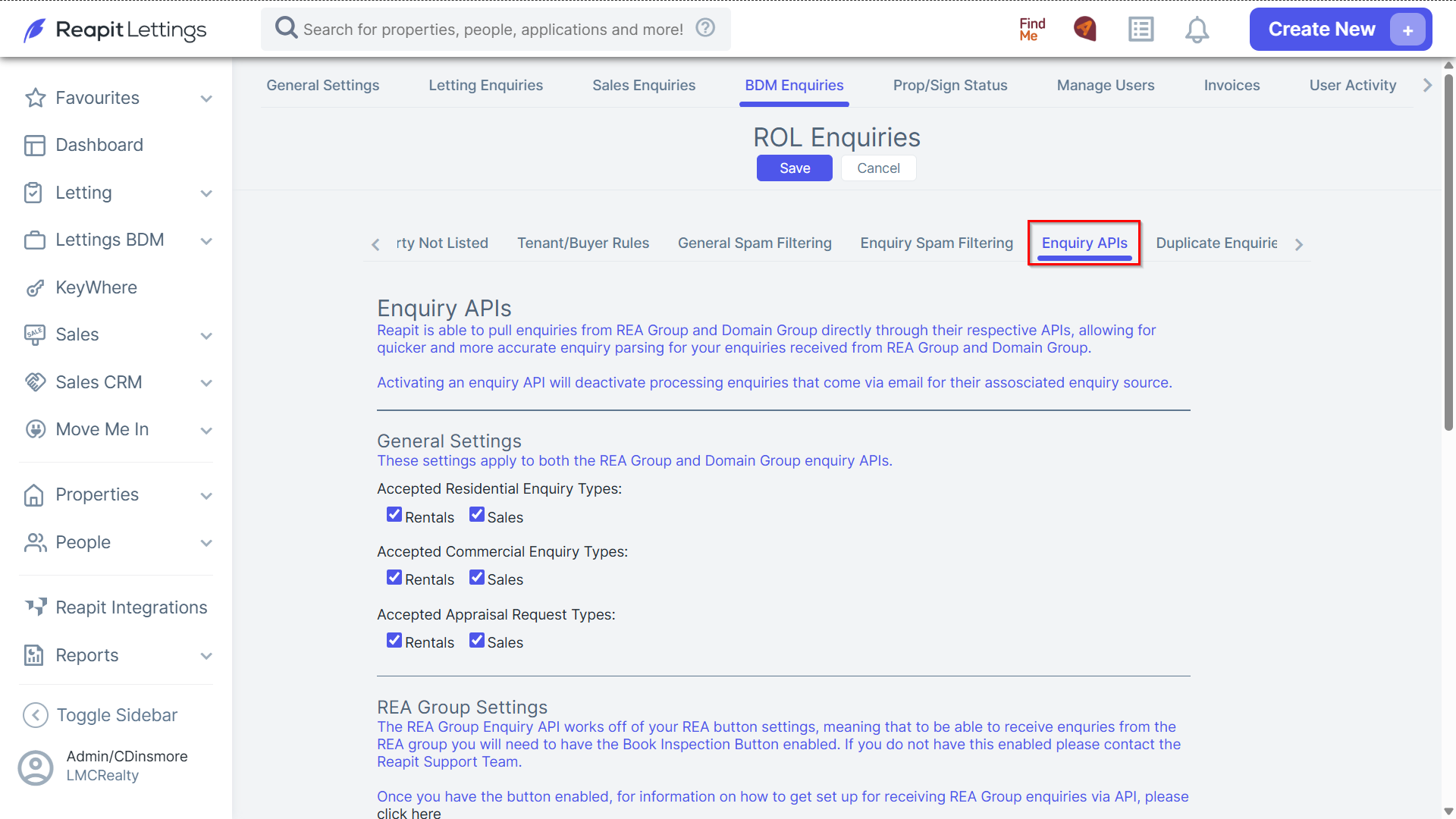
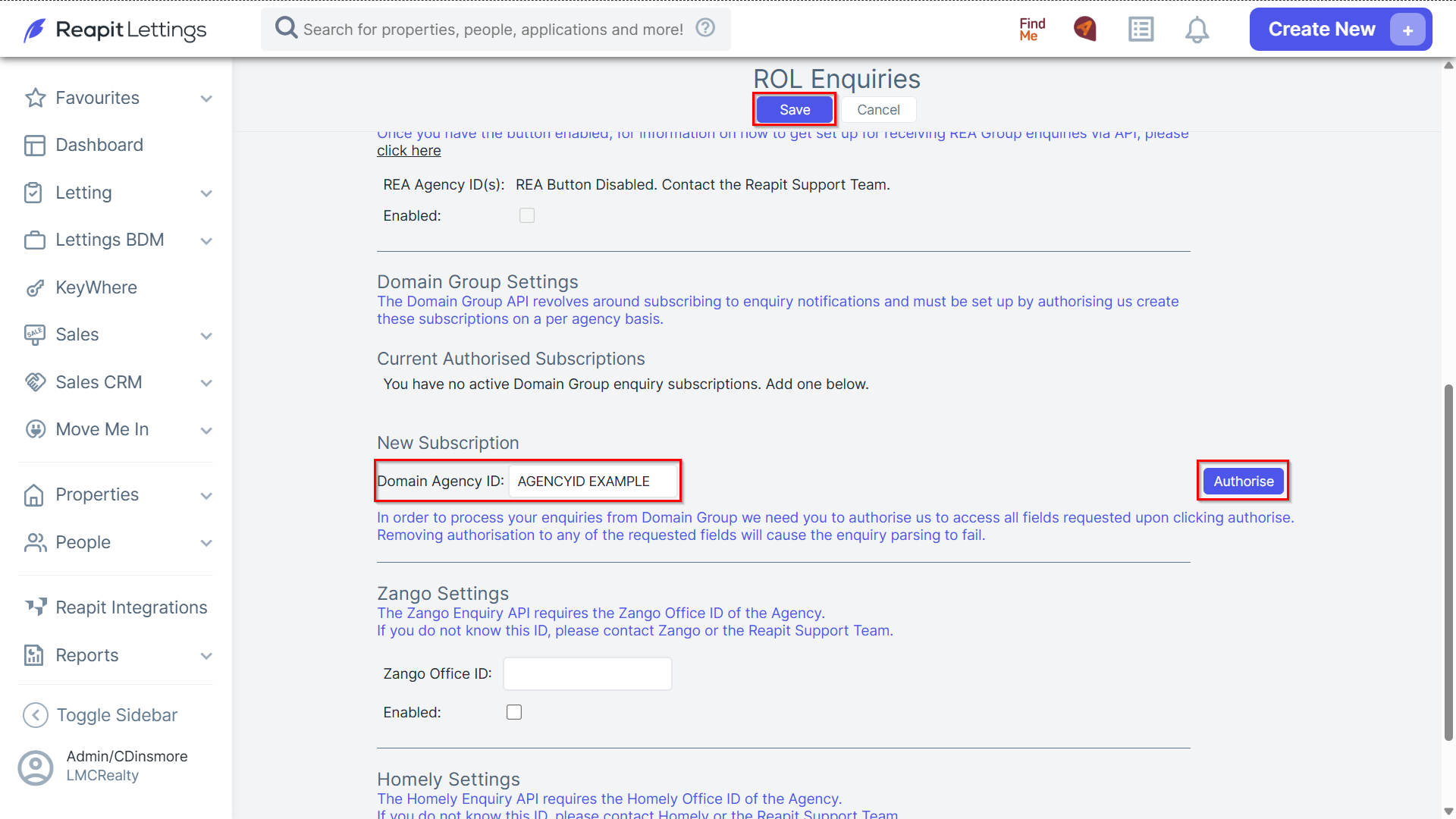
2. In the Enquiry APIs tab, scroll down to Domain Group Settings, input your agency ID and click Authorise.
- Click Save once completed.
Note: Following this procedure, log in to the Domain using an administrator-level account. Ensure that you select all the relevant checkboxes for Domain inquiries. Once selected, these inquiries will now be directly loaded into your Reapit Lettings account.