'%20d='M0%208a8%208%200%200%201%208-8h24a8%208%200%200%201%208%208v24a8%208%200%200%201-8%208H8a8%208%200%200%201-8-8V8Z'/%3e%3cpath%20fill='%23fff'%20d='M32.576%206C12.293%206%208.776%2025.887%207.424%2034H9.1c.45-2.977%203.493-14.748%2010.899-20.287%200%200-5.633%206.976-6.572%2015.051%203.426-.652%2013.845-3.372%2016.056-12.927l-3.84-.61c1.352-1.351%204.909-5.17%206.931-9.226V6Z'/%3e%3cdefs%3e%3clinearGradient%20id='reapit-lettings__a'%20x1='20.702'%20x2='20.702'%20y1='.351'%20y2='31.228'%20gradientUnits='userSpaceOnUse'%3e%3cstop%20stop-color='%235573FD'/%3e%3cstop%20offset='.575'%20stop-color='%234E56EA'/%3e%3c/linearGradient%3e%3c/defs%3e%3c/svg%3e)
How to Read the Lettings Monthly Report
This article will run through how to read the letting monthly report in your account in Reapit Lettings.
How to Read the Lettings Monthly Report
This article will run through how to read the letting monthly report in your account in Reapit Lettings.
- Navigate to Reports.
- Click Letting.
- Click Monthly Reports.
- Click Monthly Performance Report.
- Input the appropriate Email to send from, to as well as select the desired grouping (PM or LA).
- Click Send Report Now.
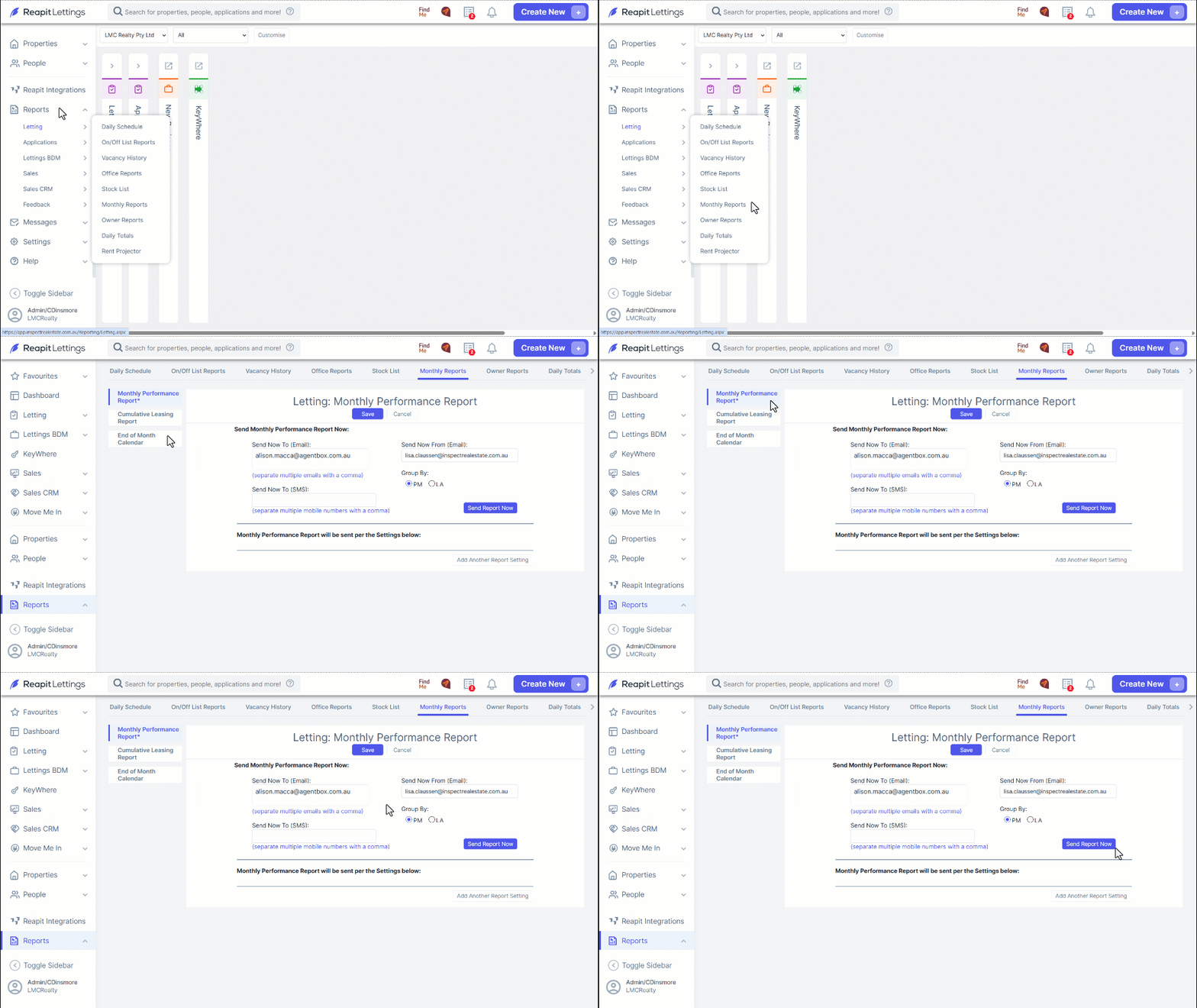
Note: You can also send this report via SMS in required by inputting the desired mobile number where listed above.