'%20d='M0%208a8%208%200%200%201%208-8h24a8%208%200%200%201%208%208v24a8%208%200%200%201-8%208H8a8%208%200%200%201-8-8V8Z'/%3e%3cpath%20fill='%23fff'%20d='M32.576%206C12.293%206%208.776%2025.887%207.424%2034H9.1c.45-2.977%203.493-14.748%2010.899-20.287%200%200-5.633%206.976-6.572%2015.051%203.426-.652%2013.845-3.372%2016.056-12.927l-3.84-.61c1.352-1.351%204.909-5.17%206.931-9.226V6Z'/%3e%3cdefs%3e%3clinearGradient%20id='reapit-lettings__a'%20x1='20.702'%20x2='20.702'%20y1='.351'%20y2='31.228'%20gradientUnits='userSpaceOnUse'%3e%3cstop%20stop-color='%235573FD'/%3e%3cstop%20offset='.575'%20stop-color='%234E56EA'/%3e%3c/linearGradient%3e%3c/defs%3e%3c/svg%3e)
How to Upload Already Sold Listings to Portals
This article will run through how to upload already sold listings to portals using Uploader in Reapit Lettings.
How to Upload Already Sold Listings to Portals
This article will run through how to upload already sold listings to portals using Uploader in Reapit Lettings.
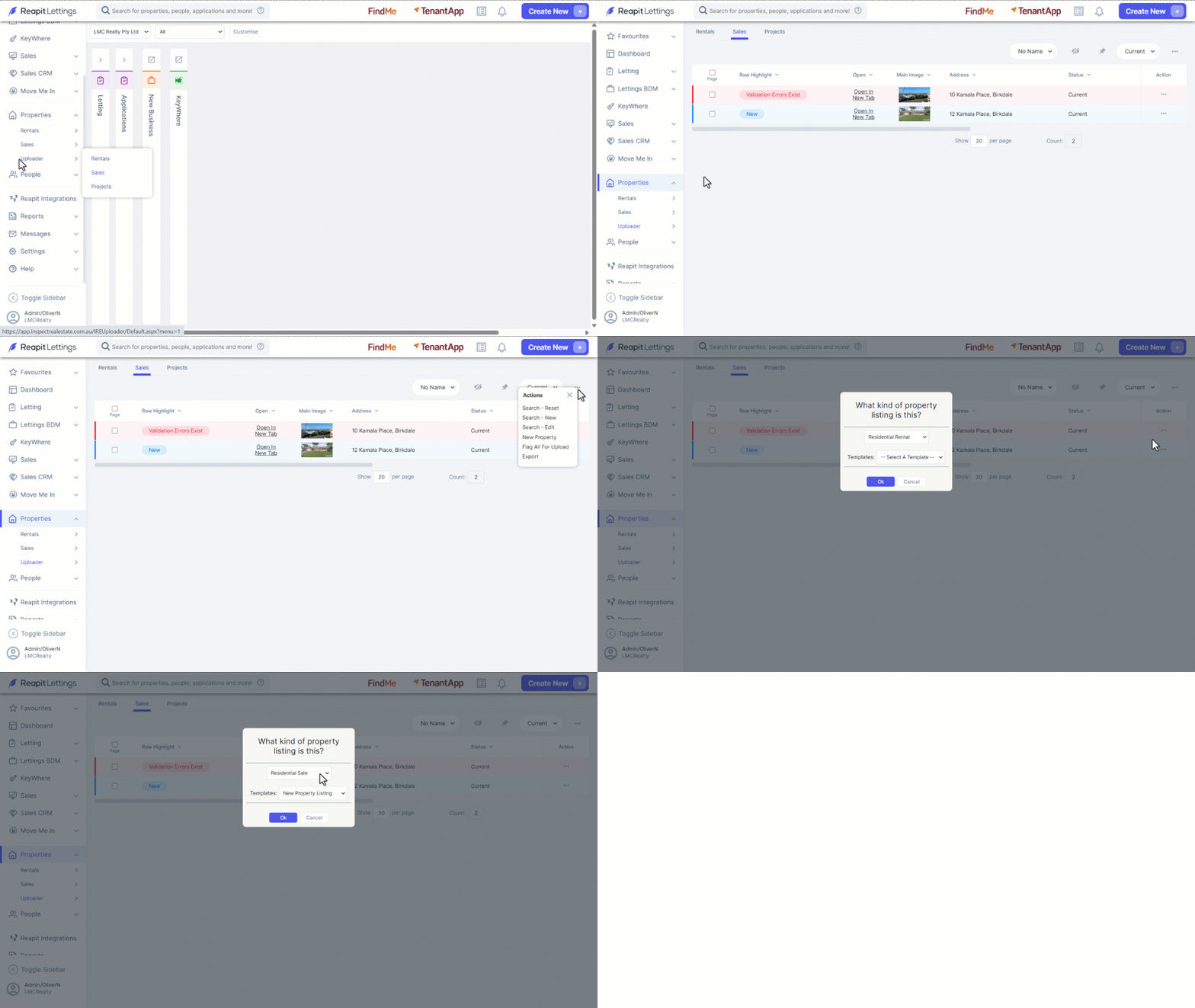
- Click on Properties.
- Click on Uploader.
- Click on Sales.
- Click on the 3-dots and select New Property.
- Select Residential ****Sale and a Template from the dropdown menus.
- Click on OK.
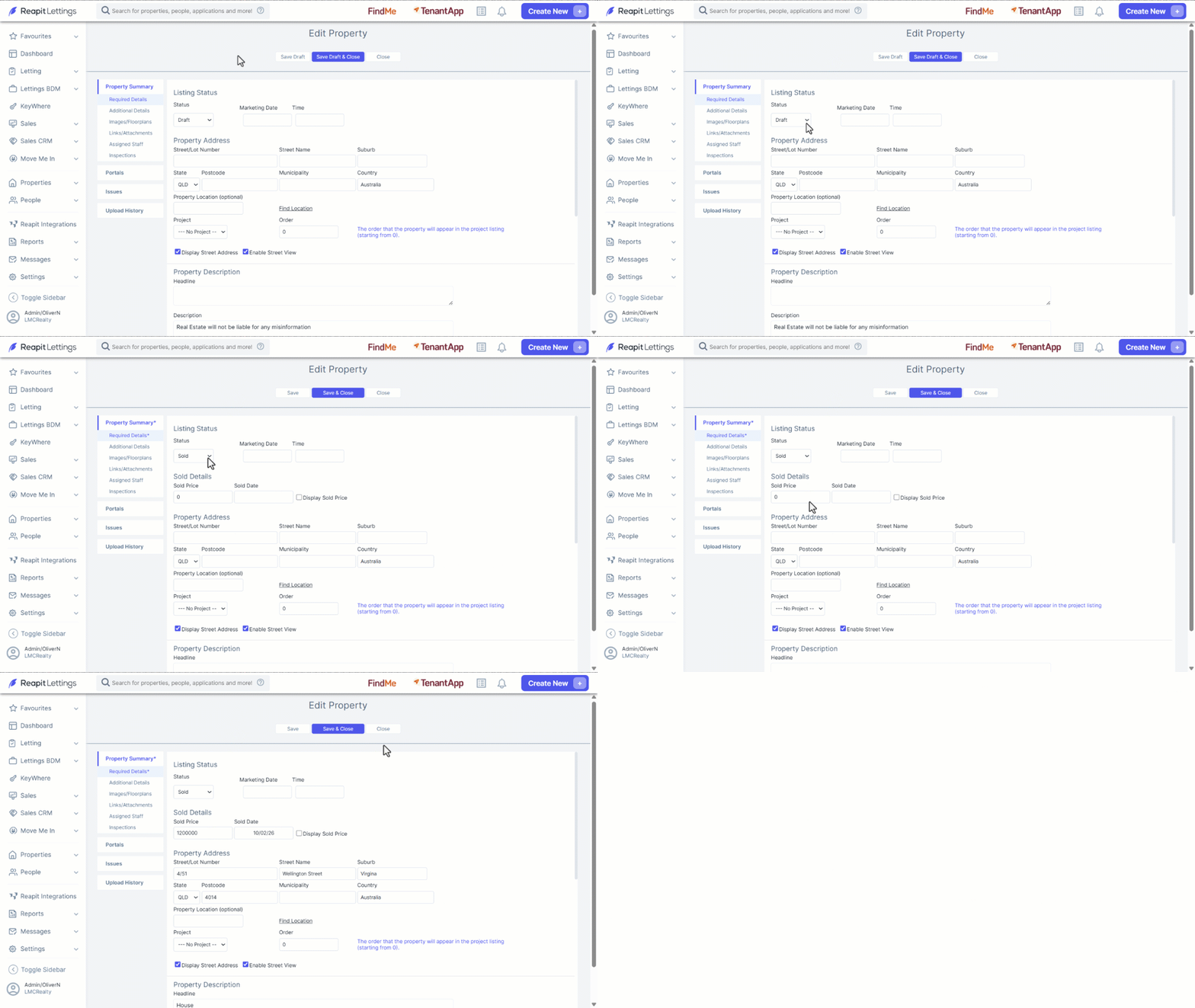
- Under Status, select Sold from the dropdown.
- Complete the remainder of the Required ****Details screen.
- Click on Upload.