'%20d='M0%208a8%208%200%200%201%208-8h24a8%208%200%200%201%208%208v24a8%208%200%200%201-8%208H8a8%208%200%200%201-8-8V8Z'/%3e%3cpath%20fill='%23fff'%20d='M32.576%206C12.293%206%208.776%2025.887%207.424%2034H9.1c.45-2.977%203.493-14.748%2010.899-20.287%200%200-5.633%206.976-6.572%2015.051%203.426-.652%2013.845-3.372%2016.056-12.927l-3.84-.61c1.352-1.351%204.909-5.17%206.931-9.226V6Z'/%3e%3cdefs%3e%3clinearGradient%20id='reapit-lettings__a'%20x1='20.702'%20x2='20.702'%20y1='.351'%20y2='31.228'%20gradientUnits='userSpaceOnUse'%3e%3cstop%20stop-color='%235573FD'/%3e%3cstop%20offset='.575'%20stop-color='%234E56EA'/%3e%3c/linearGradient%3e%3c/defs%3e%3c/svg%3e)
Updating property specific Attachments for Sales Properties
This article will run through how to add property-specific attachments, such as brochures or contracts, to a property listed in your account.
This article will run through how to add property-specific attachments, such as brochures or contracts, to a property listed in your account in Reapit Lettings.
These attachments can be sent to potential buyers directly from AgentApp during inspections or as part of automatic responses.
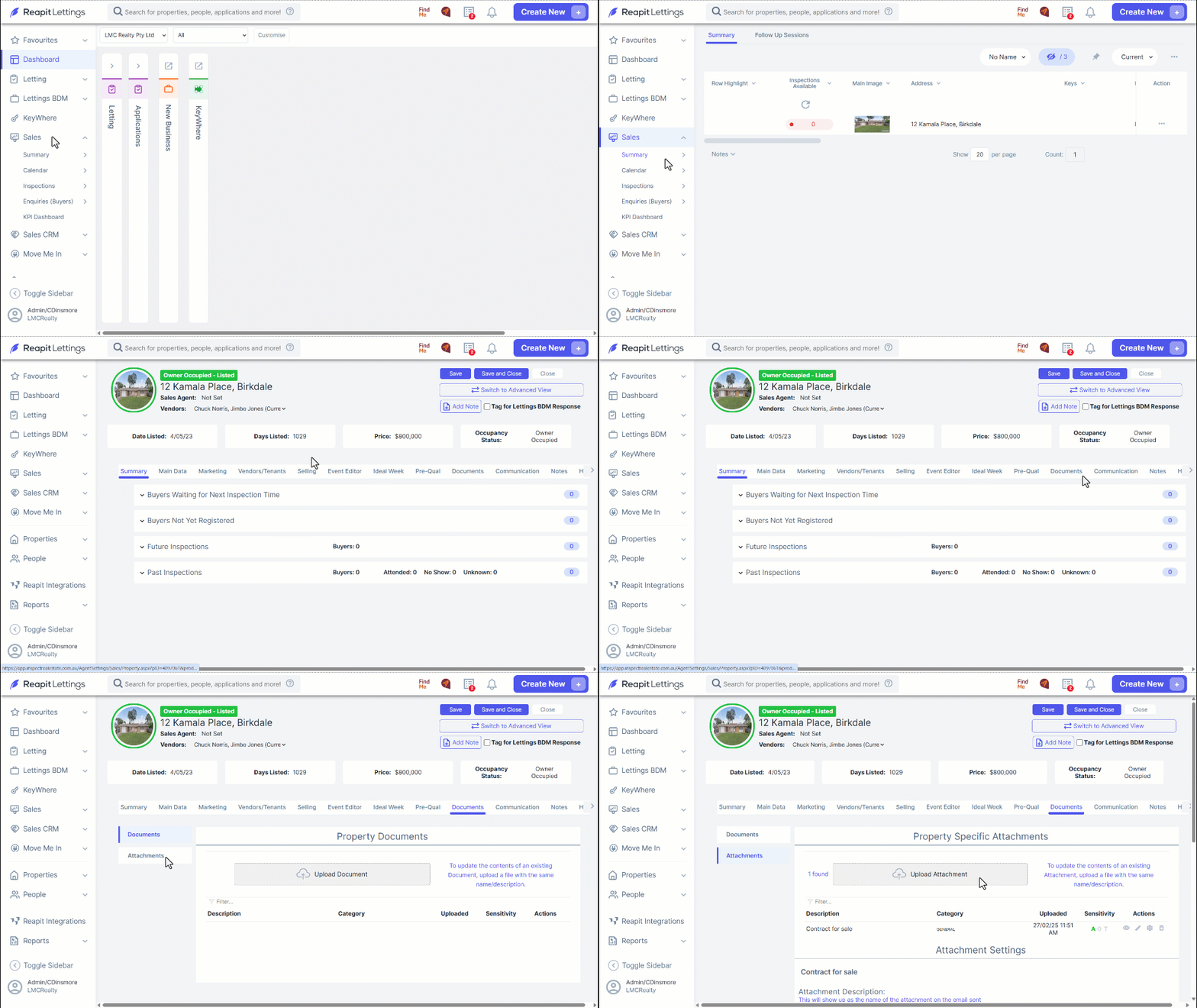
1. Navigate to Sales.
2. Click Summary.
3. Select the property address you wish to access.
4. From the Documents tab, click Attachments.
5. Click Upload Attachment.
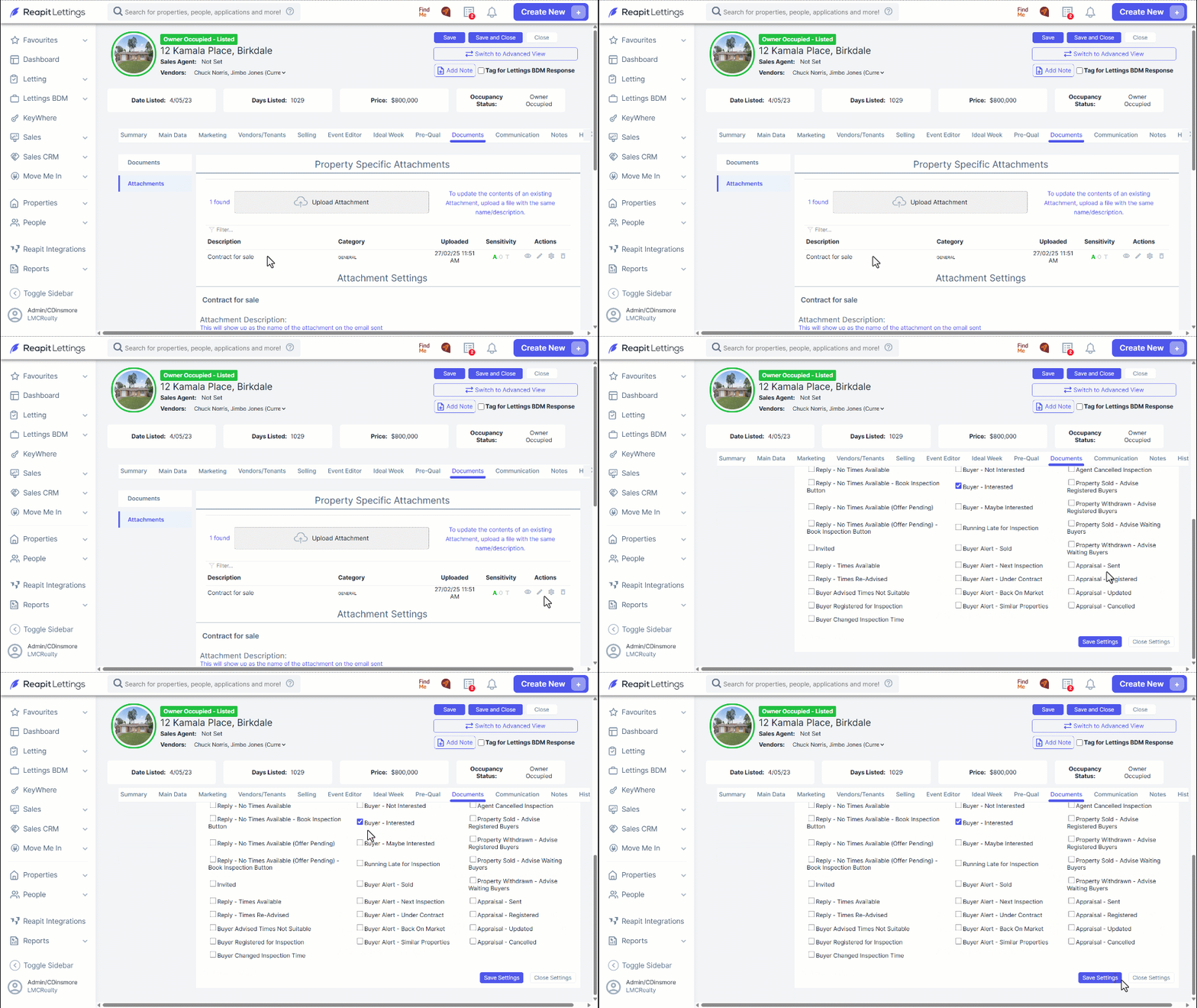
6. After uploading, click Edit Settings to select the messages to which you want to attach the document.
7. Scroll down and select the checkboxes next to the relevant message to attach the document.
8. Click Save Settings.
Ensuring Sales Attachments are Included with Messages When Listing Properties
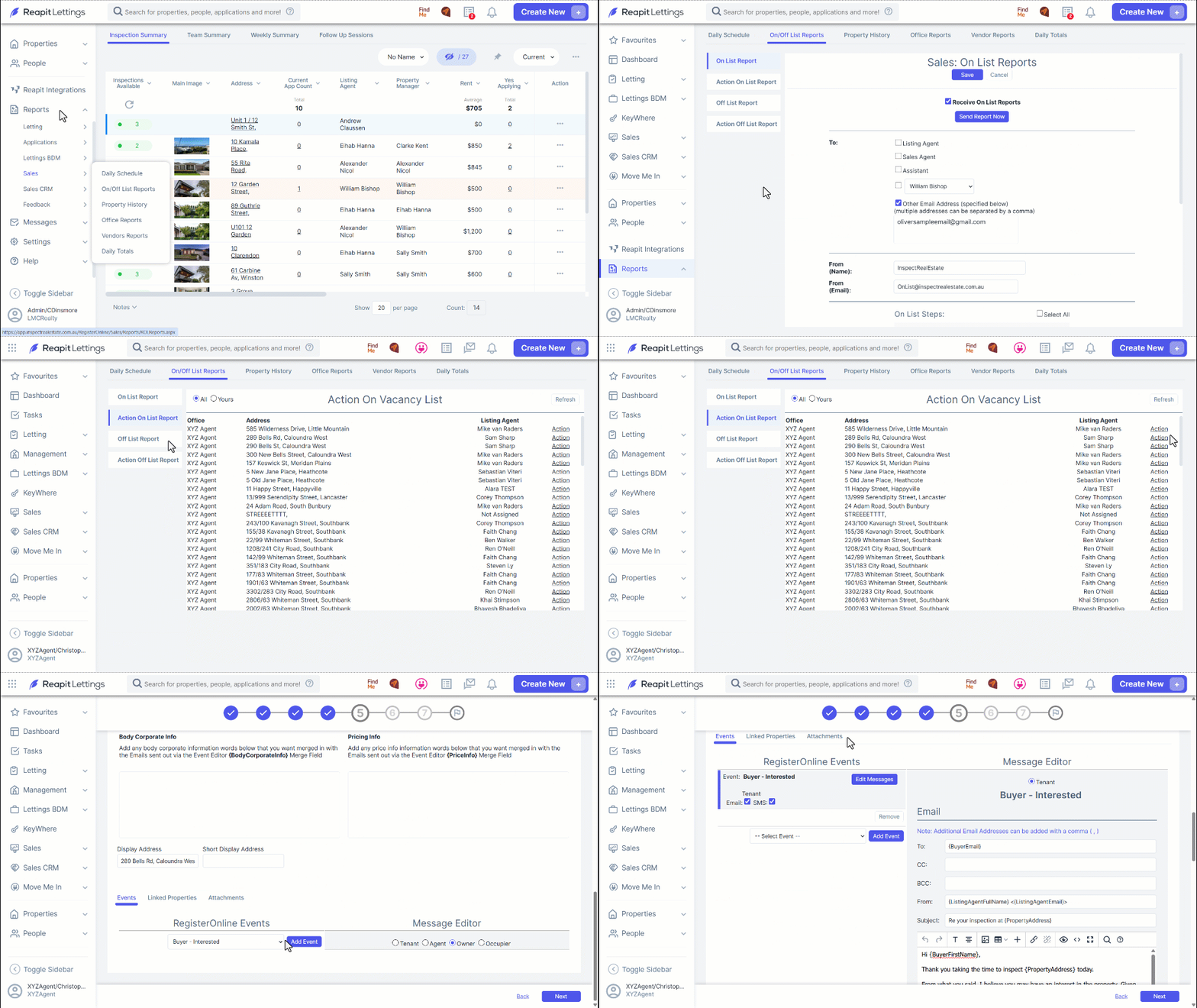
1. Navigate to Reports
2. Click Sales.
3. Click On/Off List.
4. In the Action On List Report tab, click Action next to the property you wish to list.
Note: Please complete each step presented to you until you reach Step 5.
5. At Step 5, scroll down to the Events tab, and click the Owner option in the Message Editor.
- Additionally, select Buyer Interested from the Register Online Events dropdown menu, and then click Add Event to view/ edit the message presented.
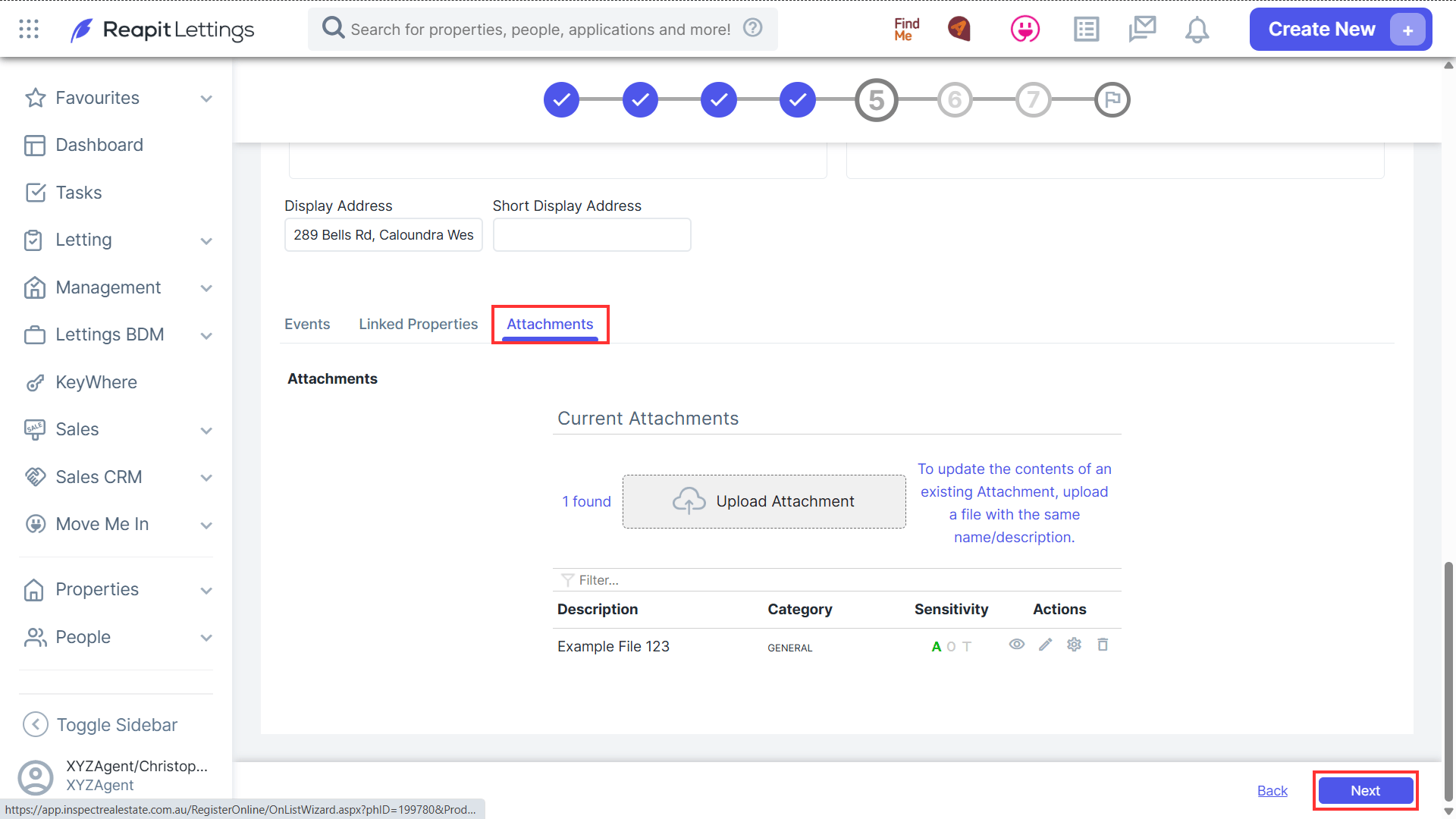
6. If you scroll back up and click the Attachments tab, you will see the previously uploaded document stored there.
Note: In the instance you've not selected the Buyer Interested checkbox prior to completing the On List, you can click the Upload Attachment button and insert the document manually.
7. To finalise the On List, proceed with the remaining steps as prompted.