'%20d='M0%208a8%208%200%200%201%208-8h24a8%208%200%200%201%208%208v24a8%208%200%200%201-8%208H8a8%208%200%200%201-8-8V8Z'/%3e%3cpath%20fill='%23fff'%20d='M32.576%206C12.293%206%208.776%2025.887%207.424%2034H9.1c.45-2.977%203.493-14.748%2010.899-20.287%200%200-5.633%206.976-6.572%2015.051%203.426-.652%2013.845-3.372%2016.056-12.927l-3.84-.61c1.352-1.351%204.909-5.17%206.931-9.226V6Z'/%3e%3cdefs%3e%3clinearGradient%20id='reapit-lettings__a'%20x1='20.702'%20x2='20.702'%20y1='.351'%20y2='31.228'%20gradientUnits='userSpaceOnUse'%3e%3cstop%20stop-color='%235573FD'/%3e%3cstop%20offset='.575'%20stop-color='%234E56EA'/%3e%3c/linearGradient%3e%3c/defs%3e%3c/svg%3e)
Managing Users in Reapit Lettings with Reapit Connect
This article explains how to manage user accounts in Reapit Lettings with Reapit Connect enabled.
Managing Users in Reapit Lettings with Reapit Connect
This article explains how to manage user accounts in Reapit Lettings with Reapit Connect enabled.
The processes in this article include:
- Resetting a Reapit Connect Users Password
- How to Fetch a Reapit Connect Users Current Authenticators
Resetting a Reapit Connect Users Password
Note: You will need Diamond permission status to access Settings.
Following completion of this process, the user will receive an email with a Temporary password. They will be required to log in using the provided password then update it when prompted.
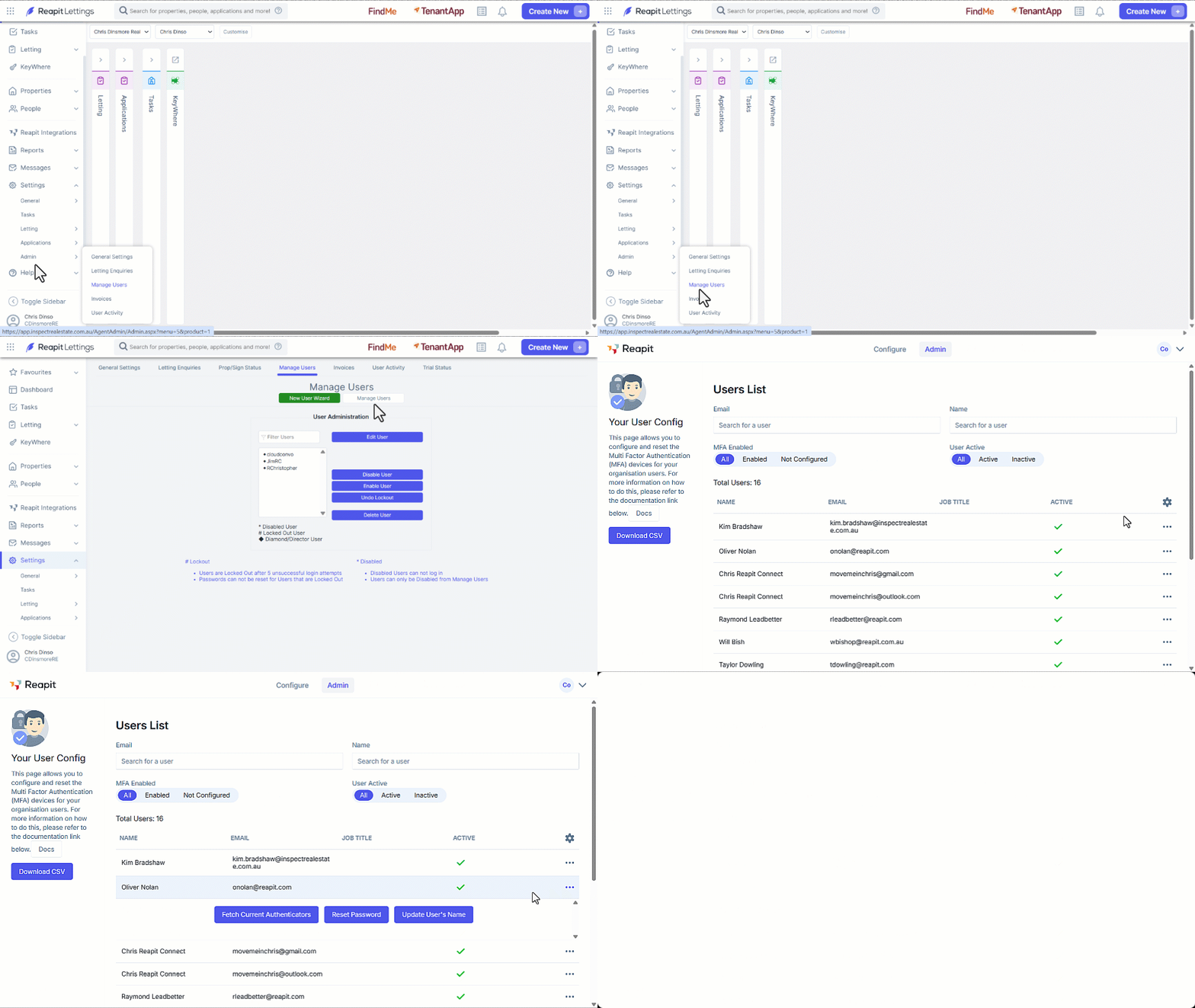
- Click on Settings.
- Click on Admin.
- Click on Manage Users.
- Click on on the Manage Users button.
- Ensure you are on the Admin tab.
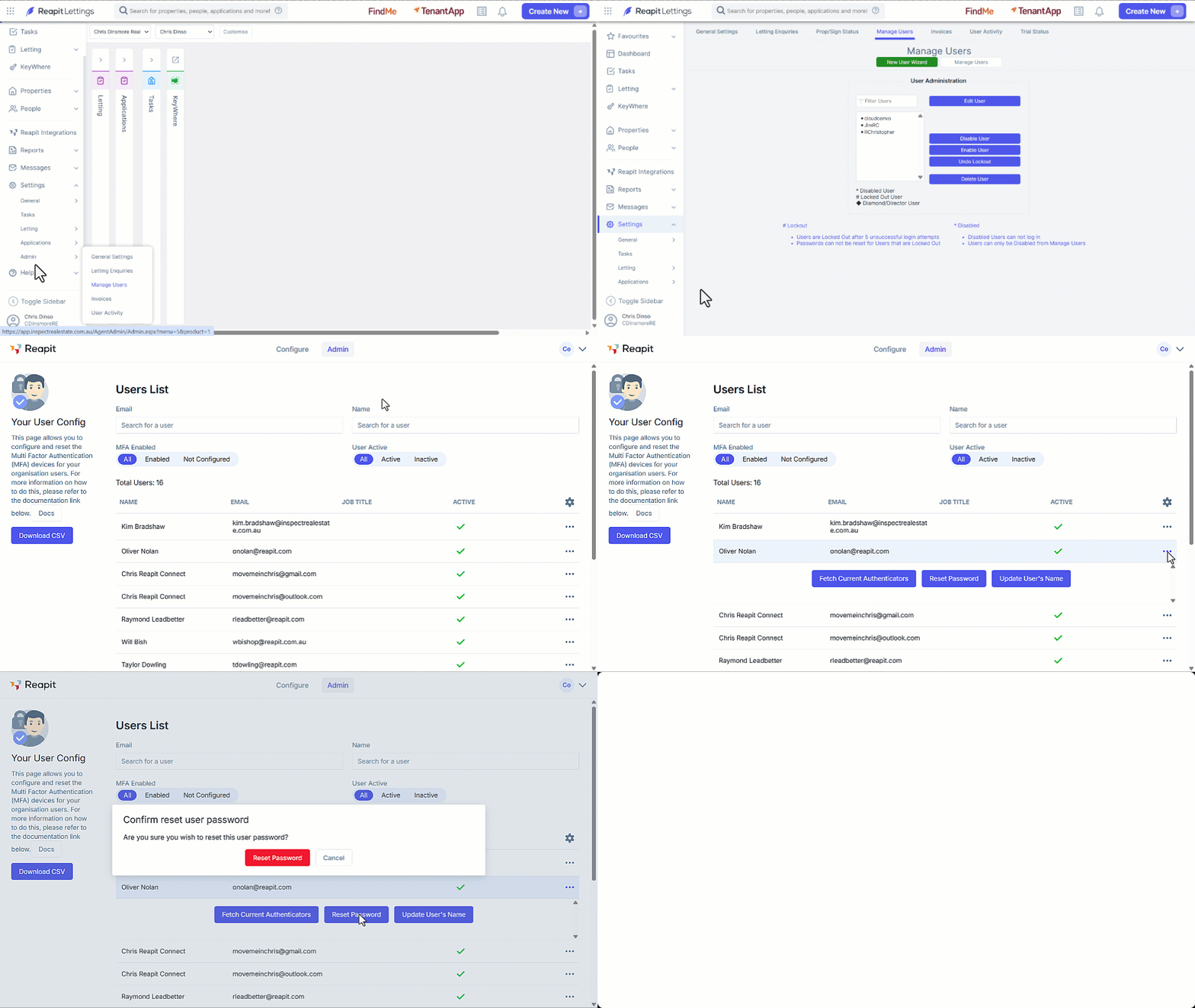
- Click the three dots to the right of the user.
- Click on Reset Password.
- Conform by clicking on Reset Password.
How to Fetch a Reapit Connect Users Current Authenticators
- Click on Settings.
- Click on Admin.
- Click on Manage Users.
- Click on on the Manage Users button.
- Ensure you are on the Admin tab.
- Click the three dots to the right of the user.
- Click on Fetch Current Authenticators.