'%20d='M0%208a8%208%200%200%201%208-8h24a8%208%200%200%201%208%208v24a8%208%200%200%201-8%208H8a8%208%200%200%201-8-8V8Z'/%3e%3cpath%20fill='%23fff'%20d='M32.576%206C12.293%206%208.776%2025.887%207.424%2034H9.1c.45-2.977%203.493-14.748%2010.899-20.287%200%200-5.633%206.976-6.572%2015.051%203.426-.652%2013.845-3.372%2016.056-12.927l-3.84-.61c1.352-1.351%204.909-5.17%206.931-9.226V6Z'/%3e%3cdefs%3e%3clinearGradient%20id='reapit-lettings__a'%20x1='20.702'%20x2='20.702'%20y1='.351'%20y2='31.228'%20gradientUnits='userSpaceOnUse'%3e%3cstop%20stop-color='%235573FD'/%3e%3cstop%20offset='.575'%20stop-color='%234E56EA'/%3e%3c/linearGradient%3e%3c/defs%3e%3c/svg%3e)
Sending Text Message within Reapit Lettings
This article will run through the process on how to send a text message within Reapit Lettings.
Sending Text Message within Reapit Lettings
This article will run through the process on how to send a text message within Reapit Lettings.
- Click Letting.
- Click Enquiries (Tenants). 3. Click Tenants. 4. Click on the Tenant Name column and enter the tenant's name in the search box then click Search. You may also refine the displayed Tenants by searching in the Property Address and other columns available.
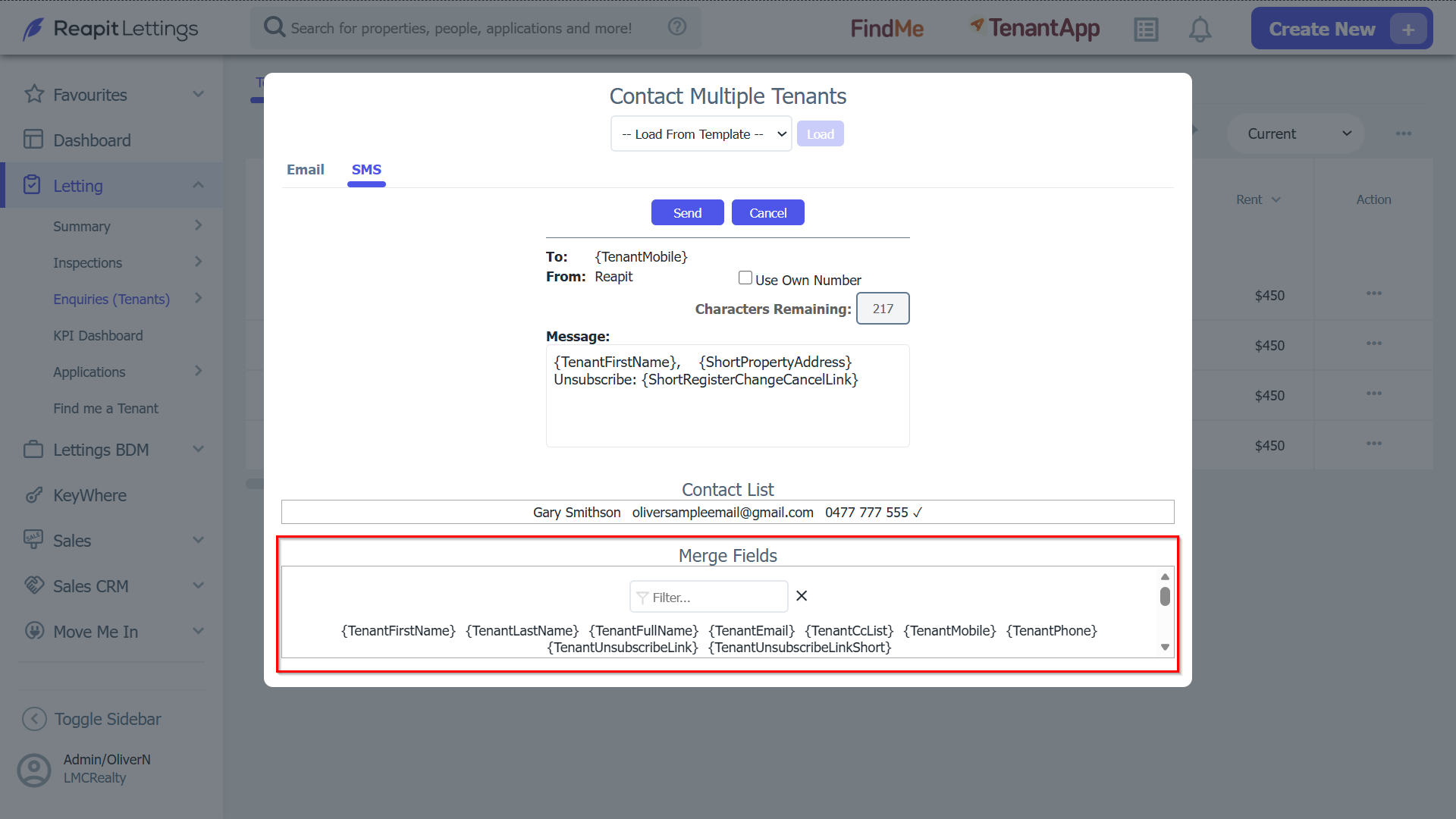
5. Select the checkbox under Page column for the tenant/s to receive SMS. 6. Navigate to action bar and select the Contact icon. 7. Navigate to the SMS tab. 8. Select a message from the template dropdown or enter a Message in the message field. 9. Click on Send.
Note: Merge Fields are available upon creating your Message. This will be replaced with the information from the database when you send the message. For Example: Hi {TenantFirstName}, thank you for your enquiry on {PropertyAddress} Will Become: Hi Scott, thank you for your enquiry on 123 Property Road, Brisbane.