'%20d='M0%208a8%208%200%200%201%208-8h24a8%208%200%200%201%208%208v24a8%208%200%200%201-8%208H8a8%208%200%200%201-8-8V8Z'/%3e%3cpath%20fill='%23fff'%20d='M32.576%206C12.293%206%208.776%2025.887%207.424%2034H9.1c.45-2.977%203.493-14.748%2010.899-20.287%200%200-5.633%206.976-6.572%2015.051%203.426-.652%2013.845-3.372%2016.056-12.927l-3.84-.61c1.352-1.351%204.909-5.17%206.931-9.226V6Z'/%3e%3cdefs%3e%3clinearGradient%20id='reapit-lettings__a'%20x1='20.702'%20x2='20.702'%20y1='.351'%20y2='31.228'%20gradientUnits='userSpaceOnUse'%3e%3cstop%20stop-color='%235573FD'/%3e%3cstop%20offset='.575'%20stop-color='%234E56EA'/%3e%3c/linearGradient%3e%3c/defs%3e%3c/svg%3e)
How to Disable Calendar Times for A Property (Available Now)
This article will run through how to disable calendar times for a property (Available Now) in Reapit Lettings - Sales.
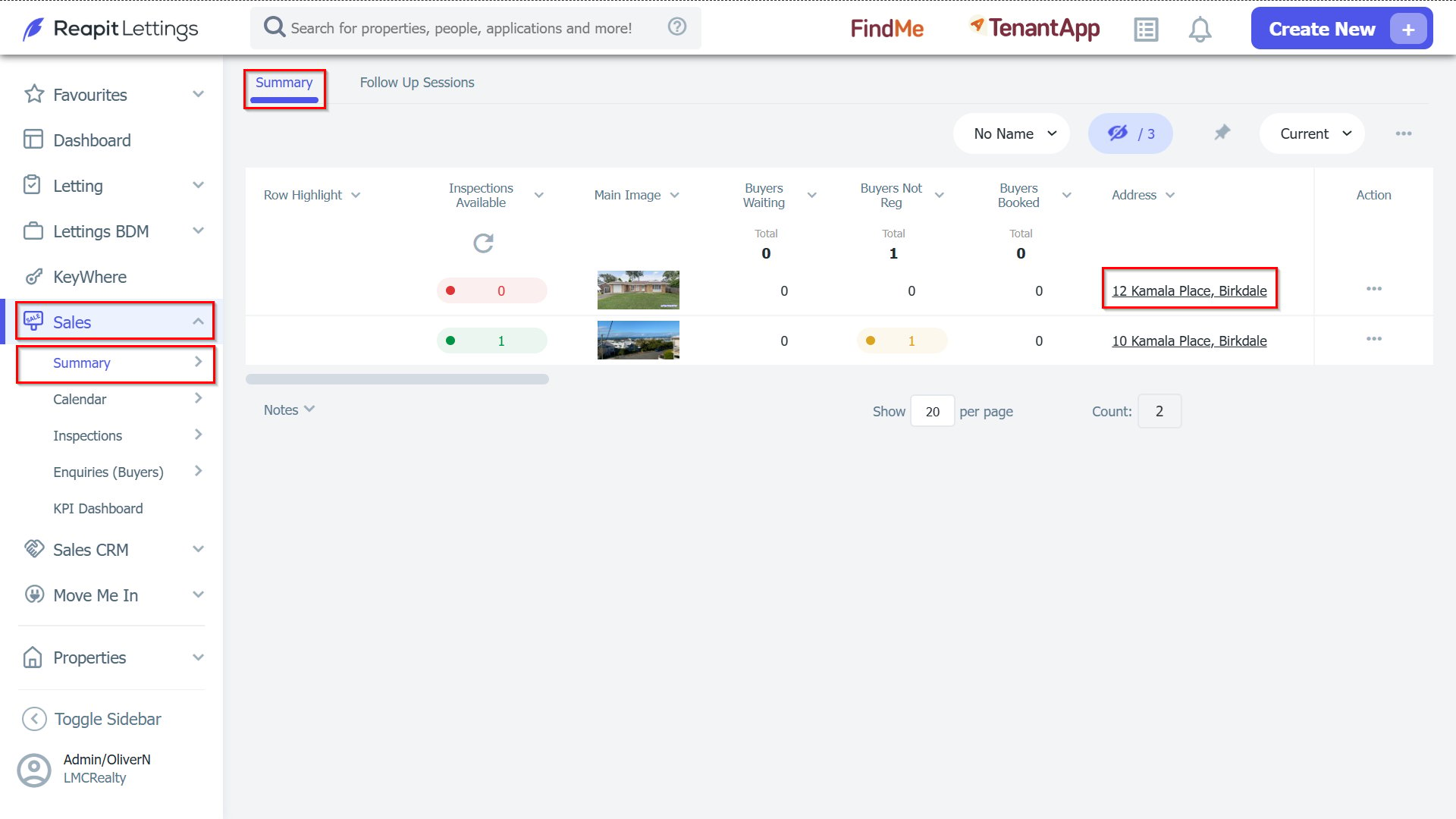
1. Go to the Summary Screen and click on the Property Address.
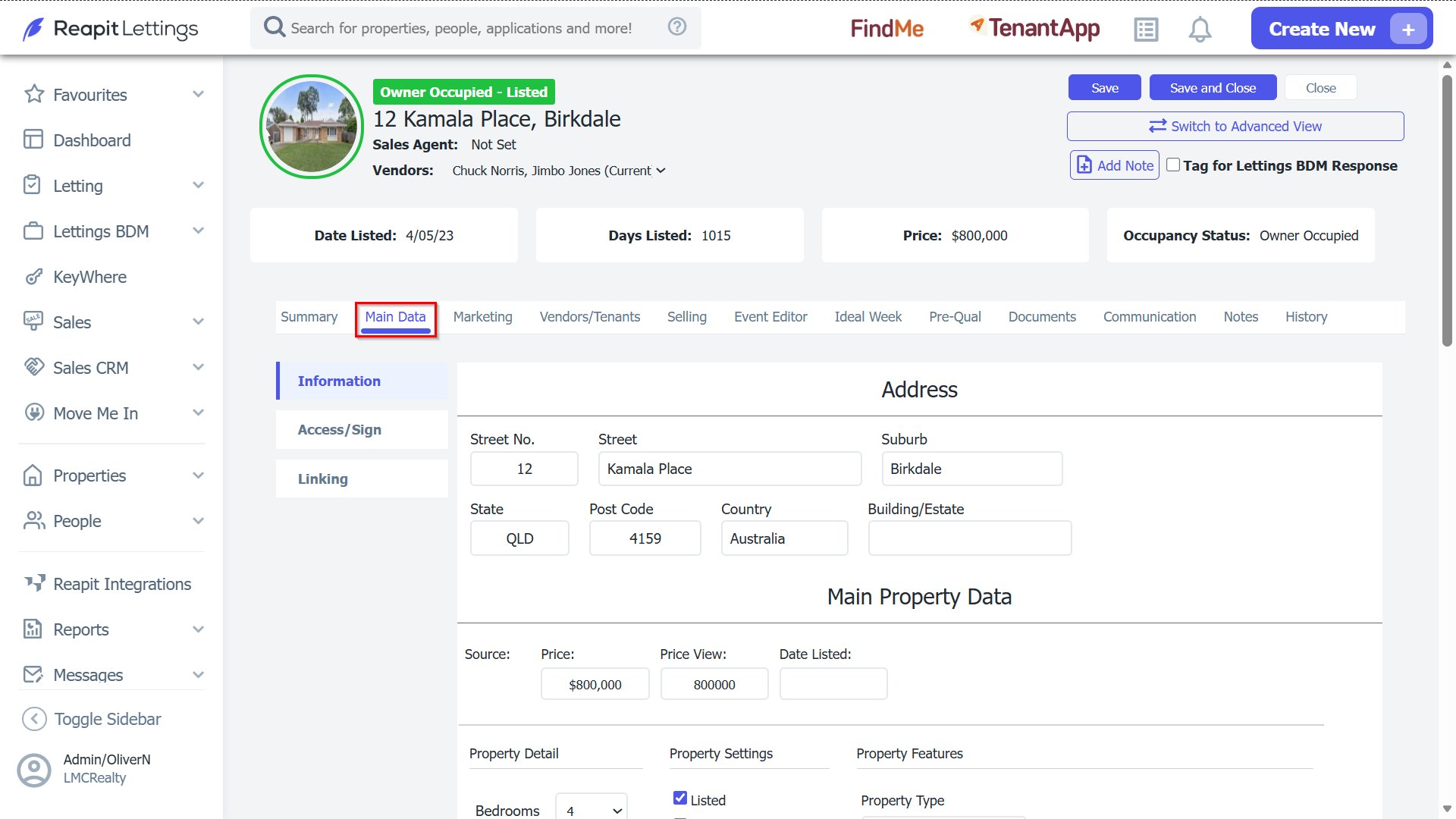
2. Go to the Main Data tab.
3. In the Inspection Options section, un-tick the option Allow Buyers to Add New Inspections. Then click the Save button at the top of the screen.
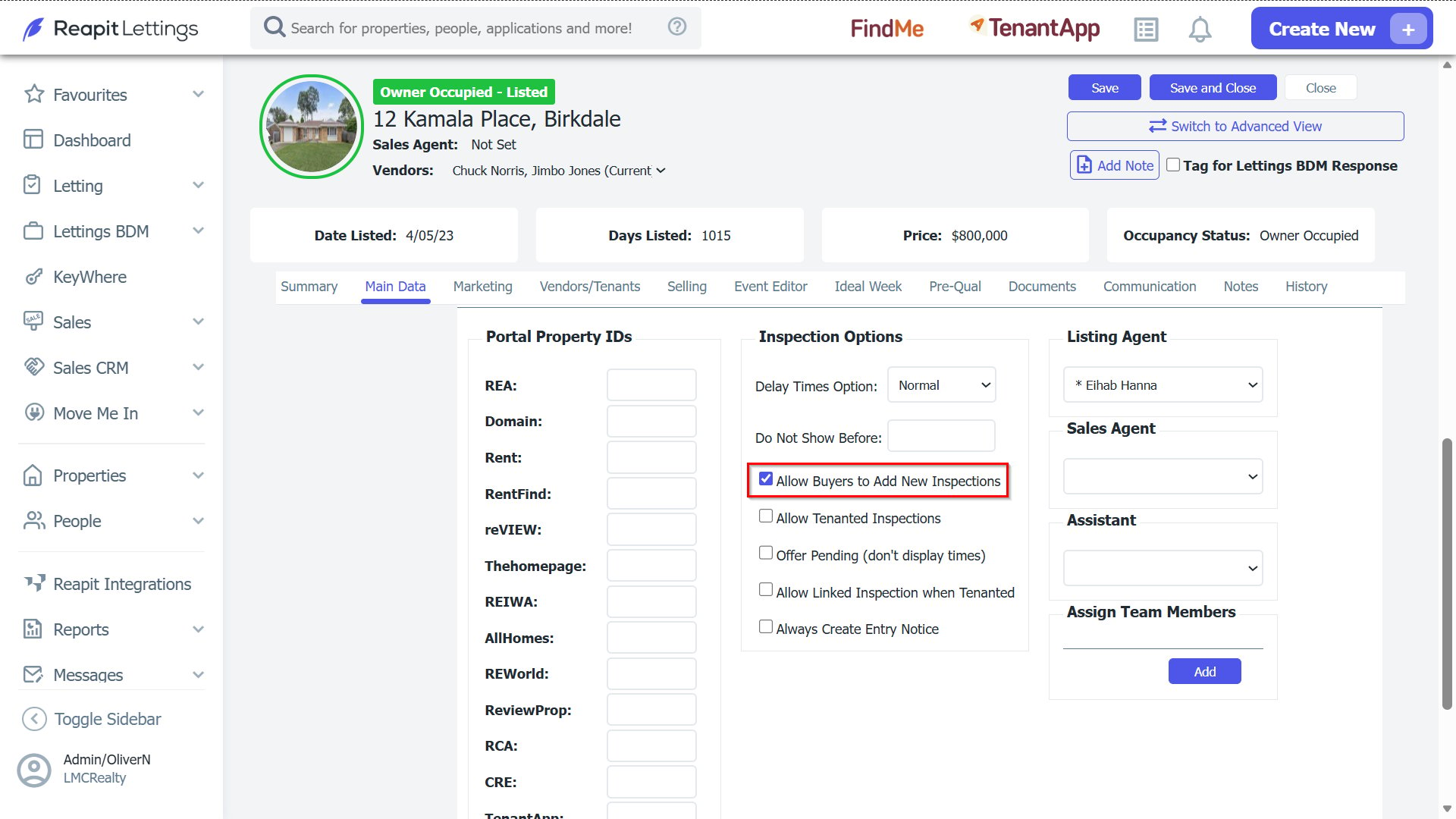
4. This will stop tenants from being able to book inspections from your calendar for that property. They can, however, still book into existing inspections that you have created for that property.