'%20d='M0%208a8%208%200%200%201%208-8h24a8%208%200%200%201%208%208v24a8%208%200%200%201-8%208H8a8%208%200%200%201-8-8V8Z'/%3e%3cpath%20fill='%23fff'%20d='M32.576%206C12.293%206%208.776%2025.887%207.424%2034H9.1c.45-2.977%203.493-14.748%2010.899-20.287%200%200-5.633%206.976-6.572%2015.051%203.426-.652%2013.845-3.372%2016.056-12.927l-3.84-.61c1.352-1.351%204.909-5.17%206.931-9.226V6Z'/%3e%3cdefs%3e%3clinearGradient%20id='reapit-lettings__a'%20x1='20.702'%20x2='20.702'%20y1='.351'%20y2='31.228'%20gradientUnits='userSpaceOnUse'%3e%3cstop%20stop-color='%235573FD'/%3e%3cstop%20offset='.575'%20stop-color='%234E56EA'/%3e%3c/linearGradient%3e%3c/defs%3e%3c/svg%3e)
What is the Reapit Lettings File Verification Code email?
This article will provide you with an overview of the Reapit Lettings file verification code and outlines what you should anticipate during the verification procedure.
What is the Reapit Lettings File Verification Code email?
This article will provide you with an overview of the Reapit Lettings file verification code and outlines what you should anticipate during the verification procedure.
A File Verification Code email typically refers to an email message that contains a code or checksum used to verify the integrity or authenticity of a file.
When an application is submitted and triggers the Application PDF event message within your account, the PDF will no longer be attached to the email. To access the application, you must download the PDF from the email, which necessitates the use of a verification code. This is to ensure that a file you have downloaded or received hasn't been tampered with during the transfer process.
- Click on Messages.
- Click on Applications
- Click on References
- Select Application Events.
- Ensure you have the Application PDF Event checkbox selected.
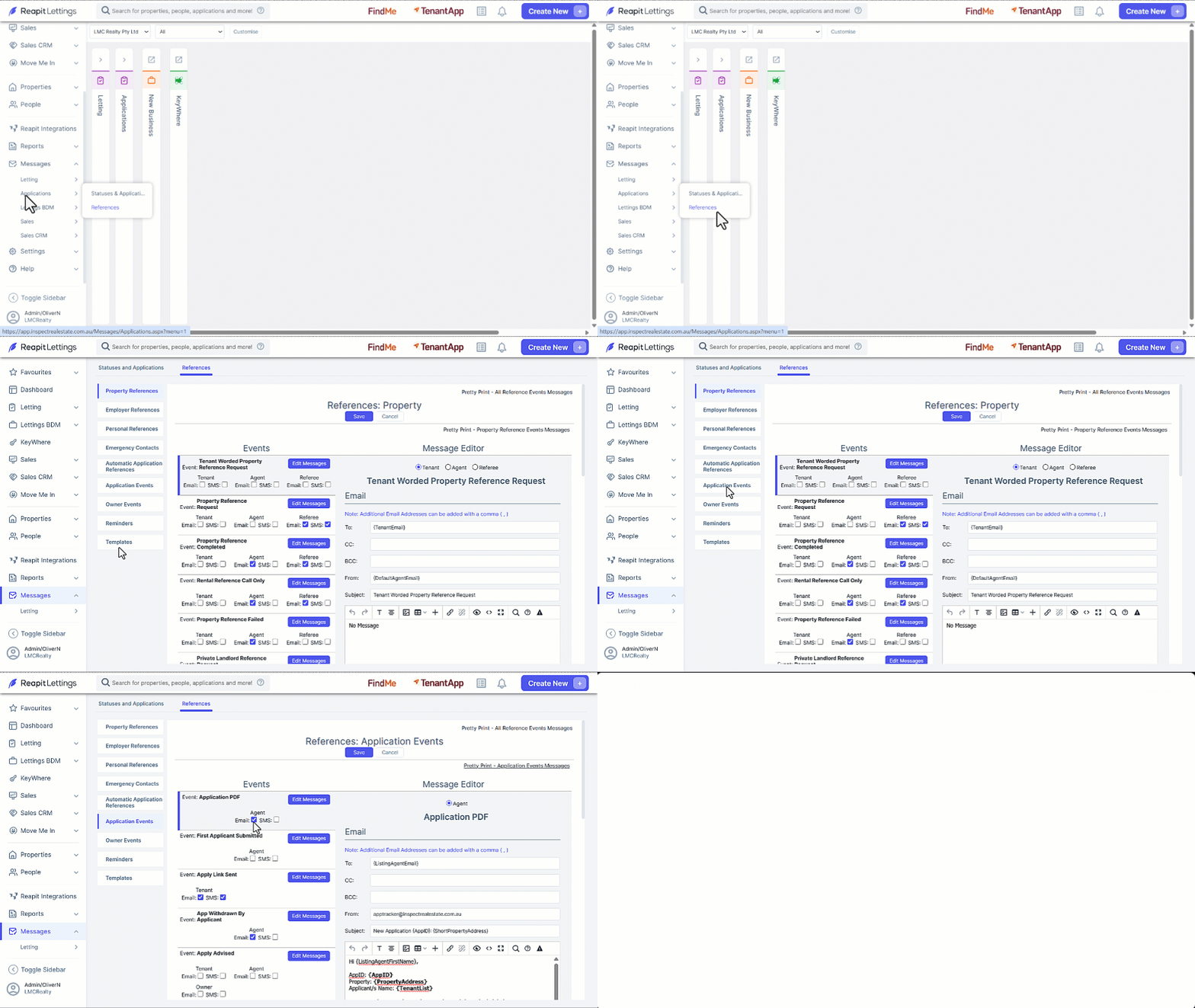
The presence of either Three-Factor Authentication (3FA) or Two-Factor Authentication (2FA) enabled depends on your office configuration, determining the level of security you should anticipate when accessing applications.
Downloading and Access the Application - 3FA
- You will receive an SMS, input the code into the Verification Code text field, click OK once completed. You will receive a notification advising that a Verification Email has been Sent.
- To perform the verification process efficiently, please initiate a right-click action to copy the verification link labelled Click Here. Then paste this link into the same web browser that displays the Verification Email Sent notification.