'%20d='M0%208a8%208%200%200%201%208-8h24a8%208%200%200%201%208%208v24a8%208%200%200%201-8%208H8a8%208%200%200%201-8-8V8Z'/%3e%3cpath%20fill='%23fff'%20d='M32.576%206C12.293%206%208.776%2025.887%207.424%2034H9.1c.45-2.977%203.493-14.748%2010.899-20.287%200%200-5.633%206.976-6.572%2015.051%203.426-.652%2013.845-3.372%2016.056-12.927l-3.84-.61c1.352-1.351%204.909-5.17%206.931-9.226V6Z'/%3e%3cdefs%3e%3clinearGradient%20id='reapit-lettings__a'%20x1='20.702'%20x2='20.702'%20y1='.351'%20y2='31.228'%20gradientUnits='userSpaceOnUse'%3e%3cstop%20stop-color='%235573FD'/%3e%3cstop%20offset='.575'%20stop-color='%234E56EA'/%3e%3c/linearGradient%3e%3c/defs%3e%3c/svg%3e)
Allow Duplicate Enquiries - Sales
This article will guide you on how to update settings for handling duplicate enquiries in Reapit Lettings.
Reapit Lettings considers enquiries from the same person for the same property as duplicates. However, you can choose to allow duplicate enquiries. If enabled, Reapit Lettings will not consider these enquiries as duplicates if they occur more than 5 minutes apart, and the system will generate the corresponding email/SMS notifications.
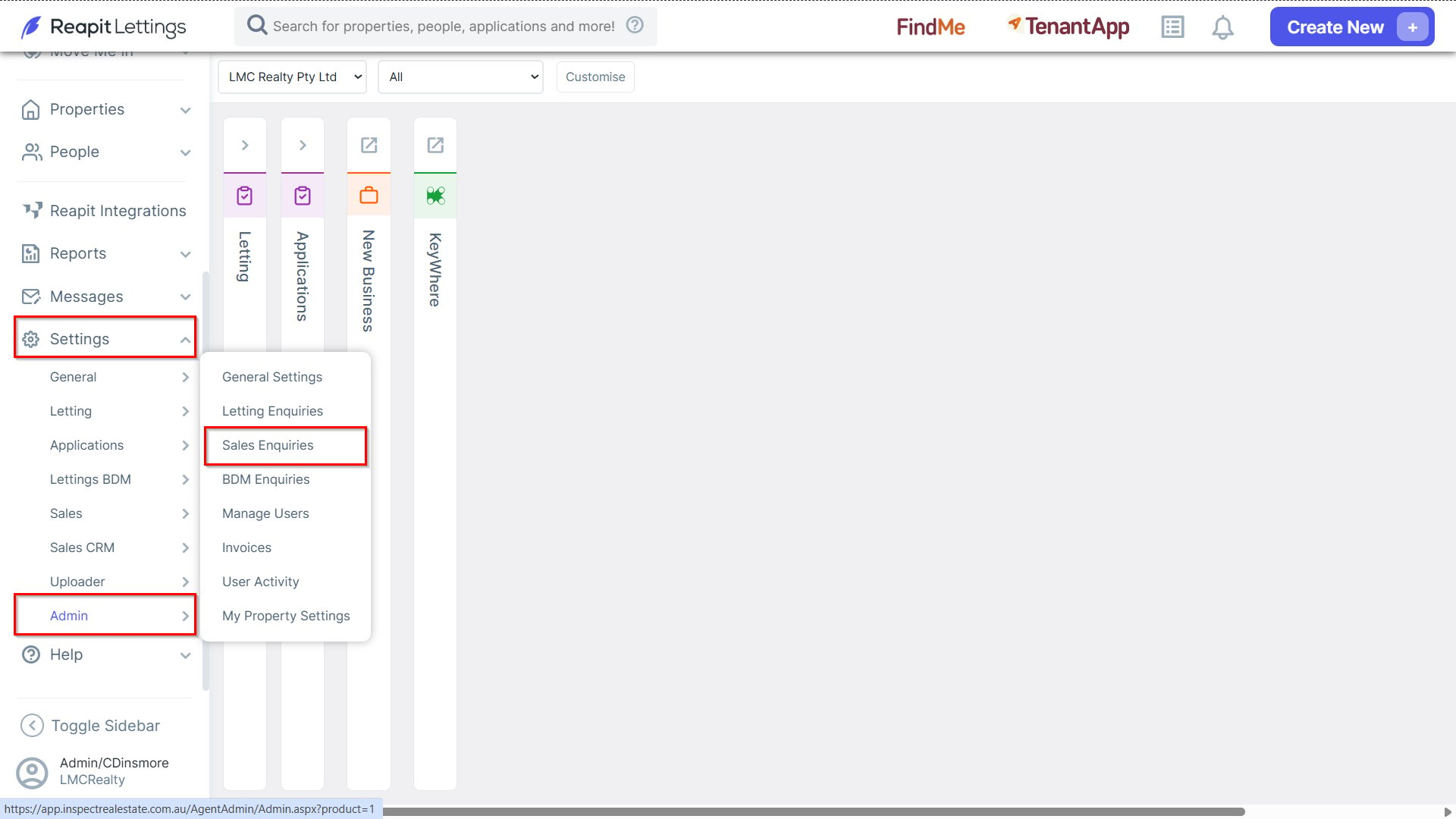
1. To enable duplicate enquiries, navigate to Settings > Admin, and select Sales Enquiries.
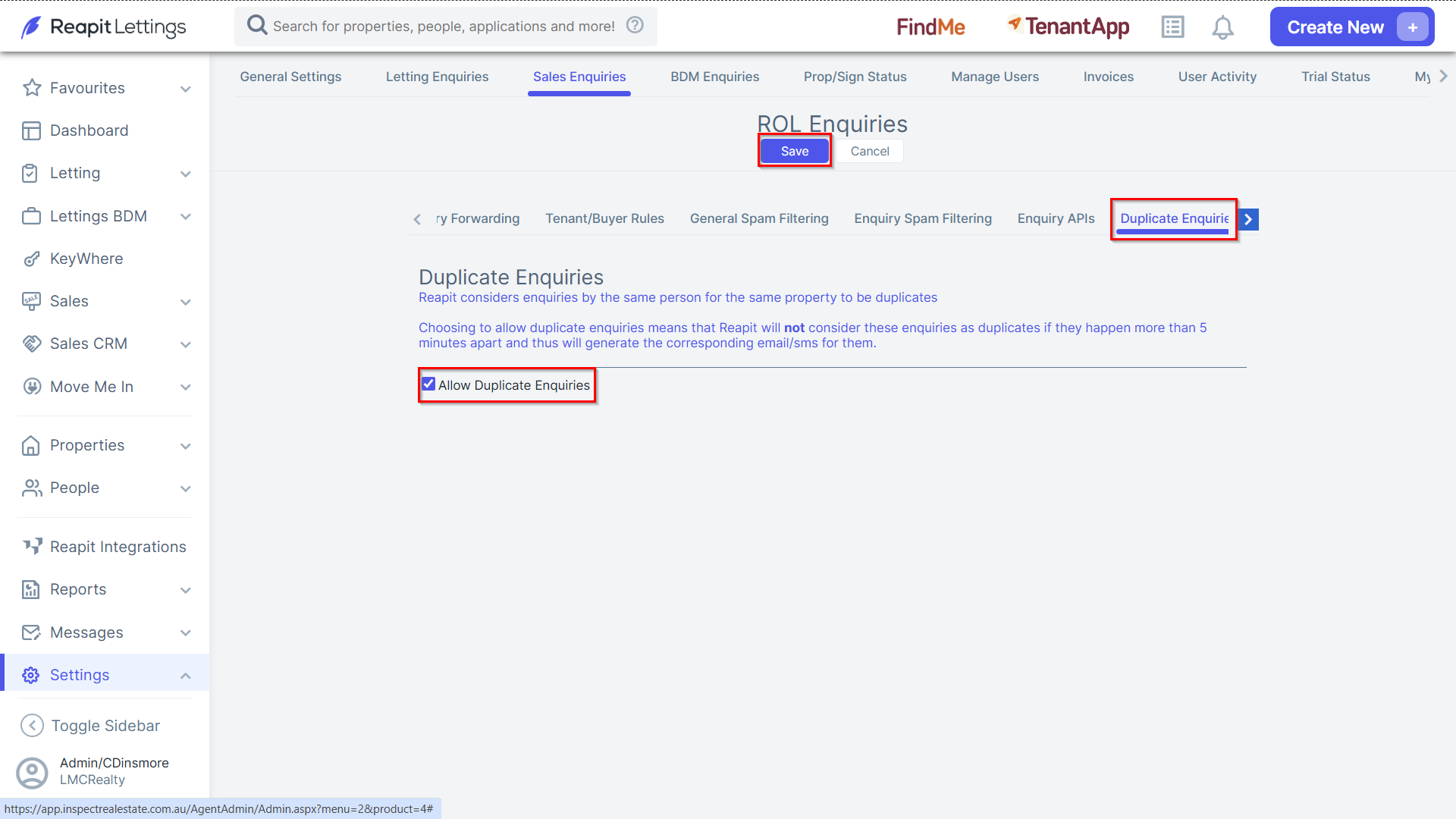
2. Select the Duplicate Enquiries tab and select the Allow Duplicate Enquiries checkbox.
- Click Save once completed.
Note: By following these steps, you will enable Reapit Lettings to generate notifications for enquiries occurring more than 5 minutes apart.