'%20d='M0%208a8%208%200%200%201%208-8h24a8%208%200%200%201%208%208v24a8%208%200%200%201-8%208H8a8%208%200%200%201-8-8V8Z'/%3e%3cpath%20fill='%23fff'%20d='M32.576%206C12.293%206%208.776%2025.887%207.424%2034H9.1c.45-2.977%203.493-14.748%2010.899-20.287%200%200-5.633%206.976-6.572%2015.051%203.426-.652%2013.845-3.372%2016.056-12.927l-3.84-.61c1.352-1.351%204.909-5.17%206.931-9.226V6Z'/%3e%3cdefs%3e%3clinearGradient%20id='reapit-lettings__a'%20x1='20.702'%20x2='20.702'%20y1='.351'%20y2='31.228'%20gradientUnits='userSpaceOnUse'%3e%3cstop%20stop-color='%235573FD'/%3e%3cstop%20offset='.575'%20stop-color='%234E56EA'/%3e%3c/linearGradient%3e%3c/defs%3e%3c/svg%3e)
Custom Categories for Property Seekers
This article covers the processes for setting up and assigning custom categories for Property Seekers in Letting and Sales modules within Reapit Lettings. The processes in this article include: • Creating Custom Categories – Letting Module • Creating Custom Categories – Sales Module • Applying a Custom Category Apply to a Prospect Apply to a Sales Enquiry – Buyer or Contact.
Overview
Custom Categories for Property Seekers
This article covers the processes for setting up and assigning custom categories for Property Seekers in Letting and Sales modules within Reapit Lettings.
The processes in this article include:
- Creating Custom Categories – Letting Module
- Creating Custom Categories – Sales Module
- Applying a Custom Category
- Apply to a Prospect
- Apply to a Sales Enquiry – Buyer or Contact.
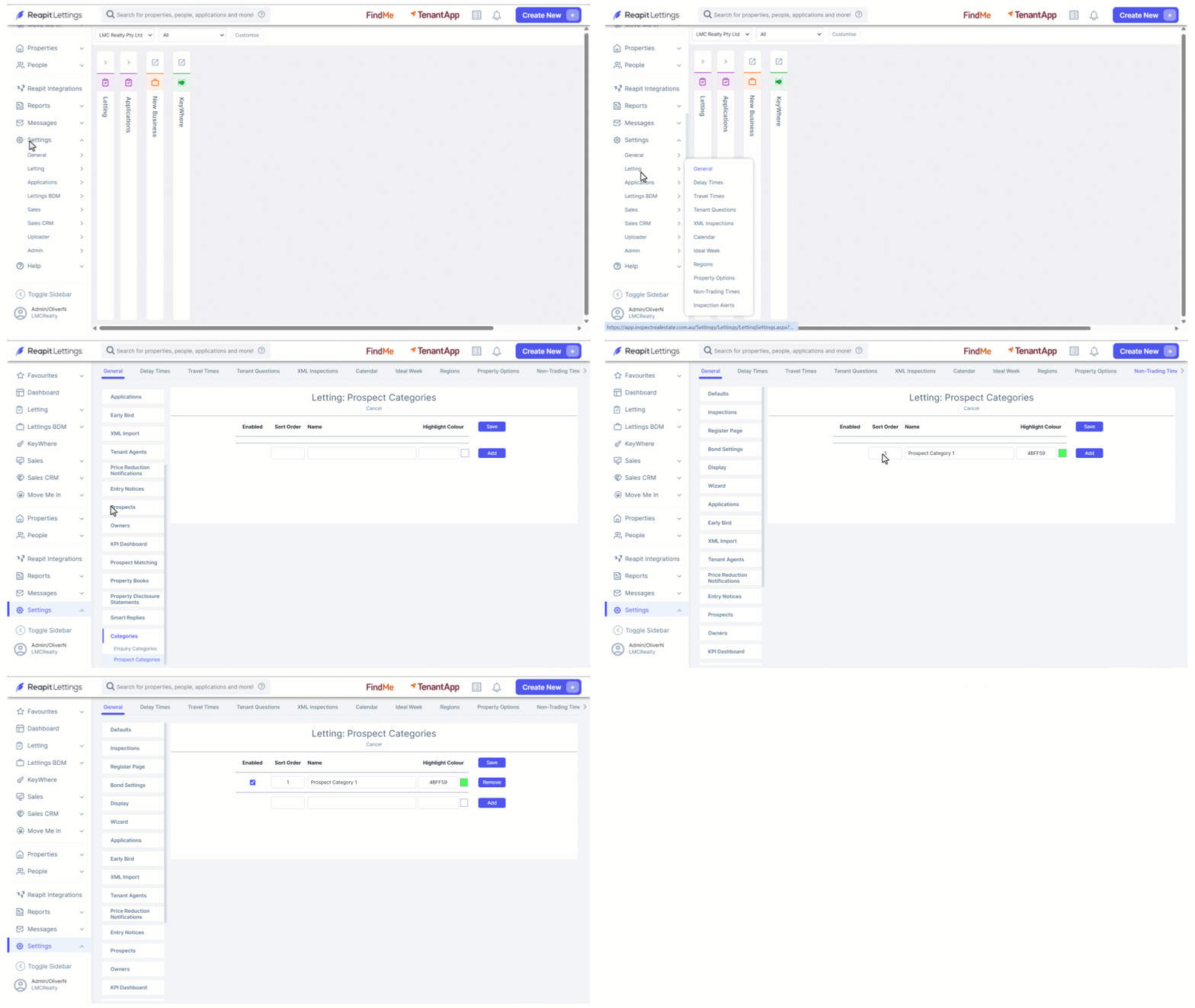
Creating Custom Categories – Letting Module
Note: This process is for Diamond Level Users
- Click on Settings.
- Click on Letting.
- Click on General.
- Navigate to and select the Categories Tab > Prospect Categories.
- Complete the Sort Order, Name and Highlight Colour, then click on Add.
- Repeat to add further Categories.
- Click on Save once complete.
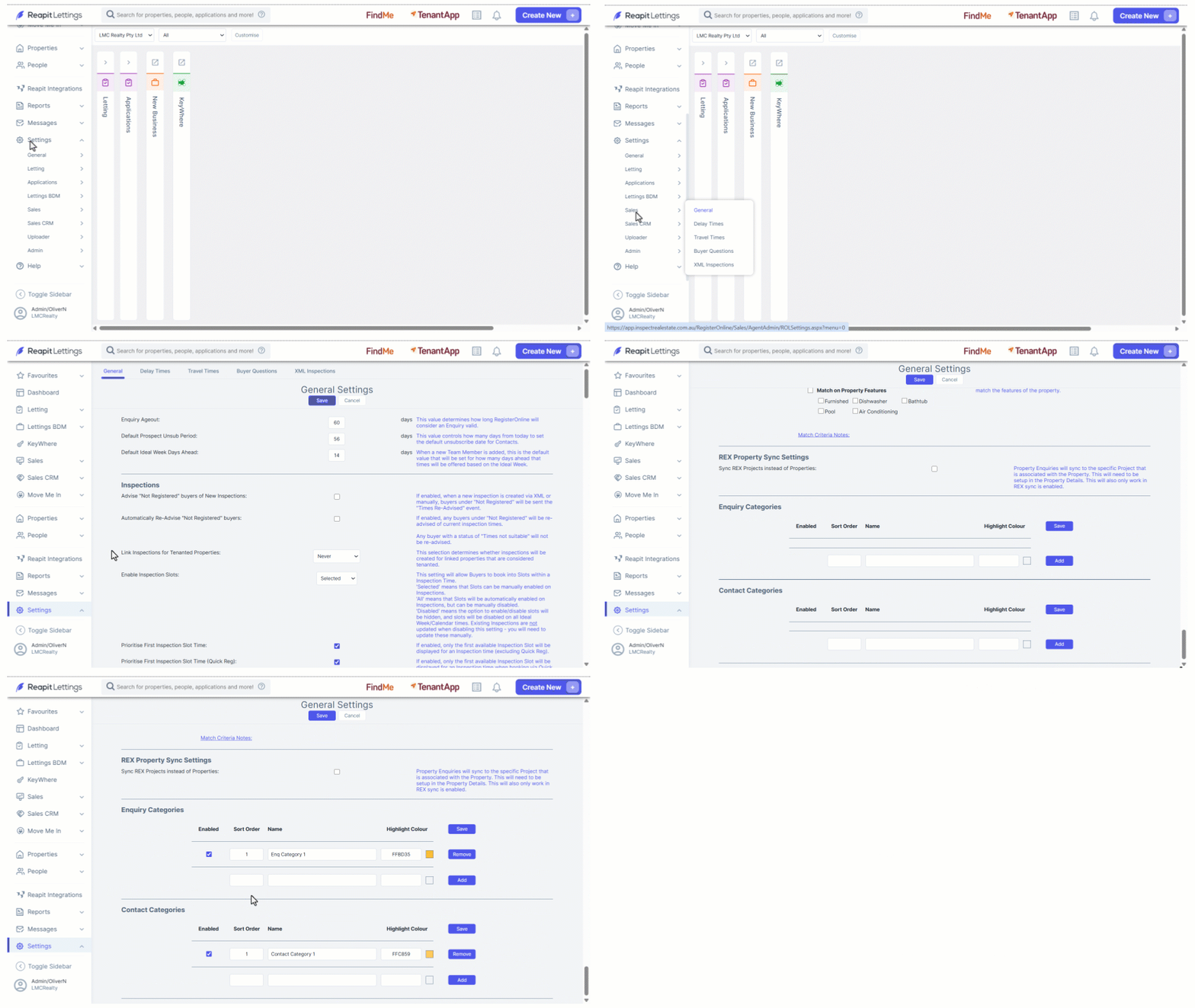
Creating Custom Categories – Sales Module
Note: This process is for Diamond Level Users
- Click on Settings.
- Click on Sales.
- Click on General.
- Navigate to the Enquiry Categories or Contact Categories section.
- Complete the Sort Order, Name and Highlight Colour, then click on Add.
- Repeat to add further Categories.
- Click on Save once complete.
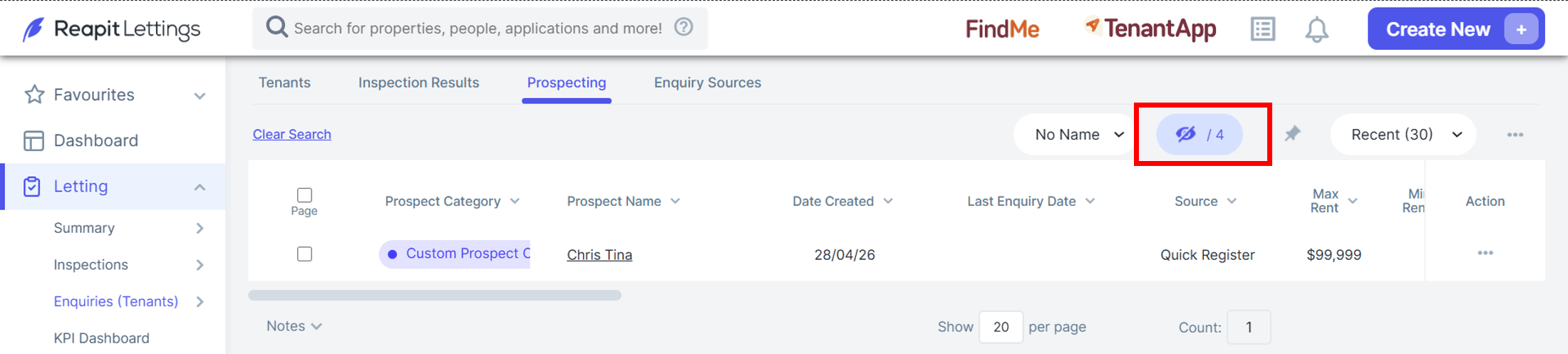
****Applying a Custom Category
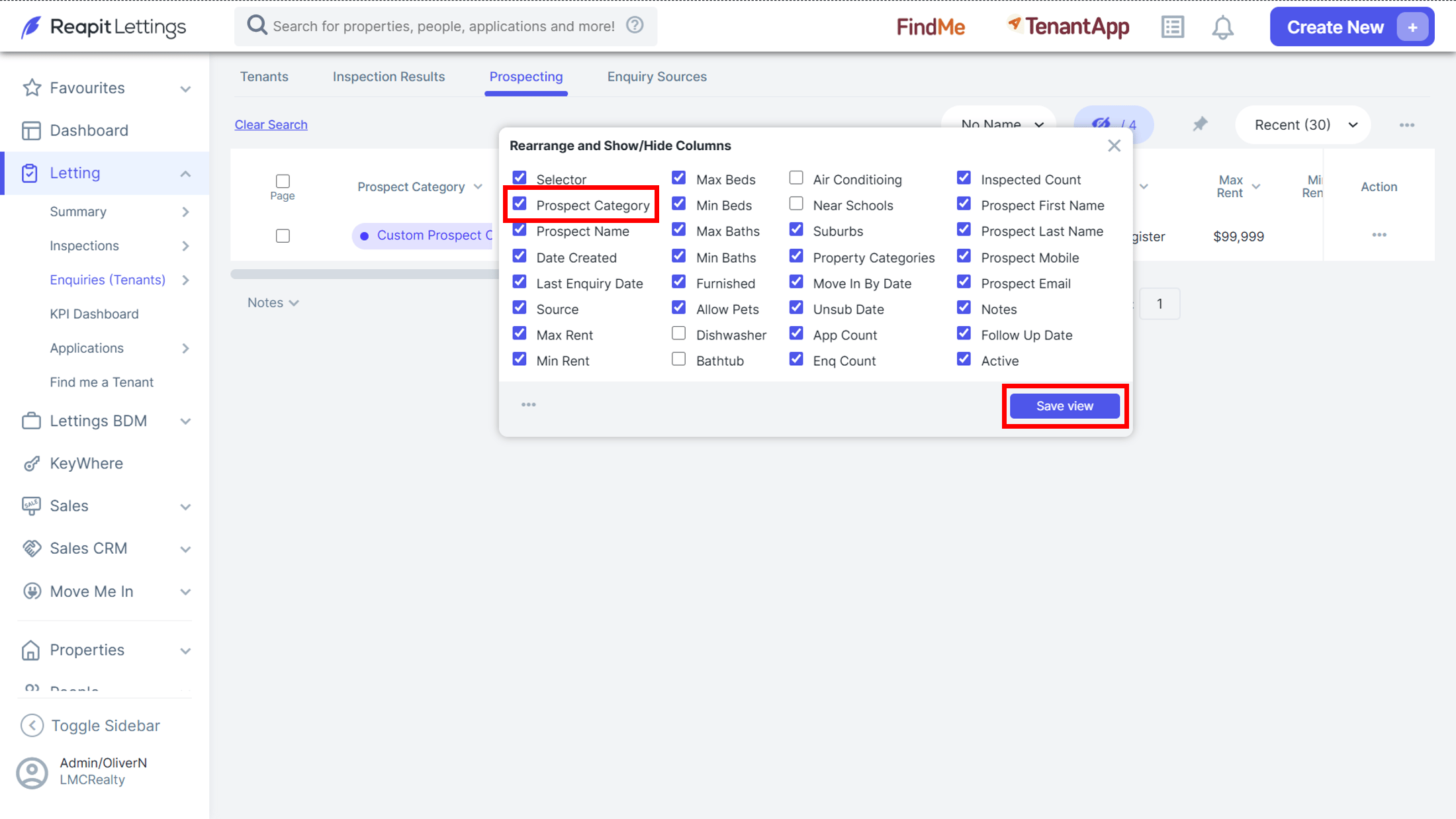
Prior to applying a category to property seekers, ensure the Category column is visible and in the desired position on the relevant screen.
- Select the Column Chooser Icon.
- Locate the Prospect, Enquiry or Contact Category, ensure it is ticked, then drag to the desired position within the list.
- Click on Save View.
****
Apply to a Prospect
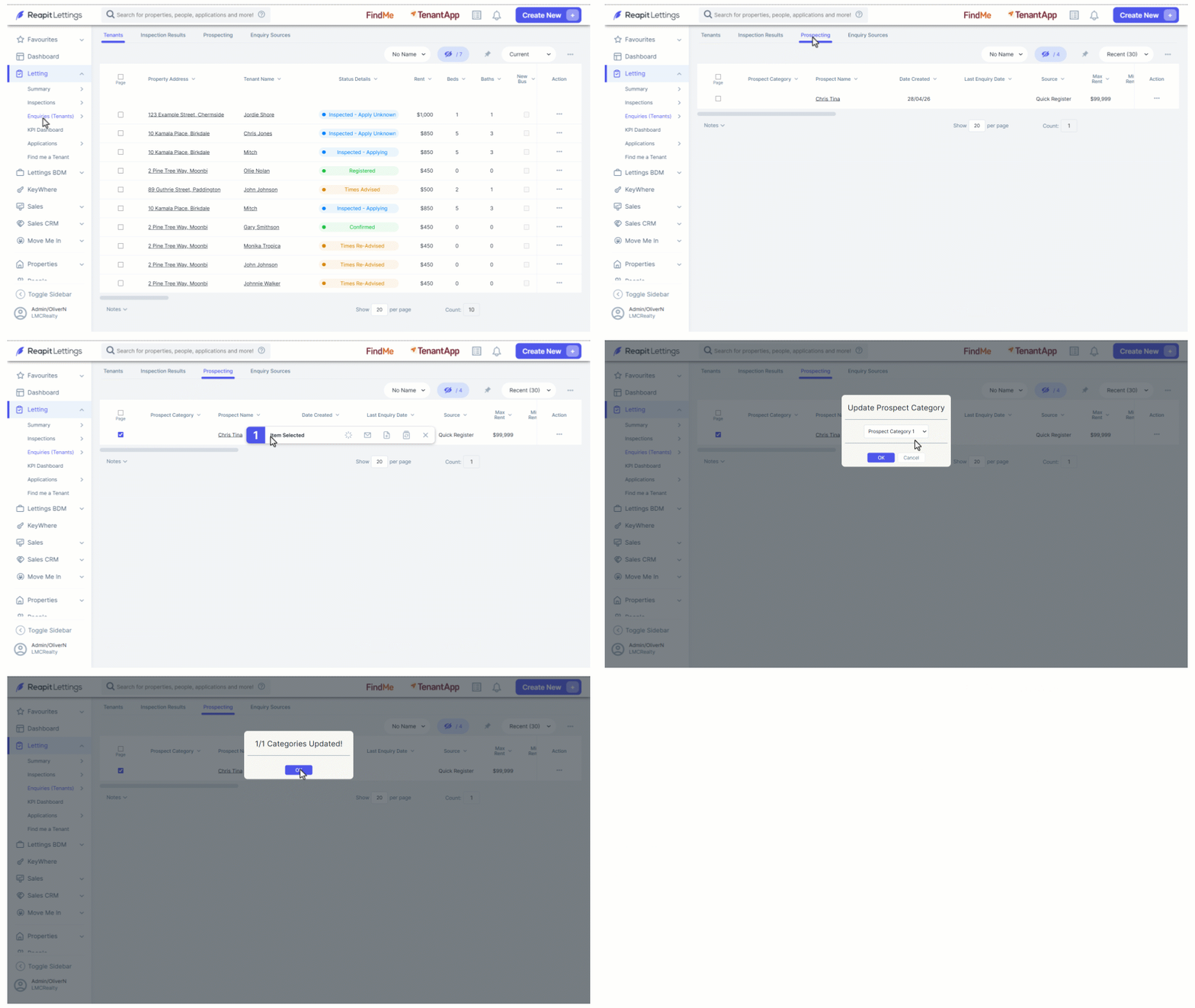
- Click on Letting.
- Click on Enquiries (Tenants).
- Select the Prospecting tab.
- Tick the selector box of the prospect/s to be assigned a category.
- Select the Bulk Edit Categories icon.
- From the dropdown, select the category to be applied.
- Click on OK, then OK to confirm.
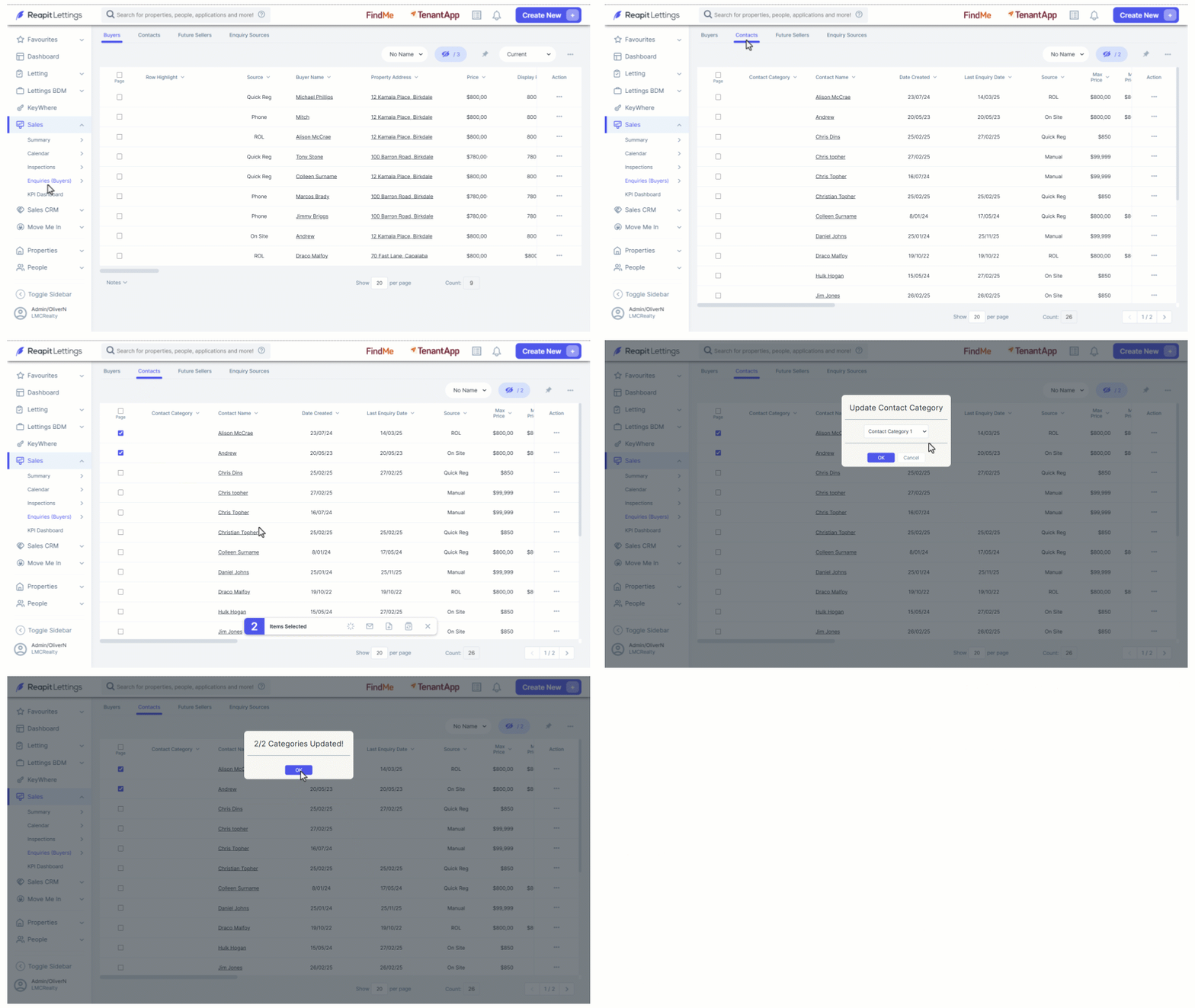
****Apply to a Sales Enquiry – Buyer or Contact
- Click on Sales.
- Click on Enquiries (Buyer).
- Select the either the Buyers or Contacts tab.
- Tick the selector box of the contact/s to be assigned a category.
- Select the Bulk Edit Categories icon.
- From the dropdown, select the category to be applied.
- Click on OK, then OK to confirm.