'%20d='M0%208a8%208%200%200%201%208-8h24a8%208%200%200%201%208%208v24a8%208%200%200%201-8%208H8a8%208%200%200%201-8-8V8Z'/%3e%3cpath%20fill='%23fff'%20d='M32.576%206C12.293%206%208.776%2025.887%207.424%2034H9.1c.45-2.977%203.493-14.748%2010.899-20.287%200%200-5.633%206.976-6.572%2015.051%203.426-.652%2013.845-3.372%2016.056-12.927l-3.84-.61c1.352-1.351%204.909-5.17%206.931-9.226V6Z'/%3e%3cdefs%3e%3clinearGradient%20id='reapit-lettings__a'%20x1='20.702'%20x2='20.702'%20y1='.351'%20y2='31.228'%20gradientUnits='userSpaceOnUse'%3e%3cstop%20stop-color='%235573FD'/%3e%3cstop%20offset='.575'%20stop-color='%234E56EA'/%3e%3c/linearGradient%3e%3c/defs%3e%3c/svg%3e)
Referrer Report
This article will run through an overview of how to access and utilise the Referrer Report within your account in Reapit Lettings
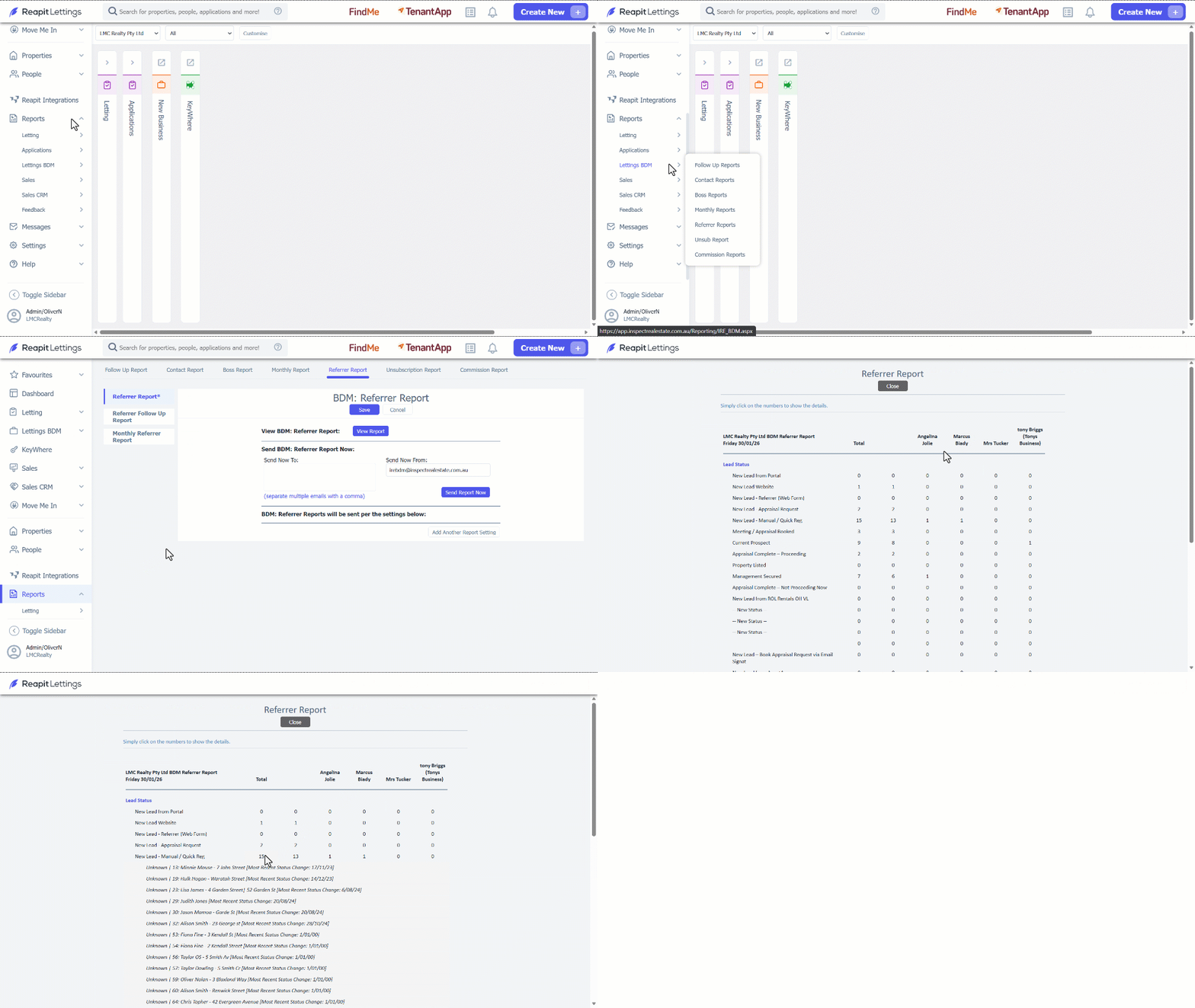
1. Click on Reports.
2. Click on Lettings BDM.
3. Select Referrer Reports.
4. Navigate to View Report.
5. You can delve into specific statistical data within various reporting categories by selecting numeric values, including totals and individual staff members.
6. Click Close once completed.
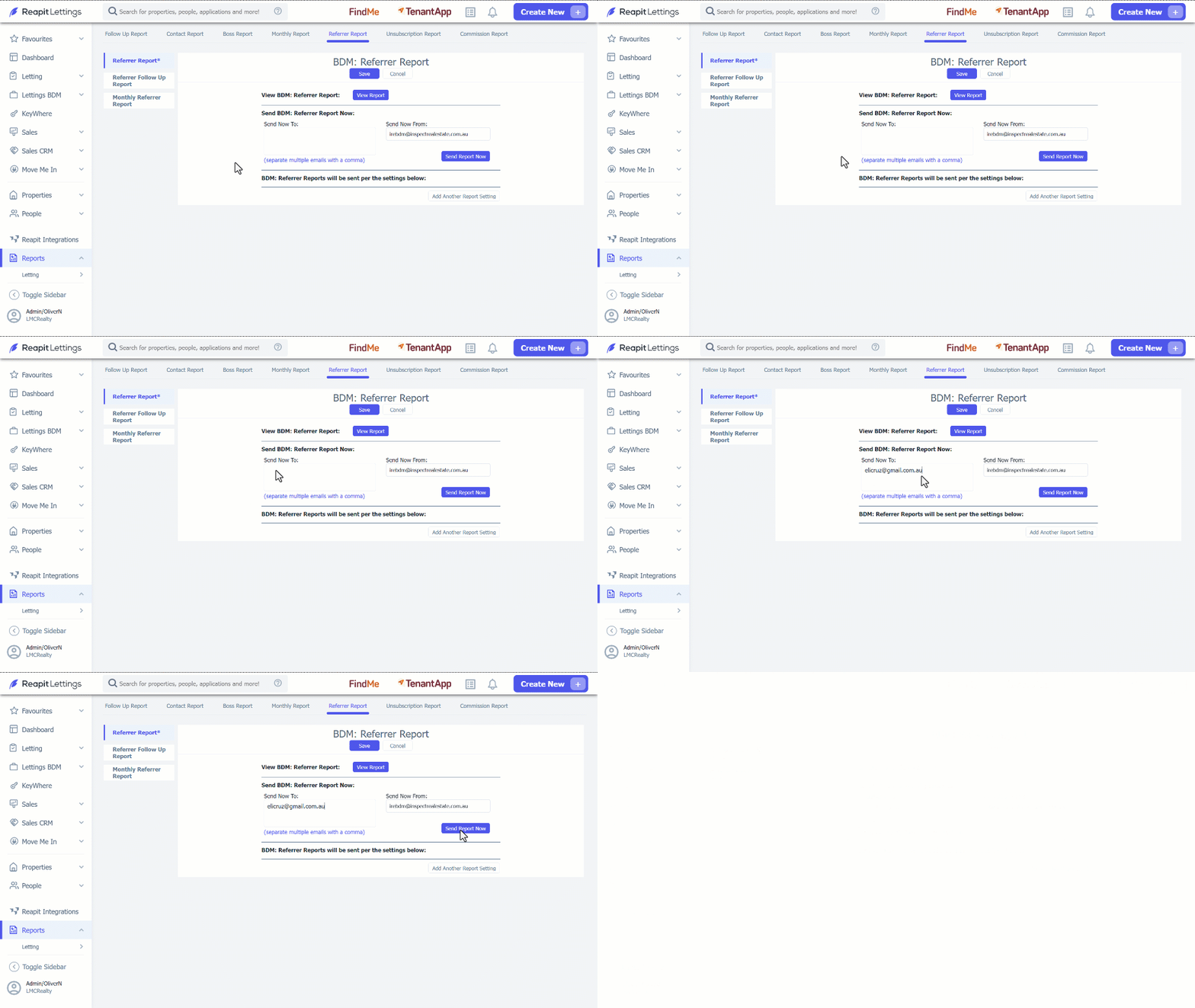
7. To receive a copy of the report, enter your email address or mobile number.
8. Click on Send Report Now.
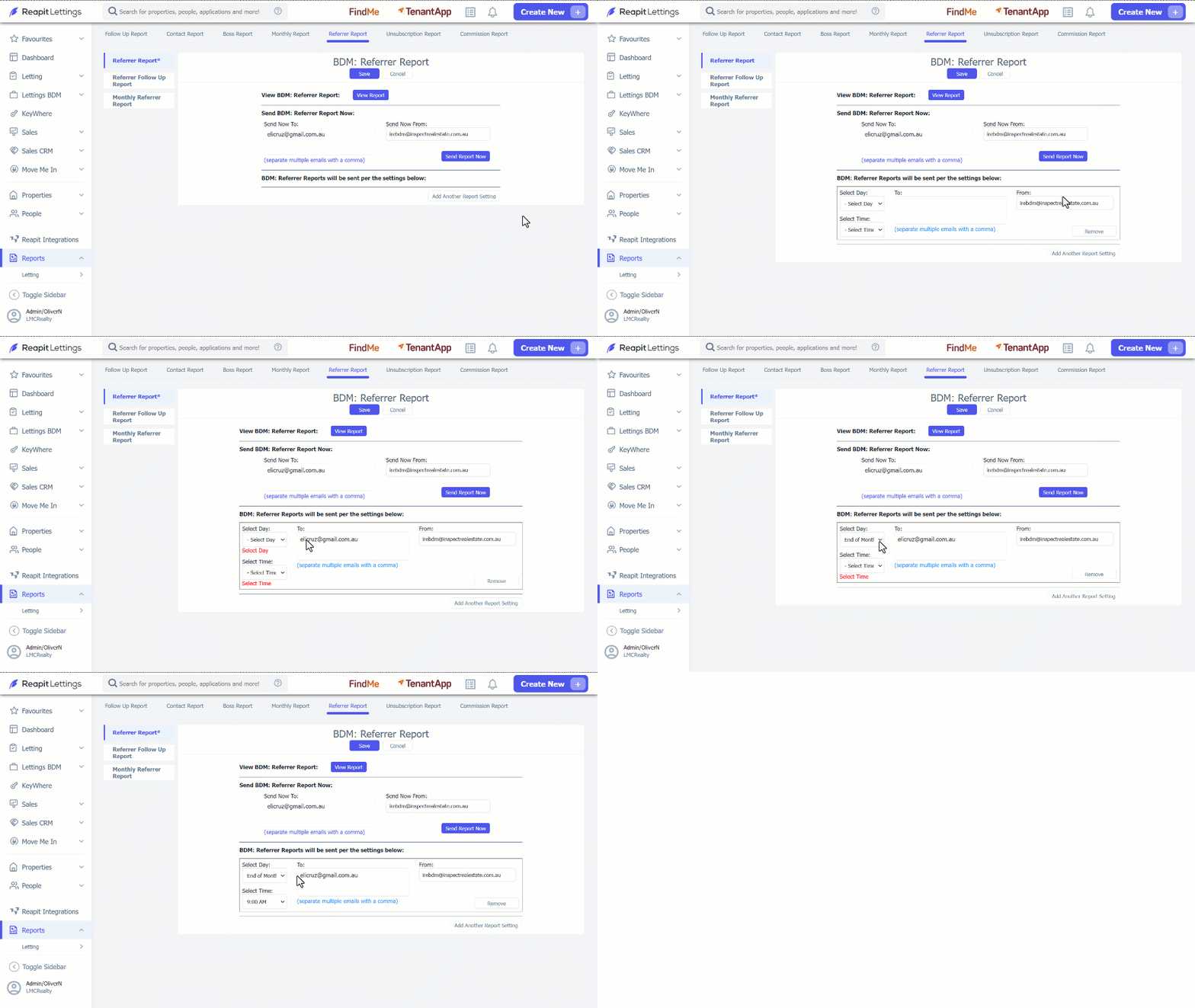
9. To receive the report automatically, click on Add Another Report Setting.
10. Enter in the Email Address (To: & From:), select the Day and Time you would like the report to go to.
11. Click on Save.