'%20d='M0%208a8%208%200%200%201%208-8h24a8%208%200%200%201%208%208v24a8%208%200%200%201-8%208H8a8%208%200%200%201-8-8V8Z'/%3e%3cpath%20fill='%23fff'%20d='M32.576%206C12.293%206%208.776%2025.887%207.424%2034H9.1c.45-2.977%203.493-14.748%2010.899-20.287%200%200-5.633%206.976-6.572%2015.051%203.426-.652%2013.845-3.372%2016.056-12.927l-3.84-.61c1.352-1.351%204.909-5.17%206.931-9.226V6Z'/%3e%3cdefs%3e%3clinearGradient%20id='reapit-lettings__a'%20x1='20.702'%20x2='20.702'%20y1='.351'%20y2='31.228'%20gradientUnits='userSpaceOnUse'%3e%3cstop%20stop-color='%235573FD'/%3e%3cstop%20offset='.575'%20stop-color='%234E56EA'/%3e%3c/linearGradient%3e%3c/defs%3e%3c/svg%3e)
How to Manually Advise Waiting Buyers of Times
This article will run through how to manually advise waiting buyers of times in Reapit Lettings - Sales.
Waiting buyers are automatically advised when you create a new inspection time for a property. However, if you cancel the notification to the buyers, you can manually re-advise if required.
1. To do this, go to your Summary page by navigating to Sales > Summary > Summary.
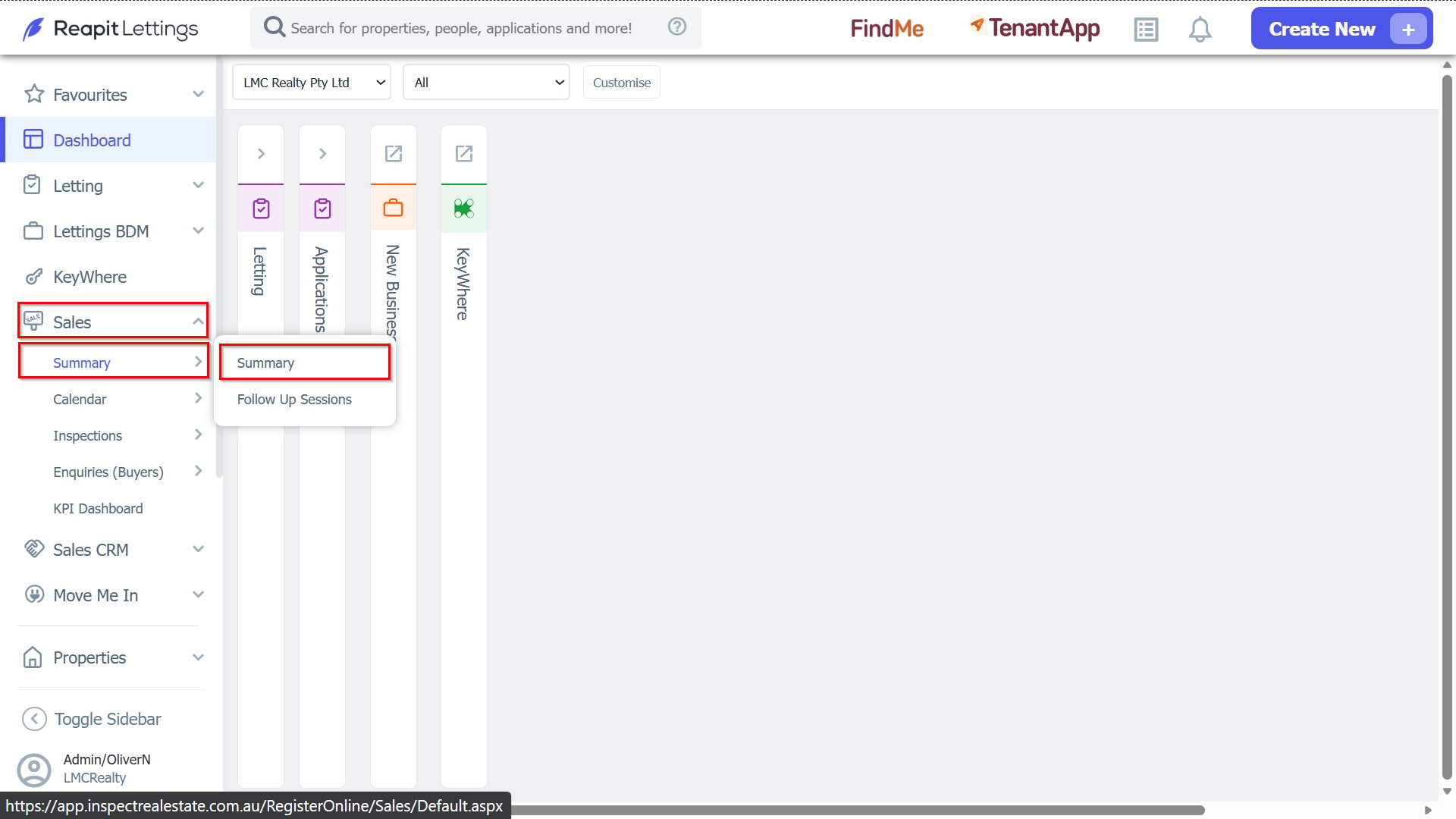
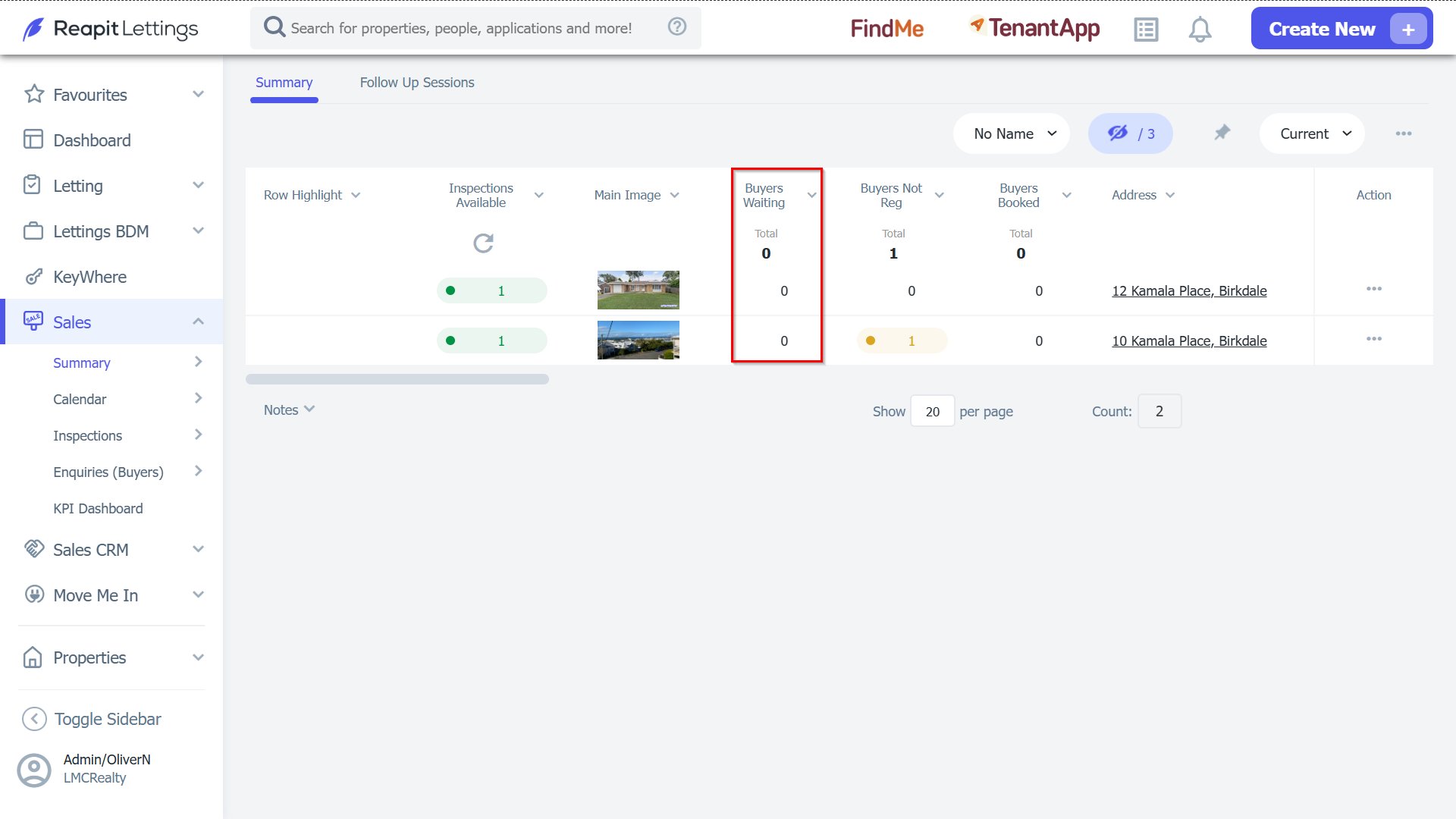
2. To process these enquiries, you need to setup a time for that enquiry to book into. (this could be an open inspection time, or private inspection, or a calendar/ideal week time).
Once the inspection has been created, the system can automatically advise waiting buyers.
3. Alternatively, click on the number in the Waiting Buyers column for the property.
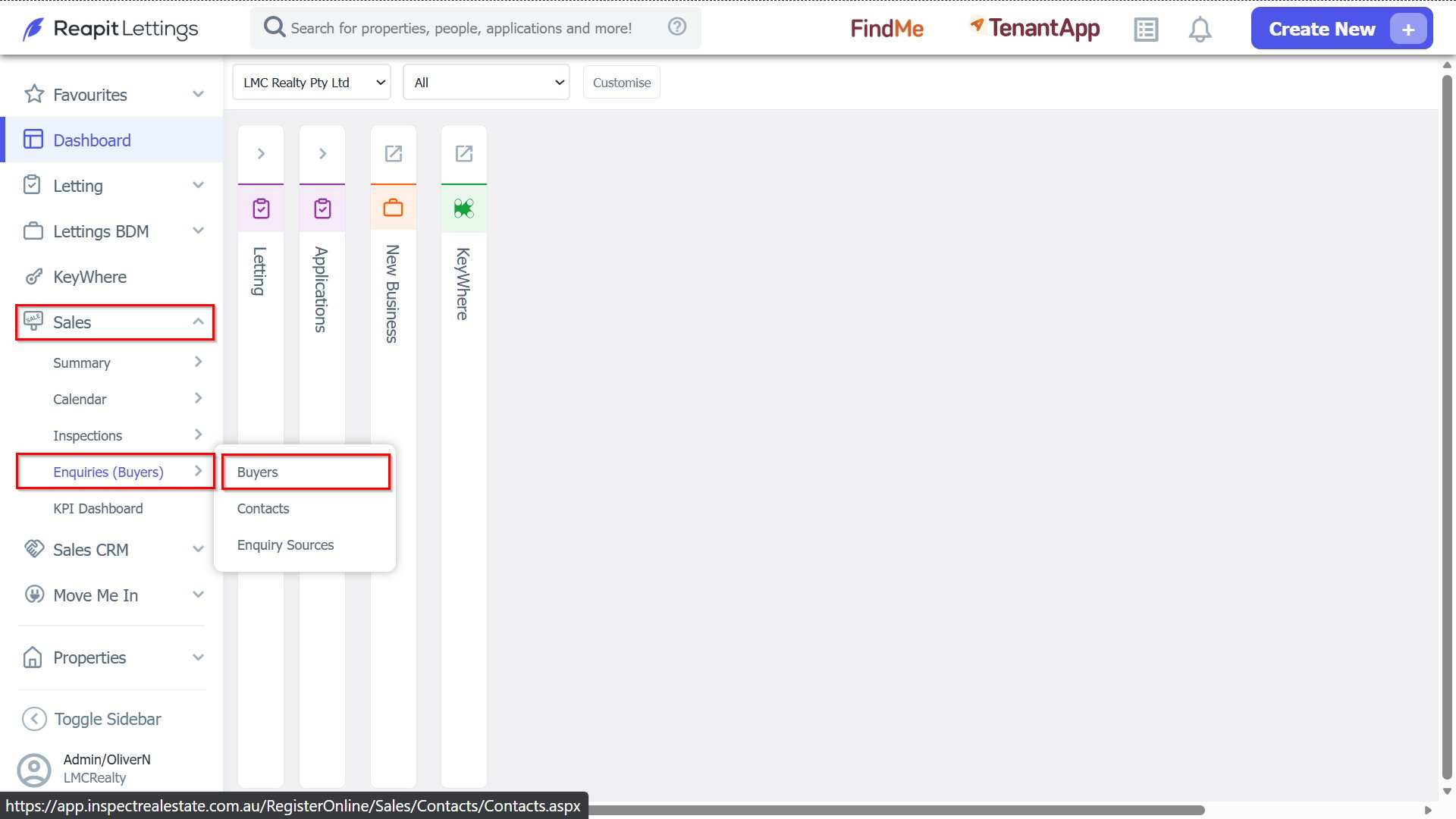
4. Another way of manually advising buyers is by navigate to Sales > Enquiries (Buyers) > Buyers, Tick the select checkbox for Buyers you wish to advise, then press the clock icon that will appear at the bottom of the screen.
5. A pop-up will appear confirming how many people were notified.