'%20d='M0%208a8%208%200%200%201%208-8h24a8%208%200%200%201%208%208v24a8%208%200%200%201-8%208H8a8%208%200%200%201-8-8V8Z'/%3e%3cpath%20fill='%23fff'%20d='M32.576%206C12.293%206%208.776%2025.887%207.424%2034H9.1c.45-2.977%203.493-14.748%2010.899-20.287%200%200-5.633%206.976-6.572%2015.051%203.426-.652%2013.845-3.372%2016.056-12.927l-3.84-.61c1.352-1.351%204.909-5.17%206.931-9.226V6Z'/%3e%3cdefs%3e%3clinearGradient%20id='reapit-lettings__a'%20x1='20.702'%20x2='20.702'%20y1='.351'%20y2='31.228'%20gradientUnits='userSpaceOnUse'%3e%3cstop%20stop-color='%235573FD'/%3e%3cstop%20offset='.575'%20stop-color='%234E56EA'/%3e%3c/linearGradient%3e%3c/defs%3e%3c/svg%3e)
What Does Inspection Source Mean
This article provides you with an overview of what an inspection source is within Reapit Lettings
What Does Inspection Source Mean
This article provides you with an overview of what an inspection source is within Reapit Lettings.
Click on Letting.
Click on Inspections.
Click on Inspections.
In the dropdown selector under the Source column, you can view the details of how the inspection was created.
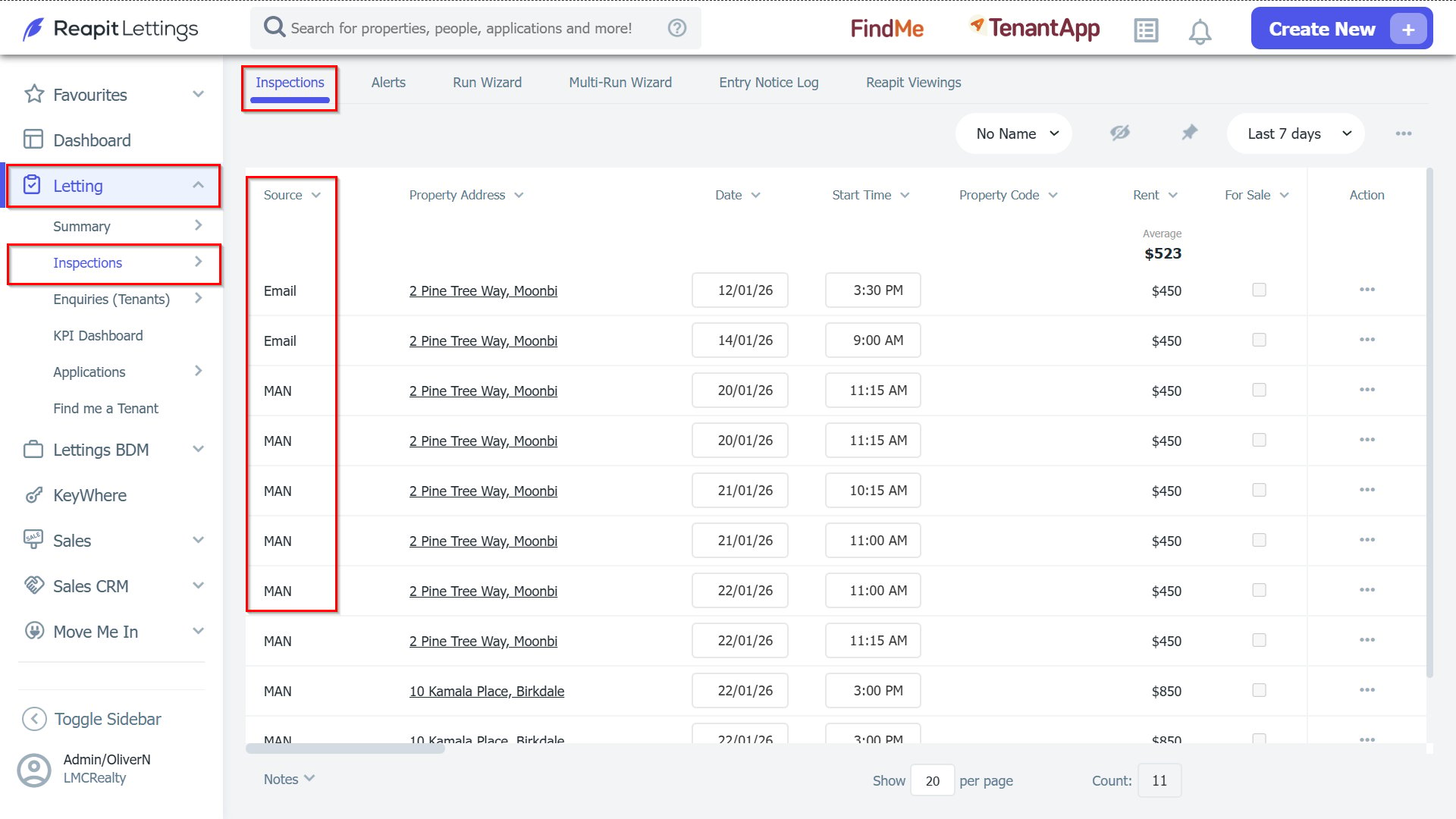
Inspections can be initiated through four distinct methods, as outlined below, each potentially encompassing various sources:
Manual Creation by Agent:
- Source: MAN: The agent can manually initiate a singular inspection via the ‘New Inspection’ button.
- Source: WIZ: The agent has the capability to manually initiate an inspection series using the Run Wizard.
Importation:
- Source: XML: Inspections can be imported directly from the XML Feed into the Reapit Lettings system.
Booking from Available Calendar Times:
- Inspections may be scheduled based on the availability displayed in the Agent’s calendar, facilitated through various sources:
- Source: Quick Reg: Booking is achievable using the ‘Quick Reg’ feature accessible from the menu.
- Source: WEB: The ‘Book Inspection’ button on the Agent’s website serves as an alternative booking avenue.
- Source: Email: Inspection bookings can also be made in response to email inquiries.
Automatic Creation Due to Linked Properties:
- Source: LINK: When an inspection is scheduled for one property, it will automatically generate inspections for all linked properties currently unoccupied.