'%20d='M0%208a8%208%200%200%201%208-8h24a8%208%200%200%201%208%208v24a8%208%200%200%201-8%208H8a8%208%200%200%201-8-8V8Z'/%3e%3cpath%20fill='%23fff'%20d='M32.576%206C12.293%206%208.776%2025.887%207.424%2034H9.1c.45-2.977%203.493-14.748%2010.899-20.287%200%200-5.633%206.976-6.572%2015.051%203.426-.652%2013.845-3.372%2016.056-12.927l-3.84-.61c1.352-1.351%204.909-5.17%206.931-9.226V6Z'/%3e%3cdefs%3e%3clinearGradient%20id='reapit-lettings__a'%20x1='20.702'%20x2='20.702'%20y1='.351'%20y2='31.228'%20gradientUnits='userSpaceOnUse'%3e%3cstop%20stop-color='%235573FD'/%3e%3cstop%20offset='.575'%20stop-color='%234E56EA'/%3e%3c/linearGradient%3e%3c/defs%3e%3c/svg%3e)
Setting up BDM Email Signature & Own SMS Number
This article will run through how to set up BDM Email Signatures and Own SMS No. in Reapit Lettings
The BDM Email Signature is the signature that will be used on all emails sent from BDM.
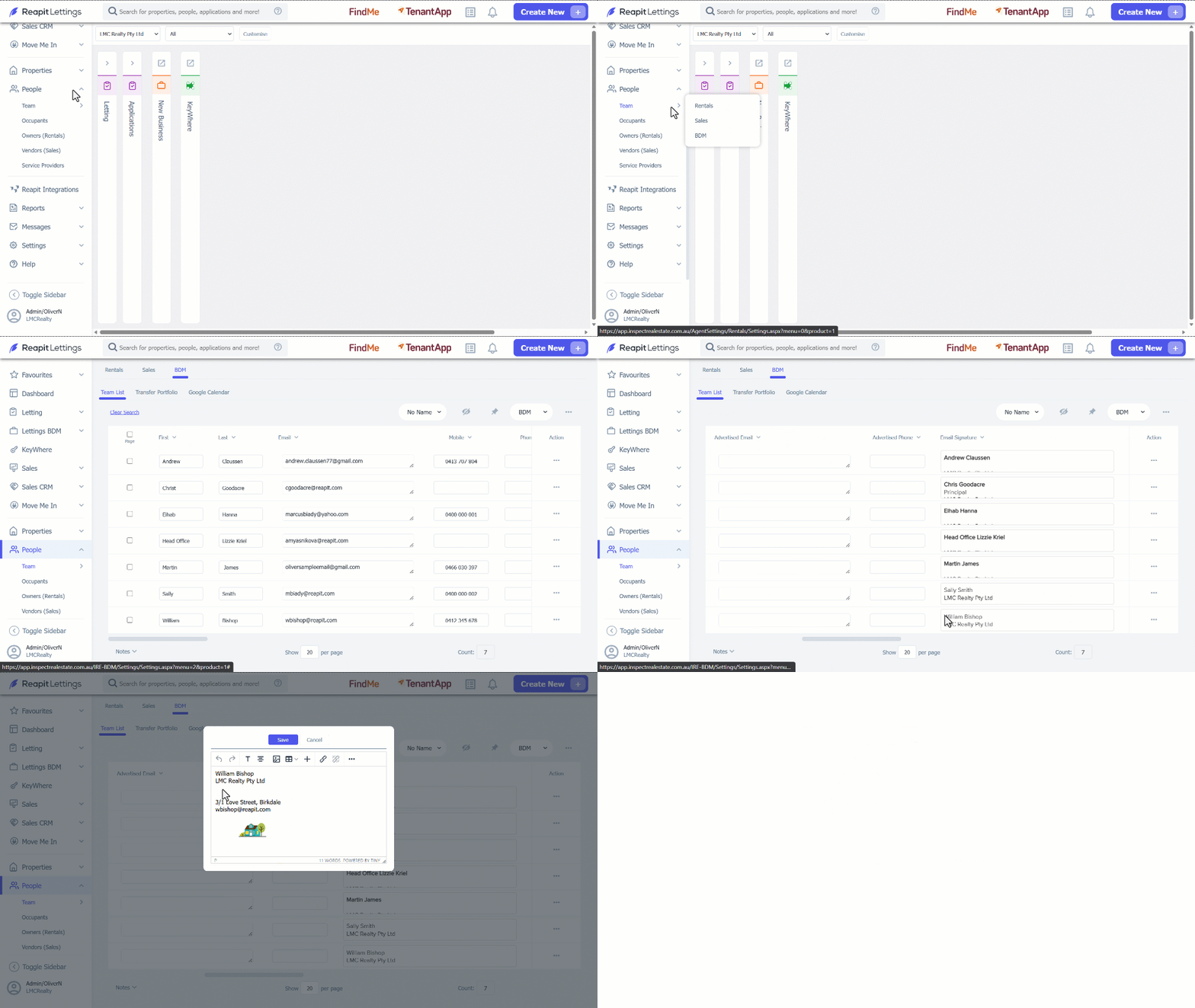
1. Click on People.
2. Click on Team.
3. Select BDM.
4. Find the team member within the list that requires editing & click on the email signature box. This will open the signature block to edit. Complete the signature as required and ensure to press Save.
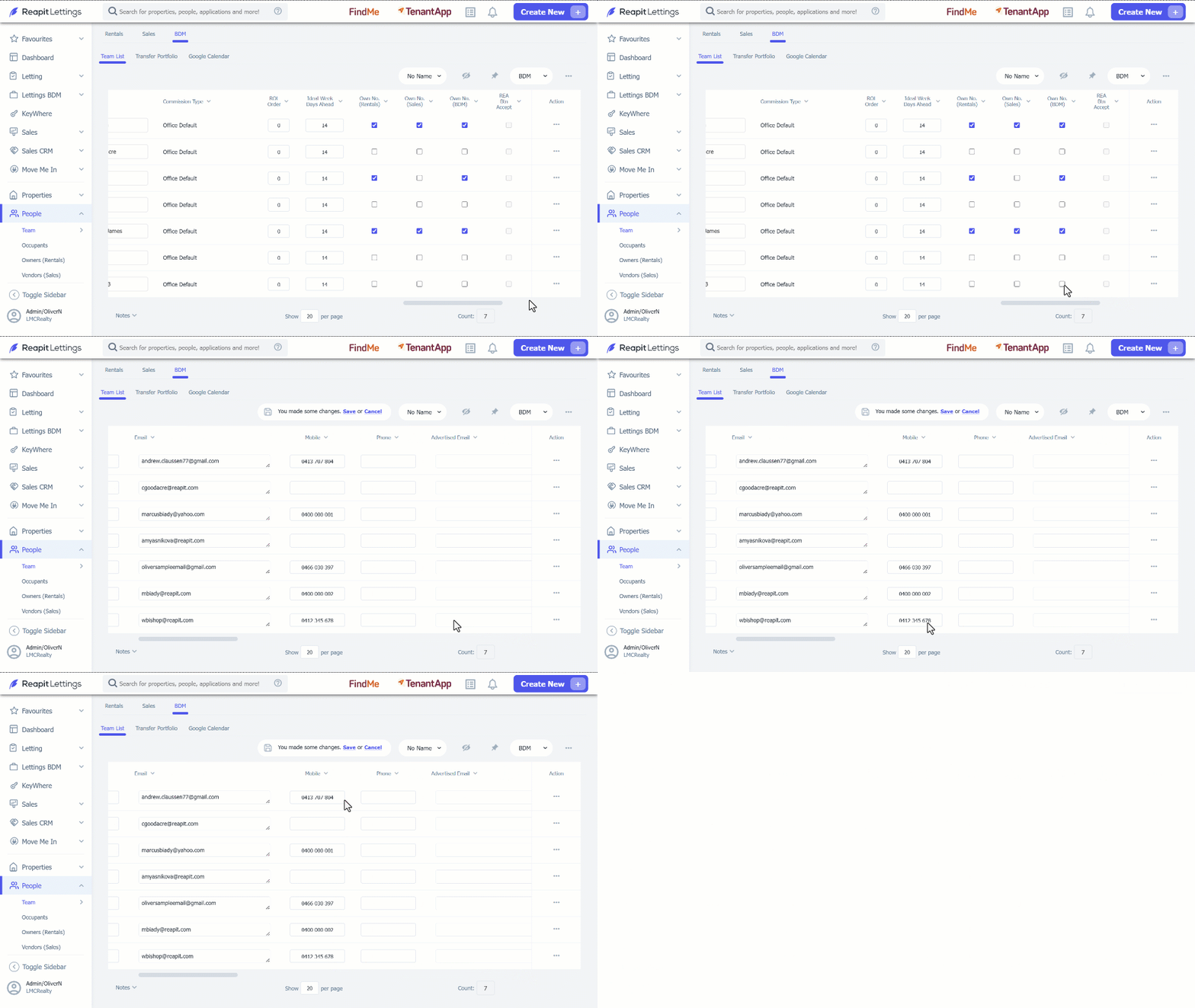
5. To use the BDM own mobile number for SMS messages sent with Lettings BDM, make sure the Own No (BDM) checkbox is ticked. Once this option is selected, ensure the correct mobile number has been entered in the mobile column
6. Click on Save.