'%20d='M0%208a8%208%200%200%201%208-8h24a8%208%200%200%201%208%208v24a8%208%200%200%201-8%208H8a8%208%200%200%201-8-8V8Z'/%3e%3cpath%20fill='%23fff'%20d='M32.576%206C12.293%206%208.776%2025.887%207.424%2034H9.1c.45-2.977%203.493-14.748%2010.899-20.287%200%200-5.633%206.976-6.572%2015.051%203.426-.652%2013.845-3.372%2016.056-12.927l-3.84-.61c1.352-1.351%204.909-5.17%206.931-9.226V6Z'/%3e%3cdefs%3e%3clinearGradient%20id='reapit-lettings__a'%20x1='20.702'%20x2='20.702'%20y1='.351'%20y2='31.228'%20gradientUnits='userSpaceOnUse'%3e%3cstop%20stop-color='%235573FD'/%3e%3cstop%20offset='.575'%20stop-color='%234E56EA'/%3e%3c/linearGradient%3e%3c/defs%3e%3c/svg%3e)
Sending Templated Messages to Leads
This article will run through how to send templated messages to leads in Reapit Lettings.
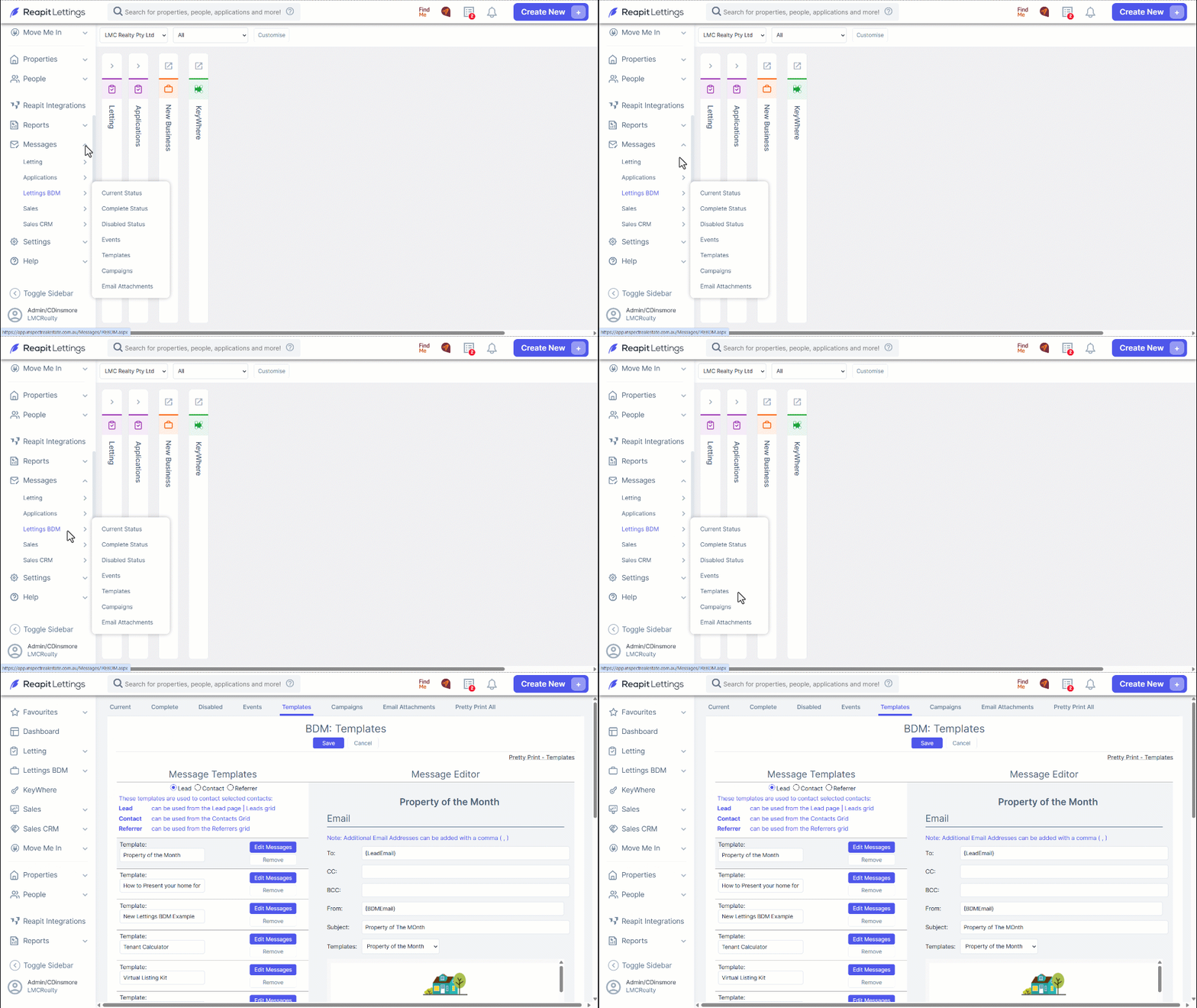
1. To make a new template, navigate to Messages.
2. Click Lettings BDM
3. Click Templates.
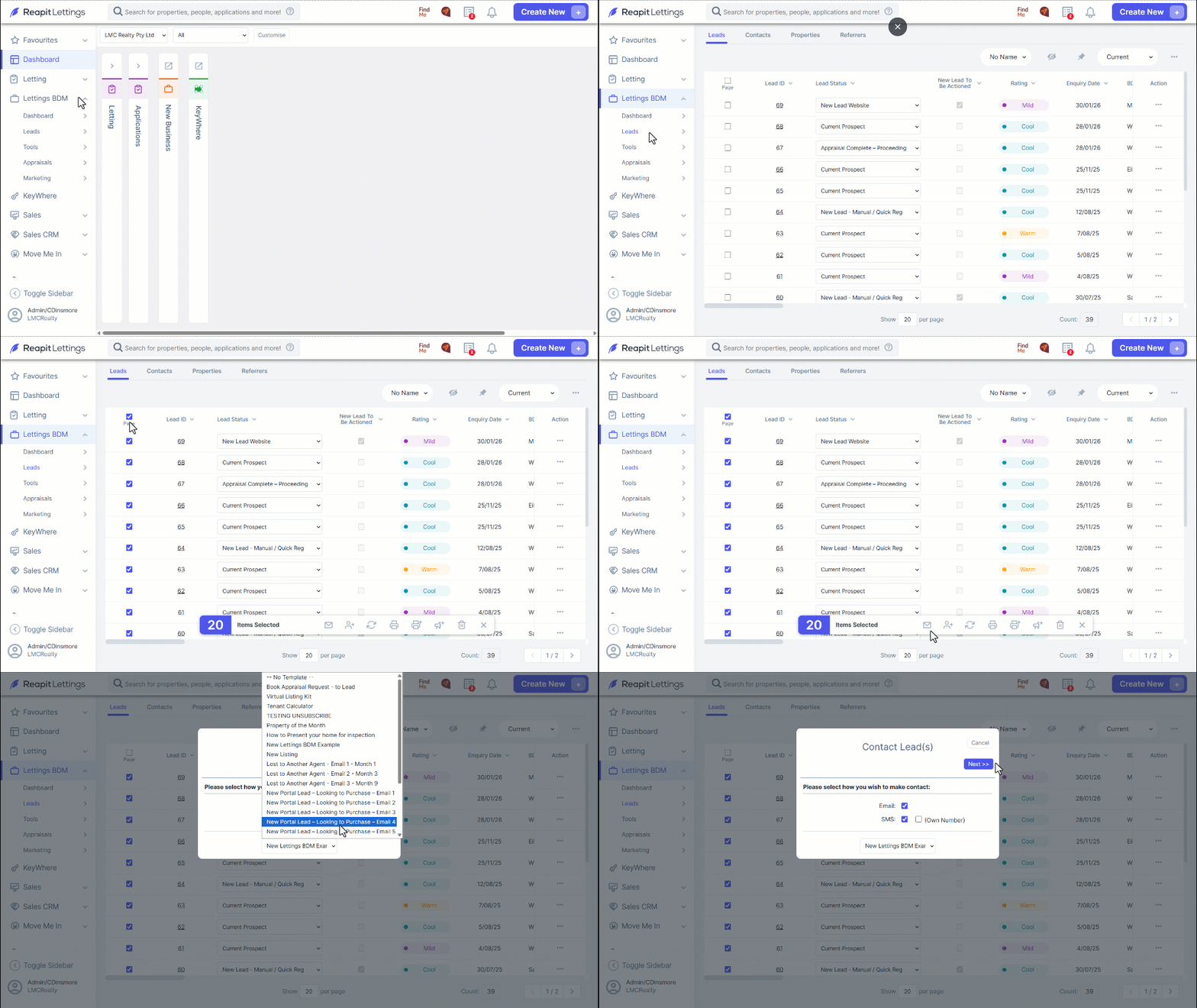
4. Once you have made your template, head to the Leads page to send it to as many leads as you like. Select the leads you would like to message by ticking the box for each Lead and then select the contact button. From here, select who you would like to message and what template you would like to use.
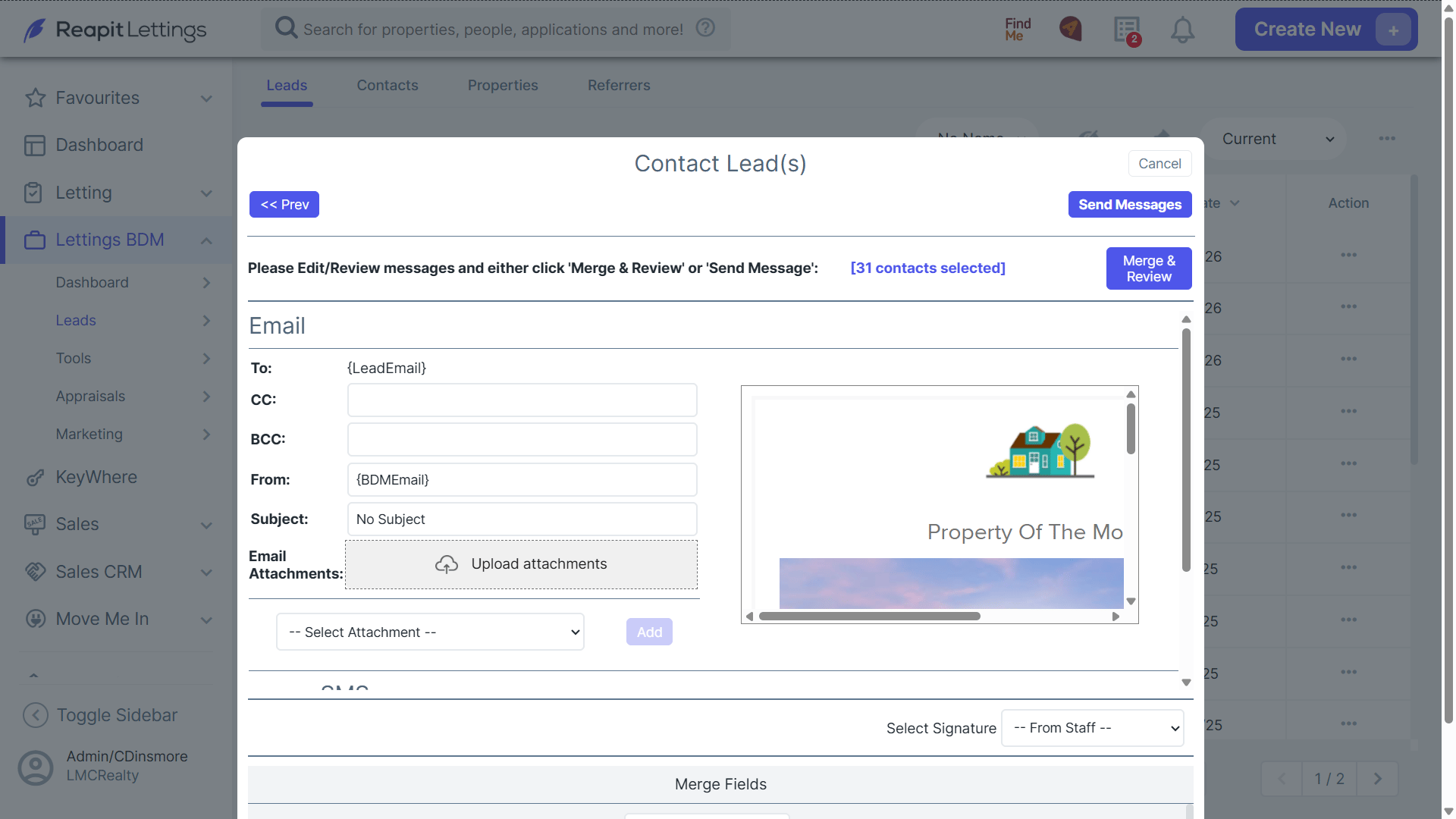
5. From here, you can use the dropdown menu to select which template you would like to use, as well as whether you would like to email or SMS your leads. In the next page, you can edit the email or SMS you would like to send, add any additional recipients, and attach documents.
6. Click Send Messages to complete this process.