'%20d='M0%208a8%208%200%200%201%208-8h24a8%208%200%200%201%208%208v24a8%208%200%200%201-8%208H8a8%208%200%200%201-8-8V8Z'/%3e%3cpath%20fill='%23fff'%20d='M32.576%206C12.293%206%208.776%2025.887%207.424%2034H9.1c.45-2.977%203.493-14.748%2010.899-20.287%200%200-5.633%206.976-6.572%2015.051%203.426-.652%2013.845-3.372%2016.056-12.927l-3.84-.61c1.352-1.351%204.909-5.17%206.931-9.226V6Z'/%3e%3cdefs%3e%3clinearGradient%20id='reapit-lettings__a'%20x1='20.702'%20x2='20.702'%20y1='.351'%20y2='31.228'%20gradientUnits='userSpaceOnUse'%3e%3cstop%20stop-color='%235573FD'/%3e%3cstop%20offset='.575'%20stop-color='%234E56EA'/%3e%3c/linearGradient%3e%3c/defs%3e%3c/svg%3e)
Changing Default Loan Duration
This article will run through how to change the default loan duration in KeyWhere.
Changing Default Loan Duration
This article will run through how to change the default loan duration in KeyWhere.
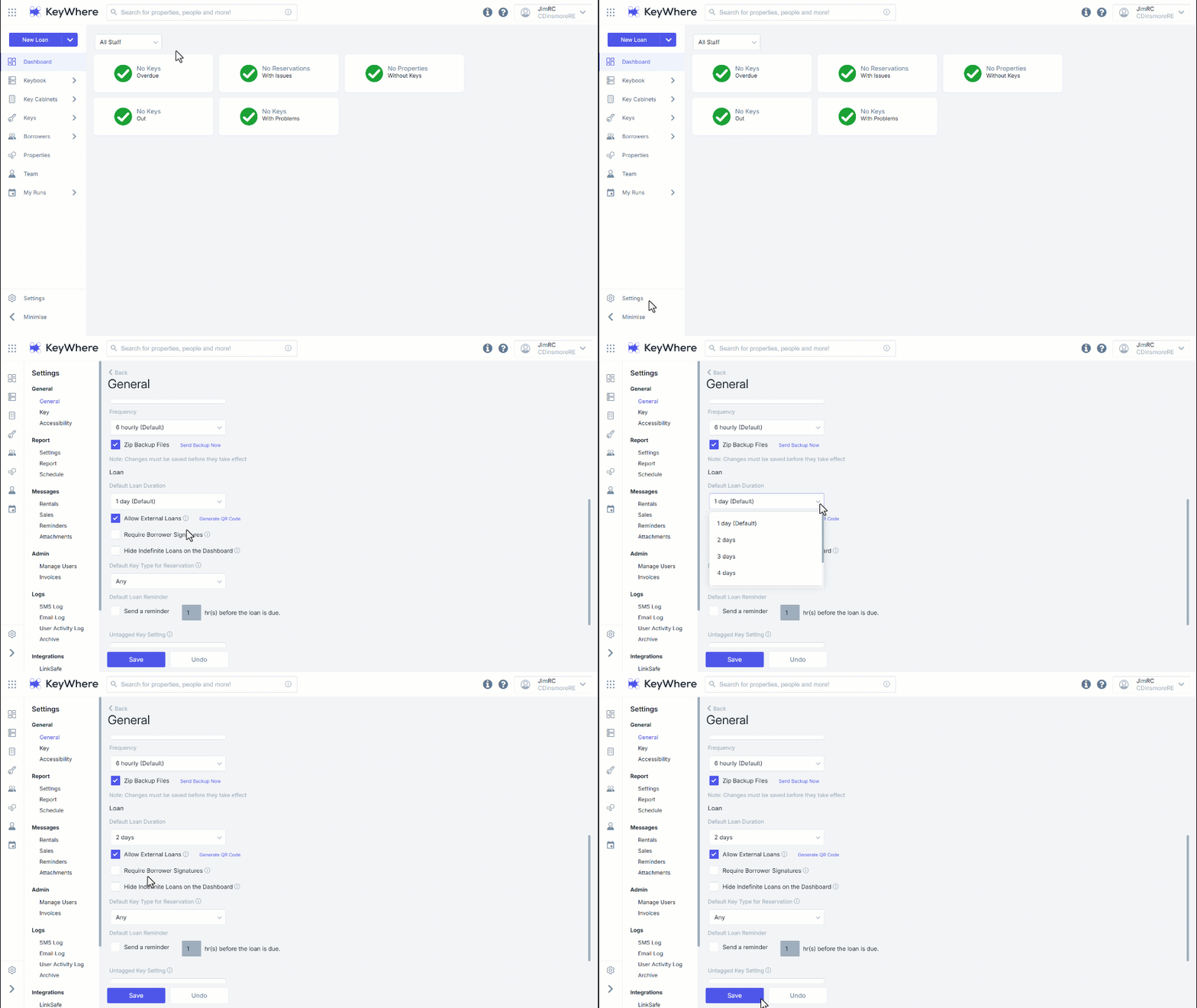
By default, the loan duration is set to 1 day. This can be changed from 1-5 days by default. You can override this with any date they choose; this setting is in place to pre-populate a date in the loans screen.
- Navigate to the Settings.
- Navigate to General.
- Change the default loan duration by clicking on the duration drop-down.
- Click Save.