'%20d='M0%208a8%208%200%200%201%208-8h24a8%208%200%200%201%208%208v24a8%208%200%200%201-8%208H8a8%208%200%200%201-8-8V8Z'/%3e%3cpath%20fill='%23fff'%20d='M32.576%206C12.293%206%208.776%2025.887%207.424%2034H9.1c.45-2.977%203.493-14.748%2010.899-20.287%200%200-5.633%206.976-6.572%2015.051%203.426-.652%2013.845-3.372%2016.056-12.927l-3.84-.61c1.352-1.351%204.909-5.17%206.931-9.226V6Z'/%3e%3cdefs%3e%3clinearGradient%20id='reapit-lettings__a'%20x1='20.702'%20x2='20.702'%20y1='.351'%20y2='31.228'%20gradientUnits='userSpaceOnUse'%3e%3cstop%20stop-color='%235573FD'/%3e%3cstop%20offset='.575'%20stop-color='%234E56EA'/%3e%3c/linearGradient%3e%3c/defs%3e%3c/svg%3e)
Setting up Templates to Message Applicants
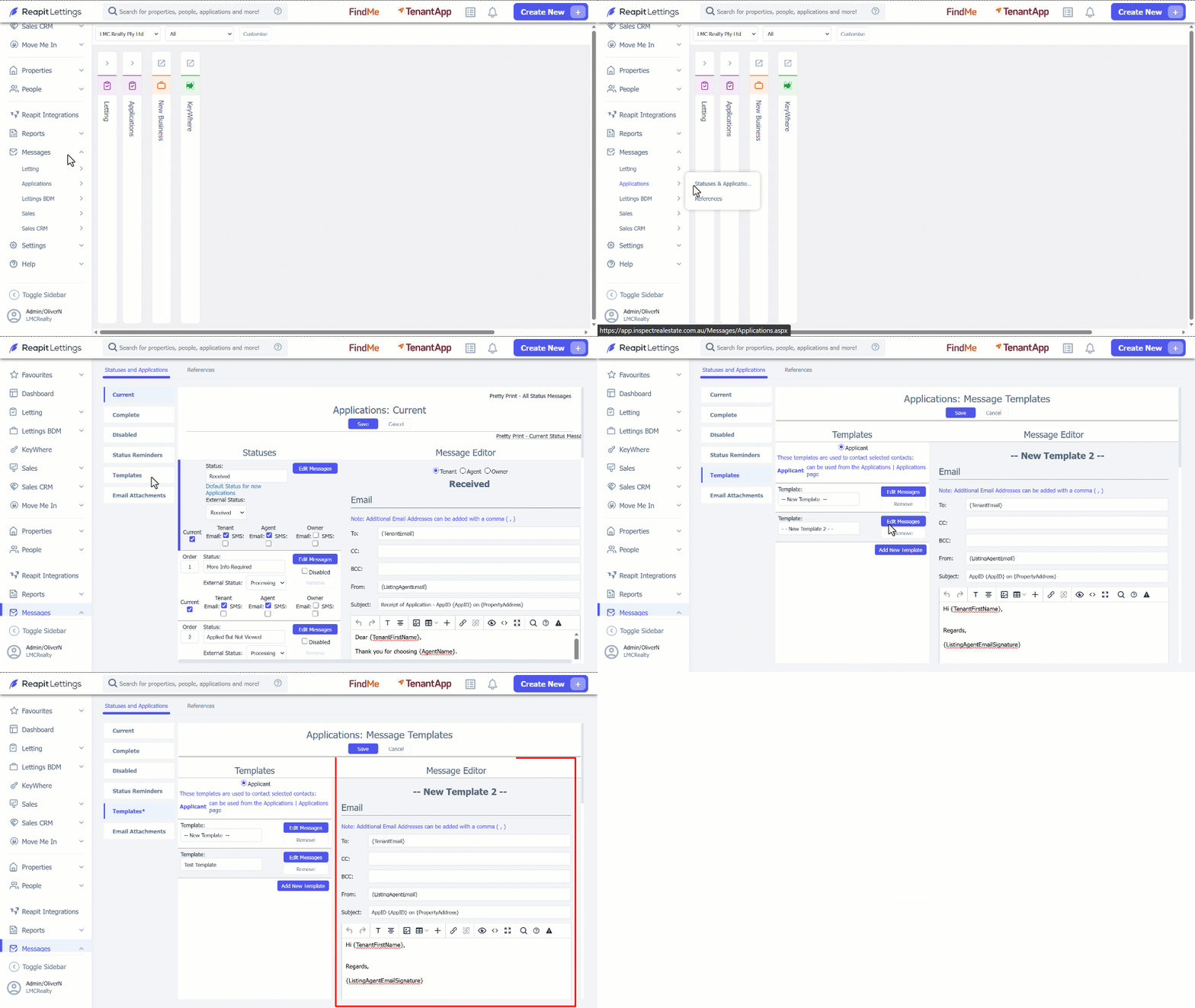
This article will run through how to set up template to message applicants in Reapit Lettings.
Setting up Templates to Message Applicants
This article will run through how to set up templates to message applicants in Reapit Lettings.
- Click on Messages. 2. Click on Applications. 3. Select Statuses and Applications. 4. Navigate to Templates. 5. Click on Add New Template. 6. Manage the new template by:
- Adding the Template name.
- Edit the Template content in Message Editor field.
- Click on Save.