'%20d='M0%208a8%208%200%200%201%208-8h24a8%208%200%200%201%208%208v24a8%208%200%200%201-8%208H8a8%208%200%200%201-8-8V8Z'/%3e%3cpath%20fill='%23fff'%20d='M32.576%206C12.293%206%208.776%2025.887%207.424%2034H9.1c.45-2.977%203.493-14.748%2010.899-20.287%200%200-5.633%206.976-6.572%2015.051%203.426-.652%2013.845-3.372%2016.056-12.927l-3.84-.61c1.352-1.351%204.909-5.17%206.931-9.226V6Z'/%3e%3cdefs%3e%3clinearGradient%20id='reapit-lettings__a'%20x1='20.702'%20x2='20.702'%20y1='.351'%20y2='31.228'%20gradientUnits='userSpaceOnUse'%3e%3cstop%20stop-color='%235573FD'/%3e%3cstop%20offset='.575'%20stop-color='%234E56EA'/%3e%3c/linearGradient%3e%3c/defs%3e%3c/svg%3e)
Creating a Property Flyer in Uploader
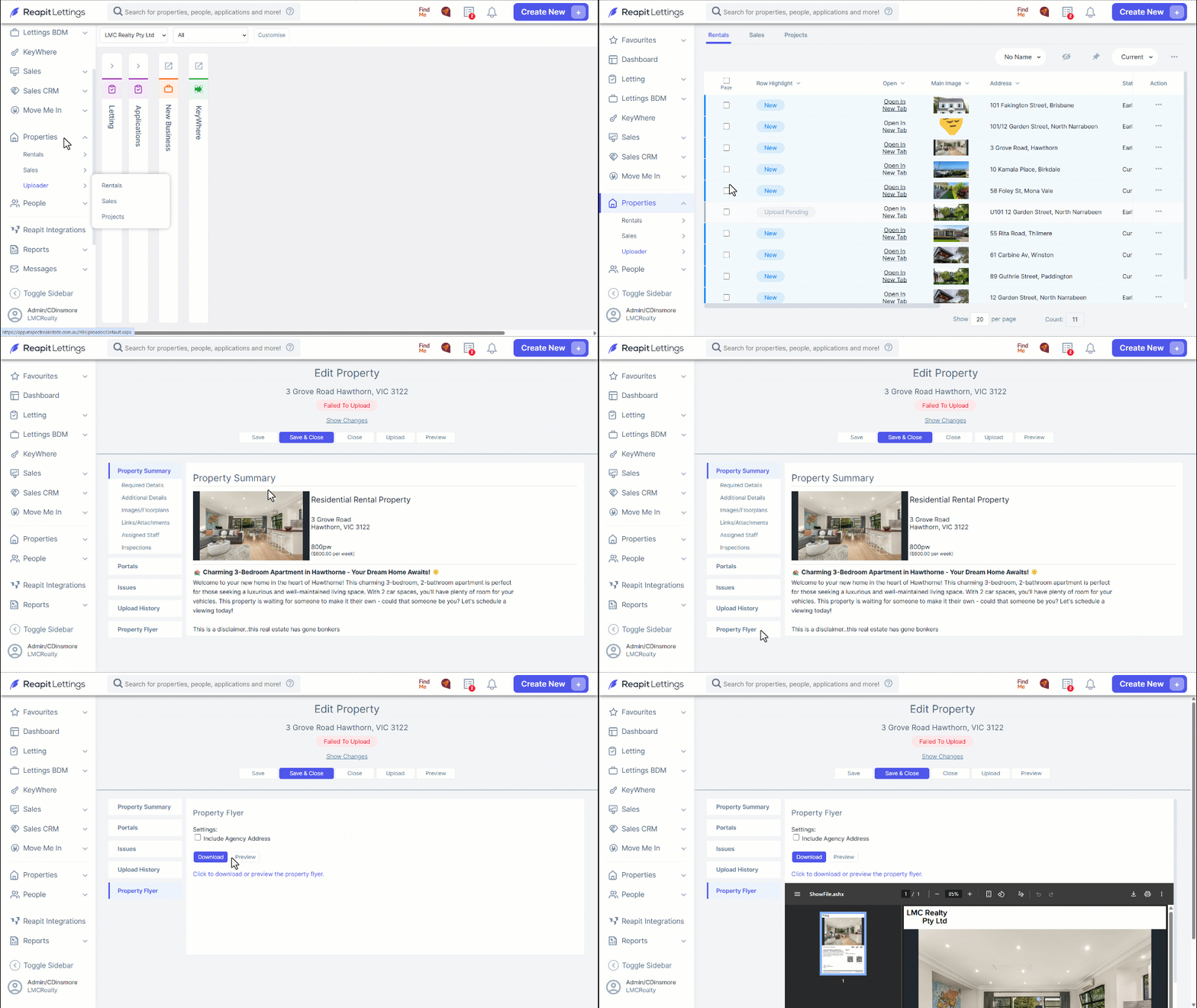
This article will run through how to create a Property Flyer in Uploader in Reapit Lettings.
Creating a Property Flyer in Uploader
This article will run through how to create a Property Flyer in Uploader in Reapit Lettings.
- Navigate to Properties.
- Click Uploader.
- Click Rentals and select Open In New Tab on the property you wish to generate the Property Flyer for.
- Navigate to Property Flyer.
- Tick on Include Agency Address if you wish to include the address on the Property Flyer, and from here you can either click to Preview or Download the Property Flyer to your downloads folder.