'%20d='M0%208a8%208%200%200%201%208-8h24a8%208%200%200%201%208%208v24a8%208%200%200%201-8%208H8a8%208%200%200%201-8-8V8Z'/%3e%3cpath%20fill='%23fff'%20d='M32.576%206C12.293%206%208.776%2025.887%207.424%2034H9.1c.45-2.977%203.493-14.748%2010.899-20.287%200%200-5.633%206.976-6.572%2015.051%203.426-.652%2013.845-3.372%2016.056-12.927l-3.84-.61c1.352-1.351%204.909-5.17%206.931-9.226V6Z'/%3e%3cdefs%3e%3clinearGradient%20id='reapit-lettings__a'%20x1='20.702'%20x2='20.702'%20y1='.351'%20y2='31.228'%20gradientUnits='userSpaceOnUse'%3e%3cstop%20stop-color='%235573FD'/%3e%3cstop%20offset='.575'%20stop-color='%234E56EA'/%3e%3c/linearGradient%3e%3c/defs%3e%3c/svg%3e)
Update Property Data from Realestate.com.au
This article will run through how to update property data from Realestate.com.au
Update Property Data from Realestate.com.au
This article will run through how to update property data from Realestate.com.au into Reapit Lettings.
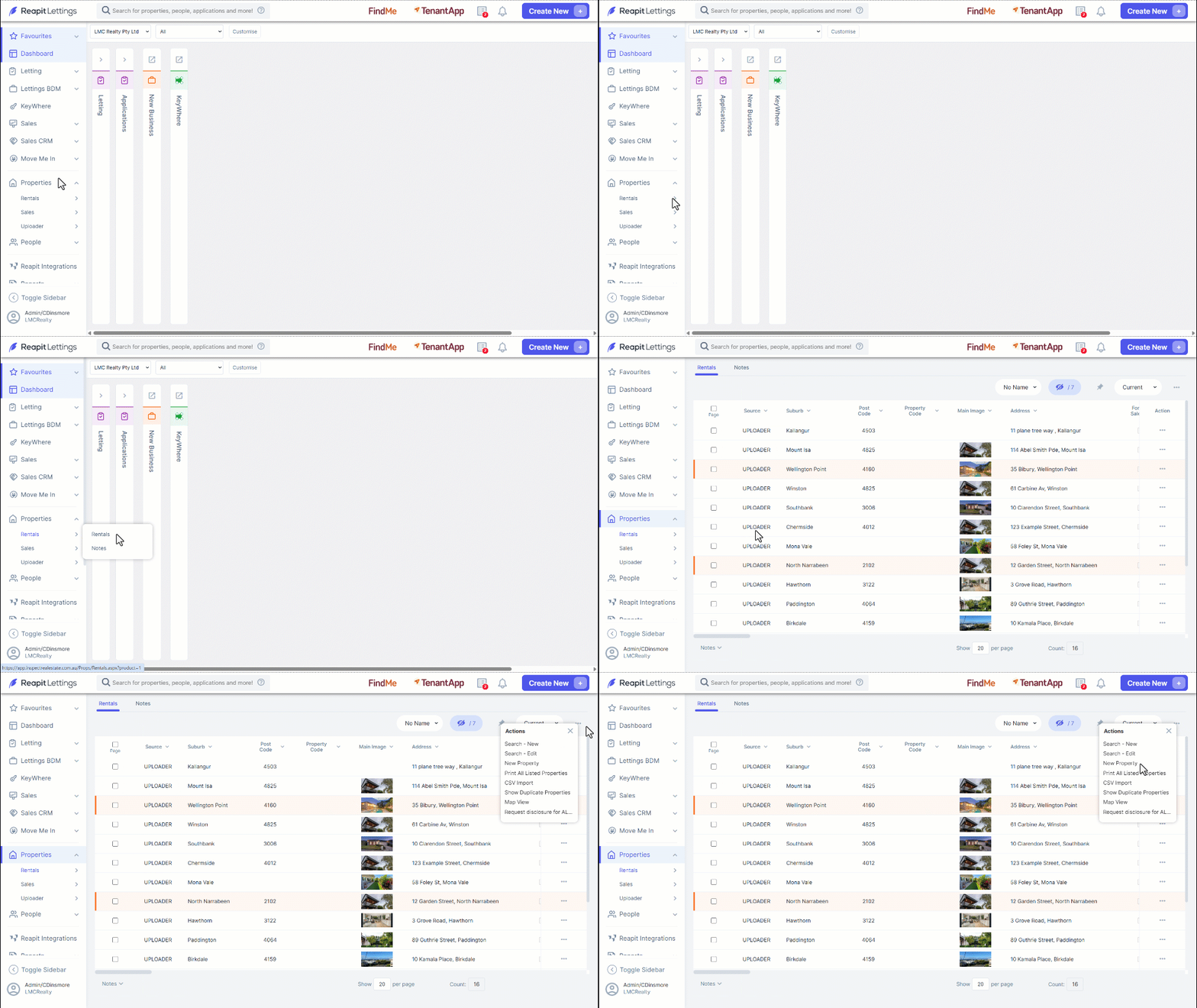
- Navigate to Properties
- Click on Rentals.
- Click on the three dots.
- Click New Property.
- On the New Property page, to update the New Property from the property information on Realestate.com.au, you will need to obtain the Realestate.com.au Property ID and add to the REA Property ID bo
- Locate property ID by navigating to the specific property listing on Realestate.com.au. The Property ID can be found in the URL of the property listing on the REA website.
- Add the Property ID to the REA Property ID box in ROL Rentals and click the Update from REA button.
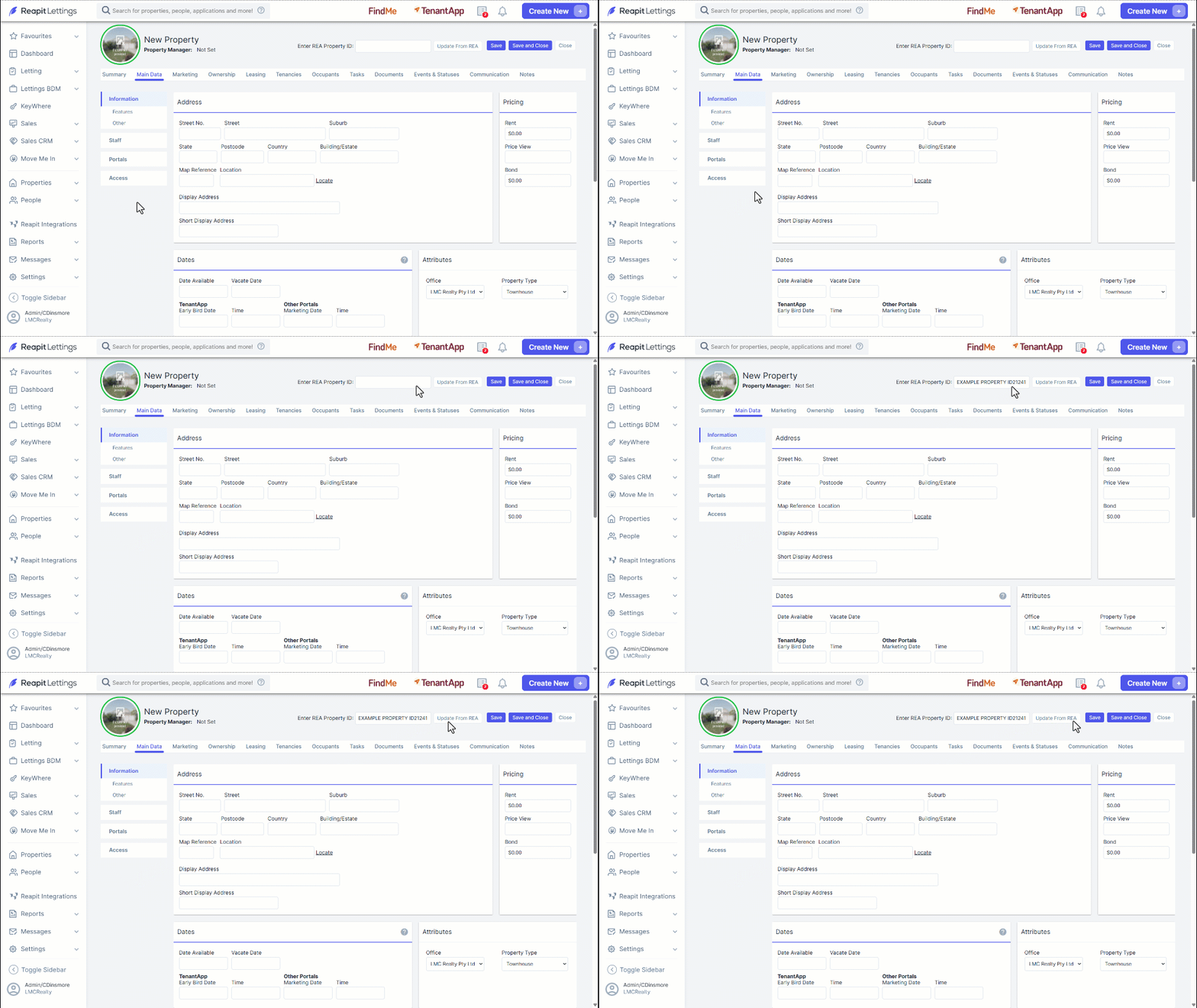
The Update from REA button will pull across the following information from the listing on Realestate.com.au
Property Address
Price
Priceview
Portal ID
Available Date
Bedrooms
Bathrooms
Garages
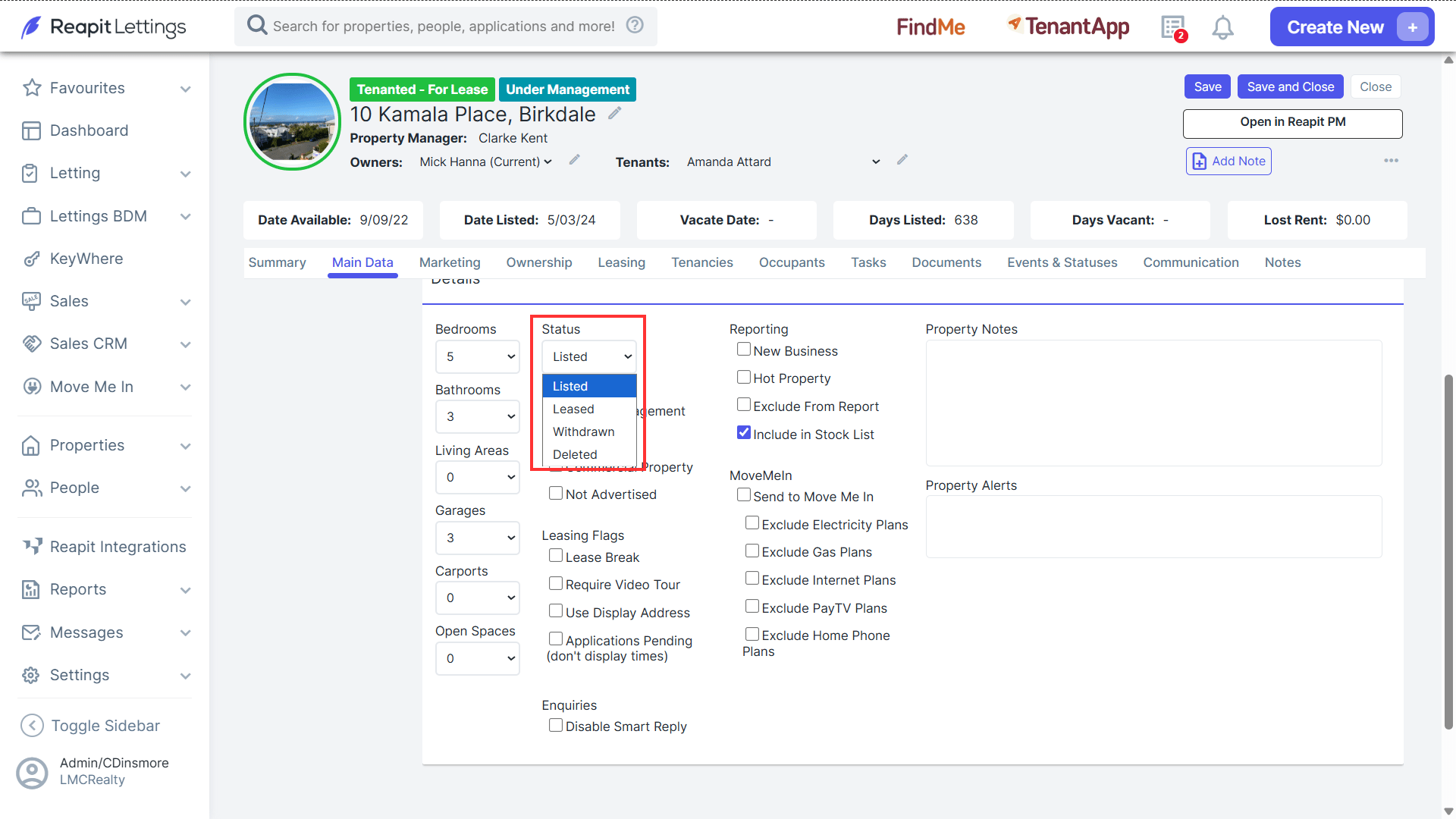
- After this information has been brought across, you may edit the remaining information within the Edit Property page. If the property should be listed for rent within the Rentals section of your account, ensure to make sure the property status shows as Listed.