'%20d='M0%208a8%208%200%200%201%208-8h24a8%208%200%200%201%208%208v24a8%208%200%200%201-8%208H8a8%208%200%200%201-8-8V8Z'/%3e%3cpath%20fill='%23fff'%20d='M32.576%206C12.293%206%208.776%2025.887%207.424%2034H9.1c.45-2.977%203.493-14.748%2010.899-20.287%200%200-5.633%206.976-6.572%2015.051%203.426-.652%2013.845-3.372%2016.056-12.927l-3.84-.61c1.352-1.351%204.909-5.17%206.931-9.226V6Z'/%3e%3cdefs%3e%3clinearGradient%20id='reapit-lettings__a'%20x1='20.702'%20x2='20.702'%20y1='.351'%20y2='31.228'%20gradientUnits='userSpaceOnUse'%3e%3cstop%20stop-color='%235573FD'/%3e%3cstop%20offset='.575'%20stop-color='%234E56EA'/%3e%3c/linearGradient%3e%3c/defs%3e%3c/svg%3e)
Managing Sales Agents Access to Listings
This article will guide you through the process of managing agent access to listings and inquiries in Sales in Reapit Lettings.
In Sales, you can restrict an agent's access to other agents' listings if you operate as a closed office. By default, when setting up an agent's login, they will only have access to their own listings and inquiries.
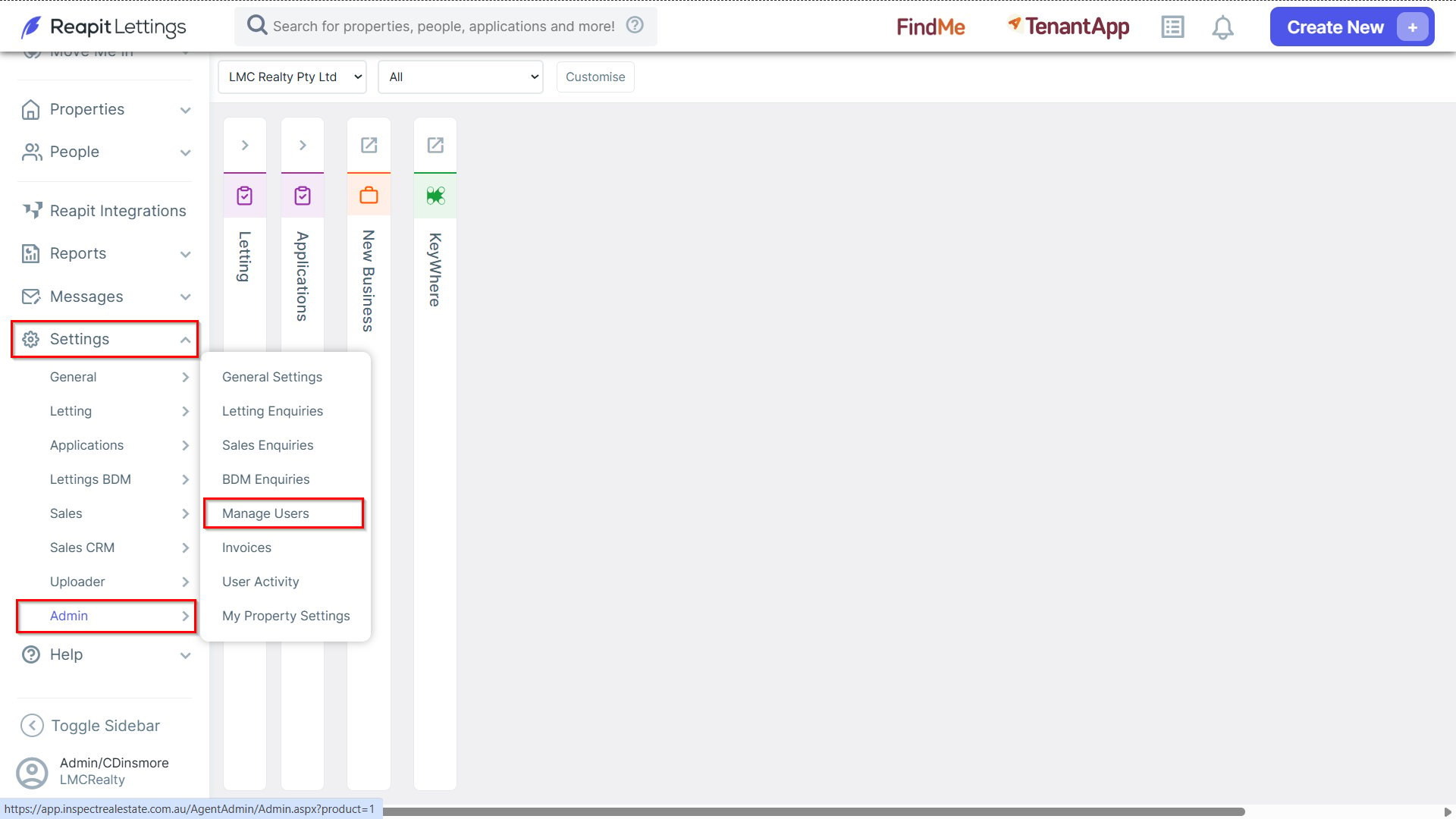
1. If an agent needs access to all listings and inquiries, navigate to Settings > Admin, and select Manage Users.
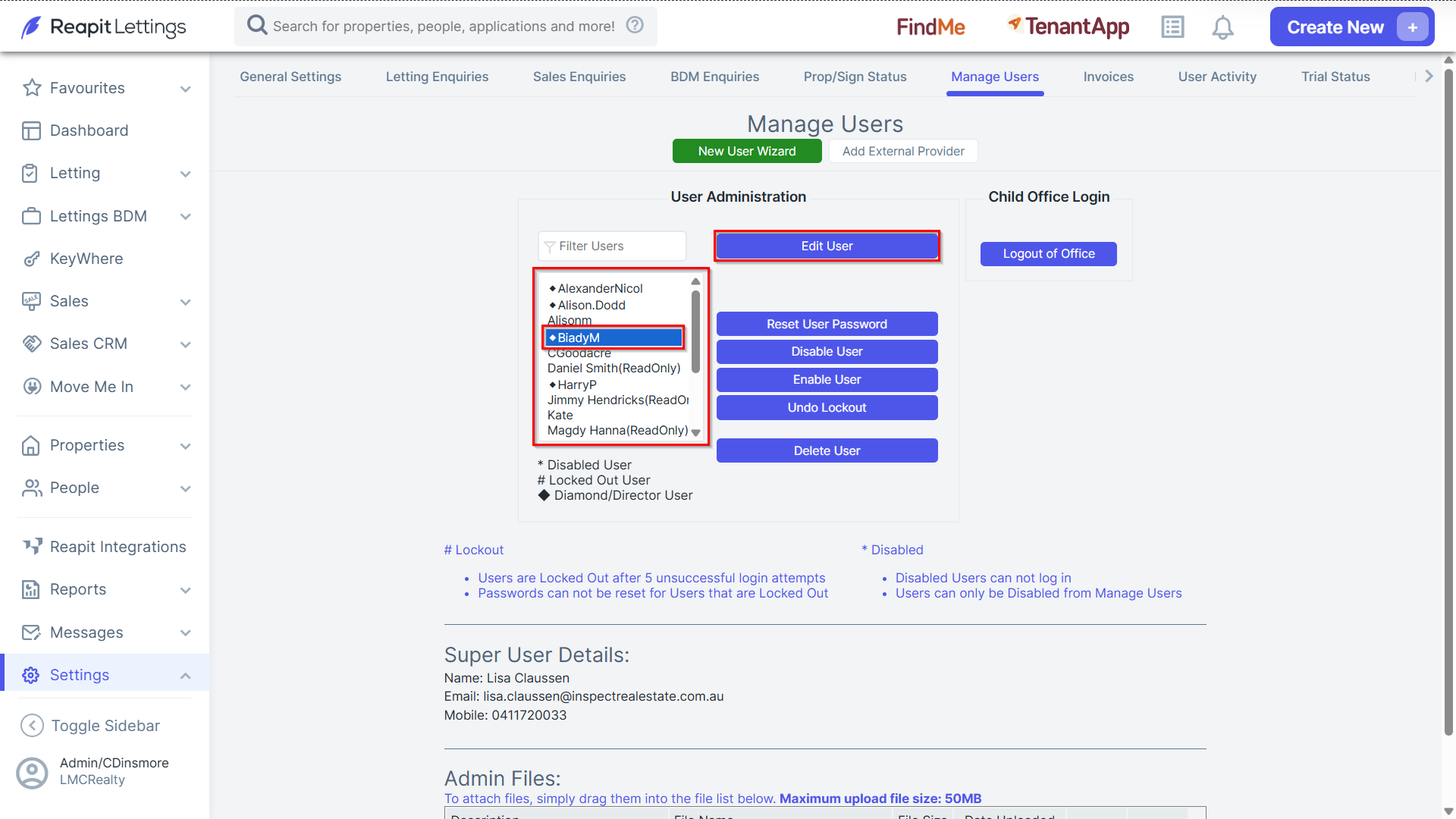
2. Select the team member whose access you wish to modify and click Edit User.
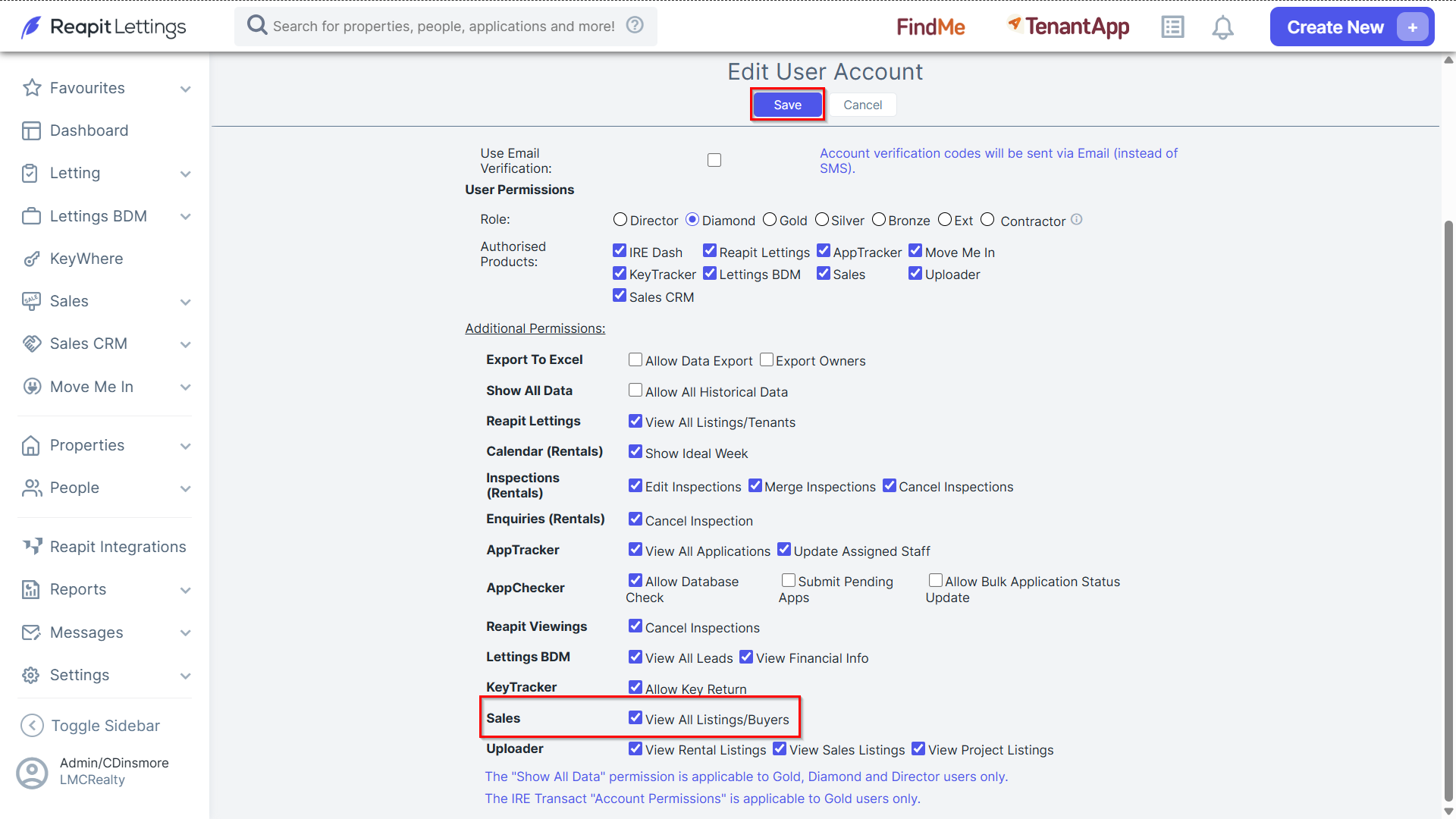
3. Ensure the Sales View All Listings/Buyers checkbox is selected and click Save.