'%20d='M0%208a8%208%200%200%201%208-8h24a8%208%200%200%201%208%208v24a8%208%200%200%201-8%208H8a8%208%200%200%201-8-8V8Z'/%3e%3cpath%20fill='%23fff'%20d='M32.576%206C12.293%206%208.776%2025.887%207.424%2034H9.1c.45-2.977%203.493-14.748%2010.899-20.287%200%200-5.633%206.976-6.572%2015.051%203.426-.652%2013.845-3.372%2016.056-12.927l-3.84-.61c1.352-1.351%204.909-5.17%206.931-9.226V6Z'/%3e%3cdefs%3e%3clinearGradient%20id='reapit-lettings__a'%20x1='20.702'%20x2='20.702'%20y1='.351'%20y2='31.228'%20gradientUnits='userSpaceOnUse'%3e%3cstop%20stop-color='%235573FD'/%3e%3cstop%20offset='.575'%20stop-color='%234E56EA'/%3e%3c/linearGradient%3e%3c/defs%3e%3c/svg%3e)
What is the On List?
This article offers an overview of a Property On List and guidance on completing it
What is the On List?
This article offers an overview of a Property On List and guidance on completing it in Reapit Lettings.
The On Vacancy List email serves as a crucial tool for verifying and adjusting details of newly listed properties. It enables contact with prospective tenants interested in the property.
This email is automatically dispatched upon the addition of a property to the Reapit Lettings vacancy list, whether via portal uploader or manual entry. It is generated and processed for the designated recipient once a new property is listed.
- To configure the On List Report, navigate to Reports.
- Click Letting.
- Click On/Off List Reports.
- Click On List Report.
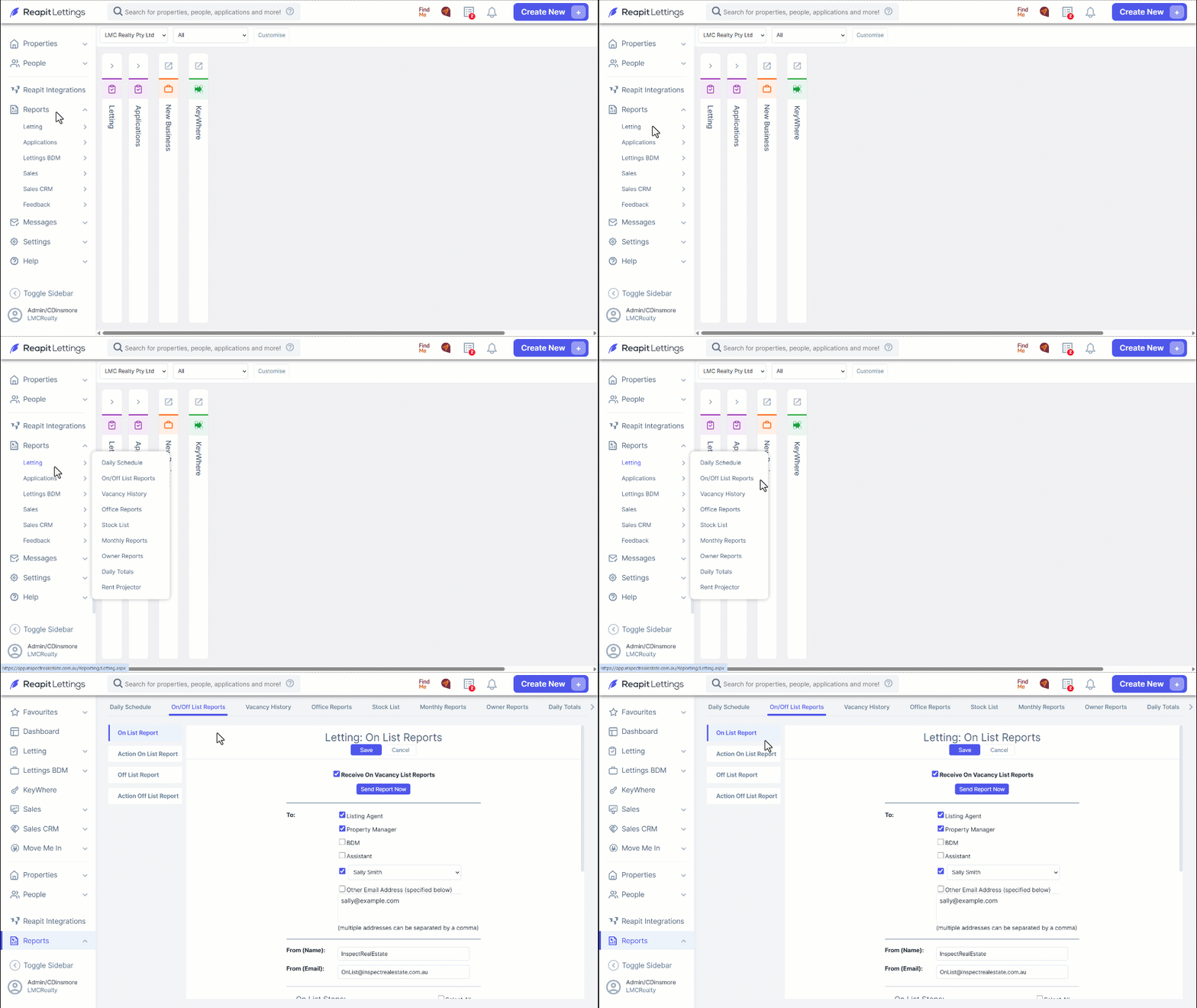
- Select the Receive On Vacancy List Reports checkbox.
Select the stakeholder the reports need to be sent to.
Click the dropdown selector to choose the specific staff member, and enter their email address where in the textbox, click Save.
Click Send Report Now.
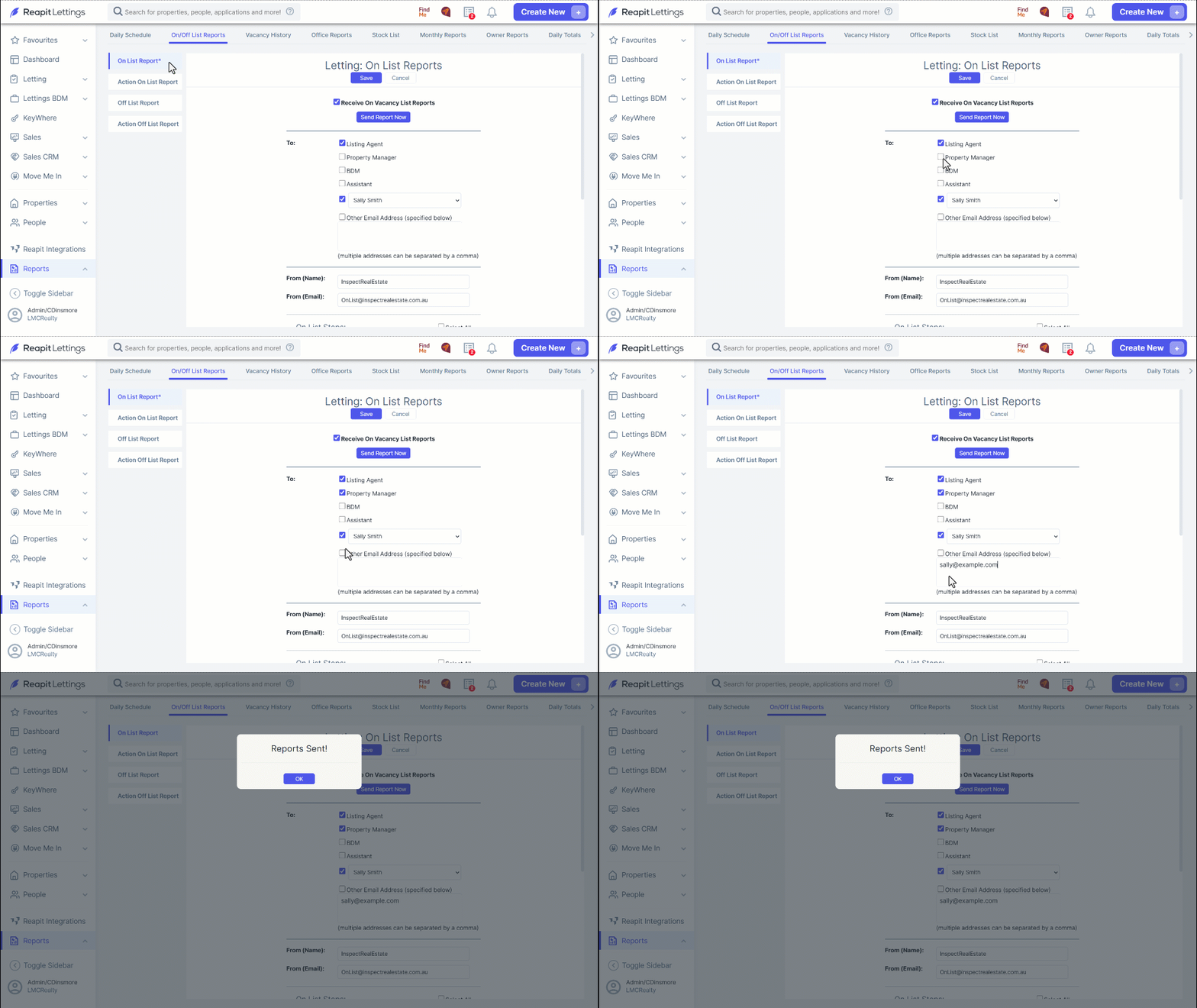
Note: You will receive a notification within your account that reports were not sent in the event you haven’t selected the Receive On Vacancy List Reports checkbox.
You have the option to address the On List through the vacancy list email provided, or you can manually manage it within your account.
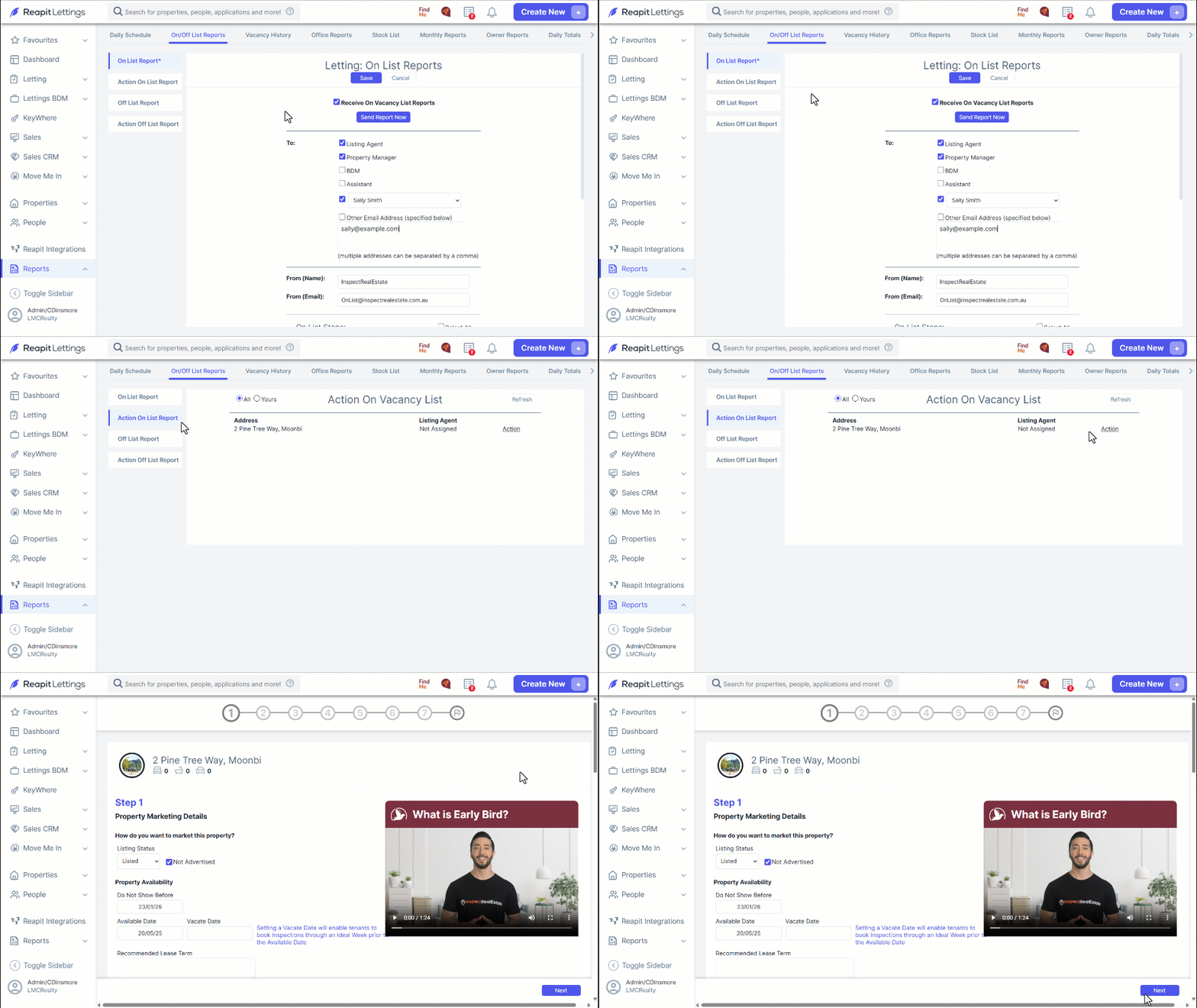
- To execute the On List action manually within your Reapit Lettings account, please follow these steps: Proceed to the Action On List Report section, and select Action next to the property address you intend to manage.
- Scroll down to review the Property Marketing Details, make necessary modifications or completions to ensure their accuracy. Click Next.