'%20d='M0%208a8%208%200%200%201%208-8h24a8%208%200%200%201%208%208v24a8%208%200%200%201-8%208H8a8%208%200%200%201-8-8V8Z'/%3e%3cpath%20fill='%23fff'%20d='M32.576%206C12.293%206%208.776%2025.887%207.424%2034H9.1c.45-2.977%203.493-14.748%2010.899-20.287%200%200-5.633%206.976-6.572%2015.051%203.426-.652%2013.845-3.372%2016.056-12.927l-3.84-.61c1.352-1.351%204.909-5.17%206.931-9.226V6Z'/%3e%3cdefs%3e%3clinearGradient%20id='reapit-lettings__a'%20x1='20.702'%20x2='20.702'%20y1='.351'%20y2='31.228'%20gradientUnits='userSpaceOnUse'%3e%3cstop%20stop-color='%235573FD'/%3e%3cstop%20offset='.575'%20stop-color='%234E56EA'/%3e%3c/linearGradient%3e%3c/defs%3e%3c/svg%3e)
Monthly Reports
This article will run through how to access monthly reports in Reapit Lettings.
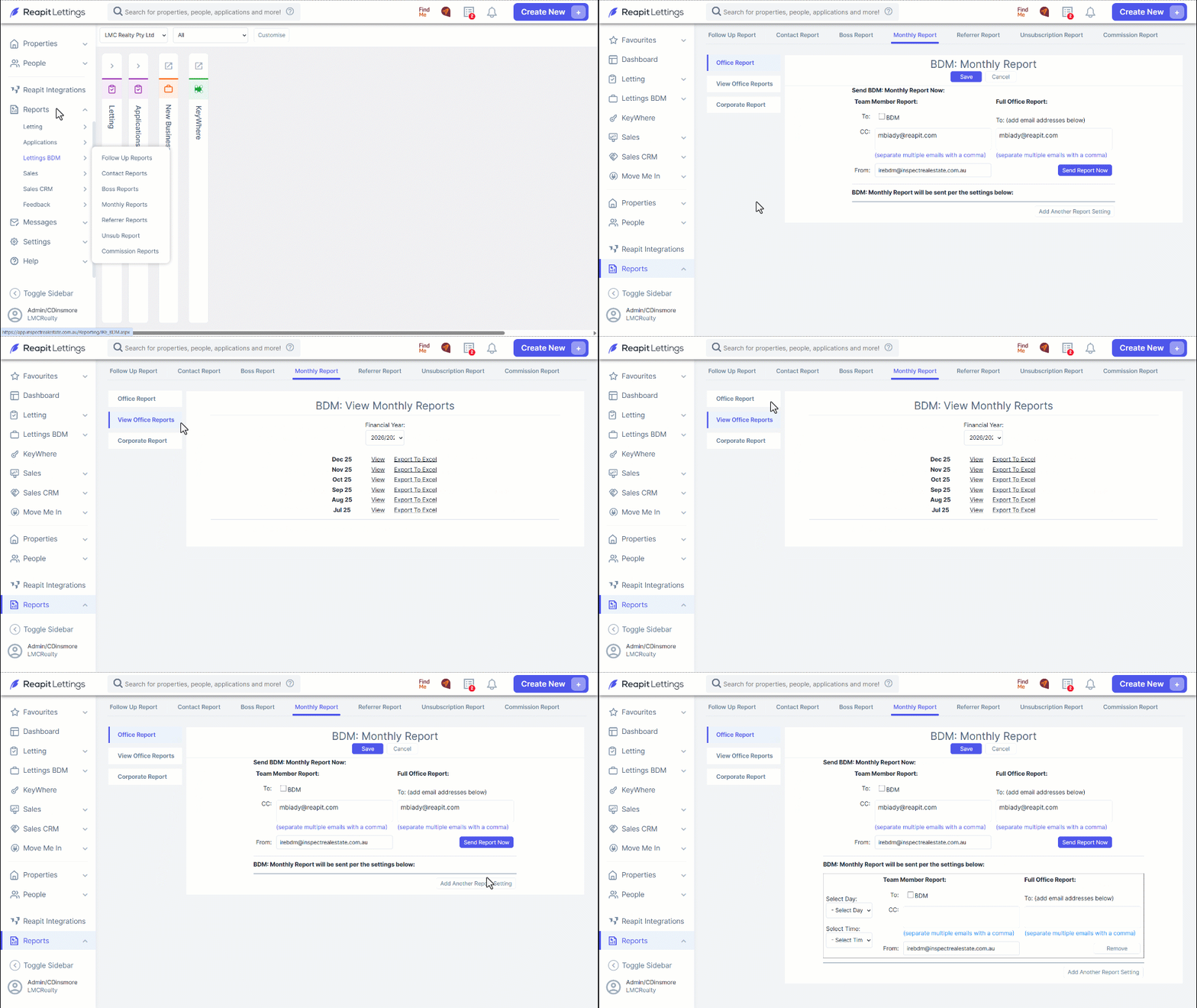
1. To access the Monthly Reports, navigate to the Reports.
2. Click Lettings BDM.
3. Click Monthly Reports.
4. To open the full report in a new tab, press the View Office Report tab on the left-hand side. Then select the desired month from the list. Only the last 12 reports will load. The Financial Year can also be changed to access previous years reports.
5. To send the report to team members, enter their email addresses, separated by a comma, in the "CC" box. To send the report to the BDM, check the "To: BDM" box.
6. For the full office report, enter the appropriate email address in the "Full Office Report" section.
7. To add another report setting, such as reoccurring reports, select Add Another Report Setting.
8. This will open an extra section, where reoccurring report settings can be managed.
9. The reports can be set to send every day, any particular day, or the end of every month. The time they are populated can also be altered in the Select Time drop down menu.
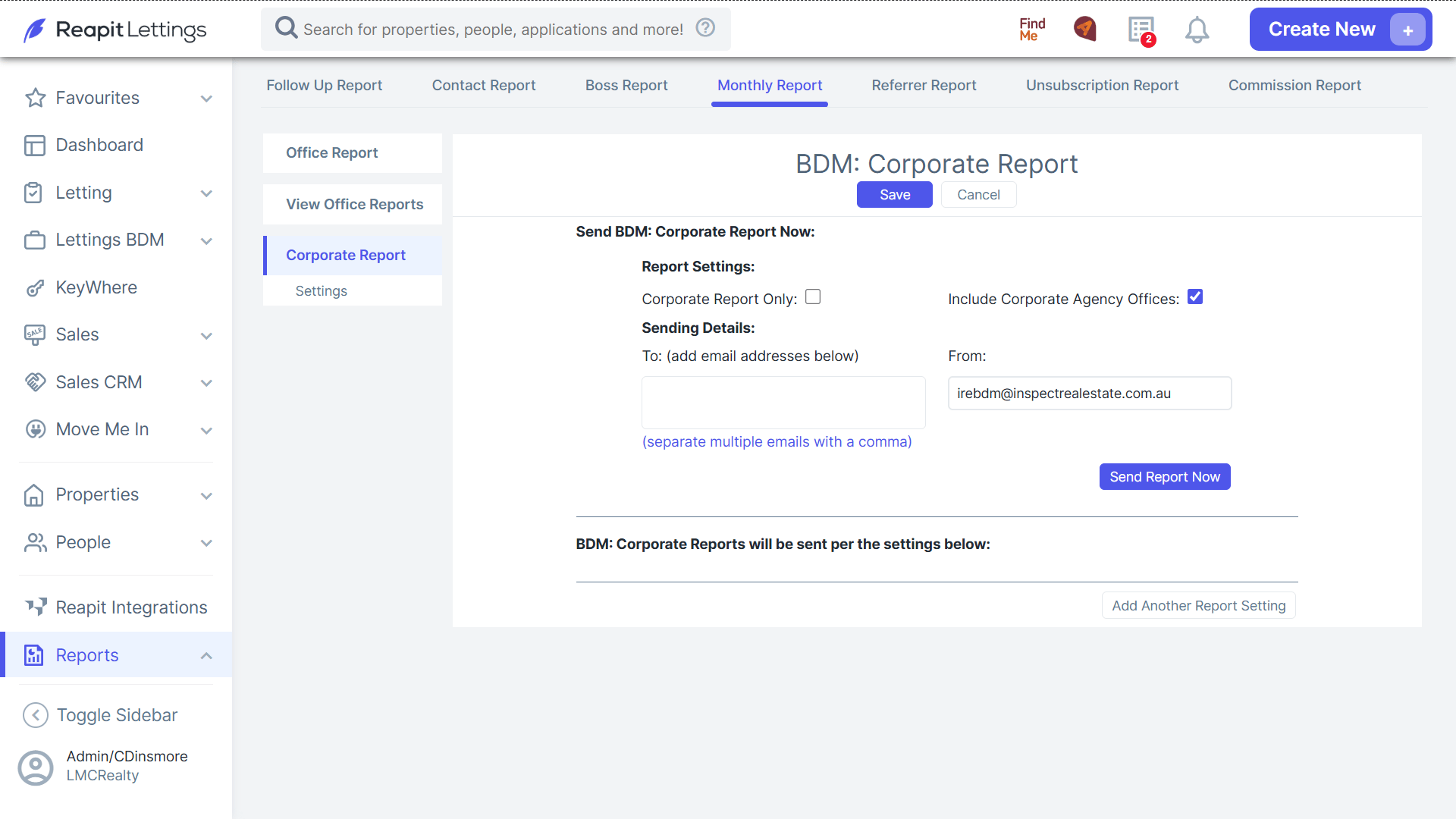
10. The 'Monthly Reports' section can also be sent for Corporate also includes a Settings tab which allows the report to be populated for different areas, depending on the desired data.