'%20d='M0%208a8%208%200%200%201%208-8h24a8%208%200%200%201%208%208v24a8%208%200%200%201-8%208H8a8%208%200%200%201-8-8V8Z'/%3e%3cpath%20fill='%23fff'%20d='M32.576%206C12.293%206%208.776%2025.887%207.424%2034H9.1c.45-2.977%203.493-14.748%2010.899-20.287%200%200-5.633%206.976-6.572%2015.051%203.426-.652%2013.845-3.372%2016.056-12.927l-3.84-.61c1.352-1.351%204.909-5.17%206.931-9.226V6Z'/%3e%3cdefs%3e%3clinearGradient%20id='reapit-lettings__a'%20x1='20.702'%20x2='20.702'%20y1='.351'%20y2='31.228'%20gradientUnits='userSpaceOnUse'%3e%3cstop%20stop-color='%235573FD'/%3e%3cstop%20offset='.575'%20stop-color='%234E56EA'/%3e%3c/linearGradient%3e%3c/defs%3e%3c/svg%3e)
Lead Categories
This article will run through how to add and use categories within leads in Reapit Lettings.
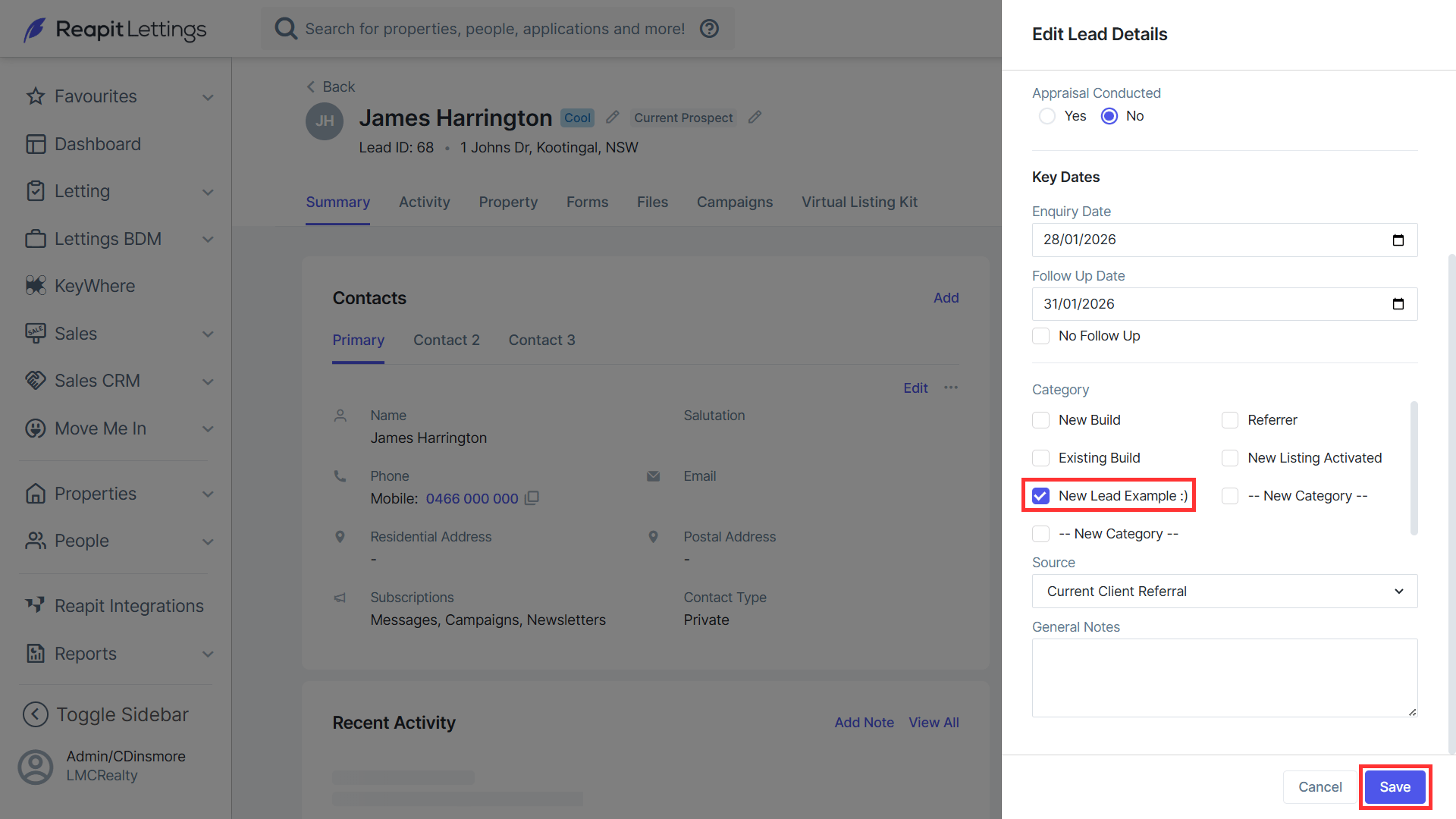
When creating a new lead, or editing an existing one, the lead can be added to a category to sort by. Categories are manually created in the Categories tab and can be customised as preferred.
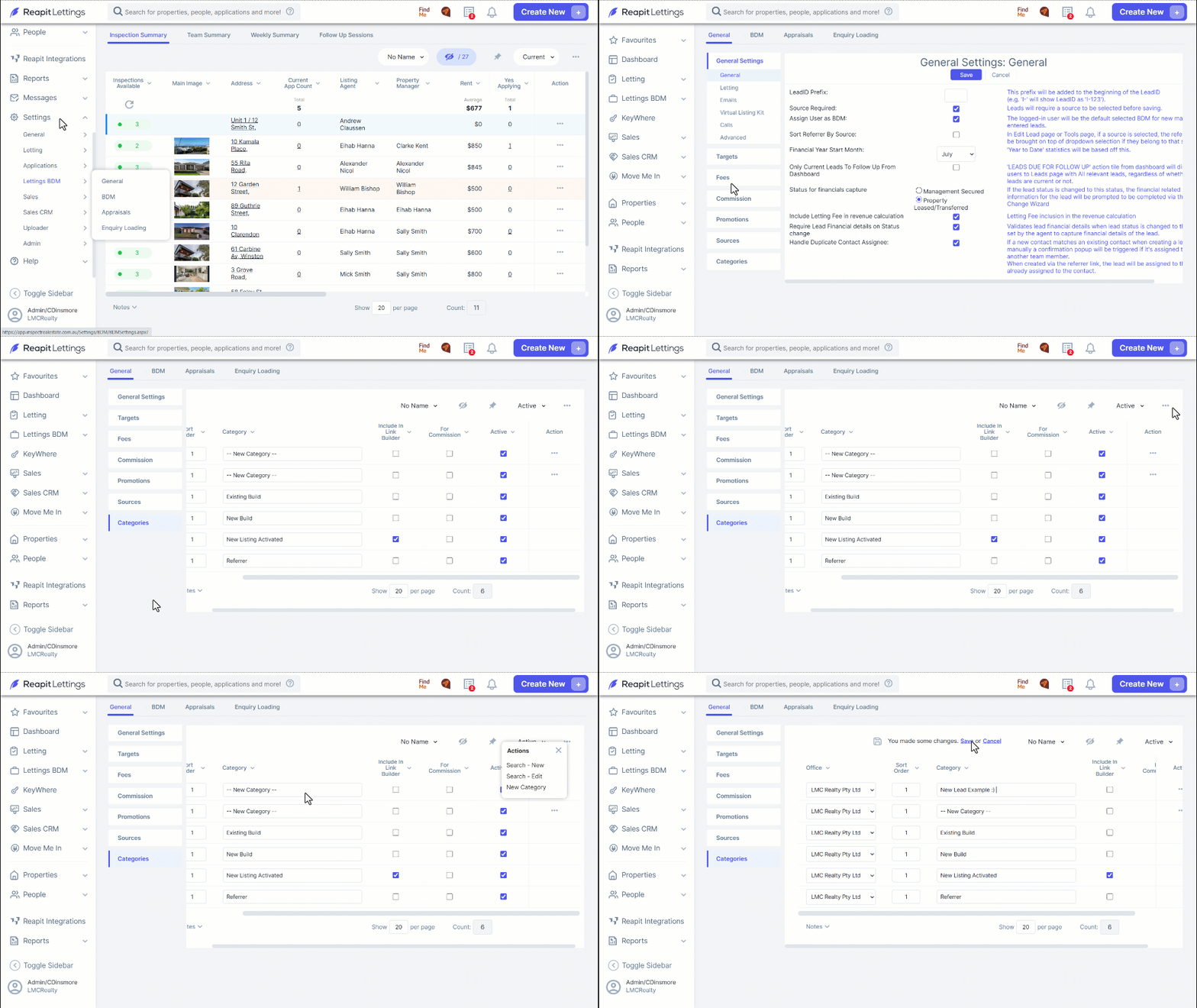
1. Navigate to Settings.
2. Click Lettings BDM.
3. Click General.
4. Click Categories.
5. To add a new category, click the three dots.
6. Click New Category
7. Enter the name of the category, and the office that it belongs to (only relevant for parent/child accounts), can both be edited using the text box and drop-down menu, respectively.
8. Click Save once completed.
9. To add a lead to a category, select the desired category from the lead menu when adding a new lead, or editing an existing one.