'%20d='M0%208a8%208%200%200%201%208-8h24a8%208%200%200%201%208%208v24a8%208%200%200%201-8%208H8a8%208%200%200%201-8-8V8Z'/%3e%3cpath%20fill='%23fff'%20d='M32.576%206C12.293%206%208.776%2025.887%207.424%2034H9.1c.45-2.977%203.493-14.748%2010.899-20.287%200%200-5.633%206.976-6.572%2015.051%203.426-.652%2013.845-3.372%2016.056-12.927l-3.84-.61c1.352-1.351%204.909-5.17%206.931-9.226V6Z'/%3e%3cdefs%3e%3clinearGradient%20id='reapit-lettings__a'%20x1='20.702'%20x2='20.702'%20y1='.351'%20y2='31.228'%20gradientUnits='userSpaceOnUse'%3e%3cstop%20stop-color='%235573FD'/%3e%3cstop%20offset='.575'%20stop-color='%234E56EA'/%3e%3c/linearGradient%3e%3c/defs%3e%3c/svg%3e)
Importing Referrers into Lettings BDM
This article will run through how to import Referrers into Lettings BDM within Reapit Lettings
Importing Referrers into Lettings BDM
This article will run through how to import Referrers into Lettings BDM within Reapit Lettings.
You can import referrers in bulk as a CSV file.
- Click on Lettings BDM.
- Click on Leads.
- Select Referrers.
- Click on the 3 dots in the top right and select Import CSV.
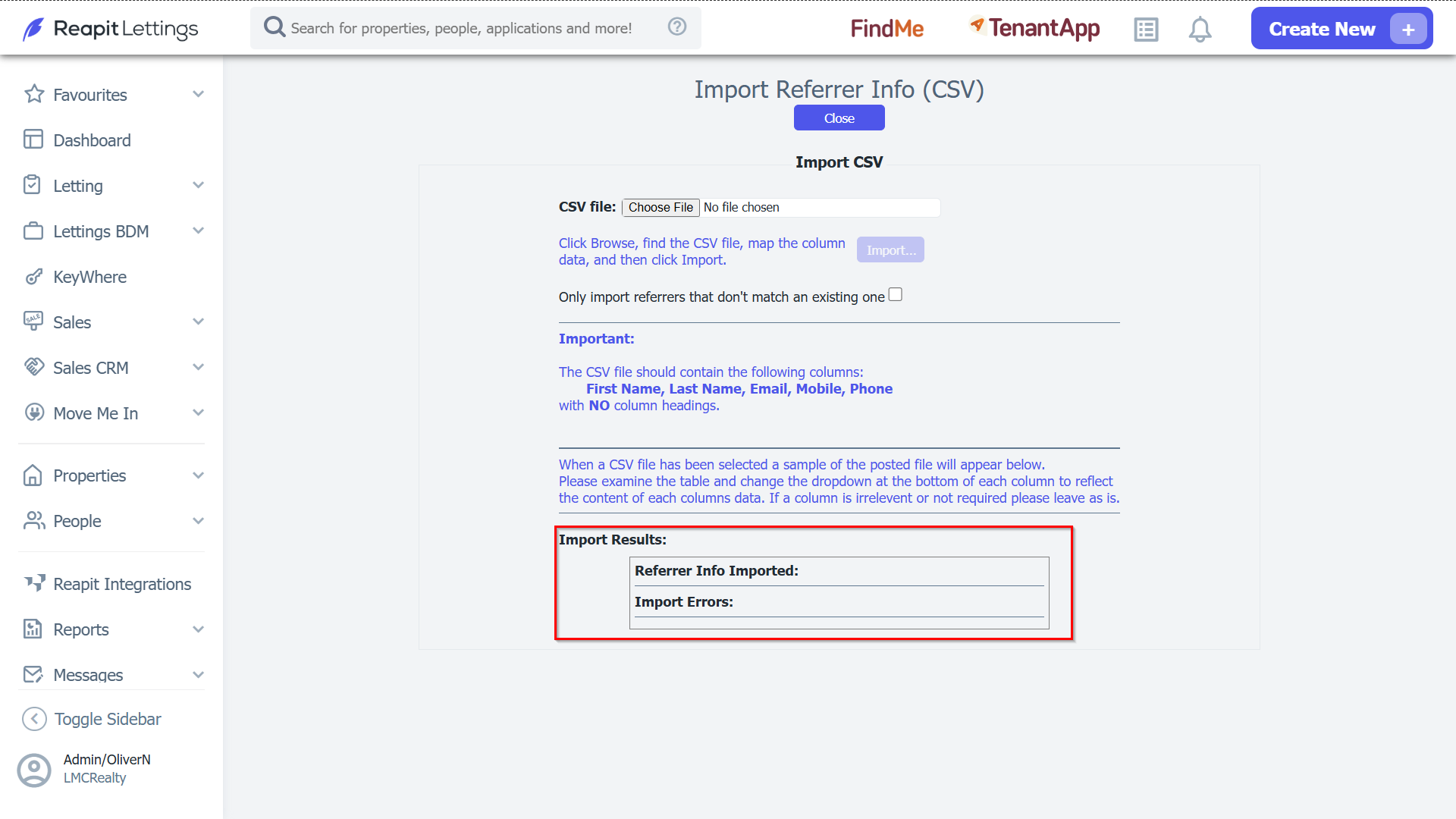
- You will then be taken to the page where you can import your CSV file with the following: First Name, Last Name, Email, Mobile, Phone all as their own column and without column headings.
- Click Import.
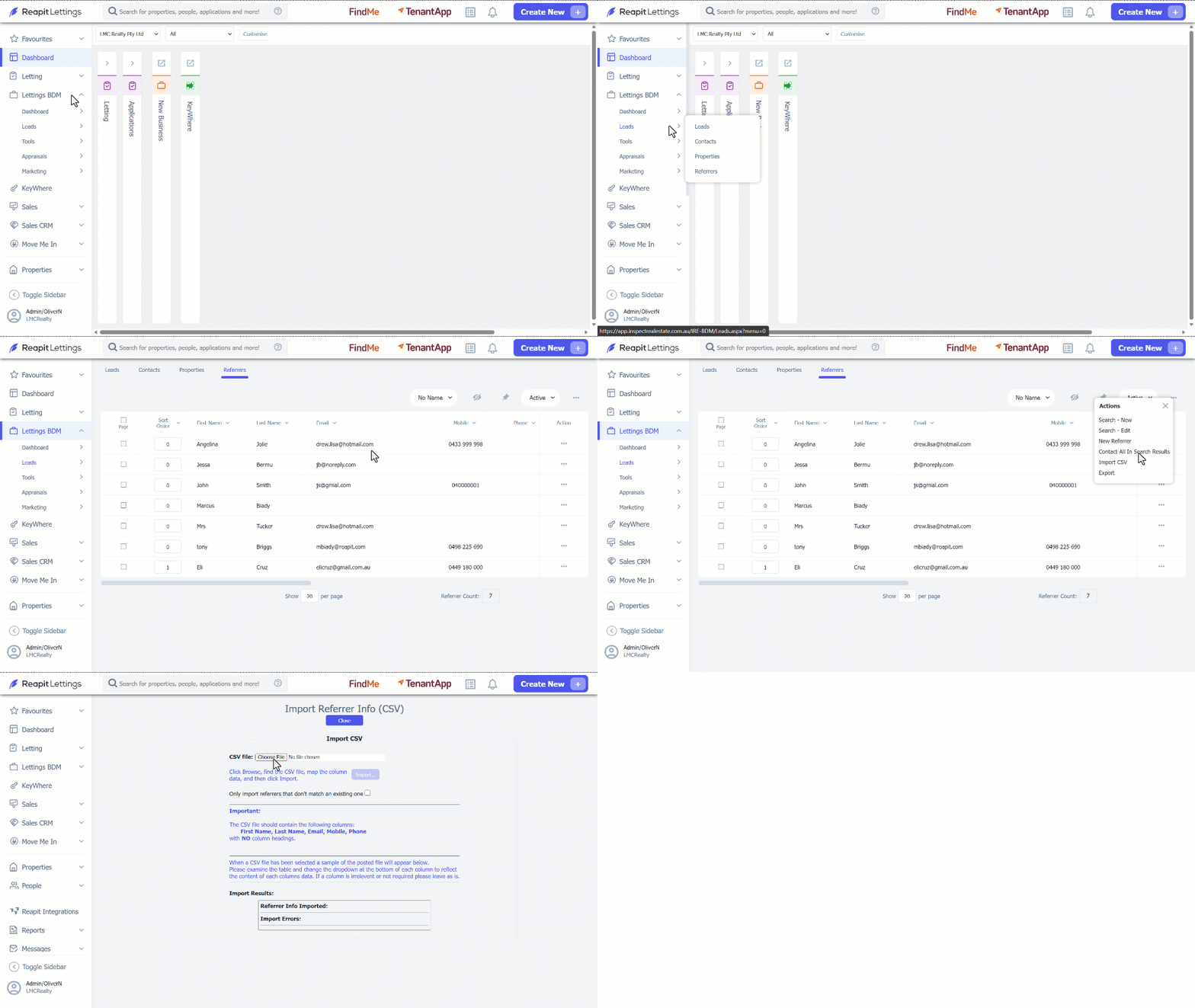
Note: At the bottom of the page, it will show you Import Results such as, and Referrer Info Imported and Import Errors (if any).