'%20d='M0%208a8%208%200%200%201%208-8h24a8%208%200%200%201%208%208v24a8%208%200%200%201-8%208H8a8%208%200%200%201-8-8V8Z'/%3e%3cpath%20fill='%23fff'%20d='M32.576%206C12.293%206%208.776%2025.887%207.424%2034H9.1c.45-2.977%203.493-14.748%2010.899-20.287%200%200-5.633%206.976-6.572%2015.051%203.426-.652%2013.845-3.372%2016.056-12.927l-3.84-.61c1.352-1.351%204.909-5.17%206.931-9.226V6Z'/%3e%3cdefs%3e%3clinearGradient%20id='reapit-lettings__a'%20x1='20.702'%20x2='20.702'%20y1='.351'%20y2='31.228'%20gradientUnits='userSpaceOnUse'%3e%3cstop%20stop-color='%235573FD'/%3e%3cstop%20offset='.575'%20stop-color='%234E56EA'/%3e%3c/linearGradient%3e%3c/defs%3e%3c/svg%3e)
Commission Structures for BDM's in Lettings BDM
This article will run through the commission structure for BDMs in Lettings BDM
Lettings BDM product now has the capability to set up commission structures for your Business Development Manager team. This feature also gives Diamond Users the ability to create reporting around new business commissions for their team.
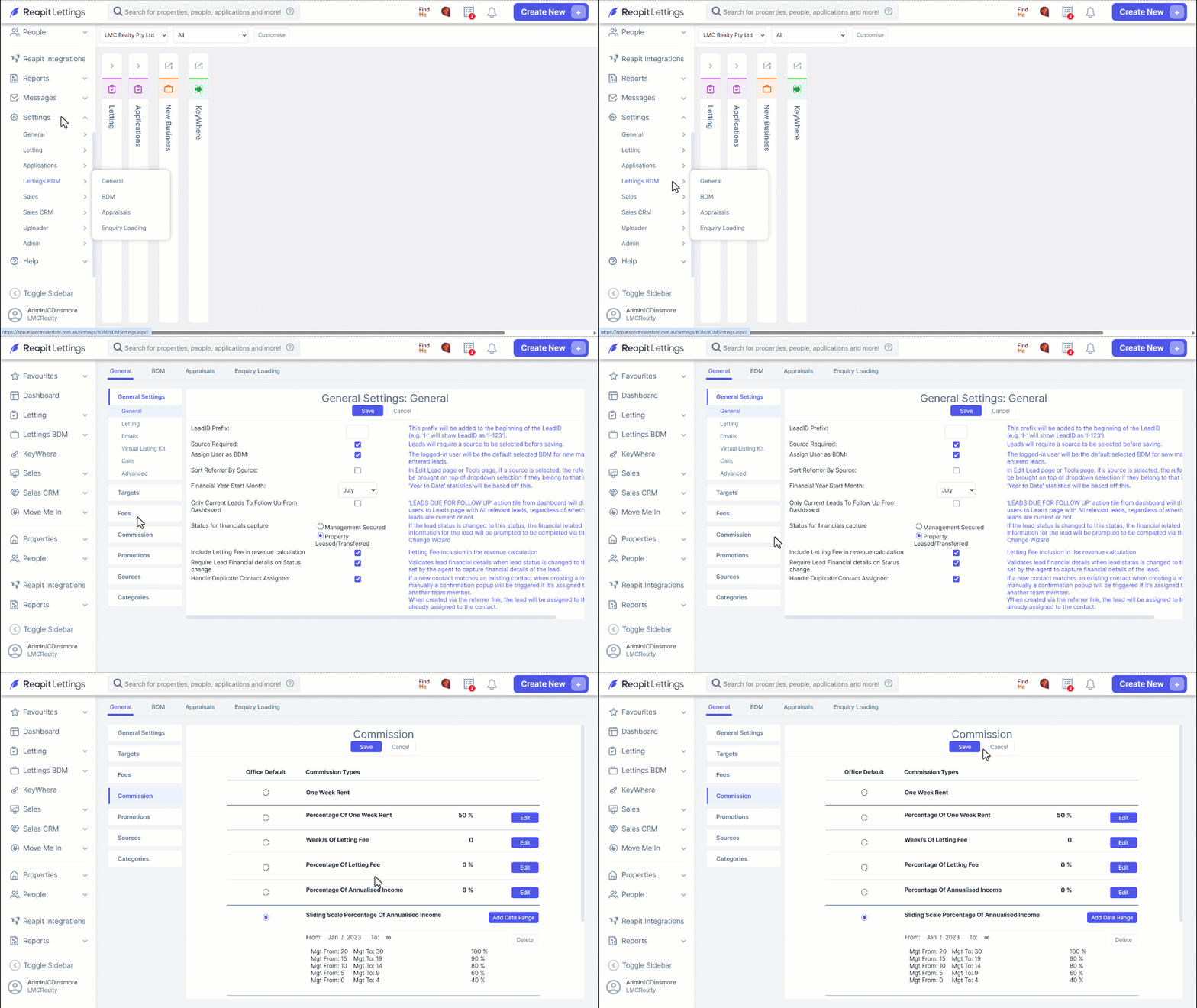
1. To set up your default commission settings for the office. Go to Settings.
2. Click Lettings BDM.
3. Click General
4. Click the Commission tab.
5. The commission settings screen gives you plenty of options for your commission structures, even date ranges for commissions to be paid.
6. To activate this reporting, you will need to mark each new management as gained.
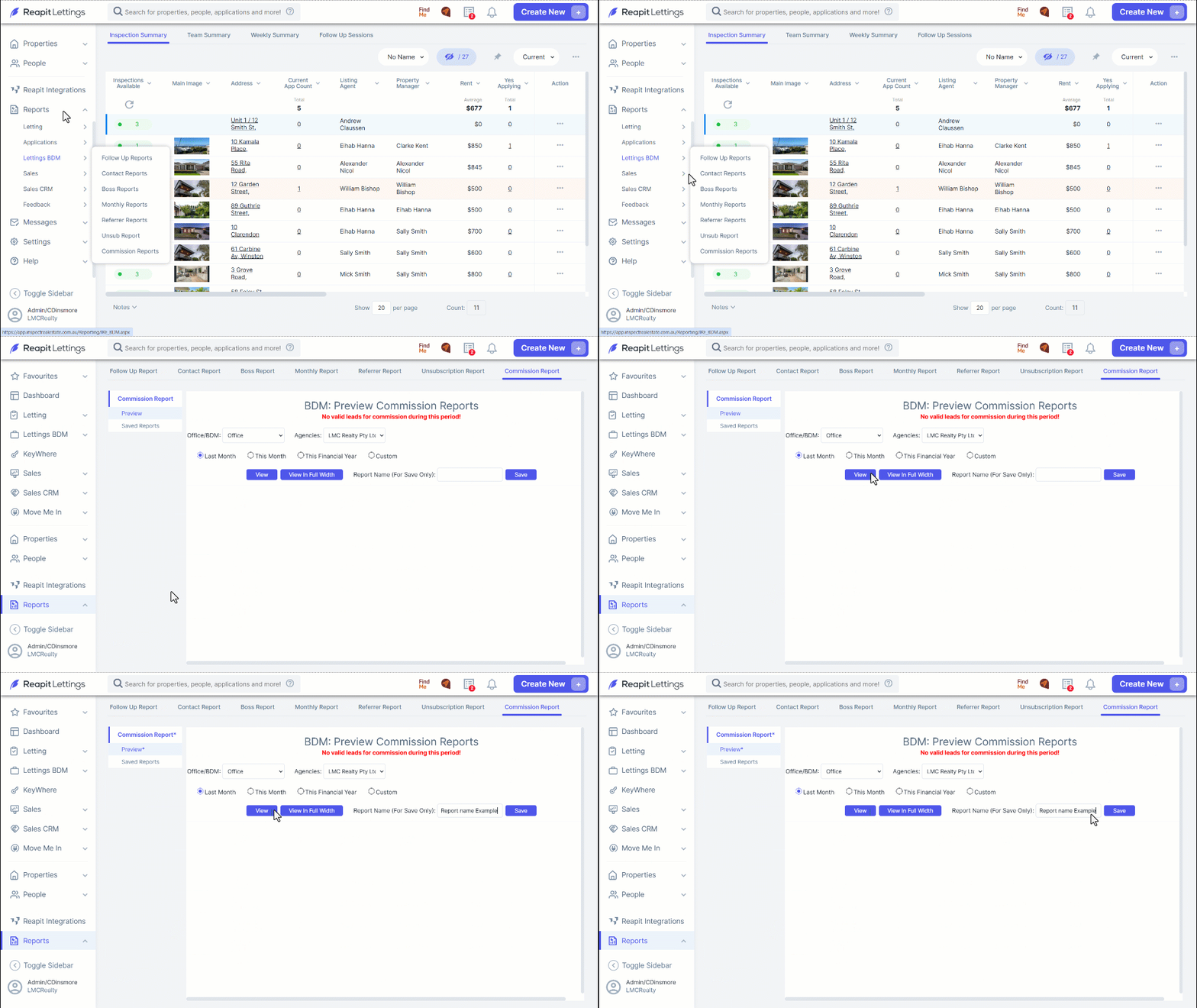
7. To view your reports go to Reports.
8. Click Lettings BDM
9. Click Commissions Report.
10. Select Preview and then filter the reporting period and for the Office/BDM, select View to see the report. Columns can be changed if required.
11. Once you are satisfied with the report this can be saved, enter the name of the report into the Report Name field and then select Save.