'%20d='M0%208a8%208%200%200%201%208-8h24a8%208%200%200%201%208%208v24a8%208%200%200%201-8%208H8a8%208%200%200%201-8-8V8Z'/%3e%3cpath%20fill='%23fff'%20d='M32.576%206C12.293%206%208.776%2025.887%207.424%2034H9.1c.45-2.977%203.493-14.748%2010.899-20.287%200%200-5.633%206.976-6.572%2015.051%203.426-.652%2013.845-3.372%2016.056-12.927l-3.84-.61c1.352-1.351%204.909-5.17%206.931-9.226V6Z'/%3e%3cdefs%3e%3clinearGradient%20id='reapit-lettings__a'%20x1='20.702'%20x2='20.702'%20y1='.351'%20y2='31.228'%20gradientUnits='userSpaceOnUse'%3e%3cstop%20stop-color='%235573FD'/%3e%3cstop%20offset='.575'%20stop-color='%234E56EA'/%3e%3c/linearGradient%3e%3c/defs%3e%3c/svg%3e)
What are Property Specific Notifications
This article will run through what property specific notifications are and how to manage them in Reapit Lettings.
What are Property Specific Notifications
This article will run through what property specific notifications are and how to manage them in Reapit Lettings.
The processes in this article includes:
- How to View and Edit Default Messages
- How to Edit Property Specific Notifications
How to View and Edit Default Messages
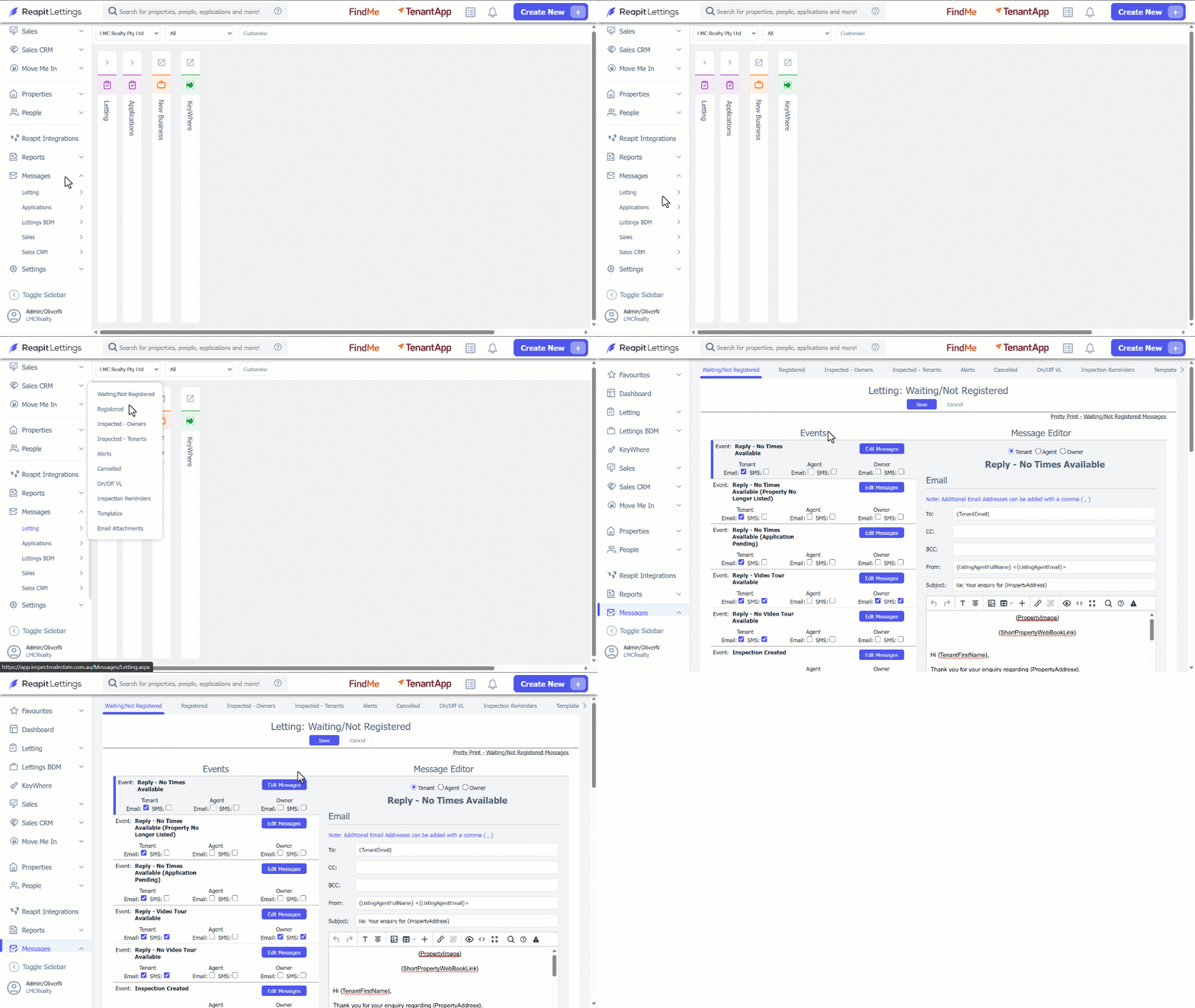
When events occur in the system, notifications are sent out on your behalf. These notifications are based off an ‘Office Template’ which applies to all your properties (Default Messages).
- Click on Messages.
- Click on Letting.
- Click on Waiting/Not Registered.
- Click on Edit Messages button to view and edit the template for each event.
- Click on Save if you perform any changes in the template.
How to Edit Property Specific Notifications
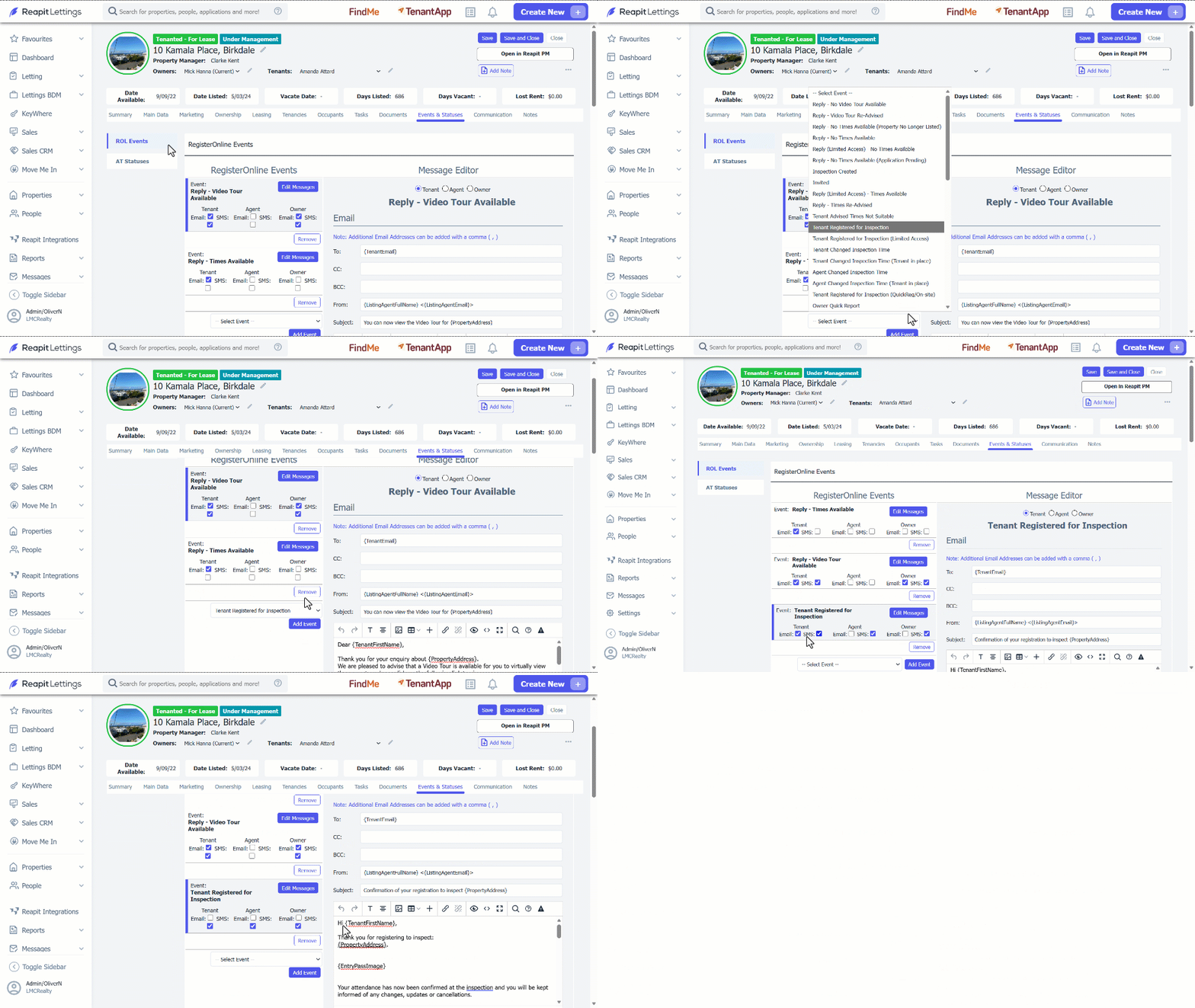
You may also choose to setup any individual property its own notification messages for particular events in the system (Property Specific Notifications).
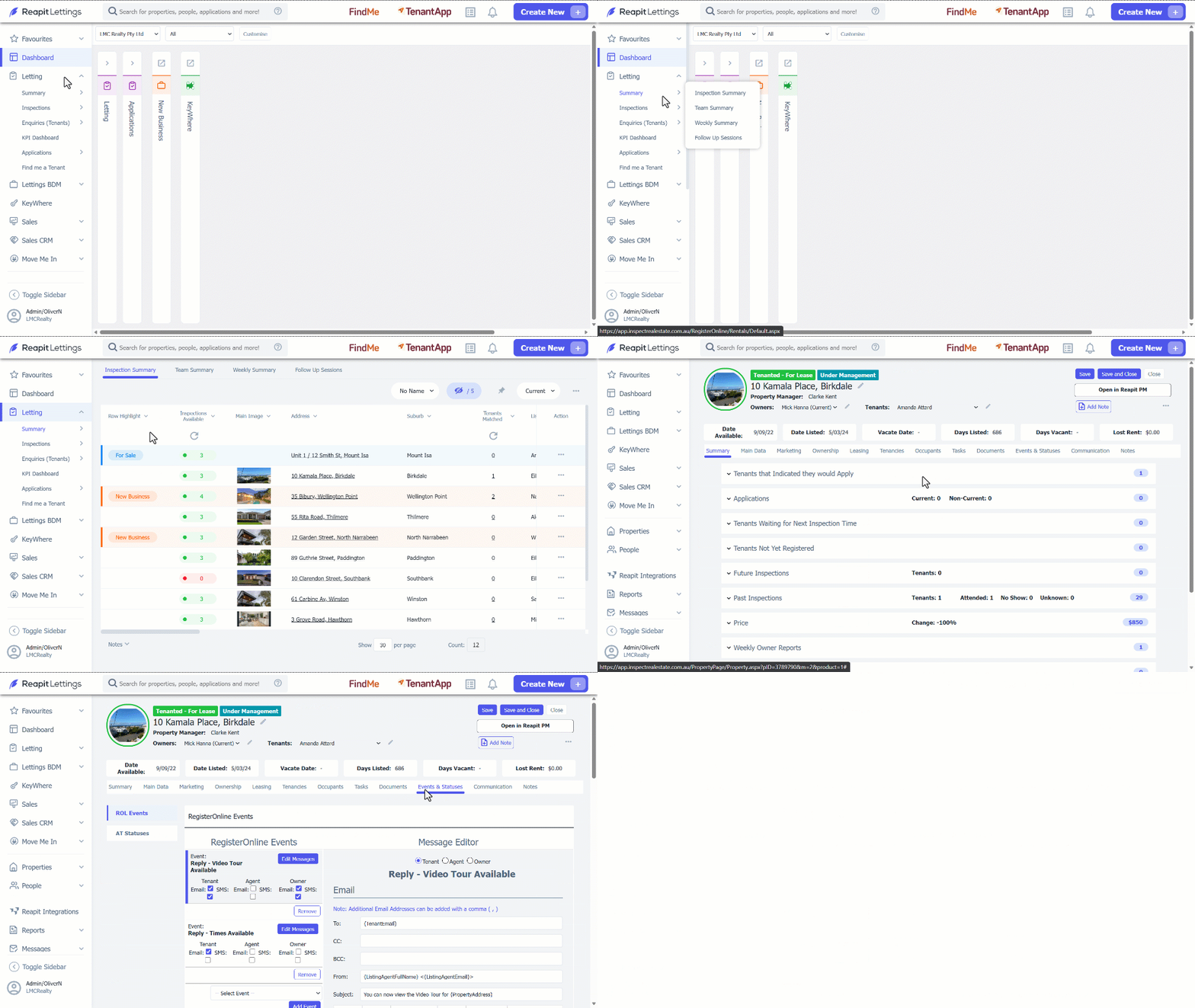
- Click on Letting.
- Click on Summary.
- Click on Inspection Summary.
- Select the property from the Inspection Summary Page.
- Navigate to Events & Statuses.
- Click on ROL Events.
- Select Event from the dropdown box.
- Click on Add Event.
- Tick the Email and/or SMS checkbox on how you want the message to be sent.
- Review and update the message as required in the message field.
- Click on Save.