'%20d='M0%208a8%208%200%200%201%208-8h24a8%208%200%200%201%208%208v24a8%208%200%200%201-8%208H8a8%208%200%200%201-8-8V8Z'/%3e%3cpath%20fill='%23fff'%20d='M32.576%206C12.293%206%208.776%2025.887%207.424%2034H9.1c.45-2.977%203.493-14.748%2010.899-20.287%200%200-5.633%206.976-6.572%2015.051%203.426-.652%2013.845-3.372%2016.056-12.927l-3.84-.61c1.352-1.351%204.909-5.17%206.931-9.226V6Z'/%3e%3cdefs%3e%3clinearGradient%20id='reapit-lettings__a'%20x1='20.702'%20x2='20.702'%20y1='.351'%20y2='31.228'%20gradientUnits='userSpaceOnUse'%3e%3cstop%20stop-color='%235573FD'/%3e%3cstop%20offset='.575'%20stop-color='%234E56EA'/%3e%3c/linearGradient%3e%3c/defs%3e%3c/svg%3e)
Auto Unsubscribe if there isn't an Unsubscribe Link in Email
This article will run through how to auto unsubscribe if there isn’t a subscribe link in email
Auto Unsubscribe if there isn't an Unsubscribe Link in Email
This article will run through how to auto unsubscribe if there isn’t a subscribe link in email.
If you have no Unsubscribe Link in your messages set up in the Event Editor or Message Editor for Rentals, Sales, or BDM, you are now able to either to add these unsubscribe links automatically to the messages or select to receive a warning.
- To turn these functions on, navigate to Settings.
- Click Admin.
- Click General Settings.
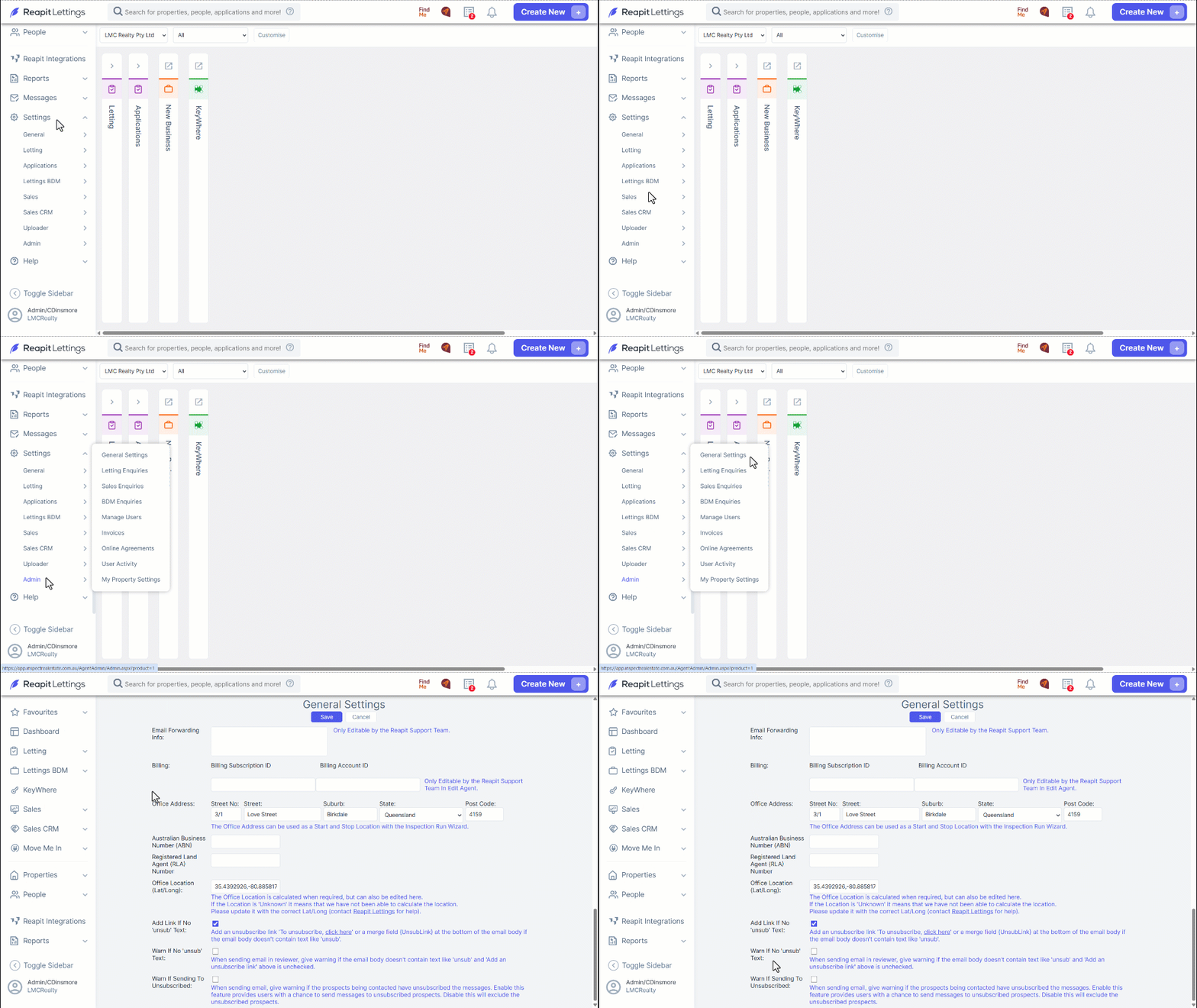
- Scroll down to the bottom of the page to find the relevant settings:
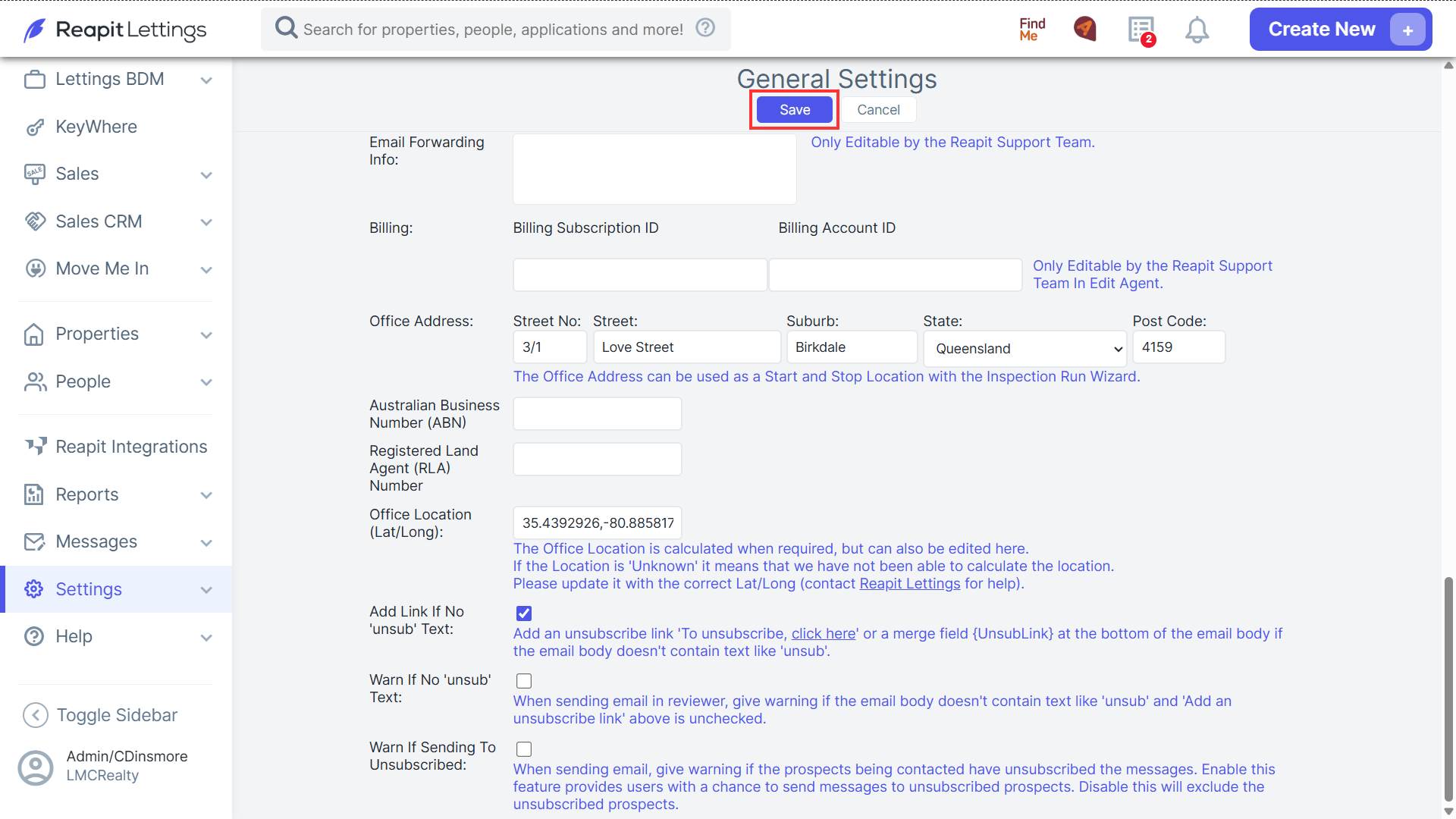
- Add Link If No 'unsub' Text: if this setting is turned on a unsubscribe link will be added to messages if the email body doesn't contact 'unsub'.
- Warn If No 'unsub' Text: if this setting is turned on a warning will appear if the email body doesn't contact 'unsub'.
- Warn If Sending to Unsubscribe: if this setting is turned on a message can still be sent to an unsubscribed prospect, but a warning will appear before the message is sent. If disabled, all unsubscribed prospects will be excluded from the contact list.
- Once all the relevant settings have been turned on hit the Save button.