'%20d='M0%208a8%208%200%200%201%208-8h24a8%208%200%200%201%208%208v24a8%208%200%200%201-8%208H8a8%208%200%200%201-8-8V8Z'/%3e%3cpath%20fill='%23fff'%20d='M32.576%206C12.293%206%208.776%2025.887%207.424%2034H9.1c.45-2.977%203.493-14.748%2010.899-20.287%200%200-5.633%206.976-6.572%2015.051%203.426-.652%2013.845-3.372%2016.056-12.927l-3.84-.61c1.352-1.351%204.909-5.17%206.931-9.226V6Z'/%3e%3cdefs%3e%3clinearGradient%20id='reapit-lettings__a'%20x1='20.702'%20x2='20.702'%20y1='.351'%20y2='31.228'%20gradientUnits='userSpaceOnUse'%3e%3cstop%20stop-color='%235573FD'/%3e%3cstop%20offset='.575'%20stop-color='%234E56EA'/%3e%3c/linearGradient%3e%3c/defs%3e%3c/svg%3e)
TICA Integration
This article will comprehensively explore the Applications section within your account, demonstrating the seamless integration of their application product with TICA for reference checking
TICA Integration
This article will comprehensively explore the Applications section within your account, demonstrating the seamless integration of their application product with TICA for reference checking.
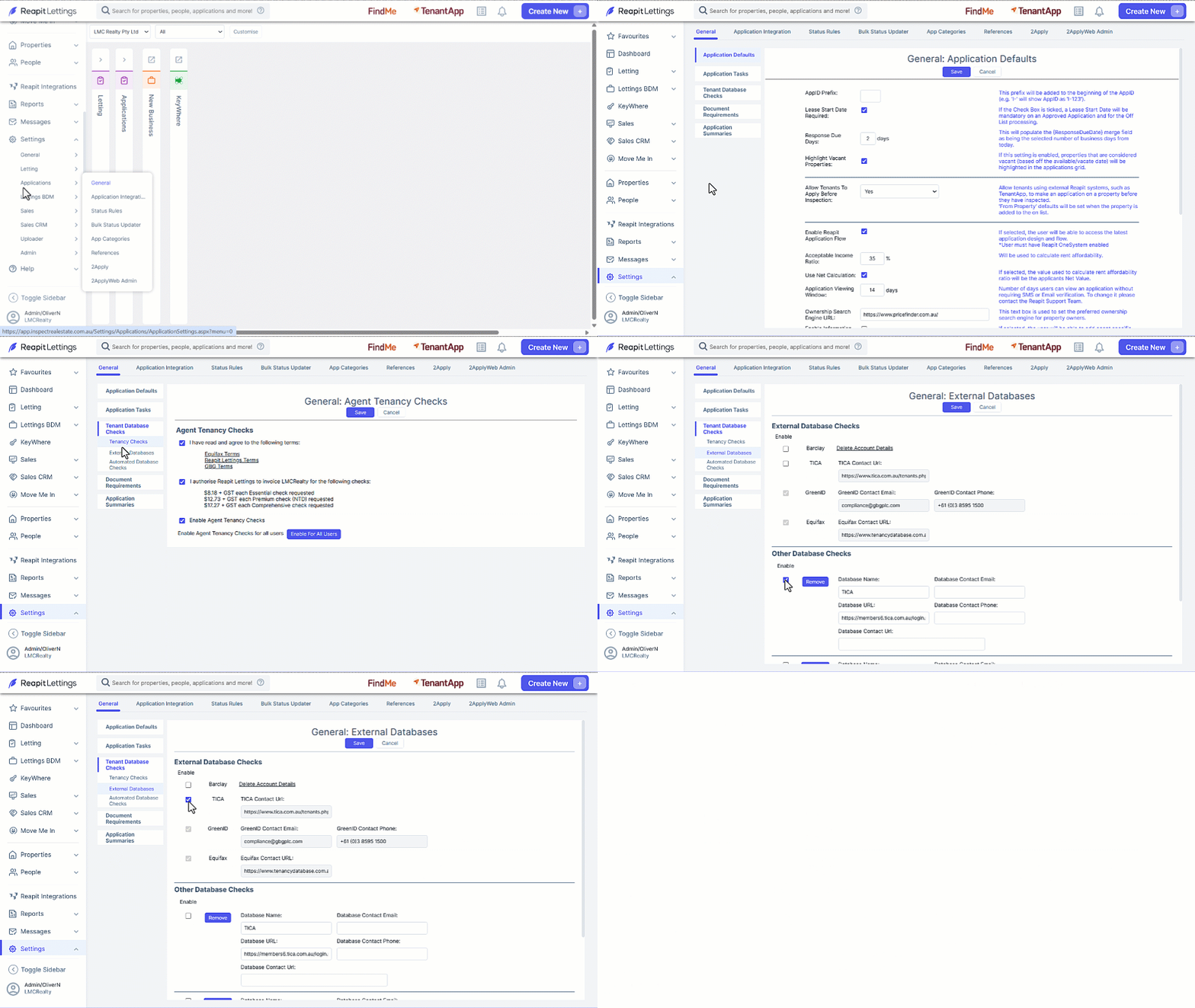
- Click on Settings.
- Click on Applications.
- Click on General.
- Select Tenant Database Checks then External Database.
- Select the checkbox to deactivate TICA within the category of Other Database Checks,
- Select the checkbox to activate TICA for External Database Checks.
- Click on Save.
Note: Once enabled, launch TICA within an application to direct users to the TICA login page.