'%20d='M0%208a8%208%200%200%201%208-8h24a8%208%200%200%201%208%208v24a8%208%200%200%201-8%208H8a8%208%200%200%201-8-8V8Z'/%3e%3cpath%20fill='%23fff'%20d='M32.576%206C12.293%206%208.776%2025.887%207.424%2034H9.1c.45-2.977%203.493-14.748%2010.899-20.287%200%200-5.633%206.976-6.572%2015.051%203.426-.652%2013.845-3.372%2016.056-12.927l-3.84-.61c1.352-1.351%204.909-5.17%206.931-9.226V6Z'/%3e%3cdefs%3e%3clinearGradient%20id='reapit-lettings__a'%20x1='20.702'%20x2='20.702'%20y1='.351'%20y2='31.228'%20gradientUnits='userSpaceOnUse'%3e%3cstop%20stop-color='%235573FD'/%3e%3cstop%20offset='.575'%20stop-color='%234E56EA'/%3e%3c/linearGradient%3e%3c/defs%3e%3c/svg%3e)
How To Add A Property Image Onto Your Tenant Registration Screen And Weekly Owner Report
This article will run through how to add a property image onto your tenant registration screen and weekly owner report Note: If we have not received a property image from your XML feed, you can manually link to a property picture. This picture is shown on the Tenant Registration Screen and Weekly Owner Report.
How To Add A Property Image Onto Your Tenant Registration Screen And Weekly Owner Report
This article will run through how to add a property image onto your tenant registration screen and weekly owner report.
Note: If we have not received a property image from your XML feed, you can manually link to a property picture. This picture is shown on the Tenant Registration Screen and Weekly Owner Report.
- Navigate to Marketing.
- Navigate to Media.
- Click or drag and drop files into the box to upload them. Uploaded files can be rearranged by dragging and dropping the files into their new order.
- Click on Save.
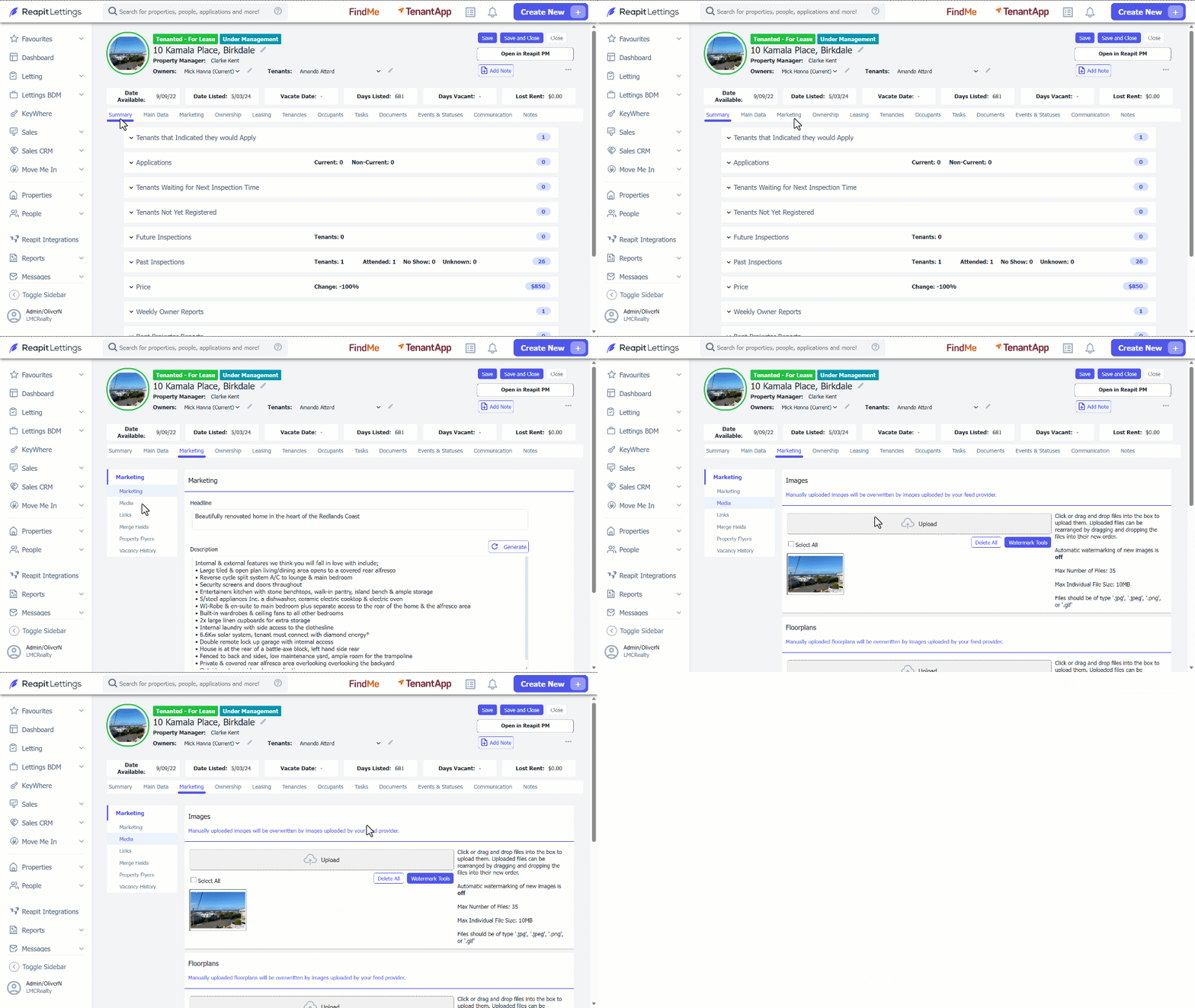
Note: The First Image used in this section will update the Property Image at the top of this section for the property and will also be included in the Owner's Weekly Report.