'%20d='M0%208a8%208%200%200%201%208-8h24a8%208%200%200%201%208%208v24a8%208%200%200%201-8%208H8a8%208%200%200%201-8-8V8Z'/%3e%3cpath%20fill='%23fff'%20d='M32.576%206C12.293%206%208.776%2025.887%207.424%2034H9.1c.45-2.977%203.493-14.748%2010.899-20.287%200%200-5.633%206.976-6.572%2015.051%203.426-.652%2013.845-3.372%2016.056-12.927l-3.84-.61c1.352-1.351%204.909-5.17%206.931-9.226V6Z'/%3e%3cdefs%3e%3clinearGradient%20id='reapit-lettings__a'%20x1='20.702'%20x2='20.702'%20y1='.351'%20y2='31.228'%20gradientUnits='userSpaceOnUse'%3e%3cstop%20stop-color='%235573FD'/%3e%3cstop%20offset='.575'%20stop-color='%234E56EA'/%3e%3c/linearGradient%3e%3c/defs%3e%3c/svg%3e)
How to Edit the 'Default' Status Assigned to Applications When they are Loaded into Reapit Lettings
This article will run through how to edit new applications Default Status when they're imported into your account
How to Edit the 'Default' Status Assigned to Applications When they are Loaded into Reapit Lettings
This article will run through how to edit new applications Default Status when they're imported into your account.
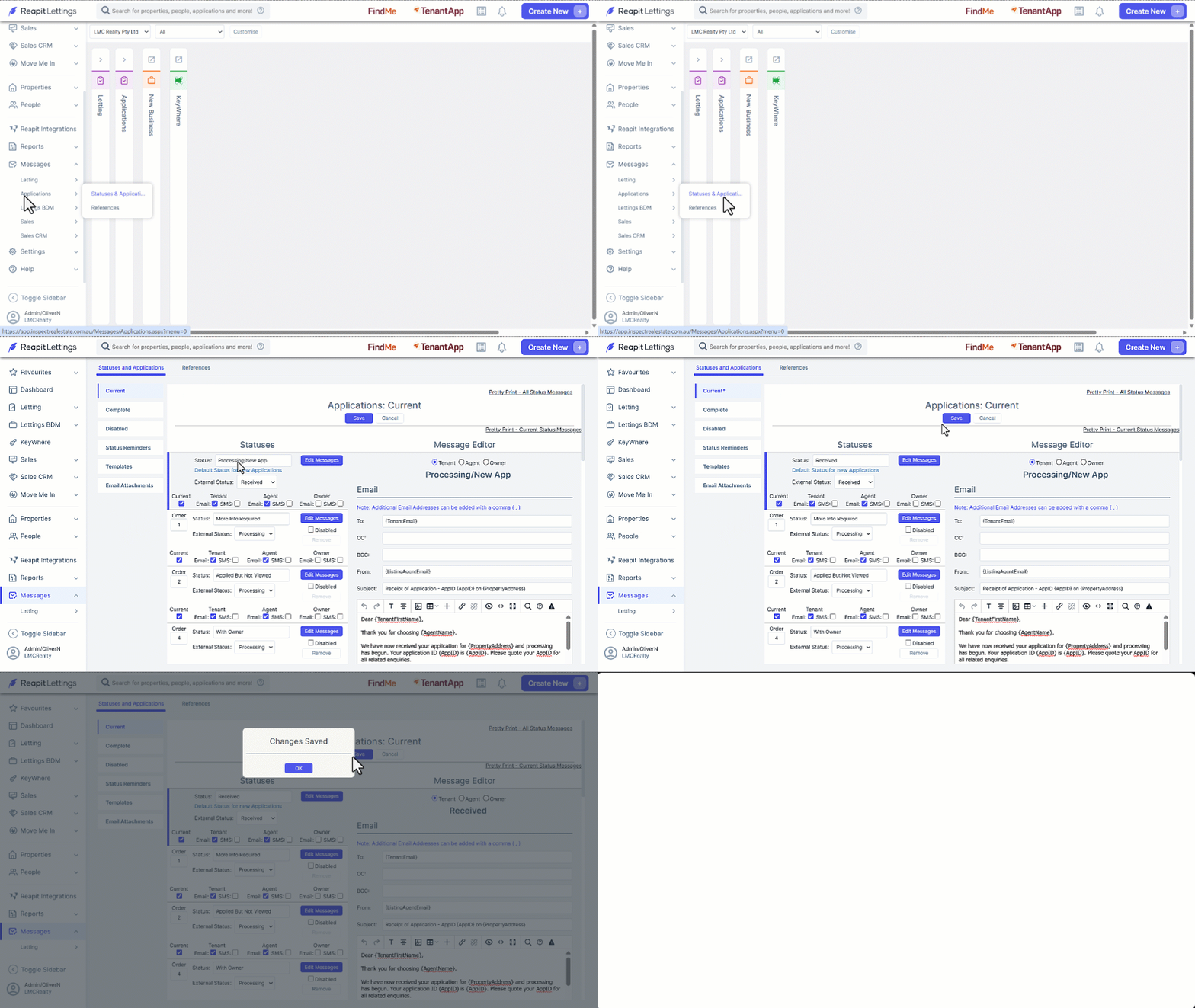
- Click on Messages.
- Click on Applications.
- Click on Statuses and Applications.
- Select Current.
- The first Status Table is the Default status. Click on the existing status name and type in your changes.
- Click Save.