'%20d='M0%208a8%208%200%200%201%208-8h24a8%208%200%200%201%208%208v24a8%208%200%200%201-8%208H8a8%208%200%200%201-8-8V8Z'/%3e%3cpath%20fill='%23fff'%20d='M32.576%206C12.293%206%208.776%2025.887%207.424%2034H9.1c.45-2.977%203.493-14.748%2010.899-20.287%200%200-5.633%206.976-6.572%2015.051%203.426-.652%2013.845-3.372%2016.056-12.927l-3.84-.61c1.352-1.351%204.909-5.17%206.931-9.226V6Z'/%3e%3cdefs%3e%3clinearGradient%20id='reapit-lettings__a'%20x1='20.702'%20x2='20.702'%20y1='.351'%20y2='31.228'%20gradientUnits='userSpaceOnUse'%3e%3cstop%20stop-color='%235573FD'/%3e%3cstop%20offset='.575'%20stop-color='%234E56EA'/%3e%3c/linearGradient%3e%3c/defs%3e%3c/svg%3e)
How to Edit Application Identification Document Points
This article will guide you through the process of adjusting the minimum value assigned to the Application Required Score, customising points allocated for various types of identification documents, and creating or viewing application categories within your account
How to Edit Application Identification Document Points
This article will guide you through the process of adjusting the minimum value assigned to the Application Required Score, customising points allocated for various types of identification documents, and creating or viewing application categories within your account in Reapit Lettings.
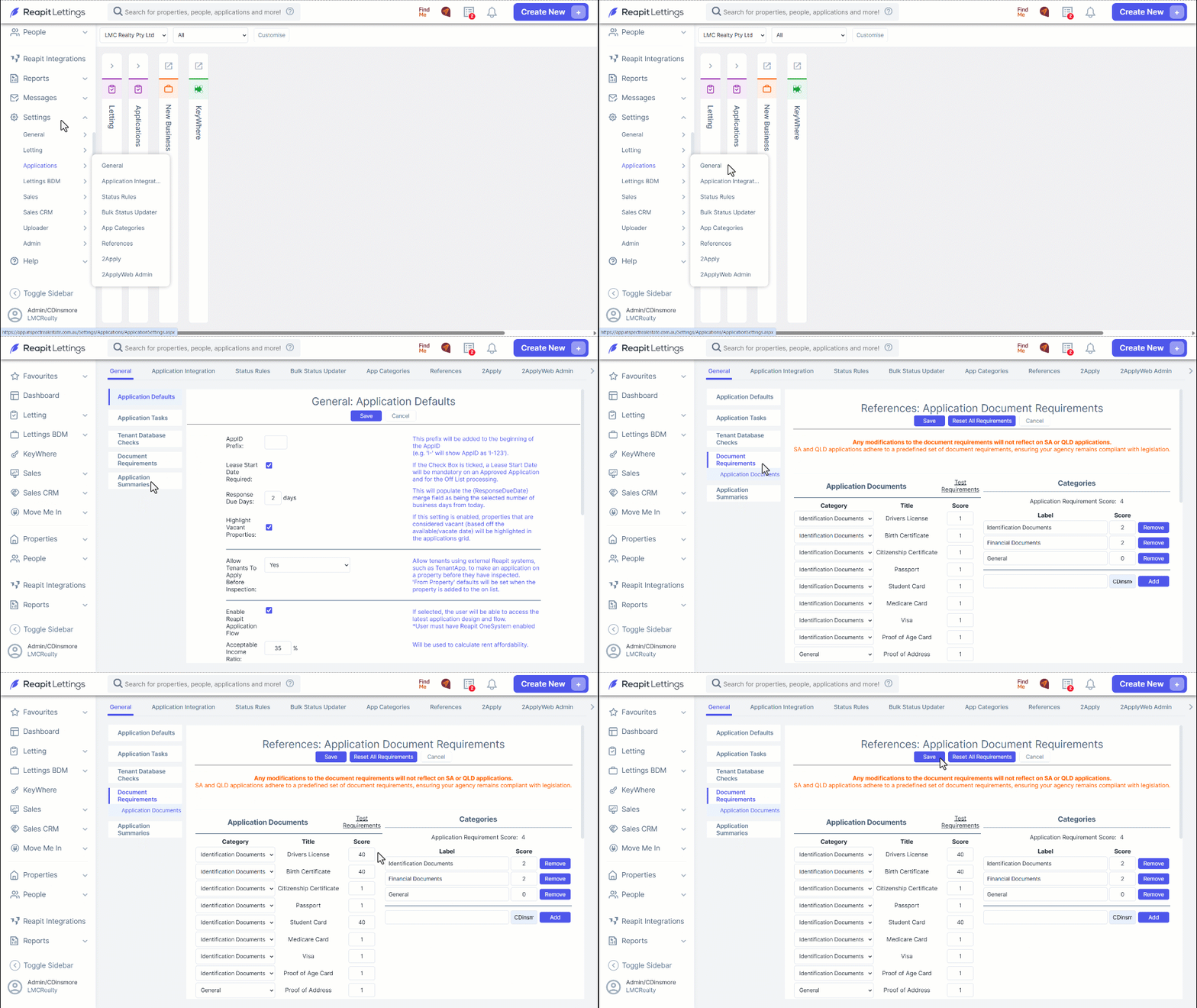
- Navigate to Settings.
- Click Applications.
- Click General.
- Click on Document Requirements.
- Enter your preferred values in the associated score text box.
- Click Save.
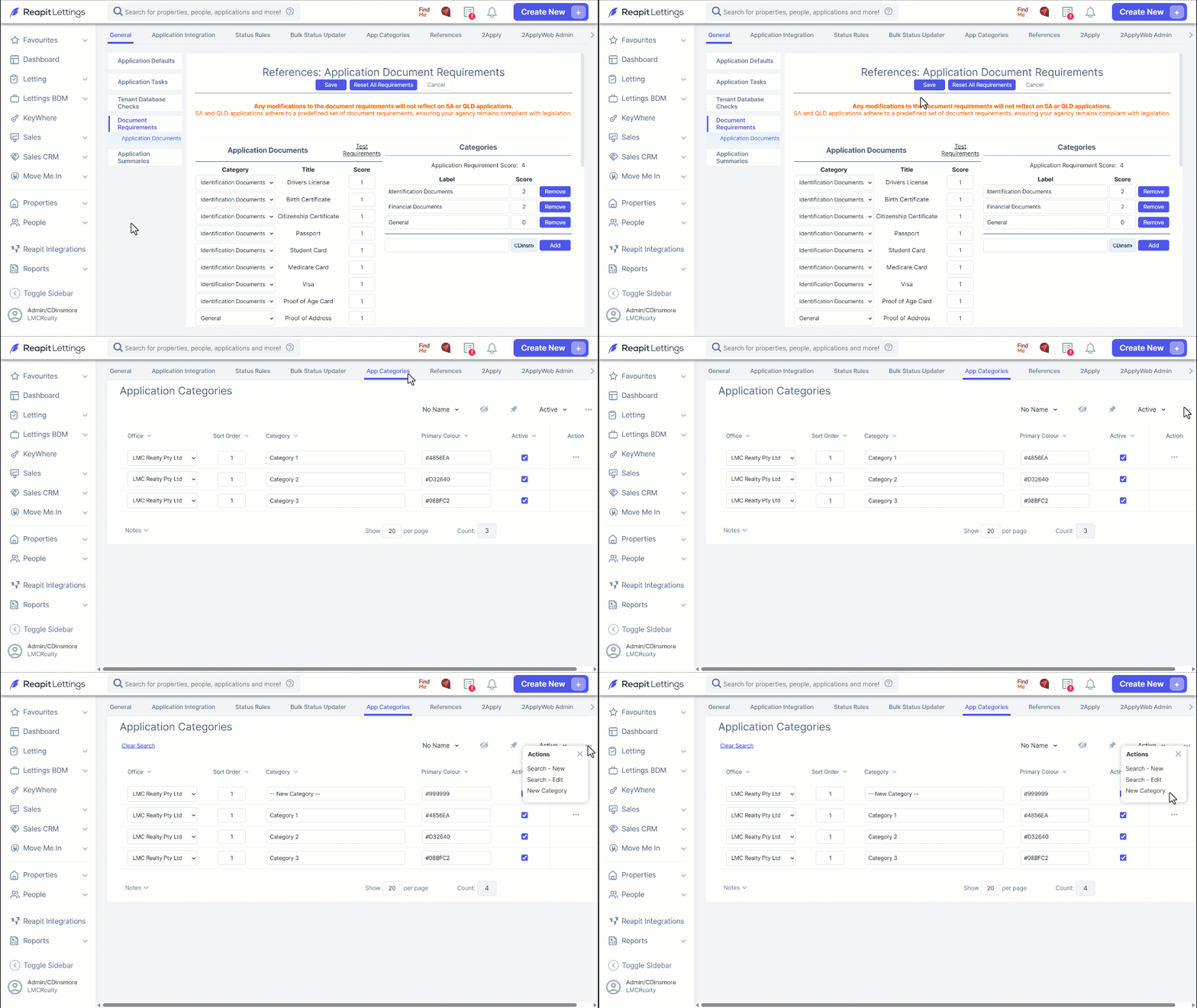
- To view current application categories and/ or create new categories, click App Categories.
- All current application categories are listed. Click the active checkbox.
- Click the three dots, select New Category to create your new desired category for applications.
Note: The Document Requirements tab/ setting will be hidden for all clients within South Australia.
From 1 July 2024, landlords in South Australia cannot ask tenants for certain identification details during the rental application process. This change is to protect tenant privacy and reduce discrimination.