'%20d='M0%208a8%208%200%200%201%208-8h24a8%208%200%200%201%208%208v24a8%208%200%200%201-8%208H8a8%208%200%200%201-8-8V8Z'/%3e%3cpath%20fill='%23fff'%20d='M32.576%206C12.293%206%208.776%2025.887%207.424%2034H9.1c.45-2.977%203.493-14.748%2010.899-20.287%200%200-5.633%206.976-6.572%2015.051%203.426-.652%2013.845-3.372%2016.056-12.927l-3.84-.61c1.352-1.351%204.909-5.17%206.931-9.226V6Z'/%3e%3cdefs%3e%3clinearGradient%20id='reapit-lettings__a'%20x1='20.702'%20x2='20.702'%20y1='.351'%20y2='31.228'%20gradientUnits='userSpaceOnUse'%3e%3cstop%20stop-color='%235573FD'/%3e%3cstop%20offset='.575'%20stop-color='%234E56EA'/%3e%3c/linearGradient%3e%3c/defs%3e%3c/svg%3e)
Owner Summary Settings
This article will run through how to customise the content of the Owner Summary PDF according to your preferences in Reapit Lettings.
Owner Summary Settings
This article will run through how to customise the content of the Owner Summary PDF according to your preferences in Reapit Lettings.
- Navigate to Settings.
- Click Applications.
3. Click General.
- Click Application Summaries.
- Click Owner PDF Settings.
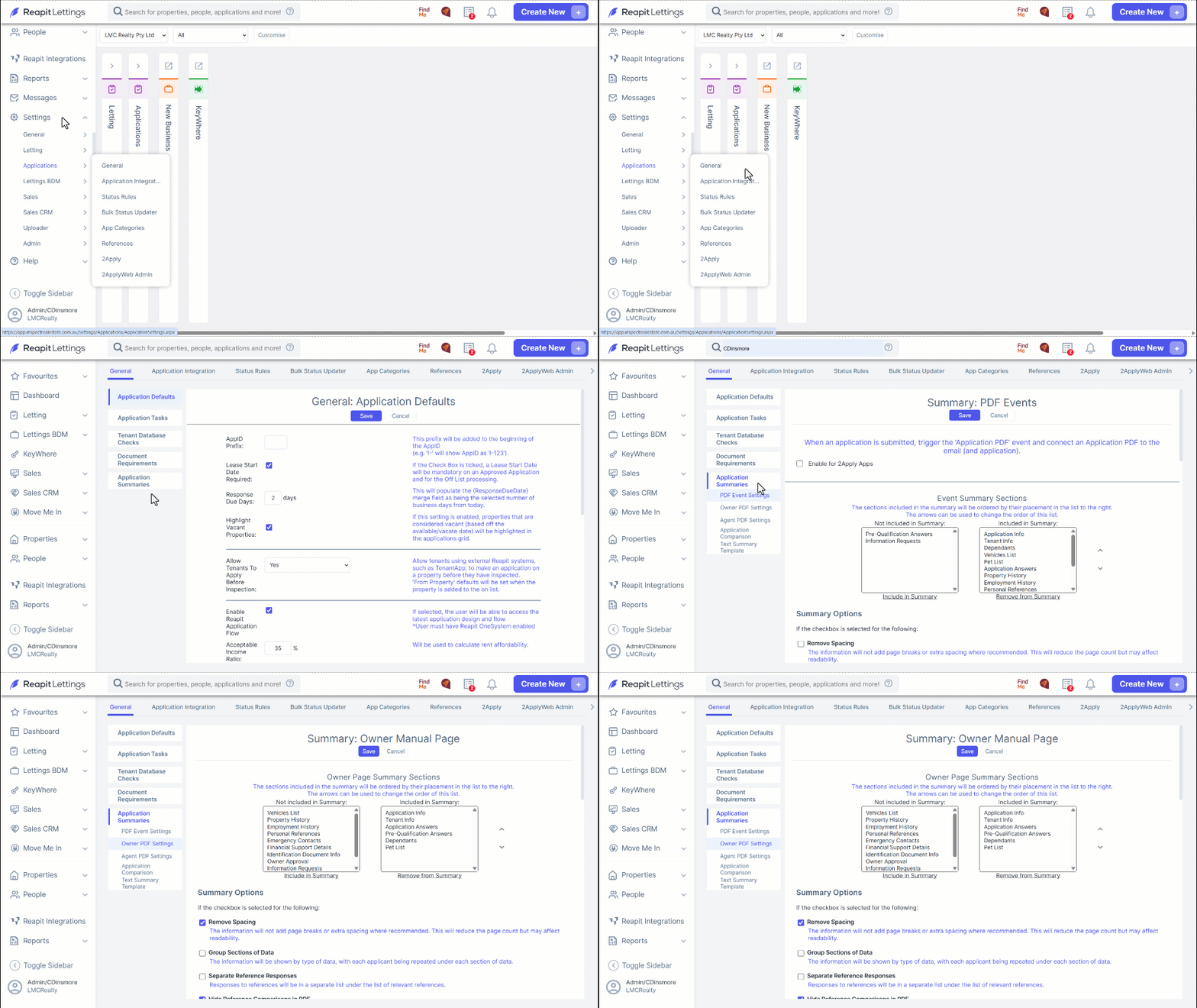
Note: This can only be accessed by Users with Diamond Level access or above.
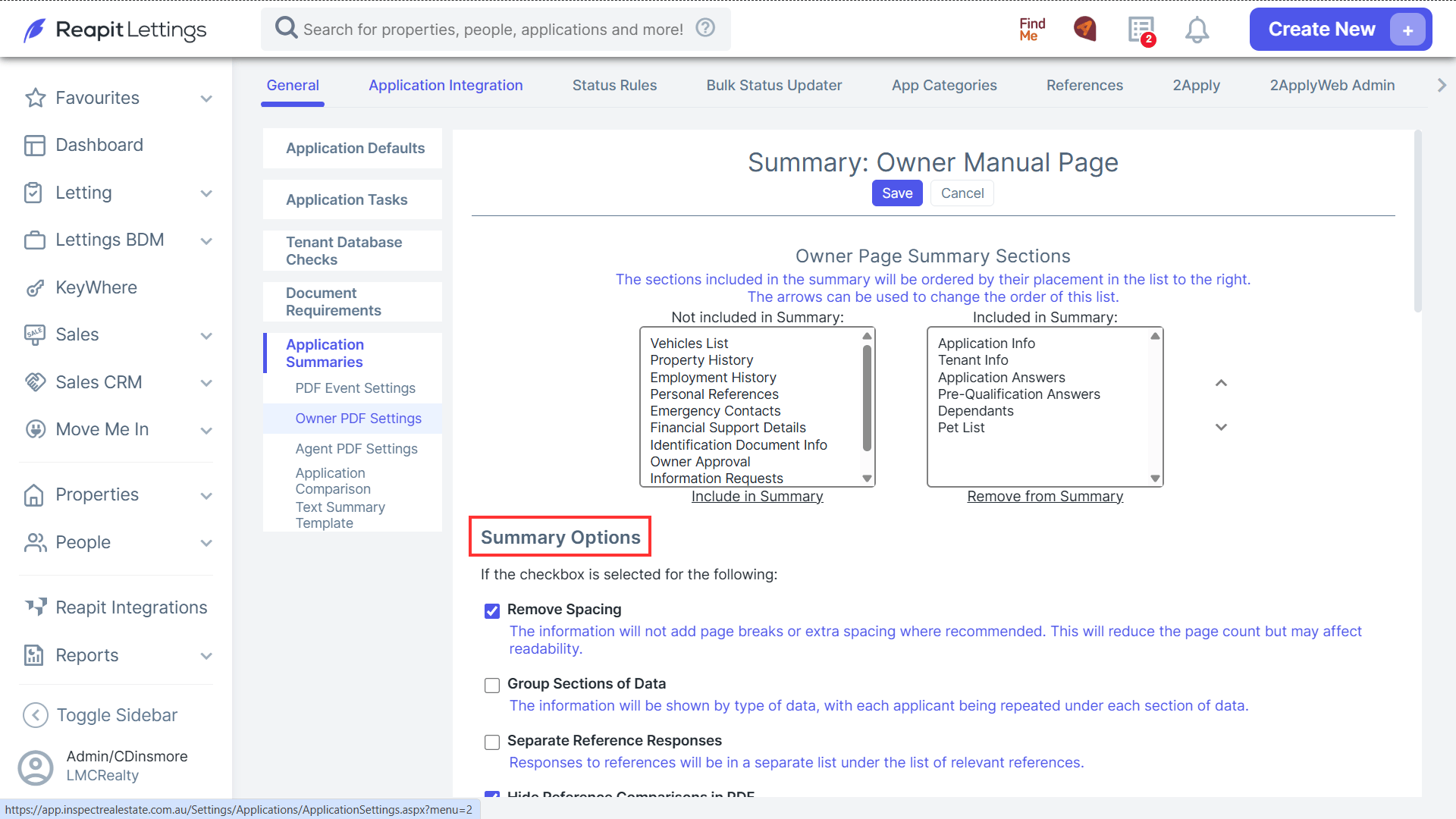
- On the Summary: Owner Manual Page you will see that Default settings have already been selected.
To edit the Summary Sections that are displayed on the PDF, click on the section in the relevant box to remove or include that section.
Use the arrows on the right to change the order in which the information is displayed on the PDF.
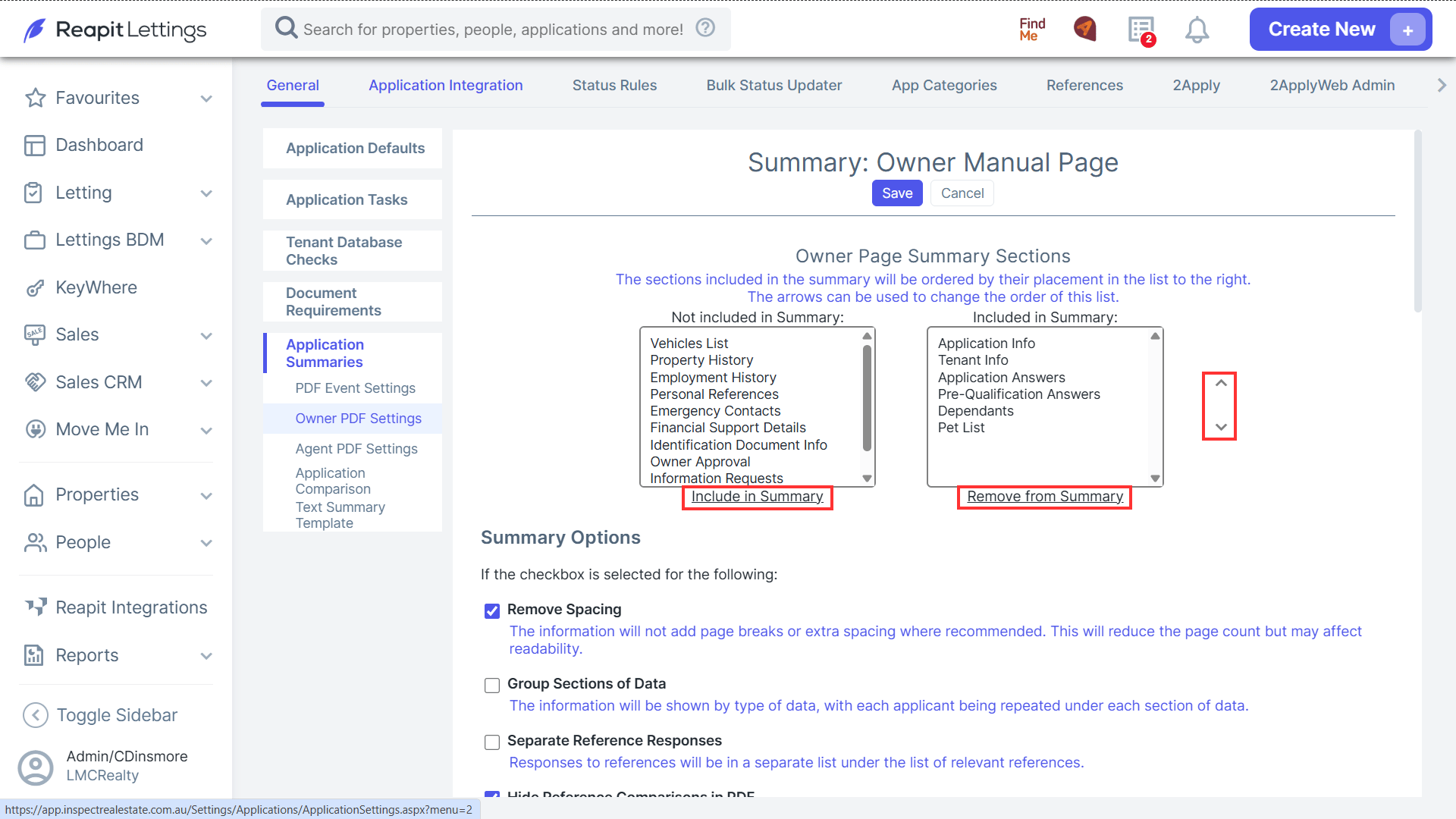
- Navigate to Summary Options for further options to remove/hide or show information. When finalised, click Save.